Connect with us
What Is Workflow Management Software? The Complete Guide
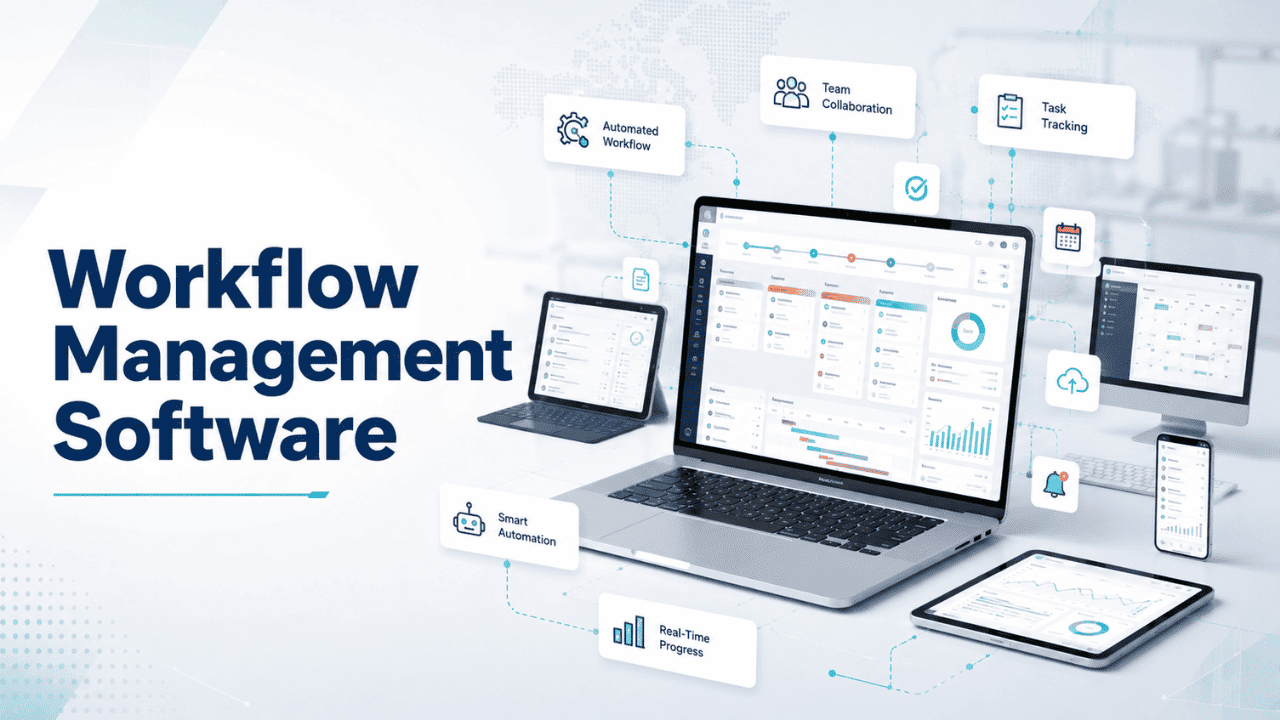
Workflow management software is a digital platform that helps businesses design, automate, manage, and track repeatable processes by organizing tasks, assigning responsibilities, and monitoring progress from start to finish. It creates a structured workflow where teams can complete tasks efficiently without relying on scattered emails, spreadsheets, or manual follow-ups.
Every business runs on repeatable processes, from approving invoices and onboarding employees to reviewing documents and closing deals. When these processes are handled manually, important tasks can be delayed, information can get lost, and teams often spend valuable time chasing updates. Workflow management software solves these challenges by creating automated, visible, and organized workflows that keep everyone aligned.
Whether you're a small business owner managing client work, an accountant handling deadline-driven tasks, or an enterprise IT leader standardizing operations across departments, understanding workflow management software is the first step toward improving efficiency, reducing errors, and building scalable business processes.
This guide explains what workflow management software is, how it works, its key features and benefits, different use cases, pricing considerations, and how to choose the right solution for your organization's needs.
What Is Workflow Management Software?
Workflow management software is a digital tool that helps businesses define, automate, and monitor a series of tasks required to complete a business process. Instead of relying on scattered emails or verbal handoffs, workflow management software creates a structured path: a task is created, assigned, moved through stages, and marked complete, all within one visible system.
At its core, this type of software answers a simple but important question that many teams ask: what does workflow management software do? It essentially removes the guesswork from "who does what, and when." It maps every step of a process, assigns ownership, sets deadlines, and gives managers visibility into where things stand at any given moment.
This differs from basic to-do list apps because workflow management software focuses on process, not just individual tasks. It's built to handle multi-step, multi-person workflows where one task's completion triggers the next.
How Does Workflow Management Software Work?
Workflow management software typically follows a simple operating loop: trigger, task, action, and completion.
- Trigger – A workflow begins when a specific event happens, a new client signs a contract, an employee submits a leave request, or an invoice is received.
- Task Assignment – The software automatically assigns the next step to the right person or team based on predefined rules.
- Action & Approval – The assigned person completes the task or sends it for approval. Some workflows include conditional logic, if approved, move forward; if rejected, send back for revision.
- Completion & Reporting – Once every step is finished, the workflow closes, and the software logs data for reporting and future optimization.
Most modern platforms also integrate with communication and collaboration tools so workflows don't operate in a silo. For example, teams that rely on internal messaging often organize project updates directly within group chats and channels, an approach covered in this guide to streamlining workflow with team communication tools, which keeps everyone aligned without needing to switch between apps constantly.
Key Features to Look For
Not all workflow management software is built the same. Here are the core features worth evaluating before you commit to a platform.
Task Automation & Routing
The software should automatically move tasks from one person to the next based on rules you define, removing the need for manual follow-ups. This is especially valuable for HR and operations teams managing repetitive processes like onboarding or approvals, a use case where dedicated HR workflow automation tools can significantly cut down manual admin work.
Approval Workflows
Look for built-in approval chains where a task can't move forward until a manager or stakeholder signs off. This is critical for finance, procurement, and compliance-heavy processes.
Integrations (Teams, Google Drive, CRM/Customer Service Tools)
Your workflow software shouldn't operate in isolation. Strong integrations with tools like Microsoft Teams, Google Drive, and CRM platforms mean your team doesn't have to re-enter data or jump between five different apps to complete one task. Google's own Workspace ecosystem, for instance, supports a wide range of third-party add-ons that plug directly into Docs, Sheets, and Drive.
Reporting & Analytics
Good workflow management software gives you visibility into bottlenecks — where tasks are getting stuck, who's overloaded, and how long each stage typically takes.
Templates & Customization
Pre-built templates for common processes (onboarding, invoice approval, content review) save setup time, while customization options let you adapt workflows to your specific business rules.
Benefits of Using Workflow Management Software
The right workflow management software delivers measurable improvements across several areas:
- Time Savings – Automating repetitive steps frees up hours that would otherwise go into manual coordination.
- Fewer Errors – Standardized processes reduce the chances of missed steps or miscommunication.
- Better Visibility – Managers can see exactly where a task stands without asking for status updates.
- Improved Accountability – Since every task has a clear owner, there's less confusion about responsibility.
- Scalability – As your team grows, workflows can be replicated and adjusted rather than rebuilt from scratch.
These benefits compound over time, and small, consistent improvements matter, this collection of tips to grow a more productive workflow for your team is a useful starting point. This pattern is also documented in broader research into how automation and process design impact the modern workplace, such as McKinsey's ongoing analysis of the future of work.
Best Workflow Management Software in 2026
There's no single "best" workflow management software, it depends on your team size, industry, and the complexity of your processes. That said, when evaluating options, look at platforms that consistently rank well for ease of use, automation depth, and integration flexibility. Independent review platforms like G2's workflow management category, which aggregate verified user feedback, are a reliable starting point for comparing tools side-by-side based on real user satisfaction scores rather than vendor marketing claims.
When comparing options, prioritize:
- Ease of setup and onboarding
- Depth of automation (not just task lists)
- Integration with your existing tech stack
- Pricing that scales with your team size
- Customer support quality
Workflow Management Software by Use Case
Best Workflow Management Software for Accountants
Accounting teams deal with recurring, deadline-driven work, tax filings, client onboarding, monthly close processes. The best workflow management software for accountants includes built-in deadline tracking, client communication logs, and document management, since accounting workflow management software often needs to handle compliance-sensitive paperwork alongside task tracking. Tax workflow management software specifically should also support recurring workflow templates for filing seasons.
Best for Project Management Teams
Project management workflow software needs strong dependency tracking, where one task can't start until another finishes, along with visual boards like Kanban that let teams see work move through stages at a glance. This guide to what a Kanban board is is one of the simplest ways to bring clarity to otherwise chaotic task lists.
Best Document Workflow Management Software
For teams handling contracts, approvals, or compliance documents, document workflow management software should support version control, e-signatures, and audit trails so nothing gets lost or overwritten.
Best for Enterprise
Enterprise workflow management software needs to support complex, multi-department processes with role-based permissions, advanced reporting, and the ability to integrate with large-scale IT systems. Enterprise buyers should compare options using resources like G2's enterprise workflow management category, paying close attention to scalability and security certifications.
Best for Small Business
Business workflow management software for smaller teams should prioritize simplicity and fast setup over deep customization. A lightweight tool that can be running within a day is often more valuable than a feature-heavy platform that takes weeks to configure.
Workflow Management Software vs. Workflow Automation Tools
These terms are often used interchangeably, but there's a meaningful difference. Workflow management software focuses on organizing and tracking a sequence of human tasks, assigning work, setting deadlines, and monitoring progress. Workflow automation tools go a step further, removing manual action entirely for certain steps, such as automatically sending a notification or updating a record without any human input.
In practice, most modern platforms blend both. The key distinction to keep in mind: workflow management software organizes work, and workflow automation software executes it. This concept is explored well in Atlassian's guide to workflow management, which breaks down how much manual oversight your process actually requires versus how much can genuinely run on its own.
How to Choose the Right Workflow Management Software
Before purchasing, run through this checklist:
- Team Size & Structure – Does the tool support your current headcount and department structure?
- Budget – Can you afford it at scale, not just for a pilot team?
- Required Integrations – Does it connect with the tools you already use daily?
- Industry-Specific Needs – Do you need compliance features, client portals, or specialized templates?
- Ease of Adoption – Will your team actually use it, or will it sit unused after onboarding?
Take advantage of free trials before committing, and involve the actual end users, not just management, in the evaluation process.
Pricing Comparison
Workflow management software pricing generally falls into three tiers:
- Free/Basic – Limited users, basic task tracking, minimal automation. Good for very small teams testing the waters.
- Mid-Tier (Small-to-Mid Business) – Typically $10–$30 per user/month, includes automation, integrations, and reporting.
- Enterprise – Custom pricing based on user count and features, often including dedicated support, advanced security, and API access.
Always check whether pricing is per-user or flat-rate, and confirm which integrations are locked behind higher tiers.
Conclusion
Workflow management software isn't a one-size-fits-all purchase. Accountants need deadline-driven document tracking. Project teams need visual task boards and dependency management. Enterprises need scalability and security. Small businesses need simplicity above all else.
Start by mapping out your current process on paper, identify where the bottlenecks are, and then match that specific pain point to a platform's strengths, rather than choosing based on brand recognition alone.
Frequently Asked Questions
Q1. What is workflow management software?
Workflow management software is a digital tool that helps teams organize, automate, and track the sequence of tasks required to complete a business process. It assigns tasks to the right people, sets deadlines, and provides visibility into where each task stands. Instead of relying on emails or verbal updates, teams get a structured, repeatable system that reduces errors, saves time, and improves accountability across departments, regardless of company size or industry.
Q2. What does workflow management software do?
Workflow management software automates repetitive task assignments, tracks progress across multiple stages, and ensures approvals happen in the right order. It removes manual follow-ups by triggering the next step automatically once a task is complete. Beyond task tracking, it also provides reporting on bottlenecks, team workload, and process efficiency, helping managers make informed decisions about where to improve or restructure existing business workflows for better results.
Q3. What is the best workflow management software?
There isn't a single best option, it depends on your team's size, industry, and process complexity. Accounting teams need deadline and compliance tracking, project teams need visual boards and dependencies, and enterprises need scalability and security. The best approach is comparing platforms based on ease of use, automation depth, integration options, and verified user reviews rather than choosing based on popularity or marketing claims alone.
Q4. Is workflow management software different from project management software?
Yes, though they overlap. Project management software focuses on planning and tracking specific projects with start and end dates. Workflow management software focuses on repeatable, ongoing processes, like invoice approvals or employee onboarding, that happen the same way every time. Many modern platforms combine both, but the core distinction is projects have a defined finish line, while workflows are designed to run continuously.
Q5. Can workflow management software integrate with tools like Google Drive or Microsoft Teams?
Most modern workflow management software supports integrations with communication and storage tools like Google Drive, Microsoft Teams, and popular CRM platforms. This allows teams to attach files, receive notifications, and update records without switching between multiple apps. When evaluating a platform, checking its integration library upfront can save significant setup time and prevent workflow disruptions later.