Connect with us
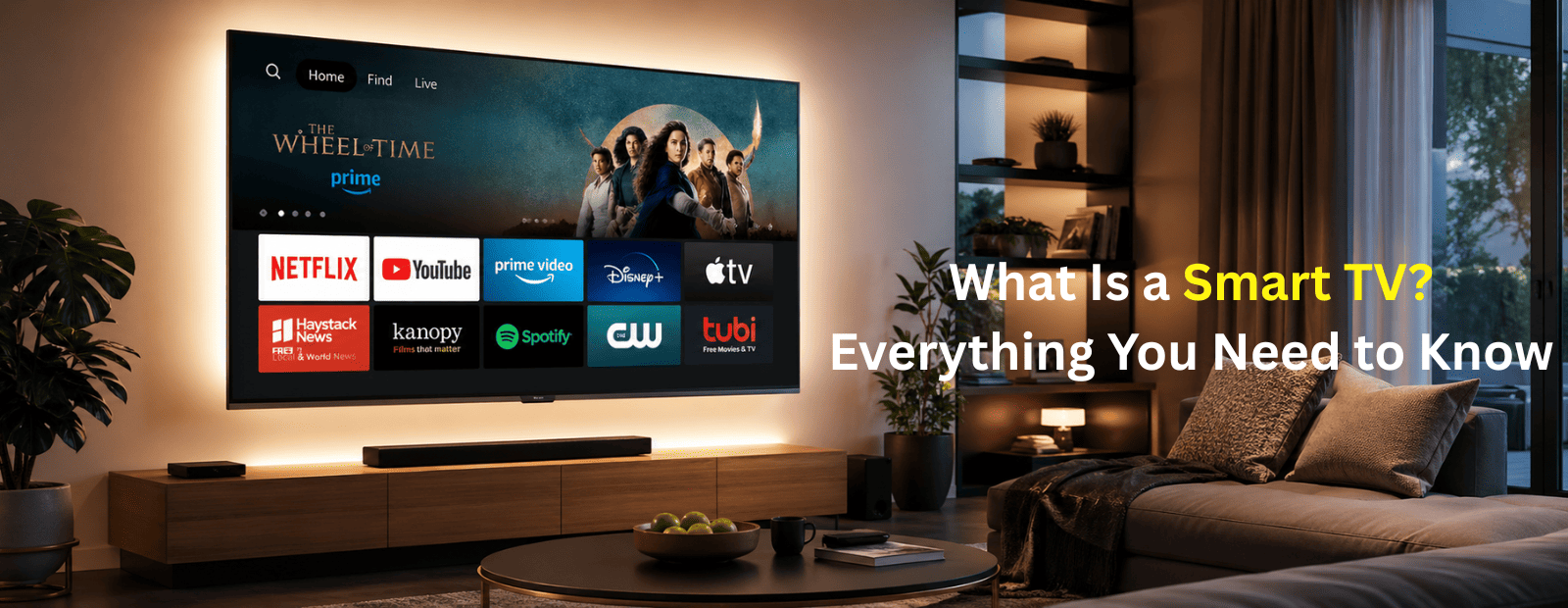
What Is a Smart TV? Everything You Need to Know Before Buying
This article explains what a Smart TV is, how it works, and why it has become the standard choice for modern home entertainment. A Smart TV is an internet-enabled television that allows users to stream content, download apps, use voice control, and connect with other smart devices without requiring external streaming hardware.
In this guide, you will learn the key differences between Smart TVs and regular TVs, explore important features like streaming apps, screen mirroring, and voice assistants, and understand how to choose the right Smart TV based on screen size, resolution, and budget. Whether you are planning to buy a new television or simply want to understand smart TV technology, this complete guide will help you make an informed decision in 2026.
What Is a Smart TV?
A smart TV is a television with built-in internet connectivity and an operating system that lets you stream content, download apps, and connect to other devices, all without needing a separate streaming stick or set-top box.
In simple terms: it is a regular TV combined with the functionality of a smartphone or tablet. Connect it to your home Wi-Fi, and you have instant access to Netflix, YouTube, Spotify, and hundreds of other apps directly on your big screen.
The term "smart" refers to its ability to think beyond just displaying broadcast signals. A smart TV can fetch content from the internet on its own, update itself, remember your preferences, and even integrate with your smart home devices.
Quick definition: A smart TV = TV screen + internet connection + app store + voice control, all in one device.
Smart TV vs Regular TV: What Is the Difference?
If you have ever wondered whether upgrading from your old TV is worth it, here is a clear breakdown:
| Feature | Regular TV | Smart TV |
| Internet connection | No | Yes (Wi-Fi + Ethernet) |
| Streaming apps | No | Built-in |
| Voice control | No | Yes |
| App downloads | No | Yes |
| Screen mirroring | No | Yes |
| Software updates | No | Yes |
| External box needed | Required | Not needed |
A regular TV simply displays content from an external source, a cable box, DVD player, or media stick. A smart TV handles all of that internally, giving you far more flexibility and control over what you watch and how.
How Does a Smart TV Work?
A smart TV works much like a computer or smartphone. Here is what happens under the hood:
1. Operating System — Every smart TV runs an OS. Popular ones include Tizen (Samsung), webOS (LG), Google TV, Android TV, and Roku OS. This is what powers the interface, app store, and all connected features.
2. Internet Connectivity — Smart TVs connect to your home network via Wi-Fi or a wired Ethernet port. Once connected, they can stream content, receive updates, and communicate with other devices.
3. Processor & RAM — Just like a phone, a smart TV has a processor and memory that run apps smoothly. Higher-end models have faster processors for better performance.
4. App Ecosystem — Through the built-in app store, you can download and use streaming services, games, fitness apps, news apps, and more.
5. Input & Output — Smart TVs still support HDMI, USB, and Bluetooth, so you can connect gaming consoles, soundbars, external drives, or keyboards as needed.
Key Features of a Smart TV
Understanding smart TV features helps you know exactly what you are paying for. Here are the most important ones:
Streaming & Content Access
This is the most-used feature. Smart TVs give you direct access to streaming platforms, Netflix, Prime Video, Disney+, YouTube, Apple TV+, and many more, without any extra hardware. Most come with these apps pre-installed.
Voice Control
Modern smart TVs support voice assistants like Google Assistant, Amazon Alexa, or Bixby (Samsung). You can change channels, search for content, adjust volume, or even control smart home devices just by speaking.
Screen Mirroring & Casting
Want to display your phone or laptop screen on the TV? Smart TVs support screen mirroring technologies like Apple AirPlay, Google Chromecast, and Miracast. This is especially handy for presentations, sharing photos, or watching mobile content on a bigger display. If your team uses tools like screen-share for collaboration, casting directly to a smart TV makes group viewing effortless.
4K & HDR Display
Most smart TVs today support 4K resolution (3840 x 2160 pixels), four times sharper than Full HD. Combined with HDR (High Dynamic Range), colours look more vivid and contrast is dramatically improved. If you are investing in a smart TV, going for a best 4K smart TV option is highly recommended for a future-proof experience.
Smart Home Integration
Smart TVs can connect with smart home ecosystems, controlling your lights, thermostat, or security cameras right from the TV screen. Samsung's SmartThings, for example, lets you manage your entire home from your TV dashboard.
Built-in App Store
Every smart TV platform has its own app store. You can download games, fitness apps, news channels, music services, and productivity tools. The smart TV apps list varies by platform, but most include all major streaming services plus thousands of additional options.
Automatic Software Updates
Unlike regular TVs, smart TVs update themselves over the internet. This means you get new features, security patches, and performance improvements without buying a new device.
Popular Smart TV Brands
The smart TV brands market is competitive, and each brand has its own strengths:
Samsung — The global leader in smart TVs. Samsung uses its own Tizen OS and is known for exceptional display quality, especially with its QLED lineup. Great for users who want a premium, well-rounded experience.
LG — Famous for its OLED displays and webOS platform. LG smart TVs are praised for having one of the most intuitive and user-friendly interfaces available.
Sony — Runs Google TV and is known for excellent picture processing and audio performance. A top choice for cinephiles.
TCL & Hisense — Budget-friendly brands that offer strong value. They often run Roku OS or Google TV, making them capable despite the lower price point.
Xiaomi & OnePlus — Popular in India for offering feature-packed smart TVs at accessible prices, running Android TV or Google TV.
Smart TV Apps: What Can You Watch and Do?
One of the biggest advantages of a smart TV is access to a massive smart TV apps list. Here is a snapshot of what is available:
Streaming: Netflix, Amazon Prime Video, Disney+, YouTube, Apple TV+, Hotstar, ZEE5, SonyLIV
Music: Spotify, Amazon Music, YouTube Music, Gaana, JioSaavn
Gaming: Many platforms offer casual games, and some TVs support cloud gaming via Xbox Cloud Gaming or NVIDIA GeForce Now
Productivity & Communication: Some smart TV platforms even support browser-based tools and video calling apps, blurring the line between entertainment and work
News & Sports: BBC News, ESPN, Sky Sports, and regional news apps are widely available
The variety of apps available is one reason smart TVs have replaced traditional set-top boxes in millions of homes.
How to Set Up a Smart TV
Setting up a smart TV is simpler than most people expect. Here is how to do it:
- Unbox and place your TV — Connect it to a power source and position it at a comfortable viewing height and distance
- Power on and choose your language — The setup wizard will guide you through initial preferences
- Connect to Wi-Fi — Go to Settings → Network → Wi-Fi and select your home network. Enter your password
- Sign in to your account — Depending on the platform (Google, Samsung, LG), sign in with your existing account or create one
- Install your favourite apps — Open the app store and download Netflix, YouTube, or any other service you use
- Pair your voice remote — If your TV comes with a voice remote, follow the on-screen instructions to activate it
- Adjust picture and sound settings — Set your preferred display mode (Cinema, Standard, Vivid) and configure audio output
That is it. Most smart TVs are ready to use within 10 minutes of unboxing.
How to Add Apps to Your Samsung Smart TV
If you own a Samsung TV, adding new apps is straightforward:
- Press the Home button on your remote
- Navigate to the Apps section using the directional buttons
- Click on the Search icon (magnifying glass) at the top
- Type the name of the app you want, for example, "Netflix" or "Spotify"
- Select the app from the results and click Install
- Once installed, the app appears in your home screen or app library
To download apps on Samsung smart TV, make sure your TV is connected to the internet and you are signed in to your Samsung account. Some apps may require a separate subscription after installation.
Smart TV Buying Guide: What to Look for
Before you spend your money, here is a practical smart TV buying guide to make sure you choose wisely:
Screen Size — Measure your room. For a viewing distance of 6–8 feet, a 55-inch TV is ideal. For 8–10 feet, go for 65 inches or more.
Resolution — Always go for 4K (UHD) if your budget allows. It is now the standard, and the content library for 4K is massive and growing.
Operating System — Choose based on your ecosystem. Google TV or Android TV works best if you are a Google/Android user. Apple users may prefer Sony or LG for AirPlay support.
Refresh Rate — For sports and gaming, a 120Hz refresh rate delivers smoother motion. 60Hz is fine for general use.
HDR Support — Look for Dolby Vision or HDR10+ for the best colour and contrast performance.
Connectivity — Check for at least 3 HDMI ports, 2 USB ports, Bluetooth, and Wi-Fi. Ethernet is a bonus for stable streaming.
Smart Features — Check if the TV supports your preferred voice assistant and whether it integrates with your smart home setup.
Budget — Entry-level smart TVs start around ₹15,000 in India. Mid-range models (₹30,000–₹60,000) offer a solid balance of features and quality. Premium models above ₹1,00,000 offer OLED displays and top-tier performance.
Is a Smart TV Worth It?
Absolutely, for most households, a smart TV is not a luxury anymore, it is a practical necessity. Between cord-cutting from cable, the rise of streaming, and the growing number of people using their TV for work and entertainment combined, a smart TV pays for itself quickly.
Just as tools like AI-powered suggestions have made workplace communication smarter and more efficient, smart TVs have done the same for home entertainment, bringing everything you need into one intelligent, connected device.
Final Thoughts
A smart TV is one of the most impactful upgrades you can make to your home entertainment setup. It consolidates your streaming subscriptions, eliminates the need for extra boxes, supports voice control, integrates with your smart home, and gives you access to thousands of apps, all from one device.
Whether you are buying your first smart TV or upgrading an old one, focus on the right screen size for your room, a 4K resolution, a platform that matches your existing devices, and enough connectivity ports for your needs. Get those right, and you will have a TV that serves you brilliantly for years to come.
Frequently Asked Questions
1. Do Smart TVs Need a Cable Connection?
No, smart TVs do not require a cable TV connection to function. Their primary advantage is the ability to connect directly to the internet through Wi-Fi or an Ethernet cable, allowing you to stream content from popular platforms such as Netflix, YouTube, Amazon Prime Video, Disney+, and many others. This means you can enjoy movies, TV shows, live streams, and music without paying for a traditional cable subscription. However, if you prefer watching local channels or cable networks, you can still connect a cable or satellite box. Smart TVs give you the flexibility to choose between internet-based entertainment and traditional television services.
2. Can a Smart TV Work Without the Internet?
Yes, a smart TV can still function without an internet connection, but its smart features will be limited. You can use the TV to watch content from devices connected through HDMI, such as gaming consoles, Blu-ray players, streaming sticks, or set-top boxes. You can also play media files stored on a USB drive. However, internet-based services such as Netflix, YouTube, app downloads, voice assistants, cloud gaming, and software updates will not be available. While a smart TV can operate offline like a regular television, connecting it to the internet unlocks its full range of features and capabilities.
3. Is a Smart TV the Same as an Android TV?
Not exactly. A smart TV is any television that can connect to the internet and run apps, while Android TV is a specific operating system developed by Google for smart TVs. Other smart TV brands may use different operating systems, such as Tizen, webOS, Roku TV, Fire TV OS, or Google TV. Android TVs provide access to the Google Play Store, Google Assistant, Chromecast built-in, and a wide range of apps. In simple terms, every Android TV is a smart TV, but not every smart TV runs Android. The operating system determines the user experience, app availability, and additional features.
4. Can I Use a Smart TV for Video Calls?
Yes, many modern smart TVs can be used for video calls, making it easier to connect with family, friends, or colleagues on a larger screen. Some premium models come with built-in cameras and microphones that support apps like Zoom, Google Meet, or Skype. If your TV does not have a built-in camera, you may be able to connect a compatible webcam or use screen mirroring and casting features from your smartphone, tablet, or laptop. The larger display provides a more comfortable viewing experience during meetings and group calls, making smart TVs a convenient communication device as well as an entertainment hub.
5. Do Smart TVs Use Wi-Fi?
Yes, smart TVs rely on Wi-Fi to access online features such as streaming services, app downloads, voice assistants, and software updates. Once connected to your home network, a smart TV can stream movies, TV shows, music, and live content from various platforms. Most modern smart TVs also include an Ethernet port for a wired internet connection. While Wi-Fi offers convenience and flexibility, an Ethernet connection can provide faster speeds, lower latency, and a more stable experience, especially when streaming 4K or 8K content. Choosing a reliable internet connection ensures smoother performance and fewer buffering issues.
6. Which Company Is No. 1 in TV?
Samsung is widely recognized as the global leader in the television market and has maintained its top position for more than 18 consecutive years. The company is known for its innovative display technologies, including QLED and Neo QLED, as well as its user-friendly Tizen operating system. Samsung consistently performs well in both sales volume and premium TV segments. LG is another leading brand, especially renowned for its OLED televisions, which offer exceptional contrast and picture quality. Other major competitors include Sony, TCL, and Hisense. The best TV brand ultimately depends on your budget, viewing preferences, and desired features.
7. Which Is Better – 4K or Smart TV?
4K and Smart TV are not competing technologies; they refer to two completely different aspects of a television. A 4K TV describes the screen resolution, offering four times more pixels than Full HD for sharper details, improved clarity, and a more immersive viewing experience. A Smart TV refers to internet connectivity and built-in applications that allow streaming, browsing, and online entertainment. Most televisions available today combine both features, making them 4K Smart TVs. When shopping for a new television, it is generally recommended to choose a 4K Smart TV so you can enjoy both superior picture quality and modern streaming capabilities.
8. What Are the Disadvantages of a Smart TV?
Although smart TVs offer convenience and advanced entertainment features, they also have some drawbacks. Privacy is a common concern because smart TVs can collect viewing habits and usage data to improve services and deliver recommendations. Security risks may also exist if the TV software is not regularly updated. Over time, older smart TVs can become slower as newer apps and operating systems demand more processing power. Additionally, many of the best features, such as streaming services and voice assistants, depend on a stable internet connection. Software support is often limited to a few years, after which updates and new features may stop arriving.
9. What Is the Difference Between LED and QLED TV?
LED and QLED televisions use similar display foundations, but QLED technology offers significant improvements in picture quality. Standard LED TVs use LED backlighting to illuminate an LCD panel, providing good brightness and energy efficiency at an affordable price. QLED TVs, on the other hand, incorporate a layer of quantum dots that enhance color accuracy, brightness, and contrast. This results in more vibrant colors, improved HDR performance, and better visibility in bright rooms. While LED TVs remain an excellent budget-friendly option, QLED TVs deliver a more premium viewing experience and are often preferred by users who want cinema-quality visuals at home.