Connect with us
Virtual Meeting Etiquette: Better Online Meeting Practices
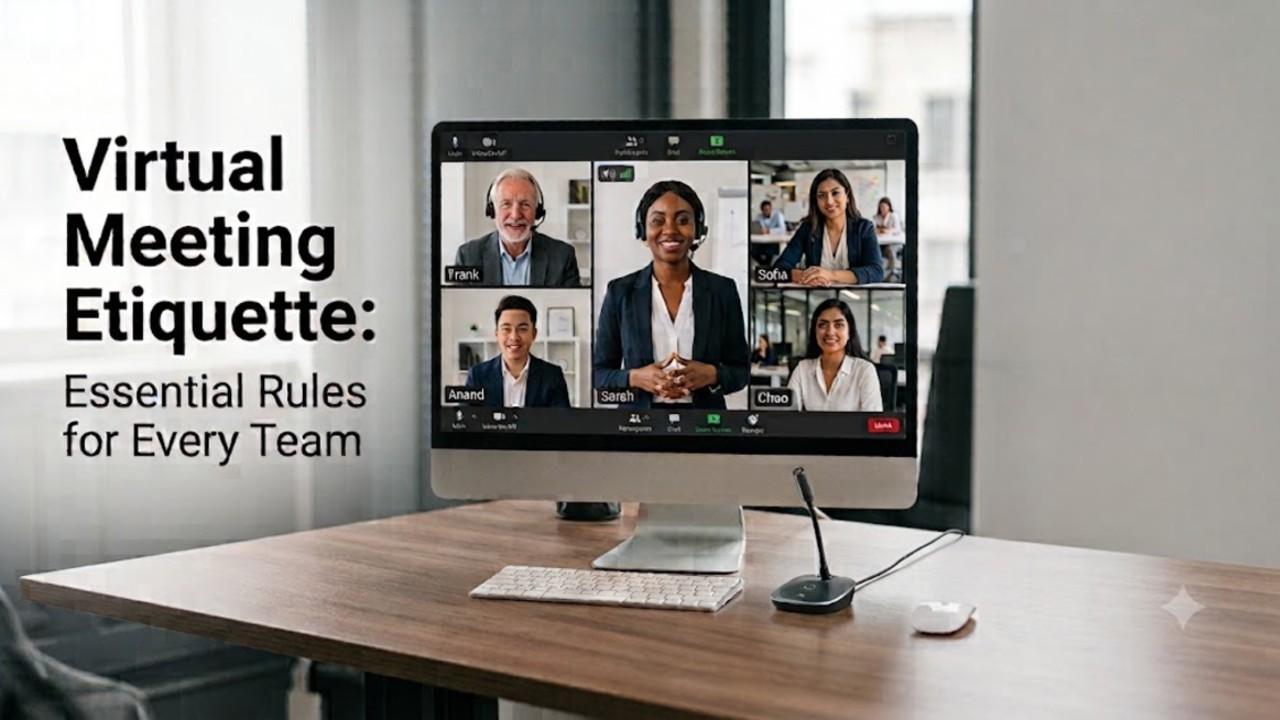
Virtual meeting etiquette is the list of the professional norms and behavioral practices which are helpful to communicate professionally and work in collaboration during virtual meetings. It covers aspects like being on time, being a good listener, using a camera, microphone properly, communicating clearly and much more. Observance of all these rules provides the structure to the discussion and allows everybody to participate.
No matter whether you take part in the team meeting, presentation to the clients, job interview, webinar or project discussion, it is important to know how to follow virtual meeting etiquette properly.
This article will focus on the basics of virtual meeting etiquette, its importance in professional communication and will describe the aspects that provide effective organization of virtual meetings.
Why Virtual Meeting Etiquette Matters
To have virtual meetings meeting participants need to be professional. This is because meeting etiquette helps to keep things organized and straightforward so everyone can join in the conversation without any distractions. Meeting etiquette also helps people work together smoothly no matter where they are.
When people come to meetings ready to go take part in the conversation and let others talk the conversation is more useful and decisions are made quicker. Meeting etiquette is really important because it is professional especially when we are talking about interviews, meetings with clients and working together with teams.
Companies that follow meeting etiquette can work together better talk to each other more and get people involved. Of worrying about problems teams can focus on what they want to achieve in the virtual meetings. This way virtual meetings can be really helpful for the meeting participants and the companies they work for, like the meetings.
Benefits for Remote and Hybrid Workplaces
Adherence to virtual meeting etiquette provides several benefits for employees and companies alike, considering the current situation in which many people work remotely or use hybrid workplaces.
- Increases productivity by keeping meetings on point and preventing discussions that do not concern the matter at hand and distractions.
- Favors collaboration among employees who work remotely as it enables them to communicate, share information, and collaborate easily.
- Encourages teamwork in hybrid offices because all employees, whether they attend meetings in person or work remotely, have the same chances to get involved and contribute.
- Develops professionalism by promoting punctuality, good manners in video conferences, effective communication, and respect towards others in each virtual meeting.
- Facilitates quicker decision making with structured discussion, set agenda, and organized involvement of all participants.
Consistent application of these guidelines allows organizations to create a collaborative environment.
How to Prepare Before a Virtual Meeting
Preparation for virtual meetings is no less important than meetings themselves. Preparing a few minutes beforehand can save you from various problems and make your meeting more productive. With the development of remote and hybrid work, preparation has become a critical professional skill.
Checking the agenda, making sure that all the equipment works, and using video conference tips can make your meetings more productive and focused.
Following are some of the basic things that one should keep in mind before participating in an online meeting professionally:
- Check your equipment: Make sure all of your internet, microphone, camera, and audio speaker are working fine. In case you are going to present something in the meeting, make sure that the screen-sharing option works in advance.
- Find a professional place for participation: It is important to choose a bright place that is free from any sort of distractions.
- See the agenda of the meeting: Read all of the items included in the agenda of the meeting in advance.
- Ensure that meeting materials are at hand: Ensure that all relevant files such as documents, reports, and presentations that will be used in the meeting are available. It avoids delay and helps you to answer promptly if required for any information.
- Login earlier than scheduled: Being logged in 5-10 minutes before the scheduled time provides you sufficient time to solve any technical issues without disrupting the meeting.
- Avoid any distraction: Turn off your phone, close other applications and avoid any notifications to ensure that you focus entirely on the meeting.
It is through these simple ways that you display professional attitude and follow proper virtual meeting etiquette.
Virtual Meeting Etiquette Best Practices
Proper virtual meeting etiquette will result in a conducive professional atmosphere that enables all participants to participate efficiently. Whether participating in an organizational meeting, client presentation, or project discussions, the following tips will enable you to conduct effective online meetings.
1. Join the Meeting on Time
Being punctual will set the pace for the business meeting. Being punctual demonstrates that you are respectful of their time and will not disturb the ongoing discussion. Try your best to log in a few minutes early to make sure everything goes well.
2. Test Your Technology Beforehand
Technical problems may hamper the smooth operation of a virtual meeting. Ensure that before joining the meeting, you have checked your internet, microphone, camera, and speaker system. If you are the presenter, ensure your screen sharing function is working properly.
3. Keep Your Microphone Muted When Not Speaking
Noise in the background may disrupt the concentration of other people in the virtual meeting. You should always keep your microphone mute until it's your turn to speak.
4. Dress Professionally
Your appearance will demonstrate your professionalism in the virtual meetings too. You should wear the clothes that would suit the kind of meeting, particularly when dealing with your clients or the management.
5. Maintain Eye Contact and Positive Body Language
Maintaining eye contact through the camera and not the screen will make communication more effective. Good posture and facial expressions will be the indication that you are paying attention to your conversation partner.
6. Stay Focused Throughout the Meeting
Try not to engage in multitasking or check your emails while attending the conference. Your total concentration will assist in comprehending everything that is being said and also help you add to the conversation in an effective manner whenever needed.
7. Listen Without Interrupting
Do not interrupt others who are speaking. It will disrupt the conversation flow and may prevent other people from participating. Raise your hand if you have any queries.
8. Participate Actively
Not only being there is sufficient; take an active part in the discussion. Pose questions, contribute to the discussion, and give your feedback where needed.
9. Use the Chat Feature Professionally
Almost any virtual meeting application has a chat box to share links or ask quick questions. Make sure your questions and responses are related to the meeting itself and do not distract others.
10. Follow the Meeting Agenda
An agenda helps in organizing the discussion and makes sure that all relevant issues are discussed during the set period of time. Always try to stick to the agenda and not bring up other issues unless they are of immediate importance.
11. Respect Everyone's Speaking Time
Make sure everyone gets a chance to share their opinions. Do not dominate the discussion but rather help those who are more reserved to speak up.
12. Minimize Distraction
Select a tranquil environment and turn off notifications from your phone or computer before the start of the meeting. Notify the people around you if you require undisturbed time to attend the meeting.
13. Use Your Camera Appropriately
In case your organization promotes having your camera switched on, it is recommended that your surroundings are clean and your lighting is good enough.
14. Take Notes and Record Action Items
Do not depend on your memory; write down all the important decisions, dates, and assignments. It will help to be organized and make it easier for follow-ups after the meeting.
15. End the Meeting Professionally
Before leaving, confirm the key decisions, action items, and next steps. Thank the participants for their time and ensure everyone understands their responsibilities before the meeting concludes.
Prior to departure, review the main decisions, actions, and follow-ups. Thank everyone for taking part in the meeting and make sure that people know their assignments before leaving.
By following these virtual meeting best practices, you will create an atmosphere of professionalism, good communication, and efficient teamwork during the meeting.
Common Virtual Meeting Etiquette Mistakes to Avoid
Professional and skilled individuals might also be susceptible to making little errors in virtual meetings that influence communication and productivity. These actions may appear insignificant; however, they can disrupt the flow of conversation, cause misunderstanding, and give off an unprofessional vibe. Awareness of these typical errors will help you adhere to proper virtual meeting etiquette.
How to Avoid These Common Mistakes
Some of the commonest faux pas in virtual meetings and how to prevent them include the following:
- Arriving late to the meeting: Late arrivals can distract and interrupt the meeting process and result in missing out on relevant updates. It is advisable to join the meeting a few minutes early.
- Failing to mute the microphone: Chatter in the background can affect participants' concentration. Muting the microphone ensures that it is only turned on when you want to talk.
- Multitasking in the meeting: Multitasking involves doing something else while in the meeting such as responding to emails or surfing the net. Multitasking reduces concentration.
- Talking over other participants: Interrupting the speakers distracts the process of conversation. It is advisable to listen and participate when it is your turn.
- Talking about issues not in the agenda: Off-topic discussions can delay the meeting. It is better to stick to the issues in the agenda.
- Unprofessional settings: Unprofessional backgrounds distract other participants. Always choose a professional setting for the meeting.
Avoiding these mistakes helps create respectful and productive online meeting etiquette. Small improvements in meeting behavior can strengthen communication, improve collaboration, and ensure every virtual meeting achieves its intended goals.
How Communication Tools Improve Virtual Meeting Etiquette
Observing effective etiquette in virtual meetings is made easier by having teams equipped with good communication tools. Modern communication platforms not only provide a means for conducting video meetings but also assist in organizing meetings, communicating effectively and eliminating problems associated with meetings. Meeting reminders, screen sharing and instant messaging ensure that all participants are well-prepared and take part actively.
The right communication tool also ensures no technological hitches during the meeting, thus helping teams concentrate on discussions rather than addressing any technical problems such as file sharing or connectivity.
Features That Support Professional Online Meetings
When people work together on a computer it is easier for them to talk to each other nicely during meetings if they use a business communication platform. The right tool for talking to each other makes it simple for people to work together be professional stay organized and really talk to each other when they are not in the place.
Some things that a good communication tool should have to help people work together talk to each other nicely. Have good virtual meetings include:
- HD audio and video so people can hear and see each other clearly and talk naturally without any problems.
- Screen sharing so people can show each things like reports and documents without anyone getting confused.
- File sharing so people can send each documents and files quickly without having to open a lot of different programs.
- Group. Instant messaging so people can ask questions or share things without interrupting the person who is talking.
- Notifications so people do not forget about meetings and can join on time.
- Secure communication so people can talk about things without worrying that someone will hear them.
- Meeting scheduling and calendar integration so people can easily schedule meetings. Make sure everyone knows about them.
- Collaboration tools like shared workspaces and task management so people can keep talking and working together after the meeting is over.
- The ability to join meetings from any device like a computer or phone so people can talk to each other from anywhere.

Using a communication etiquette also helps people talk to each other nicely like participating in discussions being respectful sharing information clearly and working together without interrupting each other. This makes it easier for people to have organized discussions work together better and make decisions.
Communication platforms like Troop Messenger have all these things in one place. Troop Messenger has HD audio and video instant messaging, file sharing, screen sharing, group collaboration and meeting management, which helps organizations have professional virtual meetings be nice, to each other and work together better no matter where they are.
Virtual Meeting Statistics: The Growing Need for Better Meeting Etiquette
Virtual meetings have become an indispensable part of business communications, but recent studies prove that they pose numerous problems in terms of efficiency and cooperation due to lack of etiquette.
The below-listed facts explain the growing need for professionalism in virtual meetings.
1. Employees spend 57% of their working hours communicating via meetings, emails, and chatting, according to the Microsoft Work Trend Index. This means the quality of meetings plays an important role in overall productivity.
2. On average, Microsoft Teams users have more meetings each week compared to the period prior to the introduction of hybrid work.
3. 68% of employees do not have enough focus time due to many meetings and communication during the day.
4. Studies conducted by the Harvard Business Review show that poor planning of meetings usually leads to less employee engagement, slower decision-making process, and additional meetings.
5. According to Gallup, the organizations that have good communication practices have higher levels of employee engagement and collaboration within teams.
These insights indicate that virtual meetings are not just something that occur occasionally but are integral to one’s everyday job schedule. The more often people have to hold virtual meetings, the more crucial it becomes to observe virtual meeting etiquette in order to minimize distractions, improve communications, boost engagement, and make the best use of employees’ time.
Conclusion
Etiquette of organizing an online meeting is highly significant to hold efficient meetings. There are numerous easy tips that need to be followed in order to make a meeting productive.
Following the above tips can help in building up trust among colleagues, encouraging active participation in a discussion, and keeping its topic on track. As the process of working remotely and in a hybrid form becomes increasingly common, the etiquette of holding meetings will always be an integral part of professionalism.
Troop Messenger communication application can assist in holding an effective online meeting as it offers all the required features like messaging, HD voice and video calls, screen sharing, and collaboration tool.
FAQs
1. What is virtual meeting etiquette?
Virtual meeting etiquette implies a set of rules and behaviors that create a comfortable environment during an online meeting that is respectful, well-structured, and productive.
2. Why is virtual meeting etiquette important?
Proper etiquette is essential for ensuring good communication, reducing possible distractions, keeping the focus on discussing important issues, and fostering the necessary level of professionalism.
3. What are the basic rules of online meeting etiquette?
Among other rules, some of the most significant include punctuality, clear communication, participation in the discussion, muting the microphone, dressing properly, not multitasking, and listening to other people.
4. How can participants contribute to a successful virtual meeting?
Participants need to come prepared to the meeting, take part in the discussion, not interrupt other participants, use the chat function correctly, and perform all actions required after the meeting.
5. Which communication tools help improve virtual meetings?
The best communication platforms for conducting professional virtual meetings include HD video calls, screen sharing, file sharing, group chats, and collaboration solutions. Troop Messenger is such a solution.