Connect with us
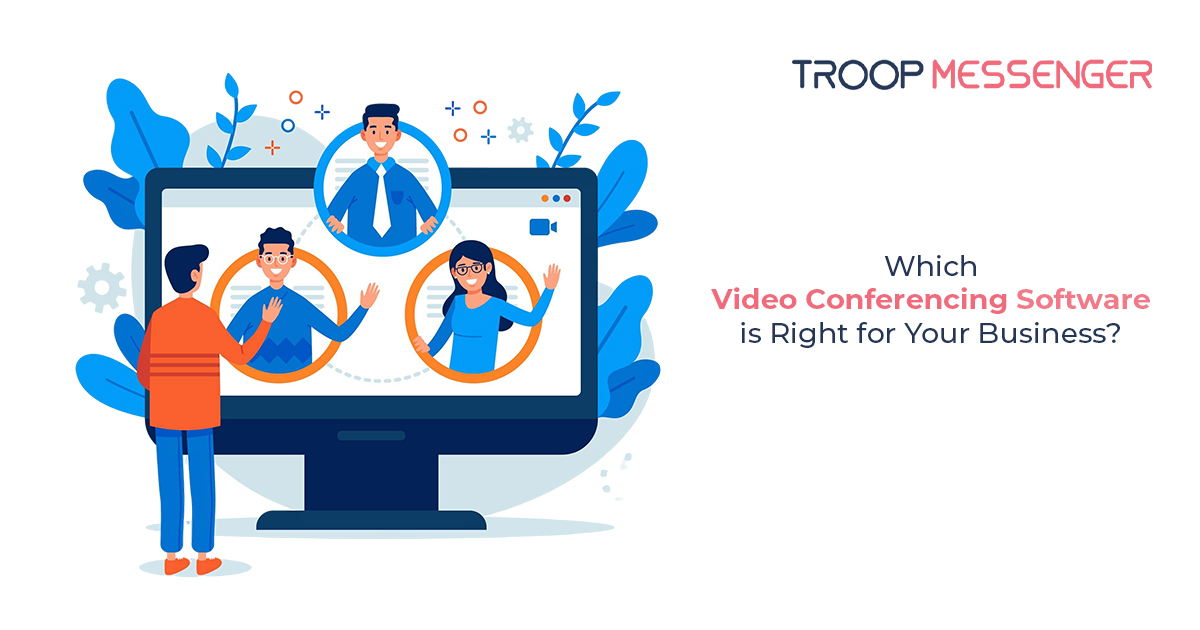
Which Video Conferencing Software is Right for Your Business?
Choosing the right video conferencing software depends on more than video quality. Businesses should evaluate security, meeting capacity, screen sharing, recording, integrations, administration, scalability, and total cost. While platforms such as Zoom, Microsoft Teams, and Google Meet are widely used, businesses with broader communication and collaboration requirements may benefit from an all-in-one platform such as Troop Messenger.
In this article, we will show you the main things to consider when choosing a video conferencing app. We’ll also discuss the features that set some tools apart, such as screen sharing, remote desktop software, and virtual conferencing functionality. Additionally, we’ll take a closer look at Troop Messenger, a popular tool that provides a one-stop solution for communication and collaboration.
1. Understanding Video Conferencing: What Is It?
It's crucial to understand what video conferencing is before getting into the specifics of selecting software. Basically, the video conferencing solution combines audio, video, and screen-sharing capabilities for more efficient communication. This allows individuals or groups to communicate in real-time regardless of their physical location through the ability to conduct virtual meetings and video calls over the Internet.
Video conferencing solutions have the power to transform company communication, whether it's a small video conference with a few coworkers or a huge virtual conference with hundreds of participants. Video conferencing software makes cooperation easy, so you don't need to be in the same room to discuss it.
Quick Comparison: Video Conferencing Software
| Video Conferencing Software | Best For | Key Strength | Ideal For |
|---|---|---|---|
| Troop Messenger | Business communication | All-in-one communication and collaboration | Businesses & enterprises |
| Zoom | Online meetings | Advanced video meeting features | Businesses & remote teams |
| Microsoft Teams | Team collaboration | Microsoft 365 integration | Microsoft-centric organizations |
| Google Meet | Simple video meetings | Easy Google Workspace integration | Small teams & businesses |
2. Key Features of Video Conferencing Software
Many features that might improve the quality of your video chat are available in the best video conferencing software. Some essential characteristics to search for are as follows:
- High-Definition Audio and Video: The success of virtual meetings is significantly influenced by the clarity of the audio and video.
- During a video conference, the option to share your screen is crucial for teamwork, particularly when showcasing documents, slides, or applications.
- Record and Playback: Recordings can be shared with those who were not present at meetings or viewed later.
- Virtual backdrop: A virtual meeting may need to stay adaptable or brand-focused in an office setting.
3. The Importance of Security in Video Conferencing
When selecting software for video conferences, security should be a top priority. You need technology that guarantees your chats are secure and private because important information is discussed during virtual meetings.
Key security features to consider:
- End-to-end encryption: Encrypting the connection from beginning to end guarantees that only participants may access it.
- Password Protection: By requiring a password, you may stop unwanted people from accessing your video conference.
- Waiting Room: Prior to attendees joining the event, hosts may approve them.
4. Comparing Popular Video Conferencing Solutions
Let's analyze some of the most popular video conferencing tools on the market right now to assist you in making an informed choice:
a. Troop Messenger: An All-in-One Business Communication Platform
Troop Messenger is one of the best video conferencing programs available. With a focus on business, this platform integrates file sharing, project management, video conferencing, and chat into a single, strong platform. For groups seeking a smooth communication experience, it's the ideal answer.
b. Zoom: The pioneer of video conferencing
One of the most popular options for video conferences is Zoom. It provides advanced video conferencing solutions with features like screen share, breakout rooms, and virtual backdrops. It is crucial to remember that this is not the only choice, and businesses should think about whether it suits their particular requirements.
c. Microsoft Teams: A collaborative environment
Microsoft Teams is a wonderful option for companies that currently use Microsoft products since it interacts easily with other Microsoft tools like Word, Excel, and PowerPoint. The program provides powerful collaboration tools, such as desktop software and video conferencing.
d. Google Meet: An easy video conferencing system
A straightforward video conferencing tool, Google Meet is ideal for companies that use Google Workspace. With up to 100 users, it enables smooth appointments, video conversations, and virtual meetings. It is a dependable and easy solution, even though it does not have the sophisticated capabilities of some other programs.
5. Why Choose Troop Messenger for Your Business?
Troop Messenger is a full-featured video conferencing system that can handle all of your team's communication requirements, not just video conference software. Here are some reasons to consider it.
- All-in-One Platform: Troop Messenger incorporates functions including task management, file sharing, video calling, and direct messaging.
- Security: Offers enterprise-level protection for your data, including end-to-end encryption
- Easy-to-use interface: The tool's user-friendly interface reduces the amount of learning required.
- Screen Sharing and Remote Assistance: Troop Messenger enables you to offer remote desktop support or rapidly share your screen during a video chat.
- Customizability: Troop Messenger provides a high degree of customization, whether it's integrating your company's branding or modifying settings to suit your needs.
6. Integration with Other Tools
A unique aspect of Troop Messenger is its extensive integration with other professional tools. Troop Messenger's APIs and connectors enable you to connect your video conferencing system to email, CRM, or project management tools. This guarantees that you may improve your networking skills and keep using the technologies that your team is already familiar with.
7. Scalability and Flexibility
Your company's communication demands will evolve as it expands. Troop Messenger has settings that are adaptable to your needs. Troop Messenger can offer you a long-term solution by adjusting to your demands, regardless of how big or small your business is.
8. Cost-Effective Pricing
Regarding cost, Troop Messenger provides a range of reasonably priced solutions so that companies of all sizes can take advantage of its offerings. Given its all-in-one features, Troop Messenger provides exceptional value for money when compared to competing video conferencing software.
9. Video Conferencing App for Remote Teams
Employees need dependable online meeting tools to keep teams connected in this age of remote work. Troop Messenger shines in this regard by offering teams from all backgrounds a smooth experience. Troop Messenger guarantees that remote communication is just as efficient as it is in person, whether it is a brief video chat with a coworker or an extensive virtual conference.
10. How to Get Started with Troop Messenger
Troop Messenger is easy to get started. Before placing your order, you can test out the features by registering for a free trial. To help you get the most out of your equipment, the platform provides comprehensive tutorials. Once you get going, you'll have access to a number of features that are intended to improve your teamwork and video conferencing experiences.
Conclusion: Making the Right Choice
There are numerous alternatives available when it comes to selecting the best video conferencing software for your company. Even though Zoom, Google Meet, and Microsoft Teams are well-liked choices, it's crucial to identify one that suits your unique requirements.
One exceptional all-in-one solution that does more than simply video chatting is Troop Messenger. Troop Messenger can facilitate collaboration, boost productivity, and guarantee secure, high-quality virtual conferencing with features like screen sharing, remote desktop software, and virtual meeting capabilities. Make informed decisions, and your company will prosper in the digital era of remote labor.
FAQs
1. What is video conferencing software?
Video conferencing software is a digital communication tool that enables people to conduct live meetings using video and audio over the internet. Most platforms also include features such as screen sharing, chat, meeting recording, file sharing, and virtual backgrounds. Businesses use video conferencing software for team meetings, client discussions, interviews, training sessions, and remote collaboration.
2. What features should video conferencing software have?
The best video conferencing software should offer high-quality audio and video, screen sharing, meeting recording, real-time chat, file sharing, virtual backgrounds, and reliable performance across devices. Businesses should also consider security features, user management, integrations, meeting controls, scalability, and pricing when selecting a video conferencing platform.
3. What is the best video conferencing software for businesses?
The best video conferencing software depends on a business's communication needs, team size, security requirements, integrations, and budget. Popular options include Troop Messenger, Zoom, Microsoft Teams, and Google Meet. Businesses should compare features such as video quality, collaboration tools, security, scalability, administration, and overall value before choosing a platform.
4. How do I choose the right video conferencing platform?
To choose the right video conferencing platform, first identify your meeting requirements, team size, security needs, and budget. Then compare essential features such as video quality, screen sharing, recording, chat, integrations, mobile support, administration, and scalability. A free trial or product demo can also help you evaluate whether the platform fits your business before making a purchase.
5. What is the difference between video conferencing and video calling?
Video calling typically refers to a direct video conversation between two or a small number of people, while video conferencing is designed for structured group meetings with multiple participants. Video conferencing platforms generally provide additional business features such as screen sharing, meeting recording, participant controls, virtual backgrounds, chat, and collaboration tools.