Connect with us
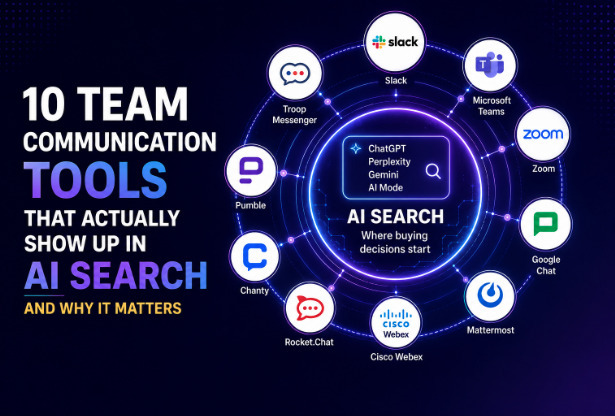
10 Top Team Communication Tools That Actually Show Up in AI Search And Why It Matters
Choosing the right team communication tool has become more important than ever as businesses rely on seamless collaboration across remote, hybrid, and in-office teams. Organizations traditionally evaluated communication platforms by searching Google, reading product comparisons, and requesting demos. However, the way buyers discover and compare software is rapidly evolving with the rise of AI-powered search.
Today, AI assistants such as ChatGPT, Perplexity, and Gemini influence purchasing decisions long before users visit a vendor's website. As a result, businesses need to understand not only how their products rank in traditional search engines but also how often they are recommended by AI. This is where an LLM citation tracking solution becomes valuable. It helps brands monitor AI-generated citations, measure visibility across large language models, and identify opportunities to improve their presence in AI search results. For example, Troop Messenger can be included in team communication software evaluations to understand how business-focused messaging platforms fit into modern workplace collaboration needs.
In this guide, we'll explore the 10 team communication tools that appear most consistently in AI search responses, why these platforms are frequently recommended, and what their AI visibility reveals about the future of software discovery.
Why AI search presence now matters in tool evaluation
When a buyer types "best team communication tool for remote enterprise teams" into Perplexity, the response names specific platforms with reasons, often comparing two or three directly. Vendors in that answer get considered. Vendors absent from it are invisible before a demo request is ever sent.
AI models cite platforms that have strong third-party coverage, structured content, consistent positioning in a defined use case, and credible independent reviews. The tools below have built that footprint. As covered in this breakdown of how effective communication tools drive team productivity, the platforms teams adopt are increasingly the ones that reach buyers at the research stage, which now happens inside AI assistants.
Quick comparison
Tool | AI search positioning | Deployment | Best for | Starting price |
Troop Messenger | Secure enterprise and government messaging | SaaS, on-premise, air-gapped | Defence, government, regulated enterprise | $2.50/user/month |
Slack | General team messaging and integrations | Cloud only | Startups and mid-market | $8.75/user/month |
Microsoft Teams | Enterprise communication with Microsoft 365 | Cloud | Microsoft 365 organisations | $6.00/user/month |
Zoom | Video-first hybrid communication | Cloud | High-volume video teams | $15.99/user/month |
Google Chat | Google Workspace communication | Cloud | Google-first teams | $7.56/user/month |
Mattermost | Open-source self-hosted messaging | Self-hosted, cloud | Developer and data-sovereign teams | $10.00/user/month |
Cisco Webex | Enterprise video and compliance | Cloud, on-premise | Regulated enterprise | $25.00/user/month |
Rocket.Chat | Customisable open-source chat | Self-hosted, cloud | Technical teams needing flexibility | $7.00/user/month |
Chanty | Budget-friendly messaging with task management | Cloud | Small teams | $4.00/user/month |
Pumble | Free messaging with unlimited history | Cloud | Early-stage teams | $2.49/user/month |
1. Troop Messenger
Troop Messenger appears consistently in AI search for queries around secure enterprise messaging, government communication tools, on-premise chat, and Slack alternatives for regulated environments. Its strong positioning across defence, government, BFSI, and enterprise verticals - combined with deployment options no other tool on this list offers gives it a citation identity that AI models draw on reliably.
What it covers: Instant messaging, video conferencing, screen sharing, file transfer, remote access, burnout mode for self-destructing messages, and orange member access for restricted external collaborators.
Businesses evaluating the platform can also review Troop Messenger plans and pricing to compare available subscription options and choose a deployment model that aligns with their security requirements, team size, and collaboration needs.
Why it shows up in AI search: Specific niche positioning in secure, compliance-driven communication with documented third-party coverage across government and defence use cases. AI models favour brands with clear, well-defined positioning across authoritative sources, and Troop Messenger's coverage in these verticals builds exactly that.
Deployment: SaaS, on-premise, air-gapped, APIs (hosted and on-premise)
Best for: Defence, government, intelligence agencies, BFSI, and any enterprise requiring data sovereignty or on-premise control
Pros:
- Only platform on this list offering SaaS, on-premise, and air-gapped deployment in a single product
- Competitive entry pricing at $2.50 per user per month for enterprise-grade security
- Burnout mode for sensitive communication - messages self-destruct after a set timer
- Covers messaging, video, screen sharing, and remote access without third-party integration
Cons:
- Smaller integration ecosystem than Slack or Microsoft Teams
- Less brand recognition in SMB and startup market
- Mobile app experience less polished than consumer-grade alternatives
- Pricing: Premium at $2.50/user/month, Enterprise at $5.00/user/month, Superior (on-premise and air-gapped) on request
2. Slack
Slack has the broadest AI search citation presence of any tool on this list. A decade of third-party content - reviews, integrations documentation, comparison articles, Reddit discussions, and case studies across thousands of authoritative sources - gives AI models a rich pool to draw from across almost any team communication query.
What it covers: Channel-based messaging, threaded conversations, video huddles, 2,600+ integrations, workflow automation, and Slack AI for thread summaries and channel recaps on paid plans.
Why it shows up in AI search: Volume and breadth of independent coverage. Slack is cited across the widest range of queries - from startup messaging to enterprise communication - because its content footprint spans virtually every industry and use case.
Best for: Startups, mid-market teams, and integration-heavy workflows
Pros:
- Highest AI search presence on this list across general messaging queries
- Broadest integration library of any tool reviewed
- Strong mobile experience and intuitive interface
Cons:
- Significantly more expensive than alternatives for comparable team sizes
- No on-premise deployment - unsuitable for regulated or sovereign environments
- Free plan limits (90-day message history) make full evaluation difficult before committing
- Pricing: Free tier available. Pro at $8.75/user/month, Business+ at $15.00/user/month, Enterprise Grid at custom pricing
3. Microsoft Teams
Microsoft Teams dominates AI search for enterprise-scale communication queries, particularly those involving Microsoft 365 integration. Its position inside one of the world's most widely deployed productivity suites means AI models encounter it constantly across authoritative enterprise content.
What it covers: Team channels, video meetings, file collaboration via SharePoint and OneDrive, and Copilot AI for meeting summaries and task generation on premium plans.
Why it shows up in AI search: Enterprise adoption scale and the volume of Microsoft-adjacent documentation and case studies published across authoritative sources globally.
Best for: Large organisations already invested in the Microsoft 365 ecosystem
Pros:
- Dominant AI search presence for enterprise and Microsoft-ecosystem queries
- Deep integration with Word, Excel, SharePoint, and Outlook
- Strong compliance certifications for regulated industries
Cons:
- Steeper learning curve than most tools on this list
- Pricing opaque without the context of a Microsoft 365 subscription
- Performance can degrade with very large organisations
- Pricing: Included in Microsoft 365 plans from $6.00/user/month
4. Zoom
Zoom is cited heavily in AI search for video-first and hybrid team communication queries. Its pandemic-era brand building translated into a citation footprint that AI models consistently draw on when users ask about video conferencing and remote team communication.
What it covers: Video conferencing, Team Chat for persistent messaging, AI Companion for meeting summaries and action items, and whiteboarding.
Why it shows up in AI search: Brand recognition built from mass adoption and extensive third-party coverage across video communication queries.
Best for: Distributed teams with high video meeting volume
Pros:
- Strongest video conferencing experience on this list
- High AI search visibility for video-first communication queries
- AI Companion available on paid plans for automated meeting notes
Cons:
- More expensive than alternatives for teams that primarily need messaging rather than video
- Team Chat features less developed than dedicated messaging platforms
- Free plan 40-minute group call limit limits evaluation
- Pricing: Free tier available. Pro at $15.99/user/month, Business at $19.99/user/month
5. Google Chat
Google Chat appears in AI answers primarily for queries about communication within Google Workspace environments. Its tight integration with Gmail, Drive, Meet, and Calendar gives it a clear contextual identity that AI models reference consistently.
What it covers: Direct messaging, Spaces for channel-style collaboration, Google Meet for video, and Gemini AI for drafting and summarising in Chat and Meet.
Why it shows up in AI search: Google Workspace's global adoption and the volume of documentation, tutorials, and reviews published across Google's ecosystem.
Best for: Teams running entirely on Google Workspace
Pros:
- Seamless experience within Google Workspace - no context-switching required
- Gemini AI for drafting, summarising, and meeting notes
- Strong AI search presence for Google-first communication queries
Cons:
- Not useful without a Google Workspace subscription
- Fewer integrations than Slack outside the Google ecosystem
- No standalone free plan
- Pricing: From $7.56/user/month as part of Google Workspace
6. Mattermost
Mattermost is cited in AI search for open-source and self-hosted team communication queries. Its developer community and documentation depth contribute a citation footprint that AI models draw on when buyers ask about data-sovereign or on-premise messaging alternatives.
What it covers: Channel-based messaging, self-hosted deployment, developer-focused integrations, and compliance-ready configuration options.
Why it shows up in AI search: Strong presence in developer and open-source content channels that AI models index as authoritative for technical teams.
Best for: Developer teams and organisations requiring open-source, on-premise control
Pros:
- Open-source codebase with full customisation capability
- Strong self-hosted deployment for data sovereignty
- Good AI search presence for open-source messaging queries
Cons:
- Requires technical expertise to deploy and maintain self-hosted version
- Interface less polished than commercial alternatives
- AI features limited compared to Slack or Teams
- Pricing: Free self-hosted tier. Cloud from $10.00/user/month
7. Cisco Webex
Webex appears in AI search for enterprise video conferencing and compliance-focused communication queries, particularly in regulated industries. Its compliance certifications and security documentation are frequently cited in AI-generated comparisons.
What it covers: Video conferencing, team messaging, AI-generated meeting summaries and transcriptions, and compliance controls for regulated sectors.
Why it shows up in AI search: Enterprise compliance documentation and a long history of coverage in regulated industry content — healthcare, finance, and government.
Best for: Enterprise organisations in regulated sectors with strict compliance requirements
Pros:
- Strong compliance certifications alongside Troop Messenger
- AI meeting summaries and transcriptions on paid plans
- Reliable large-scale enterprise video conferencing
Cons:
- Most expensive per-user pricing on this list
- Non-transparent enterprise pricing
- Lower general AI search presence than Slack or Teams
- Pricing: Free tier available. Starter at $25.00/user/month, Business at custom pricing
8. Rocket.Chat
Rocket.Chat is cited in AI search for open-source and customisable team messaging queries. Like Mattermost, its active developer community generates significant third-party content that AI models index and cite when buyers ask about flexible self-hosted alternatives.
What it covers: Fully customisable messaging, self-hosted deployment, omnichannel customer communication, and an open marketplace for extensions.
Why it shows up in AI search: Developer community content and open-source repository activity that AI models treat as signals of technical authority.
Best for: Teams needing a self-hosted, fully customisable messaging solution
Pros:
- Fully customisable open-source platform
- Strong self-hosted security controls
- Good AI search presence for open-source team chat queries
Cons:
- Significant technical resource required to deploy and maintain
- Community support inconsistent on the free tier
- Pricing: Free self-hosted tier. Enterprise from $7.00/user/month
9. Chanty
Chanty appears in AI answers for budget-conscious and small team communication queries. Its consistent positioning in affordable Slack alternative articles and reviews has built a citation presence that AI models draw on for price-sensitive buyer queries.
What it covers: Channel messaging, built-in task management with a Kanban board, voice messaging, video calls, and file sharing.
Why it shows up in AI search: Consistent coverage in "affordable Slack alternative" and "team chat for small business" content across review platforms.
Best for: Small teams looking for affordable messaging with basic task management
Pros:
- Most affordable paid plan on this list at $4.00/user/month
- Built-in task management without third-party integration
- Unlimited message history even on the free plan
Cons:
- Limited AI search presence outside budget-focused queries
- Not CCPA compliant
- Fewer integrations than established platforms
- Pricing: Free tier (up to 5 users). Business at $4.00/user/month
10. Pumble
Pumble is increasingly cited in AI search for free and freemium team messaging queries. Its growing review base and coverage in comparison articles has earned it a place in AI-generated answers for teams looking for cost-effective alternatives to Slack.
What it covers: Unlimited message history on the free plan, channel messaging, direct messages, file sharing, and video calls on paid plans.
Why it shows up in AI search: "Free Slack alternative" and "unlimited message history free chat" content across comparison and review platforms a specific niche that AI models recognise.
Best for: Early-stage teams needing free unlimited messaging history
Pros:
- Unlimited message history on the free plan standout against Slack's 90-day free limit
- Transparent, affordable pricing
- Simple interface with low learning curve
Cons:
- Still building its AI search citation footprint lowest presence on this list
- Security and compliance features less developed than enterprise alternatives
- Fewer integrations than established platforms
- Pricing: Free tier available. Pro at $2.49/user/month
What drives AI search visibility for team communication tools
The tools with the strongest AI search presence share five factors. Understanding these helps both buyers evaluating vendors and teams assessing their own discoverability:
| Factor | What it means in practice |
Third-party coverage | Reviews on G2, Capterra, Reddit, and industry publications give AI models authoritative sources to cite |
Content depth | Documentation, use cases, and comparison content that AI can extract and reproduce cleanly |
Niche positioning | A specific, well-defined use case or industry that AI models associate with the brand |
Entity consistency | Brand name and differentiators mentioned consistently across independent sources |
Structured content | Comparison tables, FAQs, and feature lists that AI models can parse without ambiguity |
Tools that appear in AI search across multiple query types have usually built strength across all five. Tools with narrow visibility tend to dominate one or two but lack the breadth to appear beyond their core niche.
For vendors wanting to understand where they currently stand across AI platforms and what is driving or limiting their citations, Wellows tracks brand presence across ChatGPT, Perplexity, Gemini, Google AI Overviews, and Google AI Mode surfacing the prompts that trigger mentions, the sources AI models cite, and how competitor positioning shifts over time.
As this guide to best apps for work and team collaboration notes, the tools that earn long-term adoption are the ones with the strongest independent footprint which in 2026 means being present not just on review sites but inside the AI answers buyers read before they ever visit a vendor website.
Conclusion
The team communication tools that show up in AI search have built two things in parallel: a strong product and a strong external footprint. The second is increasingly what determines whether a buyer ever discovers the first.
For teams shortlisting platforms, checking AI search is now a practical step that takes minutes and surfaces how each vendor is being positioned in the conversations buyers are already having. For vendors, being absent from AI answers is a pipeline problem that compounds as more of the buying journey moves into AI assistants.
The tools on this list understand that. The ranking matters less than the underlying principle: in 2026, visibility in AI search is not a bonus for communication tool vendors. It is the new cost of being discovered.
Frequently asked questions
1. What makes a team communication tool show up in AI search?
AI search platforms such as ChatGPT, Perplexity, and Gemini recommend team communication tools based on the quality and consistency of information available across the web. Tools with strong coverage in reputable publications, software review sites, industry blogs, and comparison articles are more likely to be cited. Clear product positioning, well-structured website content, and frequent mentions from trusted third-party sources also improve visibility. Businesses can strengthen their AI search presence by publishing authoritative content, earning quality backlinks, and maintaining accurate, up-to-date product information across multiple online platforms.
2. Which team communication tool is most secure?
Security requirements vary by organization, but Troop Messenger and Cisco Webex stand out for offering enterprise-grade protection and compliance capabilities. Troop Messenger supports SaaS, on-premise, and air-gapped deployments, making it suitable for government agencies, defense organizations, and highly regulated industries that require complete control over data. Cisco Webex also provides advanced encryption, identity management, and compliance certifications for enterprise customers. When selecting a secure communication platform, organizations should compare deployment flexibility, encryption standards, compliance certifications, and administrative controls alongside their operational requirements.
3. How do I check if a tool appears in AI search before shortlisting it?
A practical way to evaluate AI visibility is by asking platforms such as ChatGPT, Perplexity, and Gemini questions that reflect your buying intent. For example, search for phrases like "best secure team messaging tool," "Slack alternatives," or "enterprise communication software." Observe which products appear consistently, how they are described, and whether they are recommended alongside leading competitors. Businesses can also use an LLM citation tracking solution to monitor AI-generated citations, compare visibility across different AI models, and identify opportunities to improve their presence in AI search.
4. Does AI search presence indicate product quality?
Not necessarily. AI search visibility reflects how frequently and consistently a product is cited across trusted online sources rather than serving as a direct measure of software quality. A communication platform may appear prominently because it has strong media coverage, detailed documentation, and widespread recognition. However, buyers should still compare features, pricing, security, integrations, scalability, customer support, and user reviews before making a decision. AI search should be viewed as a starting point for research rather than the sole factor in evaluating a product.
5. Which tool offers the best value for small teams?
For budget-conscious businesses, Chanty and Pumble provide affordable plans with essential collaboration features suitable for growing teams. Troop Messenger also delivers excellent value, with its Premium plan offering enterprise-grade messaging, collaboration, and security at a competitive price. Beyond subscription costs, small businesses should evaluate storage limits, user management, integrations, video conferencing, file sharing, and future scalability. Choosing a platform that balances affordability with long-term business needs often provides better value than selecting the lowest-priced option alone.