Connect with us
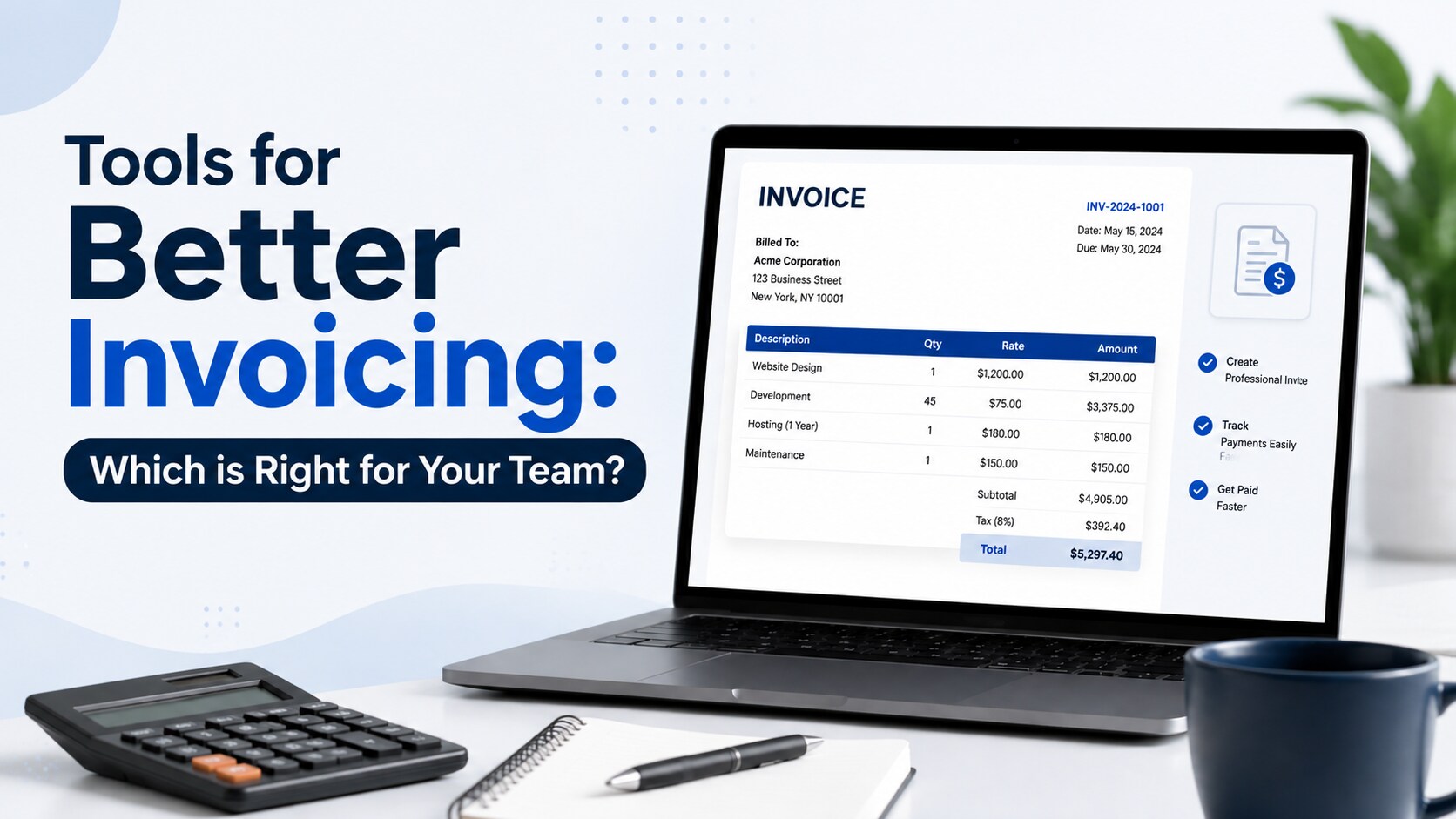
Tools for Better Invoicing: Which is Right for Your Team?
Invoicing tools are software applications that help businesses create invoices, send payment requests, track payments, and manage billing records. The main types include cloud-based invoicing platforms, desktop invoicing software, and mobile invoicing apps, each suited to different business needs.
Choosing the right invoicing software can reduce manual work, improve billing accuracy, and help teams manage payments more efficiently. While some businesses need remote access and automated workflows, others prioritize offline access or the convenience of creating invoices on the go.
Understanding the features, costs, security, and limitations of each type can help you choose an invoicing solution that fits your team's workflow and business requirements.
Invoicing Tools – Why Do They Matter and Why Should You Care?
Invoicing tools help businesses manage billing activities, maintain accurate financial records, and follow up on outstanding payments. Without an organized invoicing process, teams may face duplicate entries, calculation errors, delayed payments, and difficulty tracking transactions.
The right invoicing software can simplify these tasks by automating invoice creation, organizing customer information, sending payment reminders, and tracking payment status. These capabilities are useful for freelancers, small businesses, and larger organizations that handle multiple clients and recurring transactions.
Choosing an appropriate tool can save time, improve financial visibility, and support a more consistent billing process. The benefits depend on the features available and how well the tool fits your team's needs.
Types of Invoicing Tools You Should Know
The world of invoicing tools is expansive, to say the least. These tools come in all sorts of flavors. Each type has its unique strengths and quirks, but they're all united by a common mission: to simplify your invoicing process and kick your efficiency up a notch. So, how do you pick the right one for your team? Let's find out.
Cloud-Based Invoicing Tools
Think of cloud-based invoicing tools as the all-in-one solution for your invoicing needs. These tools are web-based and accessible from any device with an internet connection. That makes them convenient for teams who need to access and track invoicing information on the go.
They offer a wide range of features. Typical offerings include customizable templates, automatic payment reminders, and integration with accounting software. Plus, they usually have affordable subscription plans, making them a popular choice for businesses of all sizes.
For teams that mainly need professionally designed invoice templates, rather than a full payment tracking or automation, there’s always the Adobe Express invoice creator. You can quickly customize an invoice, apply branding, and download or share it as a PDF, without committing to a full invoicing platform
Desktop-Based Invoicing Tools
Desktop-based invoicing tools are like your trusty old friend from college. They’re reliable, familiar, and always there when you need it.
These tools are installed directly on your computer and do not require an internet connection to function. If you’re the type that needs to unplug from the web to work distraction-free, that’s a huge plus. They’re also great for businesses with slow or unreliable internet connections.
Desktop tools have offline access, customizable templates, and integration with accounting software. However, they may lack some of the more advanced features cloud-based tools offer.
Mobile Invoicing Apps
Many entrepreneurs stay on the go. They want everything they need for success located on their phone or other mobile device. Mobile invoicing apps like Billdu allow you to create and send invoices directly from your smartphone or tablet. It’s convenient for freelancers and small businesses who are always on the move. They offer features like payment tracking, customizable templates, and integration with accounting software.
However, they may not be as comprehensive as cloud-based or desktop-based tools. They’re usually designed with simplicity and ease of use in mind.
Picking the Perfect Invoicing Tool: A Few Key Considerations
Invoicing is an essential aspect of any business. It’s how you get paid and keep track of your finances.
Without a proper invoicing system in place, you run the risk of errors, delays, and even missing out on payments. As your business grows, so does the complexity of invoicing. More clients means more projects and that means more transactions. Look for software that can do the following:
1. Features: The right tool should have all the features you need. Customizable templates add versatility. Payment tracking keeps you informed. Integration with other tools binds multiple processes together. You should also consider e-invoice applicability and whether the software supports the invoicing requirements relevant to your business. Make sure your chosen tool has them all.
2. Ease of Use: Biting off more than you can chew is never a fun experience. So you shouldn’t do it when your money is on the line. An invoicing tool should be user-friendly and intuitive. Every team member should be able to use it without issue. A simple, uncomplicated, and navigable interface is the key.
3. Cost: Different tools come with different price tags. Make sure the tool you're eyeing fits comfortably within your budget. There’s no point in getting upset over a few bells and whistles if they do more harm than good to your bottom line.
4. Customer Support: Good customer support helps troubleshoot issues. They guide you through usage and are there to lend a hand when you're stuck. Go for a tool with a strong and dependable support team.
5. Security: When dealing with invoicing, you're dealing with sensitive financial info. You’re trusting them with sensitive financial information. The tool you pick needs to have robust security measures to keep your data safe and sound.
Comparing Invoicing Tools
| Comparison factor | Cloud-based tools | Desktop-based tools | Mobile invoicing apps |
| Access | Through a browser or connected platform | Primarily on an installed computer | Through a smartphone or tablet |
| Internet requirement | Usually required for full functionality | Often supports offline work | Varies by app and feature |
| Automation | Often offers reminders and integrations | Depends on the software | Usually focuses on essential tasks |
| Collaboration | Often supports multiple users | May require additional setup | Varies by app and subscription |
| Best suited for | Teams needing remote access and connected workflows | Businesses prioritizing local or offline work | Freelancers and field-based businesses |
| Main consideration | Subscription costs, security, and connectivity | Backup, updates, and limited remote access | Screen limitations and available features |
The right invoicing solution depends on your workflow, budget, and operational requirements. Compare the features available in individual products before making a decision, as functionality, security controls, offline capabilities, and pricing vary between providers.
Maximize the Pros of Your Selection
A suitable invoicing tool can improve billing efficiency, organize financial records, reduce manual errors, and support timely payments. The following benefits depend on the features your chosen software provides and how effectively your team uses them.
Picking the right software will have the following pros for your business:
1. Enhanced Efficiency: Invoicing tools are designed to automate several tasks associated with the invoicing process. They reduce time spent on manual tasks. That allows you and your team to focus on other important aspects of your business.
2. Superior Organization: Consolidated record keeping. It’s an element that shouldn’t be overlooked. It keeps all your invoices, payments, and client information in one easily accessible place. Having this level of organization promotes better financial management and accountability within your company.
3. Improved Accuracy: Quality invoicing tools reduce the need for manual data input and automate calculations. This minimizes human error in your financial records. That helps your bottom line and keeps the tax man happy.
4. Elevated Professionalism: Sending well-designed invoices that include your business logo and corporate branding looks professional and fosters a sense of trust between your company and your clients.
5. Quicker Payments: Features like payment tracking and automated reminders ensure your clients pay their invoices promptly. This improves your cash flow and overall fiscal health.
Conclusion
The right invoicing tool helps businesses create invoices, track payments, maintain accurate records, and simplify billing workflows. Cloud-based invoicing platforms are useful for teams that need remote access and integrations, desktop software can suit businesses that prioritize offline functionality, and mobile invoicing apps offer convenience for professionals working on the go.
Before choosing a solution, compare its features, pricing, security, reporting capabilities, and compatibility with your existing accounting systems. Selecting software that fits your team's workflow can reduce administrative work and support more efficient financial management.
FAQ's
1. What is the best type of invoicing tool for a small business?
Cloud-based invoicing software can suit small businesses that need payment tracking, automated reminders, and accounting integrations. It also allows access from different devices with an internet connection. Desktop software may be preferable when offline access is important, while mobile invoicing apps can suit freelancers who create invoices while traveling. Compare features, pricing, and ease of use before choosing a solution.
2. Are cloud-based invoicing tools secure?
Cloud-based invoicing tools can protect financial information through encryption, access controls, and secure data storage, but security varies by provider. Before choosing a platform, review its security policies, backup procedures, authentication options, and data-handling practices. Check whether it offers multi-factor authentication and appropriate user permissions. Businesses handling sensitive financial information should also assess the provider's compliance requirements and security documentation before subscribing.
3. Can I use a mobile invoicing app for a growing business?
Yes, a mobile invoicing app can support a growing business if it provides the features you need. However, some apps may offer limited reporting, user permissions, automation, or accounting integrations. As transaction volumes increase, evaluate whether the app can handle multiple users, recurring invoices, tax calculations, and financial reporting. You may need a more comprehensive platform, while retaining the mobile app for invoicing on the go.
4. Do desktop invoicing tools work without an internet connection?
Many desktop invoicing tools allow users to create, edit, and manage invoices offline, although capabilities vary by product. Online payment processing, cloud backups, software updates, and synchronization may still require an internet connection. Before purchasing desktop software, confirm which features work offline and how invoices are backed up. Also check whether your team can securely access records from other devices when necessary.
5. How do I choose between cloud, desktop, and mobile invoicing tools?
Choose an invoicing tool based on your team's workflow, budget, internet access, security requirements, and automation needs. Cloud-based platforms suit teams that need remote access and integrations, desktop software can support offline work, and mobile apps are convenient for freelancers and field-based businesses. Compare specific products, review their features and pricing, and test available free trials before committing to a subscription or license.