Connect with us
Listen to Project Updates Before a Meeting and Build a Clear Team Brief
The Monday project call is thirty minutes away. Since the last meeting, teammates in three time zones have added a decision log, customer notes, a launch update, and several action items to Notion. Everyone has access to the same page, but each person is arriving with a different amount of context.
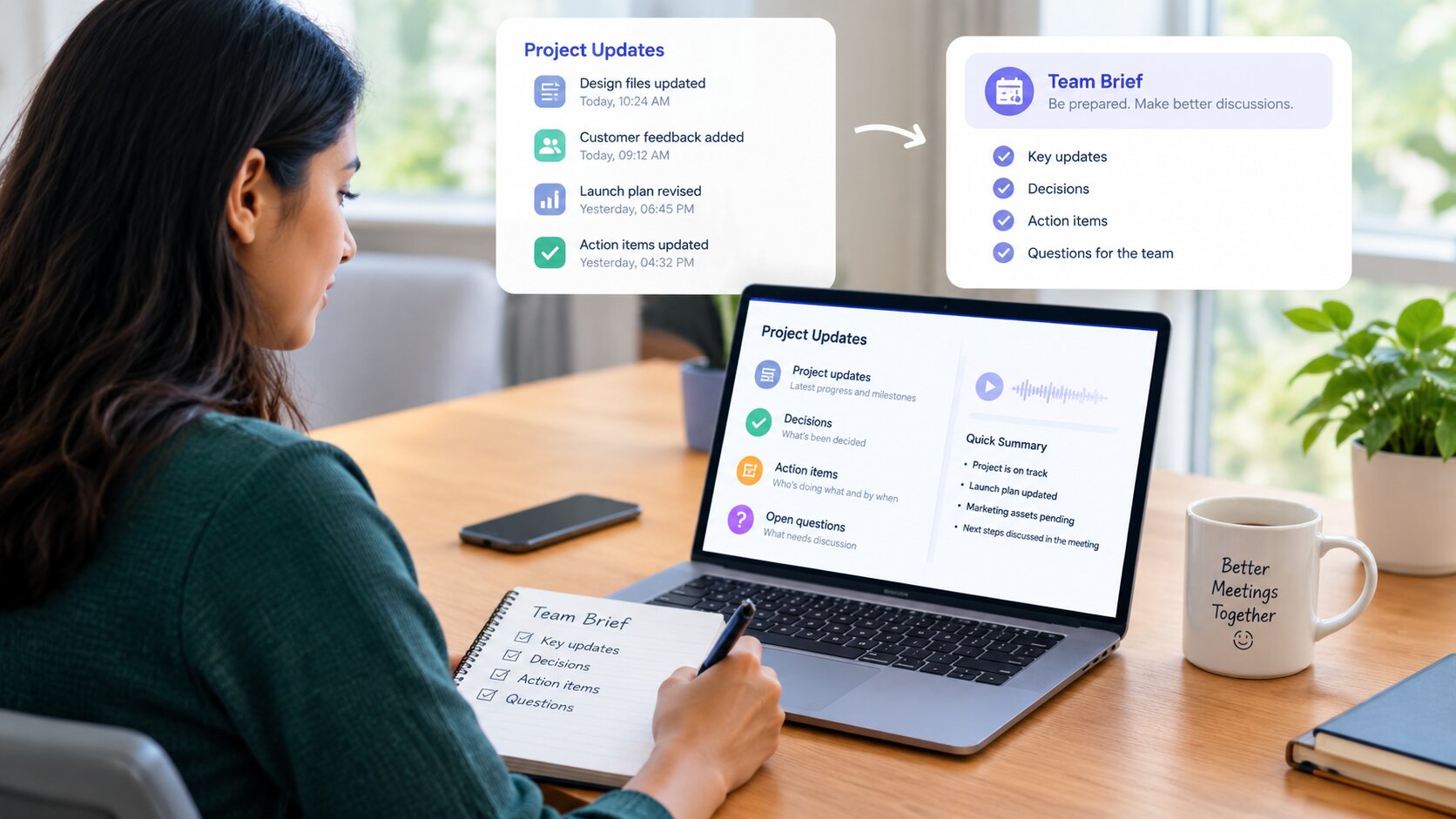
A listening brief can close that gap before the call begins. Instead of treating the Notion page as one long block of material, the listener follows its narrative, captures decisions and actions in a compact format, and brings the result into the meeting. The page supplies the context; the brief makes it usable in real time.
Give the Project Page a Meeting Shape
A page written for asynchronous work should tell teammates where they are within the first few lines. Start with a descriptive title, the date of the latest update, and a two-sentence summary. One sentence states what changed. The next explains what the team needs to discuss or do.
Use a stable set of headings for recurring updates: Outcome, Context, Decision, Open Questions, and Actions. Write owner names and dates in complete sentences. “Leah will send the revised launch copy by Thursday” is easier to hear and remember than a row of initials and shorthand.
Keep paragraphs focused on one idea. When a link supports a statement, place it after that statement. When an action follows a decision, keep them close together. This structure gives the spoken page a natural sequence and helps colleagues who prefer to scan it before joining the call.
Prepare a Brief Before Pressing Play
Open a blank note and add the meeting title at the top. Under it, create four short fields: current outcome, decisions made, questions for the room, and my actions. The fields will collect information in the same order the meeting is likely to use it.
Preview the page summary and Actions section, then choose the heading where the listening session should begin. A teammate who already knows the background may start with the latest decision. Someone joining the project can begin with Context and follow the full sequence.
Write one sentence describing your purpose: “I need the launch decision and my next task,” or “I need enough context to contribute to the pricing discussion.” That sentence keeps the notes aligned with the upcoming conversation.
Turn the Notion Page Into a Listening Brief
CastReader’s Notion read-aloud workflow lets the page remain visible while its content is played aloud. Open the relevant Notion page, begin at the heading selected during the preview, and choose a comfortable pace. Follow the highlighted text through the opening section, then use each heading as a natural point for a brief note.
When a decision appears, pause and rewrite it as a complete sentence under “decisions made.” When the narration reaches a question, place it under “questions for the room.” An assignment goes straight into “my actions” with the owner, date, and expected result.
At the end of each section, add a short phrase under “current outcome.” These phrases form a running summary of the page. By the time the audio reaches Actions, the brief contains the project’s direction as well as the details needed for follow-through.
For a longer page, split the session around the meeting agenda. Listen to Outcome, Context, and Decision first. After a short pause, continue with Open Questions and Actions. The second part naturally shifts the listener from understanding the update to preparing a contribution.
Bring the Brief Into the Meeting
Use the listening brief as the meeting’s personal front page. Before joining, read the current outcome and the questions for the room. Choose the one question where your role or expertise can move the discussion forward.
During the call, add new wording directly beside the related decision or action. This keeps the conversation connected to the context already captured. If ownership changes, replace the name and date in the same sentence. If the team settles an open question, move it into decisions made.
The brief also makes status sharing concise. A teammate can say, “The page points to this outcome, the open choice is this, and my action is due Thursday.” That short update gives the group a common starting point and leaves more time for the work that requires a live conversation.
Return the Meeting Outcome to Notion
After the call, transfer the final decisions and actions from the brief back into the project page. Update the two-sentence summary so the next listener sees the latest state immediately. Place each action under the shared heading with a clear owner, date, and result.
Add a brief meeting note beneath the decision log: what the team chose, what moved forward, and what comes next. The page is now ready for teammates who will arrive later in the day, and the next listening session will begin from a cleaner source.
When the same page format is used every week, preparation becomes familiar. Authors know how to write for both eyes and ears; listeners know where decisions and actions will appear; meetings begin with shared context rather than a long recap.
Choose one Notion project page before the next team call. Shape it around the agenda, listen to a four-field brief, and return
Conclusion
A clear team brief can turn scattered project updates into useful meeting context. By organizing outcomes, decisions, open questions, and actions before the call, team members can spend less time catching up and more time contributing.
The process is simple: prepare the page for easy listening, capture the most important points in a short brief, and update the shared project information after the meeting. This creates a continuous flow of context from one meeting to the next.
When teams follow the same structure consistently, meeting preparation becomes faster and more predictable. Everyone knows where to find the latest decisions, who owns each action, and what still needs discussion. The result is more focused meetings and better follow-through.
Frequently Asked Questions
Q: What is a team meeting brief?
A: A team meeting brief is a short summary of the information people need before or during a meeting. It typically includes the current outcome, key decisions, open questions, and assigned actions.
Q: Why should teams prepare a brief before a meeting?
A: A brief helps team members understand the latest project status without reviewing every detail. It creates shared context and allows more meeting time to be spent on decisions, problem-solving, and collaboration.
Q: What should be included in a meeting brief?
A: A useful meeting brief can include:
- Current project outcome
- Important decisions
- Open questions
- Action items
- Owners and deadlines
- Key updates or context
Q: How can teams make project updates easier to follow?
A: Use consistent headings, short paragraphs, clear sentences, and specific owners and dates. Keeping related decisions and actions together also makes updates easier to scan and listen to.
Q: How can a listening brief help remote teams?
A: A listening brief gives distributed team members a structured way to consume project updates before a meeting. This is especially useful when teammates work across different time zones and cannot attend every discussion.
Q: What should happen to the meeting brief after the meeting?
A: Update the shared project information with the final decisions, new actions, owners, deadlines, and unresolved questions. This ensures the next person reviewing the project starts with the latest context.
Q: How can teams reduce meeting recap time?
A: Teams can reduce recap time by maintaining consistent project updates, preparing short briefs before meetings, and recording decisions and action items as they happen. This allows meetings to focus on work that requires real-time collaboration.