Connect with us
What Is a Self-Hosted Ticketing System? Complete Guide
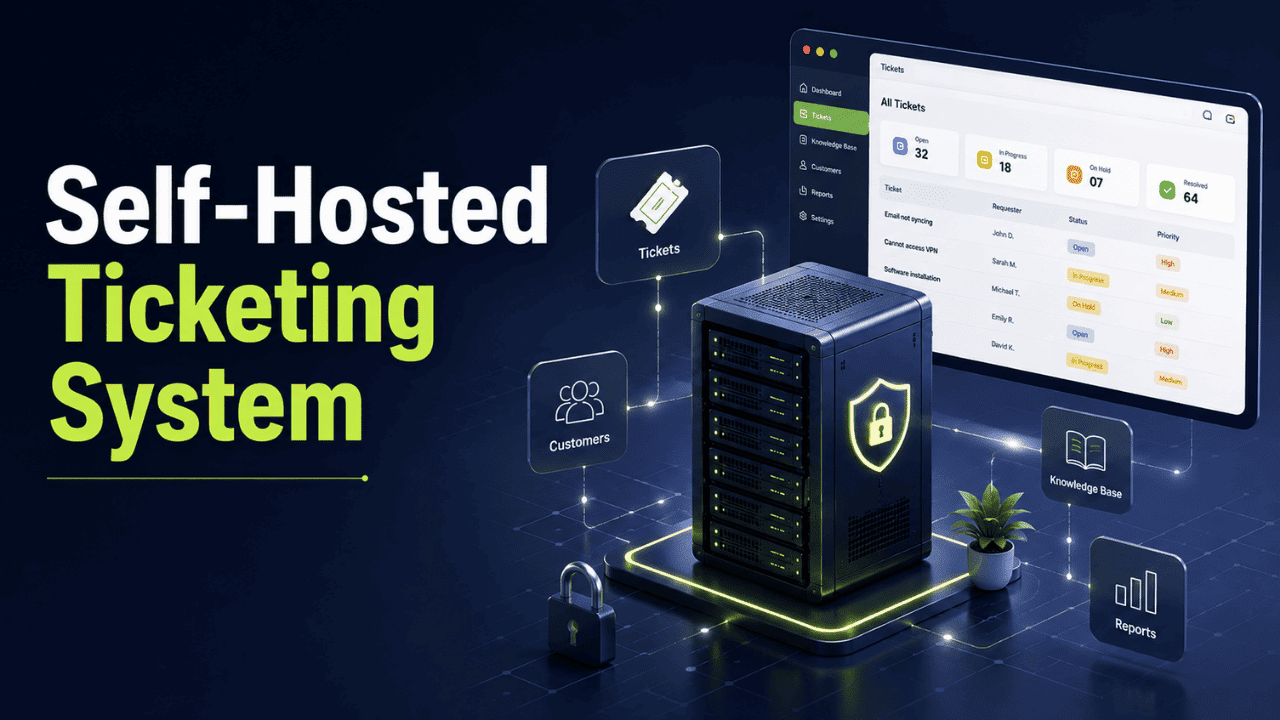
A self-hosted ticketing system is a support and issue-tracking platform that an organization installs and runs on its own servers or private infrastructure, giving it complete control over ticket data, security, and system customization. In simple terms, every ticket, attachment, and customer or employee conversation stays within infrastructure the organization owns and manages, rather than on a third-party vendor's cloud.
As organizations place greater emphasis on data privacy, regulatory compliance, and long-term cost control, many are choosing self-hosted ticketing systems over cloud-based help desk software. This guide explains what a self-hosted ticketing system is, how it works, its benefits, key features, and what to consider before choosing the right solution for your organization.
What Is a Self-Hosted Ticketing System?
A self-hosted ticketing system is software you install on your own server, data center, or private cloud environment, rather than one you rent as a subscription from a third-party vendor. It typically manages the same core functions as any help desk platform, logging requests, assigning them to agents, tracking status, applying SLAs, and storing a full history of every interaction, but the difference lies entirely in where that data physically sits and who has access to it.
Because the organization owns the infrastructure, it also owns the responsibility. There's no vendor holding your ticket data on a shared server somewhere; instead, your own IT team manages the database, the updates, the backups, and the access controls. That trade-off, more control in exchange for more responsibility, is the defining characteristic of self-hosting, and it applies just as much to help desk software that centralizes chats, emails, and tickets in one place as it does to broader IT service management platforms.
How a Self-Hosted Ticketing System Works
Functionally, a self-hosted ticketing system isn't very different from its cloud counterpart on the surface. A request comes in, by email, web form, chat, or phone, and gets converted into a ticket. That ticket is tagged, prioritized, routed to the right agent or department, tracked against a service level agreement, and closed once resolved.
What changes is the deployment layer underneath. Instead of logging into a vendor's website, agents access an instance running on the company's own server (physical or virtual). The organization is responsible for the operating system, database, security patches, backups, and uptime. Many platforms in this category also give IT teams direct database access, which means custom fields, custom reports, and deeper integrations with internal tools become far easier to build than they would be in a locked-down SaaS environment.
If your organization already runs other infrastructure on its own servers — for example, if you've read about on-premise infrastructure for other business tools — the same principles of ownership, patching cadence, and access control apply directly to a self-hosted ticketing setup.
Self-Hosted vs Cloud-Based Ticketing System
Factor | Self-Hosted Ticketing System | Cloud Ticketing System |
Data location | On your own servers/infrastructure | On the vendor's servers |
Setup effort | Higher — requires server, install, config | Low — sign up and go |
Customization | Deep, often code-level | Limited to what the vendor allows |
Cost model | Upfront infrastructure + license, predictable long-term | Per-agent subscription, scales with team size |
Maintenance | Your IT team's responsibility | Handled by the vendor |
Compliance control | Full control over data residency and audits | Dependent on vendor's certifications |
Best for | Regulated industries, data-sensitive teams | Fast-growing teams wanting low overhead |
Neither model is universally "better", it depends on how much control your compliance requirements demand versus how much operational overhead your team can absorb.
Why Businesses Choose a Self-Hosted Ticketing System
Data ownership and sovereignty.
Every ticket, attachment, and customer conversation lives inside infrastructure the company controls, which matters enormously for organizations that can't risk sensitive data crossing into third-party or foreign-hosted servers. This is a major reason government, defense, and financial institutions favor on-premise deployment for regulated industries across their entire tech stack, not just their ticketing tool.
Regulatory compliance.
Frameworks like GDPR set specific requirements around where and how personal data is stored and processed. Running your ticketing system on infrastructure you directly control makes it far easier to demonstrate compliance during an audit, since there's no third-party processor in the chain to account for.
Deep customization.
Open-source and self-hosted platforms generally expose the underlying database and code, letting IT teams build custom workflows, fields, and integrations that a closed SaaS product simply won't allow.
Predictable long-term costs.
Instead of a recurring per-agent fee that increases every time you add a support seat, you're paying for infrastructure and a license, costs that are easier to forecast as your team scales.
Tighter security control.
You decide the firewall rules, the encryption standards, and who gets administrative access, rather than trusting a vendor's shared-tenant cloud environment.
Key Features to Look for in a Self-Hosted Ticketing System
- Multi-channel intake — converting emails, web forms, and chat messages into tickets automatically
- SLA management — tracking due dates and escalating overdue tickets automatically
- Role-based access control — so only authorized staff can view or edit sensitive tickets
- Custom fields and workflows — tailored to your department's actual process, not a generic template
- Reporting and analytics — agent performance, resolution time, and ticket volume trends
- Database-level access — for IT teams that want to run custom queries or build internal dashboards
- Encryption at rest and in transit — non-negotiable if you're handling sensitive customer or employee data
- API and integration support — so the ticketing tool can talk to your CRM, monitoring tools, and internal chat apps
Who Actually Needs a Self-Hosted Ticketing System?
Not every team needs to self-host. It tends to make the most sense for:
- Government and defense agencies, where data can't legally leave controlled infrastructure
- Healthcare providers, who must meet strict patient-data handling requirements
- Banks and financial institutions, working under regulatory frameworks that demand demonstrable data control
- Large enterprises with dedicated IT/DevOps teams who want deep customization and are comfortable managing their own servers
- Managed service providers (MSPs) running ticketing infrastructure for multiple regulated clients
Smaller teams without dedicated IT resources, or those that prioritize speed of setup over customization, are often better served by a cloud-hosted option instead.
Challenges of Self-Hosting a Ticketing System
Self-hosting isn't free of trade-offs, and it's worth being upfront about them:
- Higher upfront investment — servers, licenses, and setup time cost more initially than signing up for a SaaS plan
- Ongoing IT dependency — your team owns uptime, patching, and troubleshooting, which means real technical skill is required, not just a credit card
- Slower scaling — adding capacity means provisioning more infrastructure rather than upgrading a subscription tier with a click
- Security is your responsibility — the control self-hosting offers only pays off if your team actively maintains and monitors the environment
These challenges are very manageable for organizations with in-house IT expertise, but they're a real cost that should be weighed honestly before committing — the same trade-off that applies when comparing on-premise servers to cloud infrastructure more broadly.
How to Choose the Right Self-Hosted Ticketing System
Before picking a platform, walk through this checklist:
- Does it meet your compliance requirements? Check for support of the specific regulations your industry demands.
- What's the total cost of ownership? Include server costs, licensing, and the IT hours needed for maintenance — not just the sticker price.
- How much customization do you actually need? If your workflows are simple, an overbuilt platform will just add maintenance overhead.
- Does it support the channels you need? Email, web forms, live chat, and internal requests should all funnel into one place.
- What does the support/update cycle look like? Even self-hosted software needs security patches — check how often the vendor or community releases them.
- Can it integrate with your existing tools? Your ticketing system shouldn't operate in a silo away from your CRM, monitoring stack, or internal communication tools.
Best Practices for Deploying One Successfully
- Run it on reliable, adequately provisioned infrastructure, a ticketing system that lags under load defeats the purpose of centralizing support
- Set up automated backups from day one, not after your first data scare
- Apply role-based permissions immediately rather than giving broad access "temporarily"
- Document your escalation and SLA rules before go-live so agents aren't improvising workflows
- Review security patches and updates on a fixed schedule instead of reactively
- Pair your ticketing data with secure file-sharing practices so attachments shared through tickets stay within your controlled environment too
Ticketing Doesn't Work in Isolation — Why Communication Matters
A ticketing system captures and tracks requests, but resolving them quickly almost always depends on agents being able to talk to each other in real time — pulling in a specialist, confirming a fix, or escalating urgently. Teams that pair a self-hosted ticketing system with a self-hosted communication layer, like an on-premise instant messaging platform, keep both the ticket data and the conversations around it inside the same controlled environment, which matters a lot for organizations that chose self-hosting for compliance reasons in the first place.
Conclusion
A self-hosted ticketing system trades some convenience for a level of control that cloud platforms simply can't match — full ownership of your data, deep customization, and infrastructure that answers only to your organization's own policies. It's not the right fit for every team, but for regulated industries, security-conscious enterprises, and IT departments with the resources to manage it, it remains one of the most dependable ways to keep support operations both efficient and entirely within your own hands.
FAQs
Q1. What is a self-hosted ticketing system?
A self-hosted ticketing system is help desk software installed and run on an organization's own servers instead of a vendor's cloud. It manages support requests, tracks SLAs, and stores all ticket data internally. Organizations choose this model when they need full control over data location, security policies, and customization, rather than relying on a third party to manage infrastructure and access.
Q2. Is a self-hosted ticketing system free?
Some self-hosted, open-source ticketing platforms are free to download, but "free" only covers the software license. You'll still pay for servers, storage, ongoing maintenance, and IT staff time to configure and secure the system. Many vendors also offer paid self-hosted tiers with premium features, support, and faster updates beyond the free community edition.
Q3. Self-hosted vs cloud ticketing system — which is better?
It depends on your priorities. Self-hosted systems offer stronger data control and deeper customization, making them ideal for regulated industries. Cloud systems are faster to deploy and require no infrastructure management, suiting smaller teams without dedicated IT staff. Neither is universally better, the right choice depends on compliance needs, team size, and technical capacity.
Q4. What skills does my team need to run a self-hosted ticketing system?
You'll need someone comfortable managing servers, databases, and security patches, typically an IT administrator or developer. Initial setup and configuration require the most technical effort, while day-to-day ticket management can be handled by regular support staff. Ongoing maintenance, backups, and updates still need dedicated technical ownership to avoid downtime or security gaps.
Q5. Is a self-hosted ticketing system more secure than a cloud one?
It can be, but only if your team actively maintains it. Self-hosting removes shared-tenant risks and gives you full control over encryption, access rules, and firewalls. However, that security advantage depends entirely on consistent patching and monitoring, an unmaintained self-hosted system can actually be riskier than a well-managed cloud platform.