Connect with us
Secure Messaging App: The Most Trusted Apps for Privacy & Security in 2026
A secure messaging app is a communication platform that uses end-to-end encryption and advanced security measures to protect messages, calls, and shared files from unauthorized access. It is essential for individuals, businesses, government organizations, and defence agencies that handle sensitive information.
In 2026, choosing the right secure messaging app is no longer optional. Rising cyber threats, stricter privacy regulations, and remote work have made secure communication a necessity.
This guide explains what makes a messaging app truly secure, compares personal and enterprise-grade solutions, and helps you choose the right platform based on your privacy, compliance, and security requirements.
What Makes a Messaging App Truly "Secure"?
Almost every chat app on the market calls itself secure. Very few can actually back that up if you push on it.
Here's the honest checklist, the stuff that separates a real secure messaging app from one that's just using the word as a selling point:
- End-to-end encryption (E2EE): Your message gets scrambled the moment it leaves your device and only unscrambles on the recipient's end. Nobody in between, not even the app's own servers, can read it.
- Real encryption strength: AES-256 is the standard worth trusting, the same one banks and governments rely on, paired with a secure method for exchanging keys.
- No quiet data harvesting: A genuinely private messenger app isn't mining your chats to sell ad targeting data on the side.
- Self-destructing messages: Letting messages expire after a set window means sensitive info doesn't just sit around forever, waiting to become a liability.
- Open, checkable security claims: The strongest signal of trust isn't a badge on a website, it's a company publishing exactly how its encryption works, the way Signal documents its protocol for anyone to inspect.
- Clarity on where your data lives: Knowing which servers hold your data, and who can physically or legally access them, matters just as much as the encryption math.
Encryption is the foundation, not the whole house. You also need solid key management, sane authentication, and a team that actually patches things fast when a flaw turns up. Most apps worth trusting build their cryptography against benchmarks set by bodies like NIST, if a provider can't explain that alignment, take the "secure" label with a grain of salt.
Why Most "Secure" Messaging Apps Fall Short for Businesses
Here's where things get interesting: an app that's genuinely great for personal privacy can still be the wrong choice for a business. They're solving different problems.
A personal privacy app is optimized for one thing, keeping a conversation between two people away from prying eyes. That's real and valuable, but it's a small slice of what an organization actually needs day to day. The cracks usually show up in predictable places:
- No real admin control. Most consumer apps give you no way to manage users centrally or instantly cut off someone's access the day they leave the company.
- Compliance is an afterthought. Regulated industries need audit trails and retention policies they can actually produce during an audit. Consumer apps rarely think about this at all.
- No flexibility in where data lives. Hospitals, banks, and defence contractors often need their messaging hosted on infrastructure they control, sometimes fully air-gapped from the internet. Most popular chat apps only run on the vendor's own cloud, full stop.
- Loose integration with how the business actually works. Enterprise teams need messaging that plugs into their identity systems and security policies, not a separate app floating outside everything else IT manages.
- Uneven protection across features. Some apps lock down chat tightly but leave file sharing or calls less protected, and attackers go straight for the weakest link.
This is the real reason "secure for me" and "secure for my company" need separate evaluations. A business generally needs something closer to a full secure communication platform, one where encryption is just the starting point, not the entire pitch.
The Best Overall Secure Messaging App for Teams & Enterprises
Once you move past personal chat and start thinking about teams, the bar shifts. The strongest options pair the same encryption rigor with the administrative depth that businesses, government bodies, and regulated industries can't operate without.
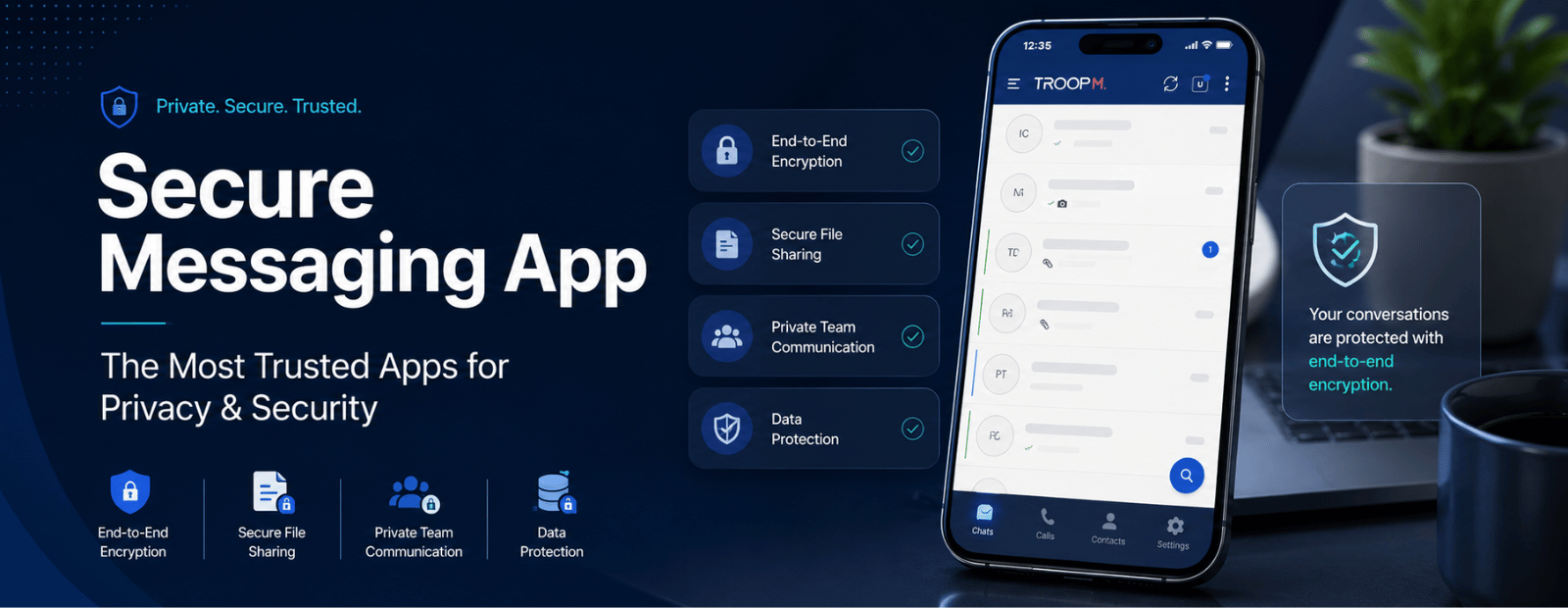
Troop Messenger is a useful example of how this plays out in practice, it's built specifically around the enterprise side of this equation, with the encryption, deployment flexibility, and admin controls below baked in rather than bolted on as an afterthought.
End-to-End Encryption (AES-256) Across Chat, Calls & Files
A messaging app isn't fully secure if the encryption only protects typed text. The better platforms apply end-to-end encryption evenly across one-on-one chats, group conversations, voice calls, video calls, and file transfers, so a shared invoice or a quick voice note gets the same protection as a written message. No weak links hiding in the parts people forget to check.
On-Premise & Air-Gapped Deployment for Total Data Control
For organizations that simply can't risk data touching a third-party cloud, on-premise deployment isn't optional. It lets a company run the entire messaging system on its own servers, behind its own firewall, under its own rules. Air-gapped deployment pushes this further by physically cutting the system off from any outside network, common in defence, intelligence work, and critical infrastructure, where "the cloud" isn't an acceptable answer.
Built for Defence, Government & Regulated Industries
Government and defence communication carries demands well beyond typical business security, classified data handling, strict access hierarchies, and alignment with national security protocols. A messaging app serving this space needs to support closed-network deployment and operate fully independent of the public internet when that's the requirement, not just when it's convenient.
Self-Destructing Messages & Other Privacy Controls
Past encryption itself, granular privacy controls give people and admins more say over how long information sticks around. Self-destructing messages, screenshot restrictions, and the ability to recall or delete something already sent all shrink the window where a leaked message can actually cause damage.
Role-Based Access, Audit Logs & Compliance
For enterprises and regulated industries, compliance isn't a nice extra, it's the price of entry. Role-based access keeps employees seeing only what's relevant to their job, while detailed audit logs track exactly who accessed what and when. That combination is what turns a chat app into something that can actually survive a security review or a regulatory audit.
How It Compares to Other Secure Messaging Apps
Not every "secure" messaging app is solving the same problem, and comparing them fairly means looking past the homepage.
| Feature | Consumer-Focused Apps | Business-Grade Secure Messaging Apps |
| End-to-end encryption | Usually yes, chat only | Yes, across chat, calls, and files |
| On-premise hosting | Rarely offered | Often available, with air-gapped options |
| Admin & access controls | Minimal or none | Role-based access, centralized admin panel |
| Compliance & audit logs | Limited | Built specifically for regulated industries |
| Self-destructing messages | Sometimes | Standard, with granular controls |
| Integration with business tools | Limited | Built for enterprise workflows |
Apps like Signal set a genuinely high bar for personal privacy, with encryption that's transparent enough for anyone to scrutinize. But the moment an organization needs centralized control, audit-ready compliance, or its own infrastructure, the calculus shifts toward platforms, Troop Messenger among them, built around exactly those enterprise requirements from day one. The right pick really does come down to who's using it and what's actually at stake if a message leaks.
Choosing the Right Secure Messaging App for Your Use Case
There's no universal "best" secure messaging app. The right one depends entirely on who you are and what you're trying to protect.
For Individuals & Personal Privacy
If you're just messaging friends and family and want real peace of mind, look for transparent, independently audited encryption, minimal data collection, and the option to set messages to self-destruct. Keep it simple, a good private messenger app for personal use shouldn't ask you to understand cryptography to stay safe.
For Enterprises & Regulated Industries (Finance, Healthcare)
Companies handling financial records or patient data need audit trails, role-based access, and compliance support baked into the platform. In healthcare specifically, that means a vendor willing to sign a Business Associate Agreement (BAA) and support the safeguards HIPAA actually requires, encryption by itself doesn't get you there. A lot of popular consumer apps fall short here precisely because they won't sign a BAA, no matter how good their encryption looks on paper, a gap the HIPAA Journal has covered extensively.
For Government, Defence & Public Sector
This is where the bar gets highest: on-premise or air-gapped deployment, custom retention policies, and zero dependency on public cloud infrastructure. Security certifications and closed-network deployment tend to be hard requirements here, not optional upgrades.
For Remote & Hybrid Teams
Distributed teams need something that balances real security with everyday usability, encrypted chat, secure file sharing, and voice or video calls under one roof, plus the admin tools to manage access as people come and go. The point is one secure hub replacing the scattered, half-secure mix of personal email and consumer chat apps that tends to creep in otherwise.
Final Thoughts: Picking the Most Secure Messaging App
The right secure messaging app usually isn't the one with the loudest marketing, it's the one whose security actually matches your real risk. Someone chatting with friends needs something very different from a hospital coordinating patient care or a defence agency handling classified communication.
Start with the honest question: what are you protecting, and who are you protecting it from? Then judge encryption standards, deployment flexibility, compliance support, and admin control against that answer, not against feature lists. Whether you land on a private messenger app for personal use, or an enterprise platform like Troop Messenger built around on-premise deployment and audit-ready compliance for business use, the goal stays the same, communication that stays exactly as private as you meant it to be.
FAQs
1. What is the most secure messaging app?
The most secure messaging app pairs end-to-end encryption, ideally AES-256, across chat, calls, and files with transparent security practices and minimal data collection. For personal use, apps with publicly audited encryption protocols rank highest. For business or government use, "most secure" also means on-premise hosting, role-based access, and compliance features, since the right answer really depends on what exactly you're protecting.
2. Which secure messaging app is best for business?
The best secure messaging app for business goes beyond basic encryption to include centralized admin controls, role-based access, audit logs, and integration with existing IT systems. It should support whatever compliance your industry demands and offer flexible deployment, including on-premise hosting. Businesses in finance, healthcare, or government are generally better served by platforms built for regulated environments, like Troop Messenger, rather than general consumer chat apps.
3. Is there a secure messaging app with on-premise hosting?
Yes, several secure messaging apps, including Troop Messenger, offer on-premise hosting, letting organizations run the entire messaging system on their own servers instead of the vendor's cloud. That gives full control over where data physically lives and who can access it. Some platforms also support air-gapped deployment, cutting the system off from outside networks entirely, which is common for defence and government use.
4. Is there a HIPAA-compliant secure messaging app?
Yes, though not every encrypted app actually qualifies. A genuinely HIPAA-compliant messaging app needs strong encryption, a signed Business Associate Agreement (BAA), detailed audit logs, and role-based access controls. Encryption alone won't cut it, healthcare organizations should confirm upfront that a vendor will sign a BAA and support the administrative and technical safeguards HIPAA's Security Rule actually requires before trusting it with patient communication.