Connect with us
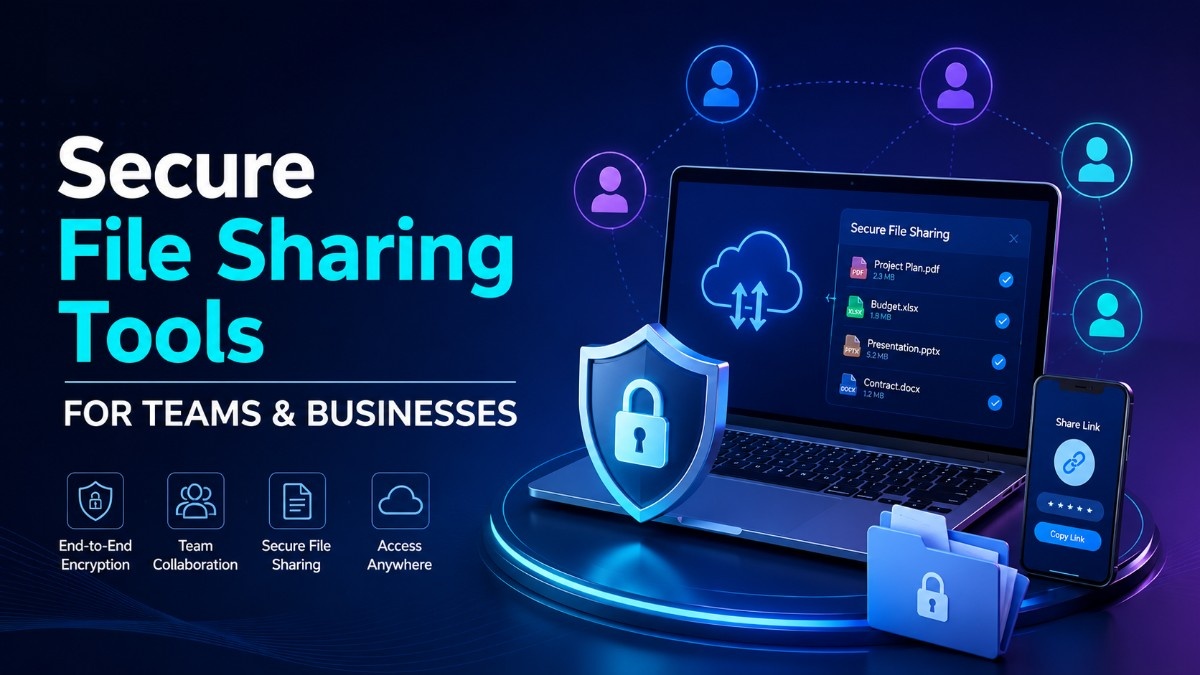
Secure File Sharing for Business: Best Tools & How to Choose One
Secure file sharing for business means transferring, storing, and collaborating on company files using encryption, access controls, and compliance features that keep sensitive data protected while supporting real collaboration across teams. Not every tool marketed this way delivers the same level of protection, and the gap usually shows up the moment a client asks for a security questionnaire or an auditor asks for proof.
Organizations with strict security and compliance requirements often choose on-premise deployment to keep files within their own controlled infrastructure. Before comparing individual platforms, it helps to see what a complete solution actually includes, from encryption to access controls, which you can review on theTroop Messenger features page. This guide compares the best secure file sharing tools based on security, compliance, features, and real-world business use cases.
What Makes a File Sharing Tool Truly Secure
Not all file sharing tools marketed as "secure" provide the same level of protection. Before evaluating specific platforms, understand what genuine security requires:
End-to-end encryption — the strongest guarantee available, covered in full detail below.
Access controls and permissions — granular control over who can view, download, edit, or share specific files. Time-limited access links, password protection, and role-based permissions are essential for sensitive document management.
Audit logging — complete records of who accessed which file, when, from which device, and what action they took. Audit logs are non-negotiable for regulated industries and legal discovery requirements.
Zero-knowledge architecture — the provider cannot access your encryption keys or your file content. Zero-knowledge platforms provide the strongest security guarantee because even a vendor-side breach cannot expose your data.
Compliance certifications —SOC 2 Type II, ISO 27001, HIPAA BAA availability, CMMC alignment, and GDPR's security of processing requirements matter for regulated industry use cases.
On-premise deployment option — for organizations with strict data residency or sovereignty requirements, self-hosted deployment keeps files entirely within the organization's own controlled infrastructure.
Encryption: In Transit, At Rest, and True End-to-End
Most vendors use "encrypted" as a single word covering three very different guarantees, and knowing the difference is what separates genuine security from a marketing claim. Encryption in transit protects files while moving between your device and the server, typically via TLS 1.2 or higher, and is now standard across nearly every provider. Encryption at rest protects files sitting on the provider's servers, usually with AES-256, but the detail that actually matters is who holds the decryption key. If the provider holds both the encrypted data and the key, a breach of their systems can still expose your files, which is why following established key management guidance such as NIST SP 800-175B is worth checking when evaluating a vendor. True end-to-end encryption means files are encrypted on the sender's device and only decrypted on the recipient's device, so the provider never holds a usable key at all, even during a full infrastructure breach. If a vendor claims "end-to-end encrypted" but also offers in-browser file previews, ask how that's possible without the server holding a key at some point; a legitimate vendor will have a clear answer.
External Sharing Without Losing Control
Most sensitive data doesn't leak from inside a secure platform, it leaks the moment a file leaves the organization for a client, vendor, or partner. The common failure pattern: an employee needs to send a contract externally, the platform makes that cumbersome, so they email the file as an attachment instead, creating an unencrypted, un-revocable, unmonitored copy with no expiry and no audit trail.
A platform built for business use should make secure external sharing at least as easy as email, with guest access that doesn't require a full account, expiring password-protected links as the default rather than an advanced setting, the ability to revoke access even after a file has been opened, and visibility into whether an external recipient forwarded or downloaded it. For a closer look at how this specific gap causes most real-world data loss, see Enterprise File Sharing: Where Your Data Quietly Leaks.
Secure File Sharing Tools for Law Firms
Law firms handle some of the most sensitive documents in existence, client communications protected by attorney-client privilege, litigation strategy, M&A transaction documents, and personally identifiable information. The consequences of a file sharing breach extend beyond regulatory fines to privilege waiver and malpractice liability.
Secure file sharing tools for law firms must provide:
- Client portal capability — a branded, secure environment where clients can upload and download documents without requiring them to create vendor accounts
- Matter-based organization — file organization aligned with legal matter structure rather than generic folder hierarchies
- Audit trails admissible in discovery — detailed access logs that can be produced in litigation to demonstrate chain of custody
- Privilege protection controls — access restrictions that enforce attorney-client privilege boundaries within the firm
- E-signature integration — seamless connection to e-signature workflows for executed documents
ShareFile and Tresorit lead this category. For law firms with government or defence clients requiring on-premise data control, Troop Messenger's secure file sharing within an on-premise deployment provides the most complete data sovereignty for privileged communications.
Secure File Sharing Tools for Global Teams
Distributed teams sharing files across geographic boundaries face a compound challenge, security requirements, varying data protection regulations in different jurisdictions, and performance across global networks.
Key requirements for global team file sharing:
- Data residency controls — the ability to specify which geographic region files are stored in to meet local data protection requirements
- Performance at distance — content delivery optimization that ensures large file transfers are fast regardless of team member location
- Cross-platform compatibility — consistent experience across Windows, macOS, iOS, Android, and web browsers
- Granular external sharing controls — the ability to share securely with external parties including clients and partners without compromising internal security policies
- Multilingual support — interface availability in the languages your global team works in
Box and Egnyte are the strongest options for large global teams. For distributed teams in defence, government, or regulated sectors, on-premise deployment with VPN-based access provides the most secure option for cross-border file sharing without triggering data transfer compliance obligations.
Best Secure File Sharing Tools for Due Diligence
Due diligence file sharing has unique requirements, large volumes of sensitive documents, time-limited access for external reviewers, and strict need-to-know access controls that change as the transaction progresses.
Virtual Data Rooms (VDRs) are purpose-built for due diligence and M&A transactions. Key capabilities:
- Watermarking — documents are watermarked with the viewer's identity, deterring unauthorized copying or photography
- Dynamic permissions — access rights can be adjusted in real time as due diligence progresses and new parties are added or removed
- Q&A management — structured question and answer workflows between buyers and sellers within the secure environment
- Access expiry — automatic revocation of access when the due diligence period ends
- Detailed engagement analytics — visibility into which documents reviewers have opened, how long they spent, and what they focused on
For due diligence specifically, dedicated VDR platforms including Intralinks, Datasite, and Ansarada are the most appropriate tools rather than general-purpose secure file sharing platforms.
Secure File Sharing Tools for CMMC Compliance
The Cybersecurity Maturity Model Certification (CMMC) framework governs how US defence contractors handle Controlled Unclassified Information (CUI). File sharing tools used to store or transfer CUI must meet specific technical requirements:
- FIPS 140-2 validated encryption — the encryption modules used must be validated under the Federal Information Processing Standard
- Access control enforcement — role-based access controls aligned with CMMC Practice AC.1.001 and related access management requirements
- Audit log generation — complete audit trails meeting CMMC AU domain requirements
- On-premise or FedRAMP-authorized deployment — CUI must be stored in FedRAMP-authorized cloud environments or on controlled on-premise infrastructure
- Incident response integration — file access anomalies must feed into the organization's incident detection and response processes
For CMMC-scoped file sharing, FedRAMP-authorized platforms or on-premise deployments that keep CUI within the organization's own controlled infrastructure are the only fully compliant options.
Best Secure File Sharing Tools
Troop Messenger — for enterprise and government teams that need secure file sharing alongside team communication, Troop Messenger combines encrypted file sharing, group messaging, voice and video calling, and screen sharing in a single on-premise deployable platform. Files shared within Troop Messenger never leave the organization's own infrastructure when deployed on-premise, making it the strongest option for defence, government, and regulated industry teams where data sovereignty and compliance are non-negotiable. It supports air-gapped deployments where no external connectivity is available.
ShareFile by Citrix — purpose-built for professional services including law firms and financial advisors. ShareFile offers client-facing portals, e-signature integration, and strong compliance coverage for legal and financial document workflows. Its audit trail capabilities and client portal feature make it a leading choice for law firms sharing sensitive client documents.
Box — a widely deployed enterprise content platform with strong security controls including granular permissions, watermarking, and classification labels. Box Shield adds AI-powered anomaly detection for unusual file access patterns. Best for large enterprises with complex content governance requirements.
Tresorit — a zero-knowledge encrypted file sharing platform with end-to-end encryption that even Tresorit cannot break. Strong GDPR compliance, EU data residency options, and client portal capabilities. Best for organizations prioritizing maximum encryption strength and European data sovereignty.
OneDrive for Business with Microsoft Purview — for organizations already running Microsoft 365, OneDrive provides deeply integrated file sharing with Microsoft Purview DLP and sensitivity labeling. Best for Microsoft-native organizations that want secure file sharing within their existing ecosystem.
Egnyte — strong on hybrid deployment, combining cloud and on-premise storage. Particularly popular with professional services and regulated industries that need cloud convenience with on-premise control for sensitive content categories.
Secure File Sharing vs General Cloud Storage — Key Differences
| Factor | Secure File Sharing Tools | General Cloud Storage |
| Encryption | End-to-end or zero-knowledge | Server-side only |
| Access controls | Granular, time-limited, role-based | Basic folder permissions |
| Audit logging | Comprehensive, compliance-grade | Limited or absent |
| Compliance certifications | SOC 2, HIPAA, GDPR, CMMC | Varies significantly |
| External sharing controls | Fine-grained with expiry | Open link sharing |
| Deployment options | Cloud, private cloud, or on-premise | Cloud only |
| Best for | Regulated, sensitive data | General file storage |
Secure File Sharing Evaluation Checklist
Use this checklist when comparing platforms:
- TLS 1.2 or higher for all data in transit
- AES-256 or equivalent encryption at rest
- Documented key management practices
- True end-to-end encryption available for sensitive files
- Role-based access permissions (view, edit, admin)
- Expiring shared links by default, not as an opt-in
- Instant, organization-wide access revocation
- Download and print restrictions on sensitive documents
- Dynamic watermarking on viewed and downloaded files
- Exportable, tamper-evident audit logs
- Admin visibility into all active external shares
- Choice of deployment model, cloud, private cloud, or on-premise
- Documented data residency and jurisdiction
- Guest access for external collaborators without full accounts
- Compliance certifications relevant to your industry, SOC 2, ISO 27001, HIPAA, CMMC, or GDPR alignment
Once you've scored a shortlist against this checklist, compare current plans and pricing to find the right fit.
Conclusion
Secure file sharing is not a feature, it is a security architecture decision that determines whether your organization's most sensitive documents are protected by genuine controls or by marketing claims. The right tool depends on who you are sharing with, what compliance obligations apply, and where your data must reside, and as covered above, external sharing is where most real-world data loss actually originates, not internal storage. For law firms, due diligence teams, and global enterprises, purpose-built platforms with strong encryption and compliance coverage are the baseline. For defence, government, and regulated industry organizations where files must never leave controlled infrastructure, Troop Messenger provides secure file sharing within a fully on-premise deployable platform that keeps sensitive documents entirely within your own security perimeter.
Frequently Asked Questions
1. What does secure file sharing for business actually require?
Genuine business-grade file sharing requires encryption in transit and at rest with well-managed keys, granular access controls including link expiry and instant revocation, exportable audit logs for compliance evidence, and a deployment model, cloud, private cloud, or on-premise, that matches your data residency obligations. A platform missing any one of these is only partially protected, regardless of how it's marketed.
2. What are secure file sharing tools?
Secure file sharing tools are platforms that enable organizations to transfer and collaborate on files with end-to-end encryption, access controls, audit logging, and compliance certifications ensuring sensitive documents remain protected during transit and at rest, and accessible only to authorized recipients.
3. What is the best secure file sharing tool for law firms?
ShareFile by Citrix and Tresorit are the strongest options for law firms, offering client portal capability, privilege-protecting access controls, and audit trails suitable for legal discovery. For law firms with government or defence clients requiring on-premise data sovereignty, Troop Messenger's secure on-premise file sharing provides the most complete control over privileged communications.
4. What secure file sharing tools support CMMC compliance?
CMMC-compliant file sharing requires FIPS 140-2 validated encryption, role-based access controls, comprehensive audit logging, and FedRAMP-authorized or on-premise deployment for Controlled Unclassified Information. General-purpose cloud storage platforms without FedRAMP authorization do not meet CMMC requirements for CUI handling.
5. What is the difference between secure file sharing and general cloud storage?
General cloud storage like Dropbox or Google Drive uses server-side encryption that the provider can access, offers limited access controls, and provides minimal audit logging. Secure file sharing tools add end-to-end or zero-knowledge encryption, granular time-limited permissions, compliance-grade audit trails, and regulatory certifications, essential for sensitive business, legal, and regulated industry documents.
6. Can secure file sharing tools work on-premise?
Yes. Several platforms including Troop Messenger and Egnyte support on-premise deployment where files are stored and shared entirely within the organization's own infrastructure. On-premise deployment eliminates vendor-side data exposure, satisfies data residency requirements, and supports air-gapped environments where no external connectivity is available.