Connect with us
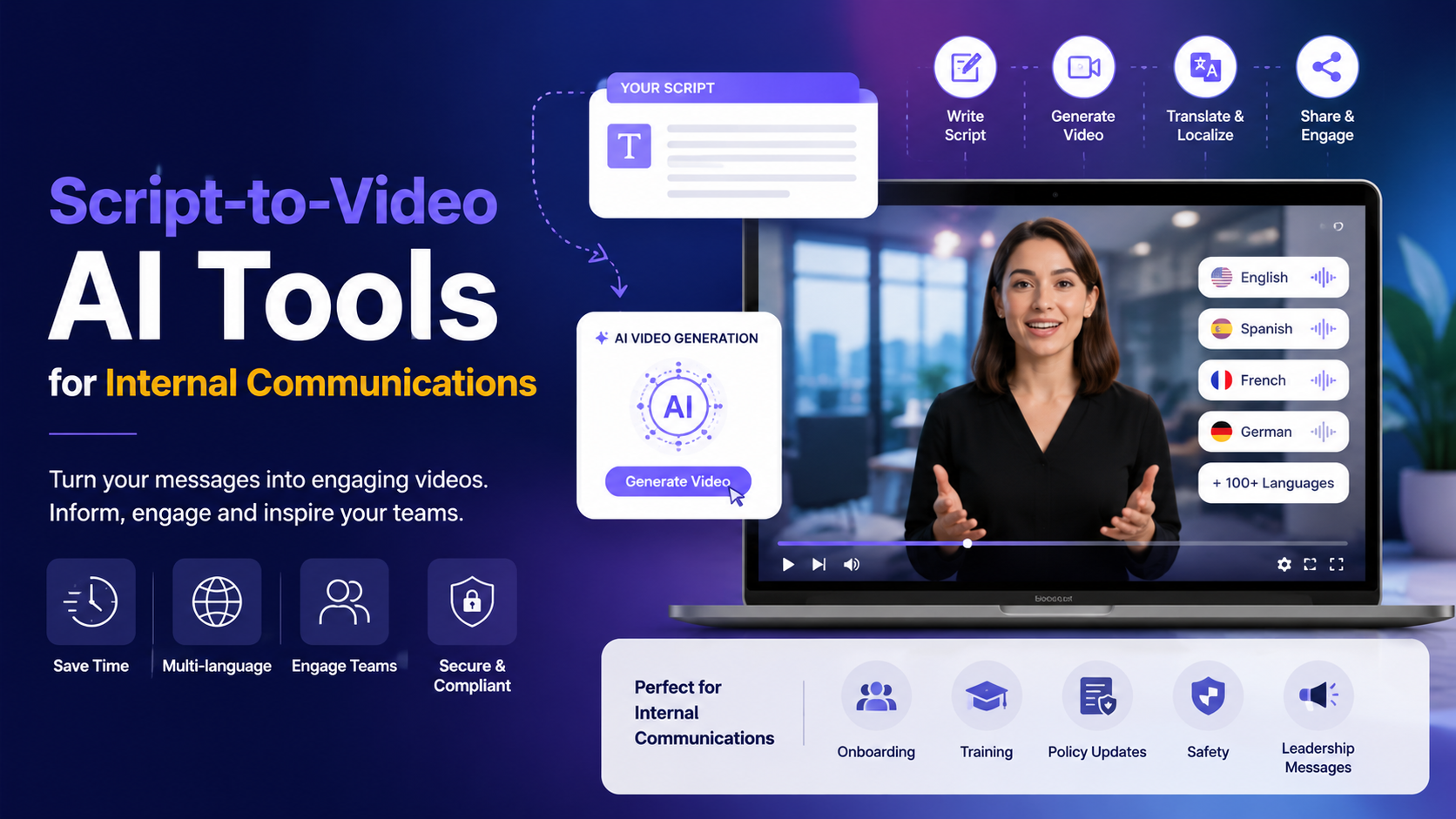
Script-to-Video AI Tools for Internal Communications
Internal messages compete with a full inbox. A policy update, an onboarding guide or a safety reminder often arrives as a long document that busy employees skim and forget. Short video lands differently, since people watch, absorb and remember it more easily than a wall of text.
The catch has always been production. Most internal communications teams do not have a studio, an editor or spare weeks, and they often need the same message in several languages and on brand. Script-to-video AI tools close that gap by turning written material into finished video without a shoot. This guide explains what these tools do, where they help most in internal comms, and how to roll one out sensibly.
What script-to-video AI actually does
A script-to-video tool takes written input, a script, a document, a prompt or a web page, and generates a complete video draft with scenes, on-screen text and a narrated voiceover. Modern tools let teams create videos with AI, adding presenter-style AI avatars and letting you swap voices, so the output looks produced rather than like a slideshow with narration. Modern tools add a presenter-style AI avatar and let you swap voices, so the output looks produced rather than like a slideshow with narration.
The point for internal comms is speed and consistency. You start from content you already have, generate a first cut in minutes, then refine it, rather than booking a shoot or wrestling with an editing timeline. When the policy changes, you update the script and regenerate instead of filming again.
Why video fits internal communications
Higher attention and retention
A two-minute explainer is easier to watch than a two-page memo, and it carries a tone that plain text loses. For onboarding, benefits or safety content, that clarity reduces follow-up questions and support tickets.
Consistency across locations
A recorded video says the same thing to everyone, whether they are at headquarters or on a frontline shift. That matters for compliance and process content, where a consistent message protects the organization and the employee.
Localization at scale
Distributed teams rarely share one language. Tools that translate voiceover and on-screen text let you build a message once and produce the versions your workforce actually needs, without rebuilding each one by hand.
Where these tools help most in internal comms
Some internal content is a natural fit for quick, repeatable video. Onboarding welcomes, system walkthroughs, policy and compliance updates, benefits explainers, safety reminders and leadership announcements all work well, because they are structured, updated often and sent to many people at once.
Onboarding is the clearest example, since a warm welcome video and a short tour of tools and first-week steps help new hires feel oriented from day one. If you are shaping that flow, this guide to remote employee onboarding pairs well with a video-first approach and covers the wider process around the content.
What to look for in a script-to-video tool
Inputs that match your workflow
Teams start from different material: a finished script, a handbook, a standard operating procedure or a policy page. Favor a tool that accepts a script, a prompt, a document and a URL, so you can begin from whatever you already have.
Localization and brand control
Look for one-click translation of voiceover and on-screen text, plus a brand kit that applies your colors, fonts and logo automatically. That keeps every version on message and on brand without manual rework.
Governance and security
Because internal content can be sensitive, check for single sign-on, role-based permissions and recognized security compliance such as SOC 2 and GDPR. Confirm who can create, edit and publish, and how videos are stored and shared.
LMS and export options
If onboarding or training videos must live in a learning system, check the export formats before you build a library. SCORM support matters for LMS tracking, while standard MP4 files and share links cover most other channels.
A tool built for this use case
One widely used option is Synthesia, whose script to video AI maker turns a script, prompt, document or URL into a video draft, then lets you customize avatars, voices and visuals before you generate the final cut. It reads as a fit for internal comms because it is built around exactly this kind of structured, repeatable content.
For internal teams, the useful details are practical. It accepts document and URL inputs with a per-page word cap, offers a library of AI avatars and voices, and lets you update a script and regenerate a new version in minutes rather than reshooting. It also translates into more than 160 languages, applies a brand kit for a consistent look, and exports to MP4 with SCORM available for learning systems.
On governance, it is SOC 2 Type II and GDPR compliant, and organizations keep ownership of the videos they create for internal use. As always, confirm the current plan limits and security details against the vendor before you standardize on any tool, since features and tiers change.
A simple rollout playbook
Start narrow rather than trying to convert everything at once. Pick one high-value format, usually onboarding or a recurring policy update, and turn an existing document into a short script broken into scenes with one clear point each.
Generate a draft, then review the scene order, pacing and on-screen text before you treat it as final. Localize once, add captions and produce the language versions you need. Export for your learning system where SCORM is supported, or share a standard file or link through the channels your employees already use, then plan who can view, edit and revoke access.
Conclusion
Script-to-video AI does not replace good internal communication, it removes the production barrier that keeps teams stuck on text. When a message is worth watching, these tools let a small team ship it quickly, keep it on brand and update it when facts change.
Start with one format, choose a tool that fits your inputs, localization and security needs, and measure whether employees engage more than they did with documents. Build from there once the workflow proves itself.
Frequently Asked Questions
Q: What is a script-to-video AI tool?
A: It is software that turns written input, such as a script, document, prompt or URL, into a finished video with scenes, on-screen text, a voiceover and often an AI presenter. It removes the need for cameras, actors or manual editing, which suits internal communications teams working at speed.
Q: Can these tools translate internal videos?
A: Yes. Leading tools translate the voiceover and on-screen text so you can build a message once and produce many language versions. That is useful for distributed and frontline teams who do not all share one language.
Q: Are script-to-video tools secure enough for internal use?
A: Many are, but you should verify it. Look for single sign-on, role-based permissions and recognized compliance such as SOC 2 and GDPR, and confirm how videos are stored, shared and owned before putting sensitive content through any tool.
Q: Do these tools work with our learning system?
A: Often yes. If onboarding or training videos need completion tracking, check for SCORM export, which lets videos live inside an LMS. For other channels, standard MP4 files and shared links usually suffice.
Q: What internal content works best as video?
A: Structured, repeatable content works best: onboarding welcomes, system walkthroughs, policy and compliance updates, benefits explainers and leadership announcements. These are sent to many people, updated often and easier to absorb as short videos than long documents.