Connect with us
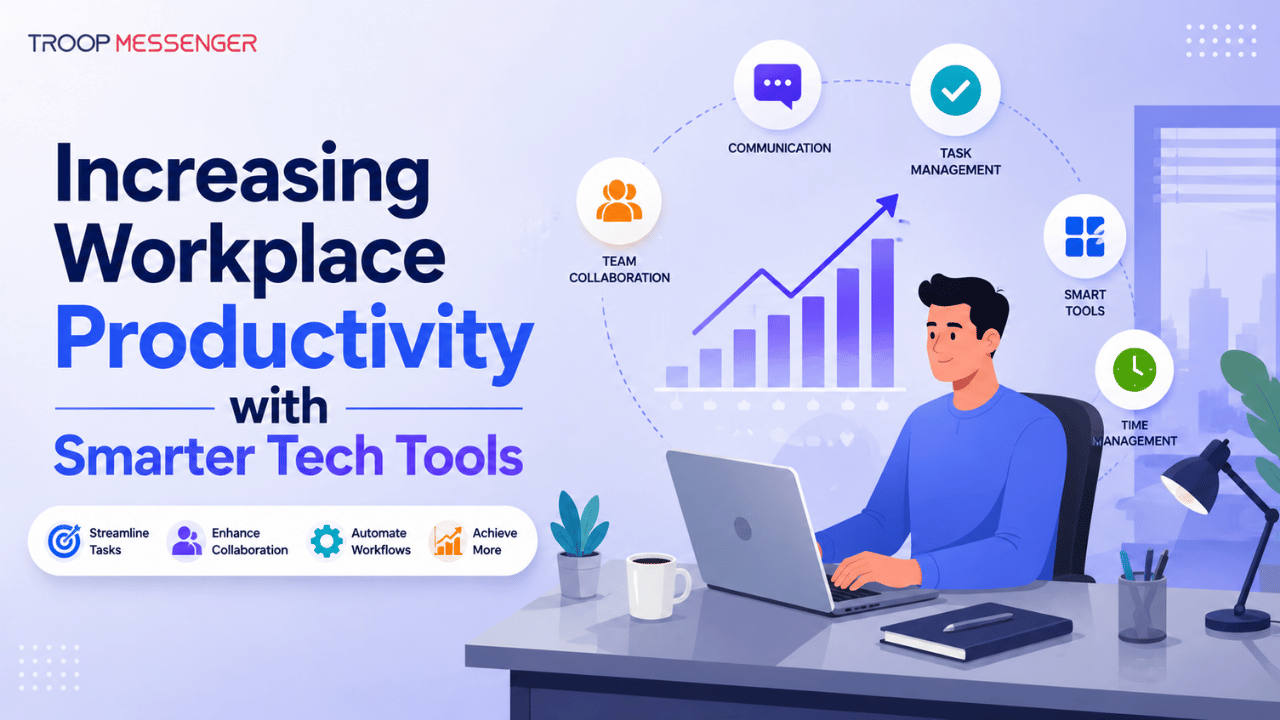
Increasing Workplace Productivity with Smarter Tech Tools
Workplace productivity is the ability to complete tasks efficiently while using time, technology, and resources effectively. Smarter tech tools can improve productivity by simplifying communication, automating repetitive work, supporting collaboration, improving time management, and helping teams handle information securely.
The right technology does not necessarily mean using the most advanced or expensive tools. What matters is choosing solutions that fit the way a team works and using them effectively. From collaboration and communication platforms to AI-powered automation, writing tools, time management software, and security solutions, technology can reduce unnecessary work and help employees focus on higher-value tasks.
This guide explains how smarter tech tools can increase workplace productivity, where they can make the biggest difference, and what businesses should consider when choosing and implementing them.
Collaboration Tools: The Beat of Successful Organizations
Collaboration has been the key to success in a team for centuries, but today more than ever, technology has transformed the way we collaborate. Virtual meetings, cloud document collaboration, and real-time collaboration software such as Slack, Microsoft Teams, and Google Workspace allow teams to stay connected even when they're not sitting in the same room - or even the same zone.
With these technology tools, you can speed up communication, share ideas quickly, and cut out redundant back-and-forth. In fact, most teams report that they improve decision-making and reduce the project timeline with these technology tools. After everyone on the team can see the same information in real-time, the number of incessant emails or lengthy meetings decreases significantly.
The Power of Word Counters for Efficient Writing
Another way in which smart technology tools can boost workplace productivity is through something as ordinary as a word counter. It might be a small thing, but word counting software plays an important role in keeping written communication brief and to the point.
Word counters are used extensively by professionals writing reports, proposals, or email to ensure they stay within given constraints or become best of length. For example, a writer may use a word counter to achieve exactly 500 words in a blog post, or a project manager can write a proposal short without leaving out key details. By eliminating unnecessary fluff, you can make your writing more clear and effective - two qualities that are crucial when deadlines loom near.
Sans-Serif Fonts: Making Your Text More Readable for Better Communication
While it might seem to be a matter of style, font selection can in fact have a noticeable impact on being productive and efficient in communicating at work. For example, sans-serif typefaces like Arial or Helvetica are generally recommended for computer files because they read better on monitors than serif fonts like Times New Roman.
In an era where efficiency is paramount, being able to skim and digest information rapidly is critical. The majority of research suggests that sans-serif fonts enhance readability, especially on digital media. If you use clean, unadorned fonts, your team will be able to rapidly understand the material without having to be weighed down by gratuitous design choices.
Making Data Management Simpler with Secure Solutions
Regardless of your line of business, it's essential to secure your workplace data. Leaks and breaches can be very costly and time-consuming for businesses. That is where technology tools meant for safe data handling become important. An example of one such tool is data removal services, through which businesses can securely erase sensitive data from digital platforms once they are no longer required.
When you are working on projects and remotely working, your team is constantly handling information - customer information, financial information, or internal correspondence. Using data destruction services ensures that any sensitive or obsolete information is erased securely, preventing leaks and ensuring ongoing compliance with privacy regulations. Having your information handled securely saves you resources and gives your team the reassurance they need to focus on what's most important.
Time Management Tools: Making Every Minute Count
In addition to collaboration and communication software, worth noting is the importance of time management software. Such software allows employees to organize their calendars, prioritize tasks, and minimize interruptions so that time is maximally utilized.
For example, to have a simple task manager such as Todoist or Trello allows you to set priorities on your to-do list, put deadlines on it, and even have reminders populated automatically. Having your day set out in an organized fashion allows you to keep track of important tasks without having to think about what needs to be done next.
Moreover, most tools also come with time tracking features, allowing you to measure how much time you spend on specific tasks. This data can be very valuable in streamlining workflows and boosting long-term productivity.
Automating Repetitive Tasks with AI Tools
The biggest way technology has boosted productivity is through automation. Tasks that previously consumed hours of an employee's time can now be automated using artificial intelligence (AI) tools.
For instance, a computer program can automatically respond to common customer support inquiries, schedule meetings based on availability, or even sort through emails. Advanced AI meeting agents take this a step further by capturing discussions, summarizing outcomes, and helping teams stay aligned without manual follow-ups. By leaving these tasks to AI, staff members are freed to accomplish higher-value, higher-priority tasks. This creates fewer opportunities for burnout and a more engaged, productive workforce.
AI-powered software such as chatbots, auto email filters, and even advanced reporting tools can save a few hours per week, freeing up businesses to better utilize their human resources.
Communication Tools for Instant Feedback
For the majority of workplaces, particularly those with remote or hybrid staff, real-time communication is vital. Applications such as Zoom, Slack, and Microsoft Teams enable that the employees stay connected at all times, providing instant feedback whenever needed. Real-time communication avoids having the employees wait for clarification or approval before proceeding, which accelerates workflows.
These applications also offer more than just chat; they enable instant document sharing, video conferencing, and collaborative brainstorming. Having all these features in one place increases productivity because it does away with the need to toggle between applications or arrange time-wasting meetings.
Security: The Overlooked Dimension of Workplace Productivity
In the computer age, security is not merely an issue - it's an imperative. Not all security solutions, however, are equal to the task. It's vital to use solutions that provide proactive protection measures, like two-factor authentication (2FA), cloud storage safeguards, and data encryption, to have the assurance that sensitive data is guarded every step of the workflow.
As companies invest in security solutions, not only are their data secured, but also allow their workers to work on the task at hand without worry over the risk of a cyber attack. Security solutions are therefore part of the essentials of maintaining a productive, effective workplace.
Conclusion: Leverage the Potential of Tech Tools for a Successful Future
Smarter technology can improve workplace productivity by reducing repetitive work, simplifying communication, supporting collaboration, and helping employees manage their time and information more effectively. The most useful tools are not necessarily the ones with the longest feature lists, but those that solve specific workflow problems and fit naturally into the way teams work.
From communication and collaboration platforms to AI automation, time management tools, writing utilities, and security solutions, each technology can contribute to productivity when implemented with a clear purpose. Businesses should also consider usability, integration, security, scalability, and measurable results before adopting new tools.
Ultimately, improving workplace productivity is not about adding more software. It is about choosing the right technology, connecting it with existing workflows, and ensuring employees can use it effectively to spend less time on unnecessary work and more time on meaningful tasks.
FAQs
1. How can technology improve workplace productivity?
Technology can improve workplace productivity by reducing repetitive tasks, simplifying communication, supporting collaboration, and helping employees organize their work. Productivity tools can automate routine processes, centralize information, provide reminders, support real-time communication, and make important data easier to access. AI-powered tools can also assist with tasks such as meeting summaries, scheduling, and document processing. However, productivity gains depend on choosing tools that address genuine workflow problems and ensuring employees understand how to use them effectively.
2. What types of technology tools improve workplace productivity?
Several categories of technology can support workplace productivity, including communication platforms, collaboration software, project management tools, time management applications, AI and automation solutions, writing tools, and security systems. Each category addresses different workplace needs. Communication tools help teams stay connected, while project and task management tools organize work. Automation reduces repetitive activities, and security tools help protect business information. The most effective combination depends on the organization's workflows, team structure, and operational requirements.
3. How does AI improve workplace productivity?
AI can improve workplace productivity by assisting with repetitive and time-consuming tasks. Depending on the tool, AI can help summarize meetings, organize information, draft content, answer routine customer questions, analyze data, schedule activities, and automate parts of business workflows. These capabilities can give employees more time to focus on tasks that require judgment and creativity. Businesses should still review AI-generated results for accuracy and consider privacy, security, and data-handling requirements before using AI with sensitive information.
4. How do communication tools increase employee productivity?
Communication tools can increase productivity by making it easier for employees to exchange information, ask questions, share files, and make decisions without relying entirely on lengthy email threads or unnecessary meetings. Real-time messaging and collaboration features can help teams resolve issues more quickly and keep project information accessible. However, communication tools should be used with clear guidelines to prevent excessive notifications and interruptions. Effective communication improves productivity when it helps employees get the information they need without creating additional distractions.
5. How should businesses choose workplace productivity tools?
Businesses should choose productivity tools based on their specific workflow requirements rather than simply selecting tools with the most features. Important factors include ease of use, integration capabilities, security, scalability, cost, administrative controls, and employee adoption. Organizations should first identify the problems they want to solve and then evaluate whether a tool addresses those problems effectively. Testing tools with a small group before wider implementation can also help identify usability issues and determine whether the expected productivity improvements are realistic.
6. Can too many productivity tools reduce workplace productivity?
Yes. Using too many disconnected productivity tools can create additional complexity instead of improving efficiency. Employees may need to switch between multiple applications, search for information across different platforms, or enter the same data repeatedly. Excessive notifications can also create distractions and interrupt focused work. Businesses should regularly review their technology stack and remove redundant tools where possible. A smaller set of well-integrated applications can often provide a simpler and more efficient workflow than a large collection of disconnected solutions.