Connect with us
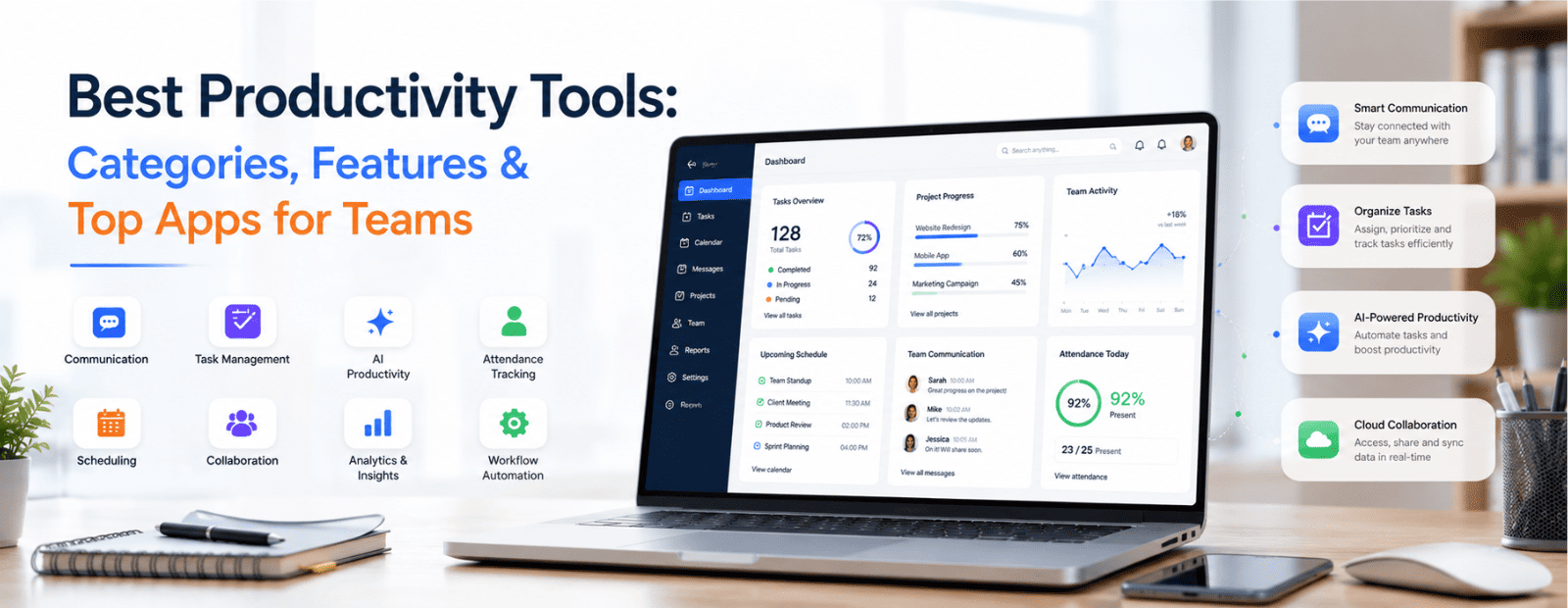
Best Productivity Tools: Categories, Features & Top Apps for Teams
Productivity tools are software applications that help individuals and teams work more efficiently by improving communication, project management, collaboration, automation, document organization, scheduling, and employee tracking. Businesses use productivity tools to reduce manual work, streamline workflows, improve team coordination, and increase overall efficiency.
Modern businesses don’t struggle because employees lack talent or motivation. Most productivity problems happen because teams lose time switching between apps, searching for files, following up on tasks, or managing unclear communication. As companies grow, these small inefficiencies slowly reduce team performance and delay decision-making.
That’s why productivity tools have become essential for businesses in 2026. From communication platforms and project management software to AI assistants and attendance tracking systems, the right tools help teams collaborate faster, stay organized, and reduce manual work. However, choosing the wrong tools can create more confusion instead of improving efficiency.
In this guide, you'll learn:
- What productivity tools are
- How to choose the right productivity software
- Different categories of productivity tools
- The best productivity apps for teams and businesses in 2026
- How to build an effective productivity stack for long-term growth
Whether you manage a startup, remote team, enterprise organization, or hybrid workplace, this guide will help you build a smarter productivity stack.
What Are Productivity Tools?
Productivity tools are software applications designed to improve efficiency, collaboration, communication, and workflow management for individuals and teams.
These tools help businesses:
- Manage projects
- Communicate faster
- Track employee work
- Automate repetitive tasks
- Organize documents
- Schedule meetings
- Monitor productivity
Today’s productivity software often combines AI productivity capabilities, automation, collaboration, and analytics into one ecosystem to reduce operational friction and improve team performance.
Benefits of Productivity Tools
Businesses use productivity tools to:
- Improve team communication
- Reduce manual and repetitive work
- Increase project visibility
- Improve accountability
- Streamline workflow management
- Enhance remote collaboration
- Automate routine processes
- Improve employee productivity tracking
- Centralize organizational knowledge
- Support faster decision-making
Signs Your Business Needs Productivity Software
Your organization may benefit from productivity tools if:
- Projects frequently miss deadlines
- Team communication is fragmented
- Employees spend excessive time on repetitive tasks
- Information is difficult to locate
- Remote collaboration is inefficient
- Attendance tracking is manual
- Teams rely heavily on spreadsheets for workflow management
- Managers lack visibility into project progress
How to Choose the Right Productivity Tool
Before selecting any productivity app, businesses should focus on their actual workflow challenges instead of choosing tools based only on popularity.
1. Identify Your Biggest Productivity Problem
Ask questions like:
- Are tasks getting delayed?
- Is communication unclear?
- Are files difficult to find?
- Is attendance tracking manual?
- Are meetings consuming too much time?
The answer helps determine which category of tool you need first.
2. Consider Your Team Structure
Different teams require different workflows:
- Remote teams need async communication tools
- Hybrid teams need collaboration + tracking systems
- Enterprise teams need security and admin controls
- Small businesses need affordable and simple platforms
3. Check Integrations
Your productivity software should integrate with:
- Google Workspace
- Microsoft 365
- Slack
- CRM tools
- Project management apps
- HR systems
Good integrations reduce app switching and improve workflow automation.
4. Evaluate Security Features
For businesses handling sensitive information, prioritize:
- End-to-end encryption
- Admin controls
- User permissions
- Audit logs
- On-premise deployment options
5. Compare Long-Term Pricing
Always calculate:
- Per-user pricing
- Scalability costs
- Feature limitations
- Hidden upgrade expenses
A tool that looks affordable initially may become expensive as your team grows.
Categories of Productivity Tools
1. Communication & Team Collaboration Tools
Communication tools help teams share updates, conduct meetings, exchange files, and collaborate in real time.
Troop Messenger
Troop Messenger is a business communication platform designed for secure team collaboration. It offers:
- One-to-one and group messaging
- Audio/video calls
- Screen sharing
- File sharing
- Remote team collaboration
- Advanced security controls
- Self-destruct messaging
- Browser-based messaging
- On-premise deployment
It is suitable for enterprises, government organizations, remote teams, and businesses that prioritize secure communication.
Marlee
Marlee is an AI-powered performance and collaboration software designed to help teams communicate better, work more effectively, and unlock their full potential. It offers:
- Motivation assessments and insights
- X-Factor success model
- Team collaboration analytics and boards
- AI-powered coaching
- Integrations with Slack, Zoom, and Google Workspace
It is suitable for businesses of all sizes, including hybrid and remote teams, looking to strengthen teamwork, increase productivity, and support employee development.
Slack
Slack is one of the most popular workplace messaging tools known for:
- Channel-based communication
- Third-party integrations
- Workflow automation
- Team collaboration
It works well for startups and fast-moving teams but may become noisy for larger organizations.
Step-by-step workflow to delegate Slack to your virtual executive assistant
Microsoft Teams
Microsoft Teams integrates deeply with Microsoft 365 tools such as:
- Word
- Excel
- Outlook
- SharePoint
It is commonly used by enterprise organizations already operating within the Microsoft ecosystem.
2. Task & Project Management Tools
Project management tools help businesses organize tasks, assign responsibilities, track deadlines, and manage workflows efficiently.
Taskity
Taskity is a task management and workflow management platform designed to simplify team collaboration and project execution. It helps teams:
- Manage daily tasks
- Track project progress
- Organize workflows
- Improve accountability
- Monitor deadlines
Its simple interface makes it suitable for startups, agencies, and growing teams.
Asana
Asana is a powerful project management tool that offers:
- Task assignments
- Timeline management
- Workflow automation
- Reporting dashboards
- Team collaboration features
It is ideal for teams managing multiple complex projects.
Trello
Trello uses a Kanban-style board system that makes project tracking simple and visual. It’s especially useful for:
- Small businesses
- Freelancers
- Marketing teams
- Content planning
3. AI Productivity Tools
AI productivity tools help automate repetitive work and improve operational efficiency.
ChatGPT
ChatGPT assists users with:
- Content writing
- Research
- Summarization
- Brainstorming
- Coding assistance
- Email drafting
Businesses increasingly use AI tools to improve productivity and reduce manual workload.
Notion AI
Notion AI helps teams:
- Generate documentation
- Summarize notes
- Create content
- Organize knowledge bases
It works best for teams already using Notion.
Otter.ai
Otter.ai provides:
- Real-time meeting transcription
- AI-generated summaries
- Action item extraction
- Searchable meeting records
It is highly useful for remote and meeting-heavy teams.
4. Attendance & Employee Tracking Tools
Attendance and tracking tools help organizations monitor employee work hours, attendance, productivity, and workforce analytics.
Attendance.ai
Attendance.ai is an employee attendance and workforce tracking solution that helps businesses:
- Track attendance automatically
- Manage remote employees
- Monitor work hours
- Generate attendance reports
- Improve workforce visibility
It is especially useful for hybrid workplace environments and distributed teams.
Toggl Track
Toggl Track is a simple time-tracking solution for:
- Freelancers
- Agencies
- Remote teams
- Service businesses
It offers reporting, billable hours tracking, and productivity analytics.
Clockify
Clockify provides free time tracking features including:
- Timesheets
- Productivity reporting
- Team tracking
- Work hour management
It’s a cost-effective option for growing businesses.
5. Document & Knowledge Management Tools
These tools help teams organize company knowledge, files, SOPs, and internal documentation.
Notion
Notion combines:
- Documentation
- Wikis
- Databases
- Collaboration
- Project planning
Its flexibility makes it popular among startups and creative teams.
Confluence
Confluence is widely used by technical and product teams for:
- Internal documentation
- Team collaboration
- Process management
- Knowledge sharing
Google Drive
Google Drive remains one of the most widely used cloud collaboration platforms for:
- File storage
- Real-time document editing
- Team collaboration
- Cloud sharing
6. Scheduling & Calendar Management Tools
Scheduling tools simplify meeting coordination and calendar management.
Calendly
Calendly automates appointment booking and removes unnecessary scheduling emails.
Reclaim.ai
Reclaim.ai uses AI to:
- Schedule focus time
- Prioritize tasks
- Manage calendar conflicts
- Optimize productivity
Google Calendar
Google Calendar helps teams manage:
- Meetings
- Reminders
- Shared schedules
- Event coordination
How to Build an Effective Productivity Stack
An effective productivity system usually consists of three layers:
Communication Layer
Tools used for messaging, meetings, and collaboration.
Examples:
- Troop Messenger
- Slack
- Microsoft Teams
Execution Layer
Tools used to coordinate daily tasks, operational workflows, and documentation. Organizations may also integrate specialized solutions, such as a platform for membership management, to handle member-related operations and keep centralized records organized.
Examples:
- Taskity
- Asana
- Trello
- Notion
Tracking Layer
Tools used to monitor attendance, productivity, and time management.
Examples:
- Attendance.ai
- Toggl Track
- Clockify
Conclusion
The best productivity tools are not necessarily the ones with the most features. The right software should reduce complexity, improve communication, simplify workflows, and help teams work more efficiently.
Businesses should focus on:
- Clear communication
- Better task management
- Smarter automation
- Workforce tracking
- Seamless collaboration
By choosing the right combination of productivity tools, organizations can improve efficiency, reduce operational delays, and create a more organized work environment in 2026.
FAQ
1. What are productivity tools?
Productivity tools are software applications designed to help individuals and teams work more efficiently by improving communication, collaboration, organization, and workflow management. These tools can include team messaging platforms, project management software, time-tracking systems, document collaboration tools, scheduling applications, and AI-powered assistants. Businesses use productivity tools to reduce manual work, streamline processes, improve visibility into tasks and projects, and help employees stay focused on high-value activities. By centralizing information and automating repetitive tasks, productivity tools enable teams to work faster, stay organized, and achieve better outcomes with fewer operational bottlenecks.
2. How do you select and use productivity tools?
Selecting the right productivity tool starts with identifying the biggest challenge affecting your team's efficiency, whether it's communication gaps, missed deadlines, poor task visibility, manual attendance tracking, or scattered documentation. Once you understand the problem, choose a tool that addresses that specific need rather than adopting multiple platforms at once. Evaluate integrations with your existing software stack, review security and compliance requirements, compare pricing plans, and test usability through a trial period. Successful implementation also requires team adoption, training, and consistent usage to ensure the tool becomes part of everyday workflows.
3. How do tools contribute to productivity?
Productivity tools contribute to workplace efficiency by reducing the time employees spend on administrative tasks, searching for information, and coordinating work across teams. They centralize communication, organize tasks, automate repetitive processes, and make project information easier to access and track. Instead of relying on manual updates, spreadsheets, or lengthy email chains, teams can collaborate in real time and maintain clear visibility into priorities and deadlines. This reduces delays, improves accountability, and helps employees focus on meaningful work. Over time, the cumulative impact of these small efficiency gains can significantly improve overall business performance.
4. How to boost your productivity with AI tools?
AI tools can significantly improve productivity when used for tasks such as content creation, research, summarization, meeting transcription, data analysis, and workflow automation. Rather than replacing human expertise, AI helps reduce the time spent on repetitive or time-consuming activities. To maximize results, focus on learning how to write clear prompts, review AI-generated outputs carefully, and integrate AI into existing workflows where it adds measurable value. Businesses that combine AI tools with well-structured processes often see greater efficiency gains, faster decision-making, and improved employee productivity without increasing workload.
5. What are the best productivity apps for remote teams?
For remote teams, the best productivity apps are async-first tools that keep communication, tasks, and collaboration organized and searchable. Troop Messenger for team communication, Asana or Monday.com for task management, Notion for documentation, and Toggl Track for time tracking together create an efficient remote work setup without causing tool overload.