Connect with us
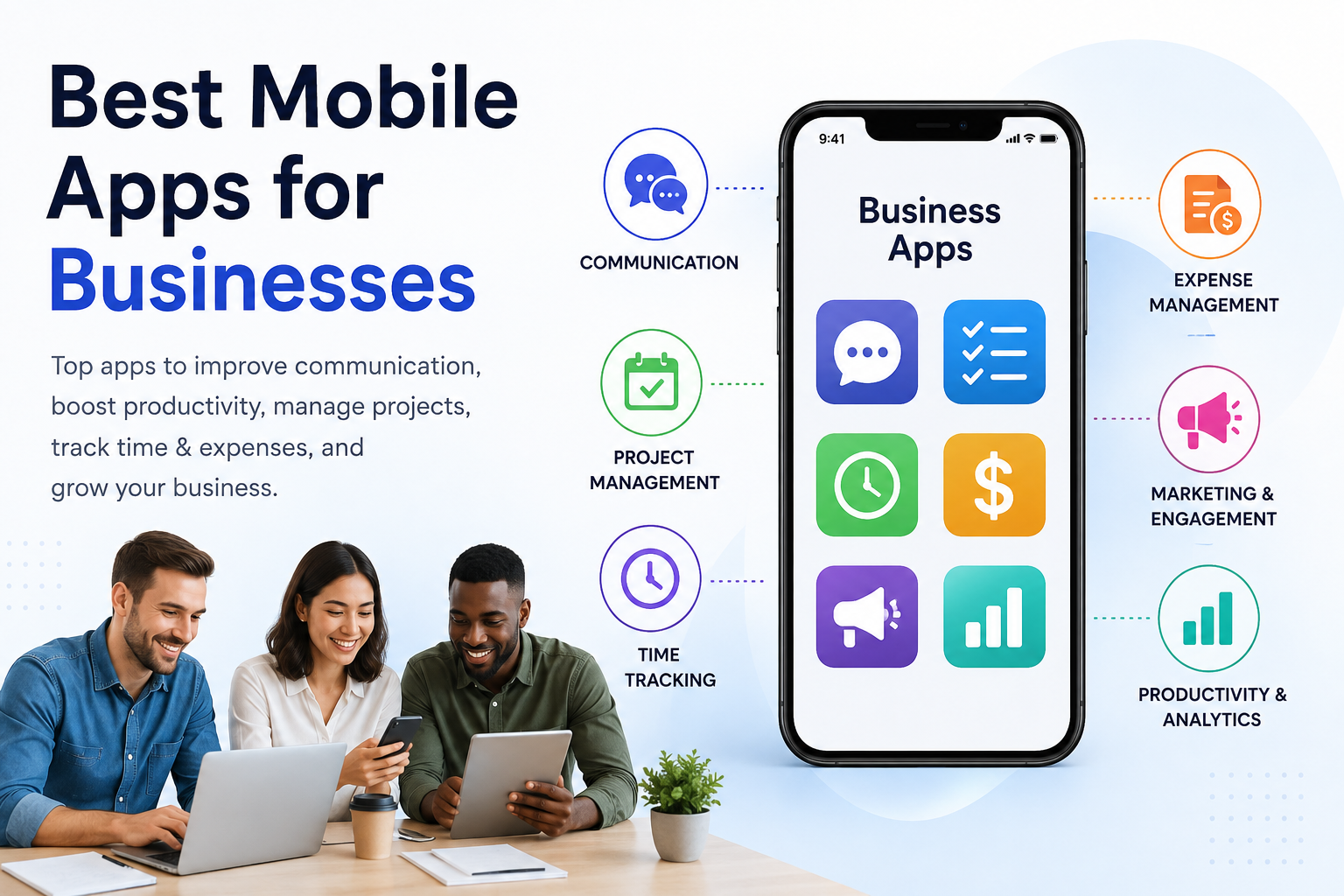
8 Best Mobile Apps for Businesses to Improve Productivity
Mobile apps help businesses improve communication, productivity, project management, and collaboration. As remote and hybrid work grows, the right business communication and collaboration tools can help teams stay connected and manage work more efficiently.
This guide explores the best mobile apps for businesses, including communication, project management, time tracking, expense management, and marketing tools.
How to Choose the Right Mobile App for Your Business
Choosing the best mobile app for your business depends on your operational needs, team size, budget, and workflow requirements. While some businesses need communication and collaboration tools, others may prioritize project management, time tracking, expense reporting, or marketing automation.
Before selecting an app, consider the following:
- Identify your biggest operational challenge.
- Evaluate integration capabilities with existing software.
- Consider scalability as your business grows.
- Review security and data protection features.
- Compare pricing plans and feature availability.
- Test usability through free trials or demos.
Selecting the right app ensures higher adoption rates, improved productivity, and a better return on investment.
How can a mobile app improve your business?
The use of mobile apps brought about a phenomenal transformational change in all business operations and transactions. Additionally, Ruby on Rails development has played a pivotal role in enhancing the efficiency and functionality of these mobile applications.
They help improve:
- The user base from all across the globe
- Brand Awareness of the product
- Sustainable user engagement
- Streamlining business operations
- Boosting employee work productivity.
Let's explore the top apps for small businesses to identify the one that best suits your company's needs.
1. Troop Messenger
Discuss your everyday job, projects, operations, and work routines with your coworkers via chat, audio-video calls, and conferences using this team communication tool. Users can select a delivery model based on their organizational structure and need from SaaS, on-premise chat, APIs, white labeling, etc.
Users can change the chat background with wallpapers, fonts and formats, and a chat list layout to make the UI exactly how they want it. You can use filters to focus on specific images, videos, text files, flagged chat messages, and other chat content. Troop Messenger has an outstanding user interface that even a new user can utilize without any training.
Troop Messenger assists in setting up impromptu or prearranged meetings with internal team members and external stakeholders to have business conversations for an infinite amount of time.
Most Useful Functions
- Team collaboration, group chats, and hierarchical communication on a unified interface
- Communication through a wide range of messaging, calling, and conferencing
- Jointly-code editor for developer collaboration
- Enterprise-focused platform also offer advanced security options such as compliance controls, audit logs, and on-premise deployment.
Monthly Fees
- Free Trial: 7-Day Enterprise Free Trial
- Premium: $2.5 per user per month
- Enterprise: $5.0 per user per month
2. Trello
Trello is a graphically stunning and user-friendly project management program that has swept the business world off its feet. Trello enables you to divide tasks into boards, lists, and cards, so you can see how your projects are doing from a distance. Its drag-and-drop interface makes it simple to shift activities from "To-Do" to "In Progress" to "Completed," making sure nothing falls through the gaps.
The program allows you to assign tasks, establish due dates, and write comments for easy communication, making it ideal for both solitary use and team collaboration. Trello will become your go-to partner for efficient task management, whether you're a creative firm juggling many client projects or a startup launching a new product. Companies such as Gettrusted can also become your business improvement partners with specialized, customized, and state-of-the-art solutions.
Most useful functions
- Create boards, lists, and cards for your tasks
- Task delegation, deadline set, and commenting allow for effective communication
- Perfect for both individual and group use
Monthly fees
- Free plan available with basic features
- Standard: $5 per user per month
- Premium: $12.50 per user per month
- Enterprise: advanced settings $17.50 per month
3. TSheets
TSheets is the ideal option for organizations when it comes to enhancing operational effectiveness and better time management. You can keep thorough records of the hours worked with this tool, which will make payroll and invoicing much simpler. Additionally, employees may easily submit time off requests - no more paper forms to fill out! Any device, from PCs to mobile phones, may access all of these capabilities.
Most useful functions
- Extensive timekeeping for precise payroll and billing
- Employee time-off requests without manual paperwork
- Available on all platforms, including PC and mobile
Monthly fees
- Premium: Starts at $20 and $8 per user per month
- Elite: Monthly rates start at $10 per user + $40 base price
4. Slack
Effective team communication is now more important than ever in the world of remote work. Enter Slack, a platform for real-time messaging that raises the bar on communication. In addition to providing channels for various projects or departments, direct messaging, and file sharing in one location, Slack eliminates the need for endless email chains.
The app is a powerhouse for overseeing team operations because of its integration with other corporate applications like Google Drive, Trello, and Asana. Slack makes sure that every member of your team is kept in the loop, no matter where they are, whether you want to share exciting news, discuss ideas, or mark achievements.
Most useful functions
- Direct communication and real-time messaging
- Channels for various departments or initiatives
- Seamless linkages with other business tools
Monthly fees
- Free plan available with limited features
- Pro: $7.25 per user per month (billed annually)
- Business+: $12.50 per user per month (billed annually)
- Enterprise Grid: many additional features at an individual price
5. nTask
Small organizations and individuals can use the task and project management tool nTask, which is hosted in the cloud. It offers company owners the tools necessary for team cooperation on tasks, projects, problems, meetings, timesheets, and hazards.
By adding descriptions, allocating resources, defining a budget, and generating tasks, users can quickly plan any project in nTask. Beautiful interactive Gantt charts that allow users to see the project's progress can aid in decision-making. The nTask app is available for iOS, Android, and the web.
Most useful functions
- Collaboration through cloud-based task and project management
- Use interactive Gantt charts to see a project's progress
- Available on web, Android, and iOS devices
Monthly fees
- There is a free demo plan with limited features available
- Pro: $8 per user per month
- Enterprise: custom features and prices
6. Expensify
It is said that "time is money." One of the best mobile apps for creating and managing expense accounts is Expensify. By automating your cost-tracking process with Expensify, you may save time and money. This program streamlines the entire procedure, making it simple to record receipts, classify spending, and produce thorough reports.
The days of painstakingly sorting through mountains of receipts and invoices are long gone. Expensify links with your bank and credit card account to guarantee proper recording of every transaction. Expensify will make tracking expenses simple, whether you're a regular business traveler or in charge of a team that incurs a variety of expenses.
Most useful functions
- Tracking expenses automatically and capturing receipts
- Organize spending and provide thorough reports
- Integration of credit cards and bank accounts
Monthly fees
- Collect: $5 per user per month
- Control: $9 per user per month
- Track: Need-based custom pricing
7. Asana
Look no further than Asana if you're looking for a complete project management platform. You can plan, organize, and track work effectively with the help of this multipurpose tool, ensuring that your projects are completed on time and within budget.
The timeline tool in Asana makes it simpler to allocate resources and plan for upcoming work by allowing you to visualize project milestones and dependencies. Regardless of the intricacy of your projects, keep track of them by working with your team, establishing priorities, and getting timely notifications.
Most useful functions
- Task planning, management, and tracking using visual boards and timelines
- Establish task dependencies and work together with team members
- Get timely alerts about project updates
Monthly fees
- Basic: No cost for up to 15 users
- Premium: $10.99 per user per month
- Business: $24.99 per user per month
8. MailChimp
Personalizing communications will help your company stand out in a cutthroat market. With the help of Mailchimp, you can personalize emails with your logo and other company branding, and use automation to ensure the proper recipients see them at the right time.
With templates and content blocks, you can create campaigns right from the iOS or Android app. With the 250+ app connectors, you may add product photos that are automatically retrieved from your connected stores or business apps, like Shopify and WooCommerce.
Most useful functions
- Personalized email campaigns with company branding
- Automation to reach the right audience at the right time
- Integration of product images with e-commerce platforms
Monthly fees
- Free plan available with limited features
- Essentials: Starts at $6 per month
- Standard: Monthly pricing begins at $10
- Premium: Starts at $175 per month
Best App Combinations for Small Businesses
Let's go a step further and talk about the ideal app combos for small enterprises. You can establish a smooth workflow and increase your efficiency by thoughtfully combining these apps. Let's get started and discover the ideal app combinations for your unique business requirements.
1. Trello plus Asana + Project Management Superpower
Trello and Asana work perfectly together to manage tasks effectively. Use Trello, the workplace collaboration software to visually organize projects, assign tasks, and facilitate team communication. The interface's ease of use guarantees a seamless transition from ideation to assignment completion.
Asana should be used in conjunction with Trello for more intricate projects that include precise schedules and resource allocation. You can see project milestones and dependencies with Asana's timeline function, facilitating better planning and decision-making. To keep everyone on task, assign tasks, monitor progress, and get timely updates. You can have the greatest project management superpower at your disposal by merging Trello with Asana.
2. Slack + nTask for Improved Team Collaboration
Combine Slack and nTask for smooth team communication and collaboration. Slack makes it simple to keep in touch with your team by ensuring real-time messaging and file sharing. Establish distinct channels for various projects or departments to keep talks on topic and well-organized.
Use nTask for task and project management to advance collaboration. Use interactive Gantt charts to track project progress and collaborate with team members on tasks, projects, and timesheets. Slack and nTask work together to produce a comprehensive platform for effective team collaboration and productivity.
3. Simple Time Management: Toggl Track + TSheets
Toggl Track and TSheets work together to improve time management skills and team output. Toggl Track offers easy time monitoring for both individuals and teams, enabling you to keep track of how much time is spent on various tasks and projects. Time monitoring is a snap thanks to its user-friendly UI, which also ensures accurate time usage data.
TSheets provides thorough time tracking with options for timesheets and time-off requests for companies with hourly workers. You may have a complete time management system to make sure that every second counts by merging Toggl Track with TSheets.
4. Streamlined Finances: QuickBooks + Expensify
Any firm must effectively handle its money, and QuickBooks and Expensify are the ideal partners for this task. Accounting is made simple using QuickBooks, making it simple to keep track of earnings, expenses, and cash flow. Create expert invoices and effectively manage payments, even for processing payroll.
Integrate Expensify for smooth expense tracking. Quickly and easily capture receipts, classify spending, and produce thorough reports. You can be sure that your financial records are accurate and current thanks to the interface between QuickBooks and Expensify.
5. MailChimp + Google Workspace for Personalized Marketing
MailChimp and Google Workspace are a match made in heaven for companies trying to create a lasting impact through targeted marketing. You may design unique email campaigns with branded elements and personal touches with MailChimp. Your messages will always reach the appropriate people at the right time thanks to its automated features.
Connect Google Workspace and MailChimp to gain access to a variety of potent productivity tools. Google Workspace supports your marketing initiatives with seamless efficiency, offering Gmail for business communication and Google Drive for cloud-based file storage and collaboration.
Conclusion
The best mobile apps for businesses help teams communicate more effectively, manage projects efficiently, track time accurately, automate repetitive tasks, and improve overall productivity. Whether your goal is better collaboration, streamlined operations, improved financial management, or stronger customer engagement, choosing the right combination of business apps can significantly enhance performance.
Start by identifying your business needs, selecting tools that integrate well with your existing workflow, and testing different combinations to find the most effective productivity stack. With the right mobile applications in place, businesses can operate more efficiently, scale faster, and stay competitive in an increasingly digital workplace.
Frequently Asked Questions (FAQs)
1. What are the best mobile apps for businesses?
The best mobile apps for businesses depend on specific operational requirements. Communication platforms such as Troop Messenger and Slack help teams collaborate efficiently, while project management tools like Trello and Asana improve task organization and workflow visibility. Time-tracking solutions such as QuickBooks Time and productivity tools like nTask help businesses manage resources more effectively. Marketing platforms like Mailchimp support customer engagement and campaign management. Combining multiple business apps often creates a more productive and connected work environment.
2. How do mobile apps help improve business productivity?
Mobile apps improve business productivity by centralizing communication, automating repetitive tasks, organizing projects, tracking employee performance, and simplifying collaboration. They enable employees to access information, manage tasks, and communicate from anywhere, making them especially valuable for remote and hybrid teams. By reducing manual processes and improving workflow visibility, business apps help organizations save time, improve decision-making, and increase overall operational efficiency.
3. Which mobile app is best for team communication and collaboration?
Team communication apps such as Troop Messenger and Slack are among the most popular choices for business collaboration. These platforms provide instant messaging, audio and video calling, file sharing, group discussions, and team channels that help employees stay connected. They reduce reliance on lengthy email threads and make it easier to collaborate in real time. Businesses should evaluate features such as security, integrations, deployment options, and scalability before selecting a communication platform.
4. What should businesses consider before choosing a mobile app?
Before selecting a mobile app, businesses should evaluate their workflow challenges, team size, budget, security requirements, and integration needs. It is important to choose software that can scale with business growth and connect seamlessly with existing tools. Reviewing pricing models, feature limitations, customer support options, and user experience can help businesses make informed decisions. Free trials and demo versions are often useful for assessing whether a particular application fits operational requirements.
5. Can small businesses use multiple business apps together?
Yes, many small businesses combine multiple apps to create a complete productivity ecosystem. For example, a communication platform can be paired with project management software, time-tracking tools, and marketing automation solutions. Integrating these applications allows information to flow more efficiently across teams and reduces the need to switch between disconnected systems. The right combination of apps can improve collaboration, increase productivity, and simplify daily business operations.
6. Are mobile business apps secure for company communication and data sharing?
Most modern business apps include security features such as data encryption, user authentication, access controls, and secure cloud storage. Enterprise-focused platforms may also offer advanced security options such as compliance controls, audit logs, and on-premise deployment. Businesses handling sensitive information should carefully review security policies, privacy practices, and compliance standards before adopting any software. Choosing a secure business application helps protect company data while enabling efficient communication and collaboration.