Connect with us
Law Enforcement Software: Types, Features, and How Agencies Choose in 2026
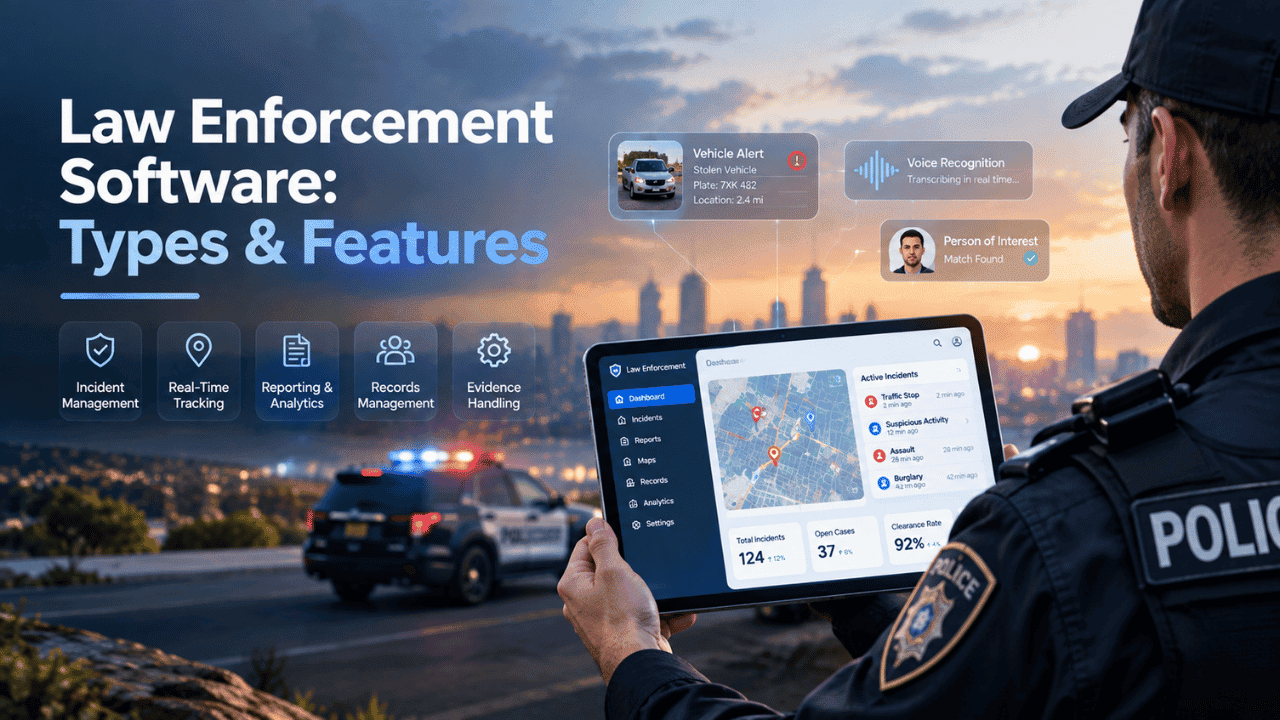
Law enforcement software refers to the digital tools police departments and public safety agencies use to manage dispatch, records, evidence, and communication across their day-to-day operations. With so many law enforcement software types now on the market, choosing the right combination of tools has become one of the more consequential decisions a department makes one that affects everything from officer safety to case outcomes.
This guide breaks down the main categories of law enforcement software, the features that matter most, and the factors agencies typically weigh when making a selection.
What Is Law Enforcement Software?
Law enforcement software covers the range of digital systems that support policing operations from the moment a call comes in, through dispatch and field response, to case documentation and long-term records storage. Rather than one single product, it's usually a stack of interconnected tools, each handling a specific part of the workflow.
Why Agencies Are Moving Toward Digital Systems
Paper-based processes and disconnected legacy tools slow departments down and make it harder to share information across units or jurisdictions. Digital systems consolidate records, speed up reporting, and make real-time information available to officers in the field which is why even smaller agencies are increasingly moving away from manual processes toward integrated software platforms.
Main Types of Law Enforcement Software
Understanding the core categories is the first step in narrowing down what an agency actually needs, since most departments end up using several of these together rather than a single all-in-one product.
Records Management Systems (RMS)
An RMS is the system of record for incident reports, arrests, case files, and historical data. It's typically the backbone of a department's documentation process, and most other tools dispatch, evidence management, analytics, eventually need to pull from or feed into it.
Computer-Aided Dispatch (CAD)
CAD software manages incoming calls, unit assignments, and real-time coordination between dispatchers and officers in the field. The debate around CAD software vs RMS software often comes up early in the buying process, but in practice, the two systems serve different functions and are usually meant to work together rather than replace one another CAD handles the live, in-the-moment response, while RMS handles the documentation that follows.
Evidence and Case Management Software
These tools track digital and physical evidence through its full chain of custody, from initial collection to case resolution. Given the legal weight evidence carries, this category tends to have some of the strictest security and audit-trail requirements of any law enforcement software type.
Secure Communication and Messaging Tools
Field units, dispatchers, and command staff need a reliable way to communicate that doesn't rely on consumer messaging apps not built for sensitive data. Purpose-built platforms Troop Messenger among them are increasingly used by public safety and government teams specifically because they offer encrypted, access-controlled communication rather than the general-purpose messaging tools many departments used to default to.
Real-Time Crime Center and Analytics Platforms
These platforms pull together live camera feeds, dispatch data, and analytics tools into a central hub, giving analysts the ability to feed real-time context to responding officers. This category has grown quickly among mid-size and large agencies looking to close the gap between an incident occurring and officers having full situational awareness in a real-time crime center (RTCC).
Must-Have Features Across Law Enforcement Software
Regardless of which specific tools a department chooses, certain law enforcement software features show up as non-negotiable across nearly every category.
Security, Encryption, and Access Controls
Given the sensitivity of the data involved case files, personal information, evidence encryption and role-based access controls aren't optional extras. They're baseline requirements, and any platform being evaluated should be assessed on this criteria first, before features or price.
Interoperability with Existing Systems
Software that can't talk to a department's existing CAD, RMS, or state databases creates duplicate work and data gaps. Interoperability is consistently one of the most underestimated factors in a police software comparison, and it's often where departments run into the most friction after a purchase is already made.
Mobile Access for Field Officers
Officers need access to records, dispatch updates, and communication tools from the field, not just from a desk. Mobile-first design offline functionality, quick load times, simple navigation under pressure has become a baseline expectation rather than a bonus feature.
Reporting and Compliance Tools
Built-in reporting functionality that aligns with state and federal requirements saves significant administrative time and reduces the risk of compliance gaps. This is especially important for RMS and evidence management systems, where documentation accuracy carries legal weight.
How Agencies Evaluate and Choose Software
Assessing Department Size and Use Case
A small department's needs look very different from a large multi-precinct agency's. Call volume, staffing, and the complexity of cases typically handled all shapes which law enforcement software selection criteria matter most a small agency might prioritize simplicity and cost, while a large one prioritizes scalability and multi-system integration.
On-Premise vs. Cloud Deployment Decisions
Cloud deployment tends to be faster to implement and easier to maintain, while on-premise systems offer more direct control over data storage a factor that matters more for agencies with strict data-residency requirements. This decision usually comes down to balancing convenience against the level of control a department's compliance obligations demand.
Budget, Vendor Support, and Scalability
Beyond the sticker price, agencies need to weigh ongoing support quality, update cadence, and whether a platform can scale as the department grows or takes on new capabilities. A cheaper tool that can't scale often ends up costing more in the long run through a premature replacement cycle.
Data Privacy and Regulatory Compliance
Any software handling criminal justice data needs to meet applicable compliance standards, including CJIS requirements where relevant. Agencies typically vet this early in the process, since a platform that can't meet compliance standards is disqualified regardless of how strong its other features are.
Common Mistakes Agencies Make When Selecting Software
One of the most frequent missteps is choosing software based on feature lists alone without testing how well it integrates with existing systems already in use. Another common mistake is underestimating training time and change-management effort even the best software falls short if officers and staff aren't properly onboarded. Agencies also sometimes prioritize the lowest upfront cost without accounting for long-term maintenance, support, and scalability needs, which can lead to a costly re-purchase down the line. Finally, skipping a proper pilot phase before a full rollout often means problems surface only after the software is already in wide use, making them far more disruptive to fix.
Final Thoughts
Choosing the right law enforcement software comes down to understanding what each category actually does, matching features to real operational needs, and being realistic about integration, budget, and compliance requirements from the start. Departments that take the time to map their specific workflows before evaluating vendors tend to end up with systems that genuinely support officers day to day, rather than tools that look impressive on paper but create friction in practice.
Frequently Asked Questions (FAQs)
1. What are the main types of law enforcement software?
The core categories include Records Management Systems (RMS), Computer-Aided Dispatch (CAD), evidence and case management software, secure communication tools, and real-time crime center platforms. Most departments use several of these together, since each handles a distinct part of the overall policing workflow.
2. What's the difference between CAD and RMS software?
CAD software manages real-time dispatch and unit coordination during an active call, while RMS handles case documentation, incident reports, and historical records afterward. The two systems typically work together, with CAD data often feeding directly into the RMS once a call is resolved.
3. What features should agencies prioritize when choosing software?
Security and access controls should come first, followed by interoperability with existing systems, mobile access for field officers, and built-in compliance reporting tools. Feature lists matter less than how well a platform integrates into a department's actual day-to-day operations.
4. Is cloud-based law enforcement software secure enough for police use?
Yes, when the platform meets applicable compliance standards like CJIS, cloud deployment can be secure and is often faster to implement than on-premise alternatives. The right choice ultimately depends on a department's specific data-residency and compliance requirements.
5. How do smaller departments choose software on a limited budget?
Smaller departments typically prioritize simplicity, ease of training, and lower ongoing maintenance costs over advanced feature sets built for large agencies. Starting with core tools and expanding later, rather than buying a full platform upfront, tends to fit tighter budgets better.
6. What's the biggest mistake agencies make when selecting law enforcement software?
The most common mistake is evaluating software purely on feature lists without testing real-world integration with existing systems. This often surfaces compatibility and workflow issues only after purchase, when they're far more disruptive and costly to fix.