Connect with us
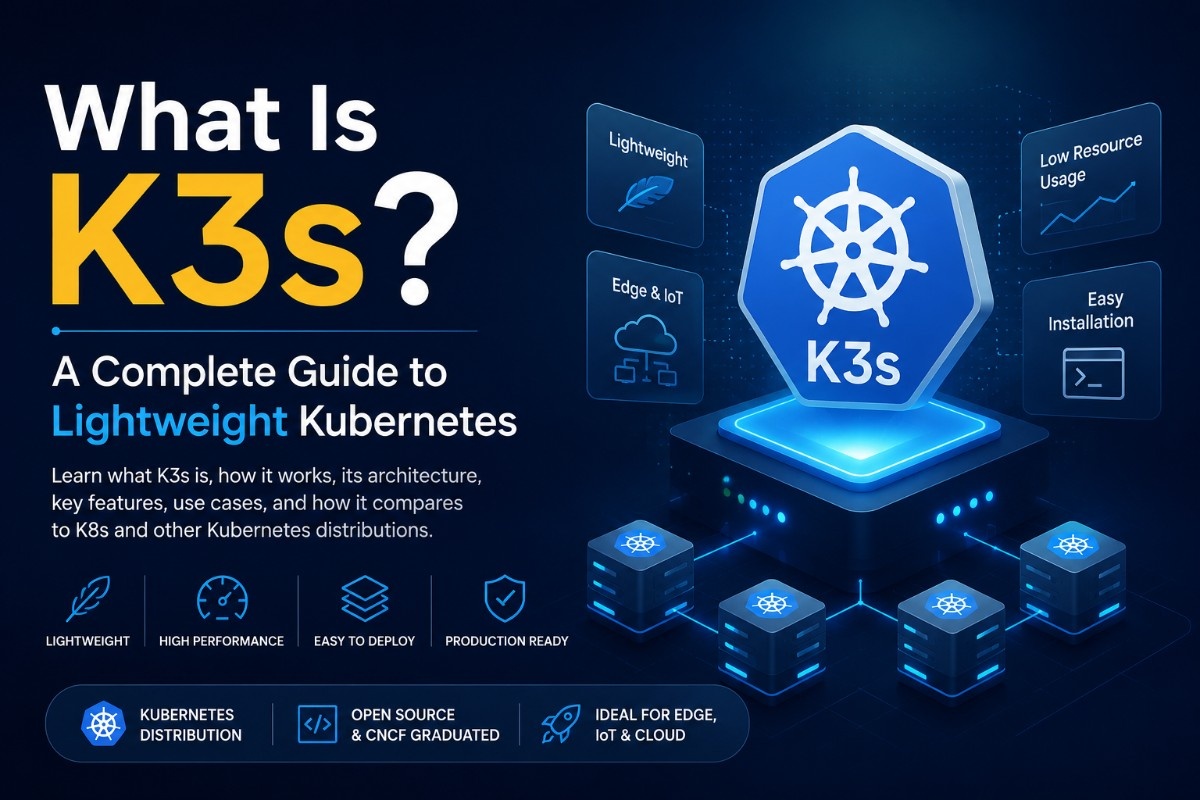
What Is K3s? A Complete Guide to Lightweight Kubernetes
K3s is a lightweight, CNCF-certified Kubernetes distribution developed by Rancher Labs (now part of SUSE) that packages the full Kubernetes API into a single binary under 100MB, making it purpose-built for resource-constrained environments like edge devices, IoT hardware, Raspberry Pi clusters, and CI/CD pipelines. Unlike standard Kubernetes (K8s), which requires significant compute resources and complex setup, K3s strips out legacy and non-default features, replaces etcd with SQLite as its default datastore, and installs in under 60 seconds with a single command while remaining fully compatible with standard Kubernetes workloads and
tooling.
Understanding cloud computing fundamentals makes it easier to see how Kubernetes distributions like K3s fit into modern infrastructure.
What Is K3s?
K3s is a production-ready Kubernetes distribution designed to run where full Kubernetes cannot on low-memory servers, ARM devices, single-node clusters, and remote edge locations. The name itself is a play on K8s (Kubernetes, where 8 replaces the eight letters between K and s) K3s implies a solution that is roughly half the size and complexity.
Developed by Rancher Labs and donated to the Cloud Native Computing Foundation (CNCF), K3s is open-source and maintained actively on GitHub. It bundles everything needed to run Kubernetes the API server, scheduler, controller manager, kubelet, and kube-proxy into a single binary, eliminating the multi-component installation process that makes standard Kubernetes difficult to set up on constrained hardware.
K3s is not a toy or a development shortcut it is used in production by organizations running workloads at the edge, in IoT deployments, and in environments where the overhead of full K8s is simply not justifiable.
What Is K3s Kubernetes?
K3s is Kubernetes just packaged differently. It runs the same API, supports the same kubectl commands, and is compatible with the same Helm charts and manifests you would use on a standard K8s cluster. The difference is in what has been removed and replaced to achieve that smaller footprint:
- Removed: legacy alpha APIs, in-tree cloud provider integrations, non-default admission plugins, and built-in storage drivers that most edge deployments do not need
- Replaced: etcd is swapped for SQLite as the default datastore (etcd is still supported as an option for high availability setups)
- Added: a built-in service load balancer, local path provisioner for storage, and Helm controller features that reduce the number of additional components you need to install separately
The result is a Kubernetes distribution that behaves like K8s from a workload and tooling perspective but installs and runs like a purpose-built lightweight system.
K3s vs K8s — Key Differences Explained
| Factor | K3s | K8s (Standard Kubernetes) |
| Binary Size | ~100MB single binary | Multi-component installation |
| Default Datastore | SQLite (etcd optional) | etcd |
| RAM Requirement | ~512MB minimum | ~2GB+ recommended |
| Installation Time | Under 60 seconds | 30–60+ minutes |
| HA Support | Yes (with embedded etcd) | Yes |
| ARM Support | Yes (native) | Limited |
| Best For | Edge, IoT, dev, small clusters | Large-scale production clusters |
| CNCF Certified | Yes | Yes |
The core trade-off is straightforward: K3s gives you Kubernetes compatibility with dramatically lower resource requirements and simpler setup, at the cost of some enterprise features and the assumption that you do not need the full K8s component suite.
K8s vs K3s — Which One Should You Choose
Choose K3s when:
- You are running workloads on edge devices, Raspberry Pi, or ARM hardware
- You need a fast, low-overhead Kubernetes cluster for CI/CD pipelines
- You are deploying to remote locations with limited compute resources
- You want a single-node or small multi-node cluster without the operational overhead of full K8s
Choose K8s when:
- You are running large-scale production workloads that need the full Kubernetes feature set
- Your infrastructure requires advanced networking, storage, or multi-cloud integrations
- You have dedicated platform or SRE teams managing cluster operations
- You need deep integration with cloud provider-specific services (AWS EKS, GKE, AKS)
For most development teams, edge deployments, and small production clusters, K3s covers every real requirement. Full K8s is justified when cluster scale and enterprise feature depth genuinely demand it.
K3s News — Latest Updates and Developments
K3s is actively maintained with regular releases that track closely behind upstream Kubernetes versions. Key recent developments in the K3s ecosystem include:
- Embedded etcd improvements — high availability setups using embedded etcd have become significantly more stable across recent releases, making K3s a more viable option for production HA clusters
- ARM64 and ARMv7 support — continued improvements to ARM architecture support make K3s the de facto standard for Raspberry Pi and similar edge hardware
Integration with Rancher — K3s integrates directly with Rancher's cluster management platform, making it easier to manage fleets of K3s clusters from a central control plane - CNCF graduation — K3s' continued development under CNCF backing has strengthened its long-term viability and community support
For the latest release notes and version updates, the official K3s GitHub repository at github.com/k3s-io/k3s is the most current source.
How to Run K3s — Getting Started Guide
Getting K3s running is intentionally simple. Here is how to install and start a K3s server on a Linux machine:
Step 1 — Install K3s
bash
curl -sfL https://get.k3s.io | sh -
This single command downloads the K3s binary, installs it as a systemd service, and starts the server. The entire process typically completes in under 60 seconds.
Step 2 — Verify the installation
bash
sudo k3s kubectl get nodes
You should see your node listed with a Ready status.
Step 3 — Access your cluster with kubectl
The kubeconfig file is written to /etc/rancher/k3s/k3s.yaml. Copy it to your home directory or set the KUBECONFIG environment variable to use standard kubectl commands:
bash
export KUBECONFIG=/etc/rancher/k3s/k3s.yaml
kubectl get pods --all-namespaces
For more advanced cluster management and kubectl commands, refer to the official Kubernetes documentation.
Step 4 — Add agent nodes (optional)
To add worker nodes to your cluster, retrieve the node token from the server:
bash
sudo cat /var/lib/rancher/k3s/server/node-token
Then run the following on each agent node:
bash
curl -sfL https://get.k3s.io | K3S_URL=https://:6443 K3S_TOKEN= sh -
K3s Uninstall — How to Remove K3s From Your System
K3s includes uninstall scripts for both server and agent nodes:
To uninstall a K3s server:
bash
/usr/local/bin/k3s-uninstall.sh
To uninstall a K3s agent:
bash
/usr/local/bin/k3s-agent-uninstall.sh
These scripts stop the K3s service, remove the binary, clean up configuration files, and delete all related data including container images and network configurations. After running the uninstall script, the node is returned to a clean state with no K3s components remaining.
MicroK8s vs K3s — A Side by Side Comparison
MicroK8s is Canonical's lightweight Kubernetes distribution, positioned similarly to K3s. Key differences:
- Installation — K3s installs via a single curl command; MicroK8s uses the snap package manager, which limits it primarily to Ubuntu and snap-supported systems
- Resource usage — both are lightweight, but K3s has a slightly smaller footprint and lower minimum RAM requirement
- ARM support — K3s has stronger native ARM support, making it the preferred choice for Raspberry Pi and edge hardware
- Add-on ecosystem — MicroK8s offers a curated add-on system (dns, storage, ingress) that simplifies enabling common components; K3s bundles many of these by default
- Best fit — MicroK8s suits Ubuntu-native development environments; K3s suits cross-platform, edge, and production-light deployments
Minikube vs K3s — Which Is Better for Local Development
Minikube is designed specifically for local development running a single-node Kubernetes cluster on your laptop inside a VM or container. K3s serves a broader purpose:
Minikube — best for local development workflows where you need a throwaway cluster that mirrors production K8s behavior on your development machine
K3s — better for actual deployment on lightweight servers, edge hardware, and CI/CD environments where you need a persistent, production-capable cluster
If you are testing Kubernetes concepts locally on a developer laptop, Minikube is the simpler path. If you are deploying to real hardware even low-spec hardware K3s is the more appropriate choice.
K3s Default Datastore SQLite — What You Need to Know
By default, K3s uses SQLite as its backend datastore instead of etcd. This is one of the key architectural decisions that makes K3s lighter and easier to operate:
- SQLite is sufficient for single-node clusters and small deployments with low write frequency
- It requires no separate etcd cluster to manage, reducing operational complexity significantly
- For high-availability setups with multiple server nodes, K3s supports switching to embedded etcd or an external datastore like PostgreSQL or MySQL
- SQLite in K3s is stored at /var/lib/rancher/k3s/server/db/state.db
For production HA deployments, switching from SQLite to embedded etcd is recommended to avoid the single-point-of-failure limitation of a single SQLite file.
Minio K3s Resource Usage — CPU RAM and Disk Considerations
MinIO is a popular object storage solution commonly deployed on K3s clusters, particularly in edge and self-hosted environments. Resource considerations when
running MinIO on K3s:
- CPU — MinIO is not CPU-intensive under normal read/write loads but can spike during erasure coding operations on larger deployments
- RAM — MinIO recommends a minimum of 128MB RAM for the MinIO process itself; combined with K3s baseline, plan for at least 1GB total on the host
- Disk — MinIO performance is heavily disk-dependent. SSDs are strongly preferred over spinning HDDs for production workloads. Minimum 1 drive per node; erasure coding requires 4+ drives for production redundancy
- Network — high-throughput MinIO deployments on K3s benefit from dedicated network interfaces to avoid contention with cluster traffic
For Raspberry Pi or similar edge hardware, MinIO works on K3s but storage performance will be limited by the speed of the attached storage medium.
K3s on Raspberry Pi — Lightweight Kubernetes for Edge Devices
K3s on Raspberry Pi is one of the most popular use cases in the homelab and edge computing community. Key setup considerations:
- Recommended hardware — Raspberry Pi 4 with 4GB or 8GB RAM is the minimum for a comfortable K3s server node; Pi 3 can run K3s agents
- Operating system — Raspberry Pi OS (64-bit) or Ubuntu Server 22.04 for ARM64 are the most stable base OS options
- cgroup configuration — enable cgroups by adding cgroup_memory=1 cgroup_enable=memory to /boot/cmdline.txt before installing K3s
- Storage — avoid running K3s from an SD card for production workloads; use a USB SSD for significantly better reliability and performance
Many Internet of Things (IoT) applications rely on lightweight Kubernetes platforms like K3s to process data closer to connected devices.
K3s on Pi clusters is a practical way for DevOps and platform engineers to run real Kubernetes workloads, experiment with edge architectures, and learn cluster management on affordable, low-power hardware.
For DevOps teams managing distributed K3s deployments across multiple sites or edge locations, keeping the team aligned on deployment status, incidents, and operational decisions is just as important as the infrastructure itself platforms like Troop Messenger give distributed engineering teams a secure, structured channel for exactly that kind of operational coordination.
K3s Architecture and Core Components
K3s consolidates the standard Kubernetes components into a simplified architecture:
- K3s Server (control plane) — runs the API server, scheduler, controller manager, and the embedded datastore (SQLite or etcd). In a single-node setup, the server also runs workloads.
- K3s Agent (worker node) — runs the kubelet and kube-proxy, and communicates with the server via the K3s tunnel proxy rather than direct API server access.
- Built-in components — K3s ships with Flannel (CNI), CoreDNS, Traefik (ingress), local-path provisioner (storage), and a service load balancer out of the box. These can be disabled if you prefer to substitute your own.
- Single binary — everything above is packaged into a single ~100MB binary, making distribution, updates, and air-gapped installations significantly simpler than managing separate Kubernetes components.
Many organizations deploy SaaS applications on Kubernetes clusters like K3s to improve scalability and simplify application management.
Conclusion
K3s has established itself as the standard for lightweight, production-capable Kubernetes in environments where full K8s overhead is not justified edge deployments, IoT infrastructure, Raspberry Pi clusters, and lean CI/CD pipelines. It delivers full Kubernetes compatibility, a dramatically simpler setup experience, and a minimal resource footprint that opens Kubernetes to hardware and use cases that were previously out of reach. For DevOps and platform engineering teams managing K3s deployments across distributed environments, Troop Messenger keeps operational communication structured and secure wherever your cluster nodes are running.
K3s is also widely used in edge computing environments where low latency and local processing are critical.
Frequently Asked Questions
1. What is K3s?
K3s is a lightweight, CNCF-certified Kubernetes distribution packaged as a single binary under 100MB. It is designed for resource-constrained environments including edge devices, IoT hardware, Raspberry Pi clusters, and CI/CD pipelines, while remaining fully compatible with standard Kubernetes workloads and tooling.
2. What is the difference between K3s and K8s?
K8s (standard Kubernetes) is a full-featured container orchestration platform requiring significant compute resources and complex multi-component installation. K3s delivers the same Kubernetes API and compatibility in a single binary with a much smaller resource footprint, simpler setup, and SQLite as its default datastore instead of etcd.
3. How do I uninstall K3s?
Run /usr/local/bin/k3s-uninstall.sh on server nodes or /usr/local/bin/k3s-agent-uninstall.sh on agent nodes. These scripts stop the K3s service and remove all binaries, configurations, and data from the system.
4. Can K3s run on Raspberry Pi?
Yes. K3s has native ARM support and is one of the most popular Kubernetes distributions for Raspberry Pi clusters. A Raspberry Pi 4 with 4GB RAM is recommended for server nodes, with cgroup memory enabled in the boot configuration before installation.
5. What datastore does K3s use by default?
K3s uses SQLite as its default datastore, which is sufficient for single-node and small cluster deployments. For high-availability multi-server setups, K3s supports embedded etcd or external datastores like PostgreSQL and MySQL as alternatives.