Connect with us
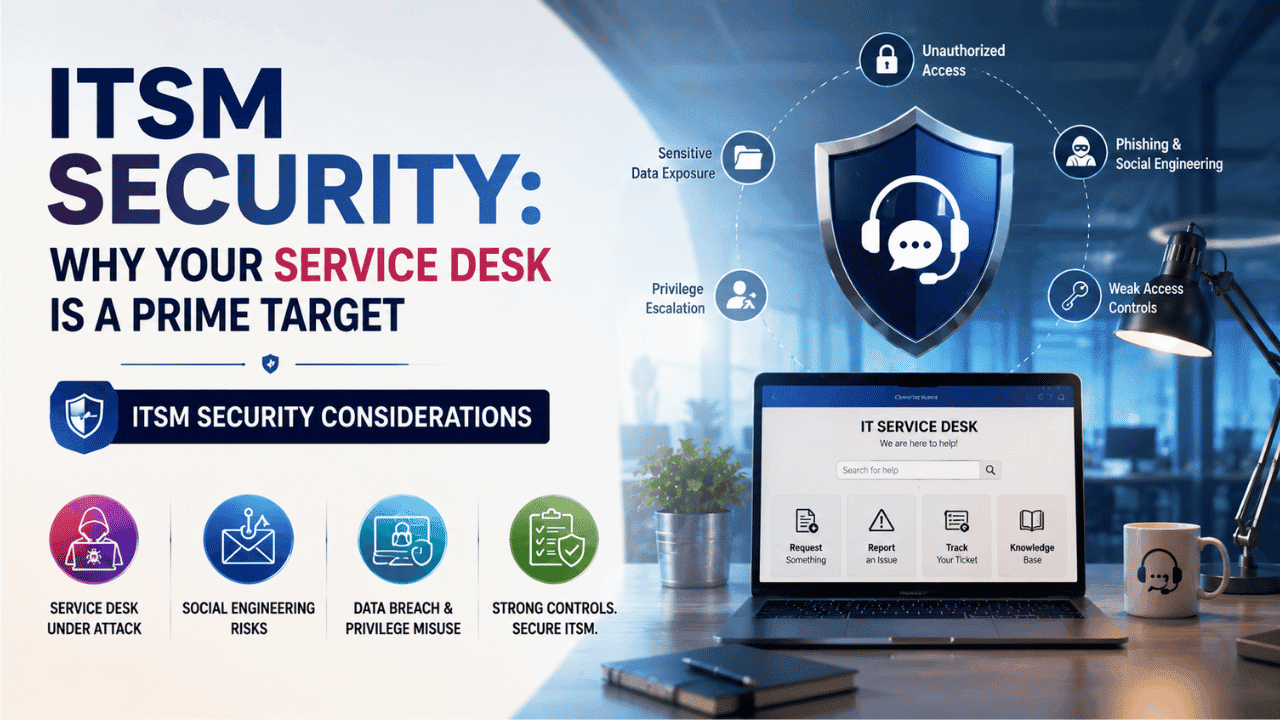
ITSM Security: Why Your Service Desk Is a Prime Target
ITSM security is the practice of protecting the platforms that run incident, request, change, and asset management, the tools where IT stores credentials, grants access, and approves privileged changes, from being exploited as an entry point into the rest of the organization. For the most sensitive workflows, some teams are shifting this layer onto on-premise deployment instead of trusting a third party by default.
Most security programs still pour resources into firewalls, endpoints, and cloud workloads, while the service desk itself quietly sits underprotected, even though it holds exactly the kind of access an attacker wants most. This is not a hypothetical risk. Attackers have repeatedly used help desk agents and ticketing workflows to reset passwords, approve access requests, and move laterally through networks, sometimes without ever touching a line of malicious code. High-profile intrusions in recent years show a consistent pattern: rather than breaching a firewall, attackers simply called the help desk, sounded convincing, and asked for access.
This guide covers why attackers specifically target the service desk, how credentials get exposed inside ticketing systems, how privileged workflows get abused, how social engineering exploits IT support staff, and how to harden your ITSM deployment against all of it.
Why attackers target the service desk
The service desk occupies a unique position in enterprise IT. It is simultaneously a help function, an identity function, and an approval function, which makes it disproportionately valuable to compromise compared to almost any other single system.
It sits at the center of identity operations
Every password reset, account unlock, and access request flows through the service desk at some point. An attacker who compromises this layer does not need to break encryption or exploit a zero-day; they simply need to convince a human, or a workflow, to grant access on their behalf.
It holds a live map of the organization
Ticketing systems accumulate an enormous amount of contextual detail over time: who reports to whom, which systems each employee can access, what software runs where, and which assets are considered critical. For an attacker doing reconnaissance, a well-populated ITSM instance is closer to an internal directory than a simple support tool.
It is trusted by default
Employees are trained to comply with instructions that appear to come from IT support. A request to "verify your credentials" or "approve this change" carries built-in legitimacy when it looks like it originated from the help desk, which attackers exploit directly.
It is often the least monitored critical system
Security teams frequently pour resources into perimeter defenses, endpoint detection, and cloud workload protection, while the ITSM platform, despite processing privileged actions daily, receives comparatively little dedicated monitoring or hardening attention. Verizon's annual data breach report shows the human element continues to drive a large share of breaches, which is precisely the layer the service desk sits closest to.
Credential handling in ticketing systems
Credentials end up inside ITSM platforms far more often than most IT teams realize, and rarely on purpose.
Where credentials leak into tickets:
- Users pasting passwords directly into ticket descriptions when reporting a login issue
- Screenshots attached to tickets that include visible session tokens or saved credentials
- Support agents typing temporary passwords into ticket notes for record-keeping
- API keys or connection strings shared in tickets related to integration or deployment issues
Why this is a serious exposure
Once a credential lands inside a ticket, it is copied into every backup, search index, and integration that touches the ticketing database. It typically survives long after the original issue is resolved, since ticket retention policies rarely account for embedded secrets. Many ITSM platforms also sync ticket content into connected tools, chat integrations, reporting dashboards, or knowledge-base articles built from resolved tickets, which means a single leaked credential can end up replicated across systems never designed to handle sensitive authentication data.
What effective handling looks like:
- Enforce ticket-field scanning that flags likely credentials, tokens, or key patterns automatically
- Train agents to request password resets through a dedicated secure channel, never through free-text ticket fields
- Apply strict, need-to-know field-level permissions so credential-adjacent fields are not visible to every agent
- Set a short, enforced retention window for tickets flagged as containing sensitive authentication data
Enforcing multi-factor authentication on both user and admin accounts reduces the blast radius considerably if a credential does leak into a ticket, since a leaked password alone is no longer sufficient to gain access.
Privileged workflows and approval abuse
Beyond credentials, the second major risk inside ITSM platforms is the approval and workflow engine itself, the mechanism that grants elevated access, provisions new accounts, and pushes changes into production.
Common abuse patterns:
- Approval fatigue exploitation — attackers time access requests for periods when approvers are overloaded, betting on rubber-stamp approvals rather than careful review
- Workflow chaining — a low-risk request is used to establish a foothold, then escalated through a second, related request that appears routine in isolation
- Orphaned approval rights — employees who change roles or leave the organization but retain approval authority because offboarding never touched ITSM permissions
- Change window abuse — submitting unauthorized changes during legitimate maintenance windows, when scrutiny is naturally lower
Why this matters more than it appears to
This category of risk maps closely to broken access control, consistently the most common category of security weakness found in real-world testing. Inside an ITSM platform specifically, it does not look like a technical exploit; it looks like a normal-seeming approval that should never have been granted.
How to reduce approval-layer risk:
- Require dual approval for any request touching production access, financial systems, or security tooling
- Run quarterly access reviews specifically for who holds approval rights inside the ITSM platform itself
- Apply the principle of least privilege to approvers as rigorously as to end users, following least privilege guidance
- Automatically flag and review any approval granted outside standard business hours or change windows
Social engineering against IT support
Ticketing systems and service desks are, by design, built around helpfulness, which is exactly what makes them a favored target for social engineering.
Common attack patterns aimed at the help desk:
- Impersonated password reset requests, where an attacker poses as a legitimate employee, often using publicly available information like an org chart or LinkedIn profile to sound convincing
- Urgency-based pretexting, where the attacker claims to be a senior executive locked out before an urgent meeting, pressuring the agent to skip verification steps
- MFA fatigue and reset abuse, where an attacker repeatedly triggers authentication prompts or requests a reset of MFA itself, hoping the agent grants it out of frustration
- Vendor or contractor impersonation, where an attacker claims to represent a known third-party vendor requesting temporary access for "maintenance"
Why these attacks succeed
Support agents are measured on speed and customer satisfaction, which creates quiet pressure to resolve issues quickly rather than to slow down and verify. A confident tone, a plausible name pulled from a public org chart, and a sense of urgency are frequently enough to override an agent's better judgment, especially during a busy shift.
Building resistance into the process:
- Implement mandatory out-of-band identity verification for any password or MFA reset request, never relying on caller ID or claimed identity alone
- Script a small number of standard verification questions agents are required to ask, regardless of how senior the caller claims to be
- Run periodic simulated social engineering tests against the service desk itself, not just phishing simulations aimed at general staff
- Give agents explicit permission, and management backing, to say no or escalate a suspicious request
CISA's social engineering guidance offers a useful baseline for training material specific to this kind of manipulation, and is worth adapting directly into service desk onboarding.
A quick self-check for your ITSM environment
Before a full hardening project begins, a few fast checks tend to reveal how exposed a service desk already is. If any agent can view full ticket history, including attachments, without a documented business reason, that is a gap. If password resets can be completed based on caller ID or a claimed name alone, that is a gap. If nobody can say how many accounts currently hold approval rights inside the ITSM platform itself, that is a gap. And if the ITSM platform has never appeared by name in an incident response tabletop exercise, it is likely being treated as a support tool rather than the privileged system it actually is.
Hardening your ITSM deployment
Access and authentication:
- Enforce multi-factor authentication for every agent and admin account, with no exceptions for "low-risk" support roles
- Apply role-based access control so agents only see the fields, tickets, and customer data relevant to their function
- Rotate and vault any service accounts or API keys the ITSM platform uses to integrate with other systems
Data handling:
- Automatically scan and redact likely credentials, tokens, and secrets from ticket text and attachments
- Set explicit, shorter retention policies for tickets flagged as containing sensitive data
- Encrypt ticket data at rest and in transit, and confirm this is contractually guaranteed, not just assumed
Workflow integrity:
- Require dual approval for any privileged or production-impacting request
- Conduct quarterly reviews of who holds elevated or approval-level access inside the platform
- Log every approval action with full audit detail, and export those logs to a system the ITSM platform itself does not control
People and process:
- Build service-desk-specific social engineering training, distinct from general phishing awareness
- Establish a clear, low-friction escalation path for agents who suspect a request is fraudulent
- Include the ITSM platform explicitly in incident response tabletop exercises
The ITIL security practice framework offers a structured starting point for turning these controls into formal policy rather than leaving them as informal team habits. For teams wanting the same discipline applied to internal communication that intersects with IT support, audit logging capabilities show how these controls extend across the broader support stack. Organizations in regulated sectors handling both IT support and classified communication can also review a defence messaging platform built specifically around this kind of layered access control. For process questions that come up during setup, Troop Messenger's FAQ section covers common configuration and access-control queries.
Final Thoughts
The service desk was built to be helpful, fast, and trusted by default, which is precisely what makes it attractive to attackers and precisely why it deserves the same security rigor as any system holding privileged access. Treating ITSM security as a standing discipline, covering credential hygiene, approval integrity, and social engineering resistance together, closes a gap that most security programs still leave wide open.
FAQs
1. Why is the IT service desk considered a high-value target for attackers?
The service desk sits at the center of identity operations, handling password resets, access approvals, and account changes for the entire organization. Attackers who compromise it can bypass technical defenses entirely by convincing a human or workflow to grant access, making it more efficient to target than exploiting encryption or software vulnerabilities directly.
2. How do credentials end up exposed inside ITSM ticketing systems?
Credentials typically leak in accidentally, through users pasting passwords into ticket descriptions, screenshots showing visible session tokens, or agents recording temporary passwords in ticket notes. Once embedded, these credentials persist across backups and search indexes long after the original issue is resolved, unless retention policies specifically account for them.
3. What makes social engineering against help desk staff so effective?
Support agents are measured on speed and customer satisfaction, creating pressure to resolve requests quickly rather than verify them thoroughly. Attackers exploit this by impersonating employees or executives with urgent, plausible requests, often bypassing technical security entirely by manipulating trust rather than breaking through defenses.
4. What is the single most important control for hardening an ITSM platform?
There is no single control that fully hardens an ITSM deployment, but enforcing multi-factor authentication for every agent and admin account, combined with mandatory out-of-band verification for password and access resets, addresses the two most commonly exploited weaknesses: stolen credentials and impersonation-based social engineering.