Connect with us
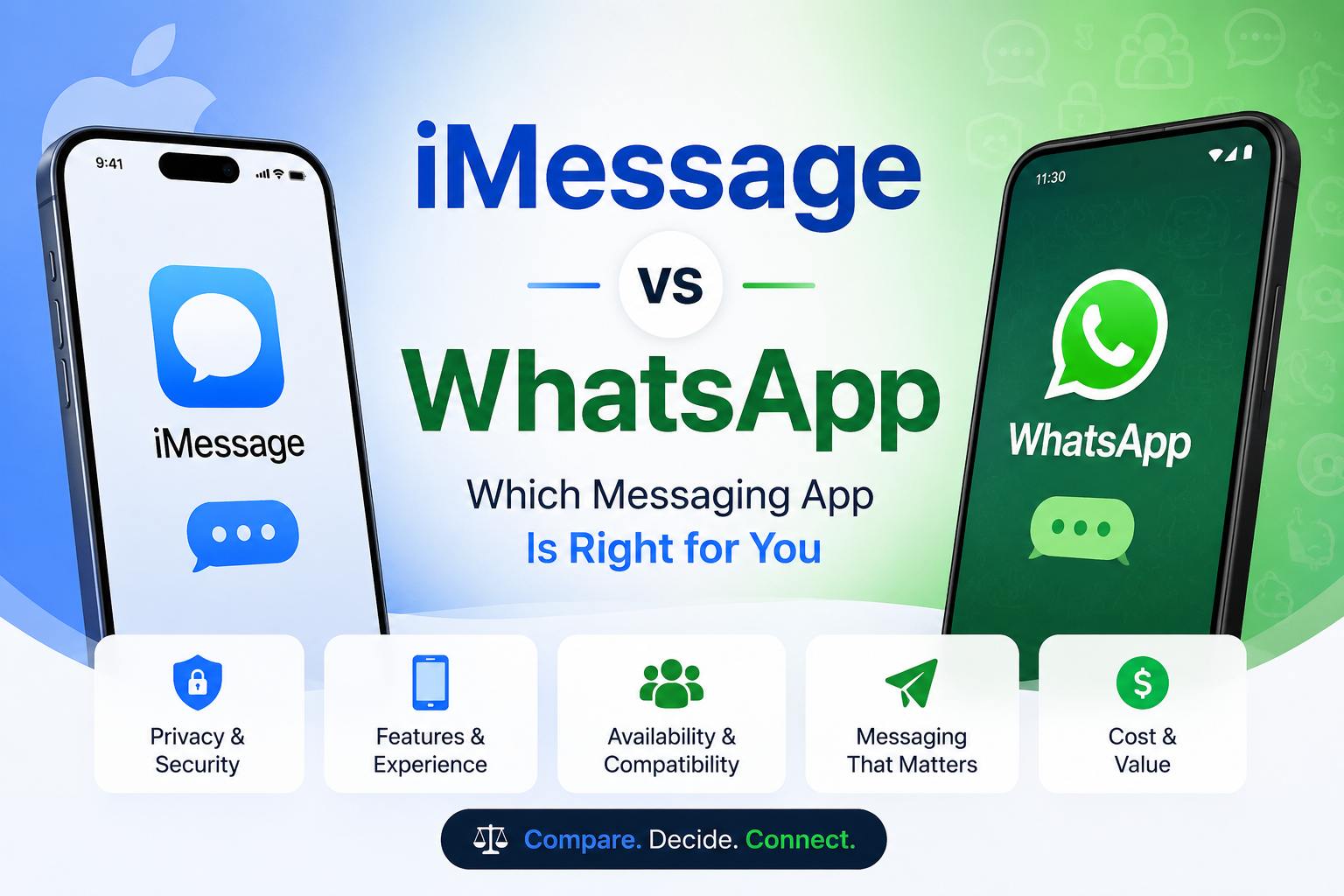
WhatsApp vs iMessage — Which Messaging App Is Right for You
Both messaging apps are available for free use and provide voice calls, video calls, and instant messaging services. Both have billions of active daily users worldwide. Nevertheless, these two apps target completely different demographics. Choosing the wrong application to suit your needs may cause unnecessary complications rather than benefits.
WhatsApp vs iMessage discussion has always been a heated debate amongst iPhone owners who actively communicate with users of other smartphone brands or are planning to switch from one platform to another and need advice on which messaging app to adopt.
This comparison aims at providing you with a detailed analysis of both applications in terms of security, privacy issues, functions, multi-platform compatibility, and other factors that will enable you to choose the right application for yourself and your team.
What is WhatsApp and What is iMessage
Before comparing the two directly it helps to understand what each app is, who built it, and what it was originally designed to do.
WhatsApp is a cross-platform messaging app owned by Meta the same company that owns Facebook and Instagram. It was founded in 2009 and acquired by Meta in 2014 for $19 billion. WhatsApp works on iPhone, Android, Windows, Mac, and browser making it the most widely used messaging app in the world with over 2 billion active users across more than 180 countries.
WhatsApp is tied to your phone number. You register once with your mobile number and your account follows that number across any device you use. It works independently of any operating system or device brand which is its single biggest advantage over iMessage.
iMessage is Apple's proprietary messaging service built directly into the Messages app on iPhone, iPad, Mac, and Apple Watch. It was launched in 2011 and works over Wi-Fi or mobile data between Apple devices only. When you message another Apple user it sends as an iMessage shown with a blue bubble. When you message an Android user or someone without an Apple device it falls back to standard SMS shown with a green bubble.
iMessage is tied to your Apple ID rather than your phone number which means it syncs seamlessly across every Apple device you own. But it works only within Apple's ecosystem, which is its most significant limitation.
WhatsApp vs iMessage — Key Differences at a Glance
Understanding the fundamental differences between the two apps helps frame every comparison that follows.
Platform availability: WhatsApp works on iPhone, Android, Windows, Mac, and web browser. iMessage works only on Apple devices — iPhone, iPad, Mac, and Apple Watch. If you want to message someone on Android, iMessage cannot do it natively. WhatsApp handles this without any friction.
User base: WhatsApp has over 2 billion users globally making it by far the larger platform in terms of reach. iMessage has an estimated 1.3 billion users but that number is entirely limited to people within the Apple ecosystem.
Setup: WhatsApp requires only your phone number to register no account, no subscription, no ecosystem commitment. iMessage requires an Apple ID and an Apple device. There is no way to create an iMessage account outside of Apple hardware.
Cost: Both apps are completely free to use. WhatsApp uses your internet connection Wi-Fi or mobile data. iMessage also uses your internet connection for blue bubble messages. Both save your SMS allowance for situations where internet is unavailable.
Device continuity: iMessage syncs your entire conversation history across every Apple device signed into your Apple ID your iPhone, iPad, and Mac all show the same conversations in real time. WhatsApp supports multi-device use but the experience is less seamless particularly when switching between phone and desktop.
Security and Privacy — WhatsApp vs iMessage
Security is where most people expect a clear winner — and the reality is more nuanced than most comparison articles acknowledge.
iMessage Security
iMessage uses end-to-end encryption for all messages sent between Apple devices. This means the content of your messages is encrypted on your device before it leaves and can only be decrypted on the recipient's device. Apple cannot read your iMessages and neither can anyone intercepting the connection.
Key iMessage security details:
End-to-end encryption is on by default for all iMessage blue bubble conversations
Green bubble SMS messages are not encrypted — they travel through your carrier network without iMessage protection
iMessages backed up to iCloud are encrypted in transit and at rest — but if iCloud Backup is enabled, Apple holds a copy of the encryption key, which means a court order could compel Apple to provide access
To achieve true end-to-end encrypted backups enable Advanced Data Protection in your Apple ID settings — this removes Apple's ability to access your iMessage backup entirely
iMessage does not share your data with advertisers — Apple's business model is hardware sales, not data monetization
WhatsApp Security
WhatsApp uses the Signal Protocol for end-to-end encryption — widely considered the gold standard in messaging encryption. Every message, voice call, video call, and media file sent through WhatsApp is end-to-end encrypted by default on all platforms.
Key WhatsApp security details:
- End-to-end encryption applies to all conversations on all platforms — iPhone and Android alike
- WhatsApp itself cannot read your messages
- WhatsApp is owned by Meta — and while message content is encrypted, metadata is shared with Meta. This includes who you message, how often, when, your location data, device information, and usage patterns
- This metadata is used to serve targeted advertising across Facebook and Instagram
- WhatsApp cloud backups on Google Drive and iCloud are not end-to-end encrypted by default — you must enable encrypted backup manually in Settings → Chats → Chat Backup → End-to-End Encrypted Backup
Which is More Secure — WhatsApp vs iMessage
For pure message content encryption both apps are equally strong — both use end-to-end encryption by default and neither can read your actual messages.
The meaningful difference is in data and metadata handling:
iMessage — Apple collects minimal metadata and does not use your messaging data for advertising. Its business model does not depend on knowing who you talk to or when
WhatsApp — Meta collects significant metadata about your messaging behavior and uses it to improve ad targeting across its platforms. Your message content is private but your communication patterns are not
For users who prioritize complete privacy including metadata — iMessage is the stronger choice. For users who simply want encrypted message content and need cross-platform reach — WhatsApp delivers that equally well.
For official privacy details visit Apple privacy overview and WhatsApp privacy policy.
Features Comparison — WhatsApp vs iMessage
Messaging Features
Both apps cover the core messaging experience well — but they diverge in the specific features available and how polished each one feels.
iMessage messaging features:
- Send messages with bubble effects and full-screen animations — Slam, Loud, Gentle, Invisible Ink, balloons, confetti, fireworks, and more
- Edit sent messages within 15 minutes — recipients can see edit history
- Unsend messages within 2 minutes of sending
- React to any message with any emoji — not limited to a fixed set
- Inline replies — reply directly to a specific message in a group chat
- Schedule messages to send at a specific time — iOS 18 and later
- Tapback reactions sync across all Apple devices in real time
- Read receipts with exact timestamps
WhatsApp messaging features:
- Delete for everyone — remove a sent message from both sides within 60 hours
- Edit sent messages within 15 minutes of sending
- Disappearing messages — set conversations to auto-delete after 24 hours, 7 days, or 90 days
- View once media — photos and videos that disappear after being opened once
- React to messages with emoji reactions
- Star messages — bookmark important messages for quick reference
- Read receipts shown with blue double ticks
Voice and Video Calls
iMessage calling through FaceTime:
- FaceTime is deeply integrated with iMessage — start a call directly from any conversation
- FaceTime supports up to 32 participants on group video calls
- SharePlay allows watching content, listening to music, and sharing screens together during a FaceTime call
- FaceTime works only between Apple device users — Android users cannot join natively
- Video quality on FaceTime is consistently excellent on strong connections
WhatsApp calling:
- Voice and video calls work between any WhatsApp users regardless of device
- Group video calls support up to 32 participants
- Screen sharing is available in WhatsApp video calls
- Call quality is generally reliable but varies more than FaceTime on weaker connections
- Works across iPhone and Android in the same call — FaceTime cannot do this
Group Chats
iMessage group chats:
- No official stated participant limit for iMessage group chats — practically supports very large groups
- Set group names, photos, and manage participants
- Leave a group without notifying other members on iOS 16 and later
- Inline replies keep conversations organized in large groups
Target: WhatsApp vs iMessage group chat
WhatsApp group chats:
- Supports up to 1,024 participants per group — significantly larger than most iMessage groups in practice
- Admin controls — admins can restrict who can send messages, edit group info, and add members
- Broadcast lists — send a message to up to 256 contacts without creating a group
- Communities feature — organize multiple related groups under one umbrella
- Better suited for large community and business group communication
File and Media Sharing
iMessage:
- Share photos, videos, documents, and files directly from iMessage
- Photos shared over iMessage maintain their original quality by default
- Large file sharing through AirDrop is more practical for very large files
- iCloud Photo Library syncs shared media automatically
WhatsApp:
- Share documents up to 2GB per file — significantly larger than iMessage's practical limits
- Photos are compressed by default — original quality sharing requires using the document format
- Works across iPhone and Android seamlessly for file transfers
- Better option for sharing large files with mixed device users
Cross-Platform Support
- This is where the two apps diverge most significantly.
- iMessage cross-platform limitations:
- Works only on Apple devices — iPhone, iPad, Mac, Apple Watch
- There is no official iMessage app for Android or Windows
- If you message an Android user from iMessage it falls back to SMS automatically — losing all iMessage features
- This limitation affects anyone whose contacts include a mix of iPhone and Android users
WhatsApp cross-platform strength:
- Works on iPhone, Android, Windows, Mac, Linux, and web browser
- Everyone in a conversation uses the same experience regardless of device
- No green bubble vs blue bubble distinction everyone is equal in a WhatsApp conversation
- This is WhatsApp's single most significant advantage over iMessage for anyone with mixed device contacts
WhatsApp vs iMessage for Business Teams
Neither WhatsApp nor iMessage was designed for professional business communication — and both show meaningful limitations when used as primary business messaging tools.
iMessage limitations for business:
- No admin controls or user management
- No message delivery guarantees or read confirmation at a team level
- Works only for Apple device users excludes any team member on Android
- No way to separate personal and professional conversations
- iCloud backup compliance is difficult to manage for regulated industries
- No audit trail or message archiving for compliance purposes
WhatsApp limitations for business:
- Meta's metadata collection creates compliance concerns for regulated industries
- No enterprise-grade admin controls for team communication
- Personal and professional conversations mix in the same app
- No on-premise deployment option all data lives on Meta's servers
- Message deletion by participants creates gaps in business communication records
- WhatsApp Business is available but still lacks the controls professional teams need
What business teams actually need:
For teams that communicate professionally every day sharing sensitive information, coordinating projects, and needing clear delivery confirmation — a dedicated business communication platform removes the limitations of both apps entirely.
Troop Messenger is built specifically for this purpose. Unlike WhatsApp and iMessage, it gives businesses complete control over their communication infrastructure — available as a cloud-based SaaS platform for quick setup or as a fully on-premise and self-hosted solution for organizations that need complete data sovereignty. Admin controls, role-based access, audit logs, end-to-end encryption, and compliance-ready deployment are all included as standard rather than bolted on as afterthoughts.
For a broader look at how communication tools fit into a complete business productivity stack, the guide on best apps for productivity covers the full range of tools worth considering alongside a messaging platform. And if you are an iPhone user looking to get more from your existing apps, the complete guide on iMessage tips and tricks covers everything iMessage can do that most users never discover.
Which is Better — WhatsApp or iMessage
There is no single right answer — the better app depends entirely on your situation, your contacts, and your priorities.
Choose iMessage
- You and virtually all your contacts use iPhone — the blue bubble experience is seamless and feature-rich within the Apple ecosystem
- Privacy and minimal data collection matter to you — Apple's business model does not depend on your messaging metadata
- You use multiple Apple devices and want your messages to sync perfectly across iPhone, iPad, and Mac
- You value deep integration with Apple features — FaceTime, SharePlay, Continuity Camera, and AirDrop all connect naturally through iMessage
- You want the most polished messaging experience available on iPhone — effects, scheduling, editing, and reactions are all more refined in iMessage
Choose WhatsApp
- You regularly communicate with people on Android — WhatsApp works equally well for everyone regardless of device
- You have international contacts — WhatsApp is dominant in India, Brazil, Europe, and most of the world outside the United States
- You need to share large files — WhatsApp's 2GB file limit and cross-platform delivery make it more practical for large transfers
- You want one app that works on all your devices including Windows and Android tablets
- Group communication with large numbers of participants is important — WhatsApp's 1,024 member group limit far exceeds iMessage in practice
Use Both
Most iPhone users end up using both apps and that is genuinely the most practical approach. Use iMessage as your primary messaging app for contacts within the Apple ecosystem where the full feature set works at its best. Use WhatsApp for contacts on Android, international conversations, large group communication, and any situation where cross-platform reach matters more than Apple-exclusive features.
The two apps are not mutually exclusive. Having both installed adds no cost and gives you the right tool for every situation.
Conclusion
WhatsApp vs iMessage does not have a universal winner it has a right answer for each person based on who they communicate with and what they value most.
If your world is entirely within the Apple ecosystem and privacy is your priority, iMessage delivers a more polished and privacy-respecting experience. If you communicate regularly with Android users, have international contacts, or need maximum reach across every device and platform, WhatsApp's cross-platform strength makes it the practical choice.
For most iPhone users the answer is both iMessage for Apple-to-Apple conversations where it shines, and WhatsApp for everything else. Between the two apps every communication scenario is covered.
Where both fall short is in professional business communication. Neither offers the admin controls, compliance features, deployment flexibility, or security architecture that serious business teams require. That gap is exactly where dedicated business messaging platforms like Troop Messenger were built to operate.
Frequently Asked Questions (FAQs)
Q1. Is iMessage more secure than WhatsApp?
Both apps use end-to-end encryption for message content meaning neither Apple nor Meta can read your actual messages. The meaningful difference is in metadata. Apple collects minimal metadata about your messaging behavior and does not use it for advertising. Meta collects significant metadata through WhatsApp including who you message, how often, and when and uses this information across its advertising platforms. For users who prioritize complete privacy including metadata, iMessage is the stronger choice. For users who simply need encrypted message content and cross-platform reach, WhatsApp delivers equal encryption with broader accessibility.
Q2. Can I use iMessage on Android?
No iMessage is an Apple-exclusive service and there is no official iMessage app for Android. Apple has never released iMessage for non-Apple platforms. If you message an Android user from the Messages app on iPhone, it automatically falls back to standard SMS — the conversation switches to a green bubble and loses all iMessage features including encryption, effects, editing, and unsending. Several third-party workarounds have existed over the years but none are officially supported or recommended. WhatsApp is the most practical alternative for communicating with Android users from an iPhone.
Q3. Which is better for international messaging — WhatsApp or iMessage?
WhatsApp is significantly better for international messaging. It is the dominant messaging platform in India, Brazil, most of Europe, Latin America, Africa, and Southeast Asia regions where iMessage has minimal penetration because Android is the dominant device. WhatsApp works over Wi-Fi or mobile data with no international fees regardless of which country either party is in. iMessage also works internationally over data at no extra cost but only between Apple device users, which limits its reach significantly in markets where iPhone is not dominant.
Q4. Can WhatsApp and iMessage users message each other?
Not directly through their respective apps. WhatsApp and iMessage are completely separate platforms with no integration between them. A WhatsApp user on Android cannot send a WhatsApp message to someone's iMessage, and an iMessage user cannot receive WhatsApp messages through the Messages app. To communicate between the two, both parties need to use the same app. If an iPhone user wants to message an Android WhatsApp user, they need to have WhatsApp installed on their iPhone and message through that platform.
Q5. Which messaging app is best for business teams?
Neither WhatsApp nor iMessage is well suited for professional business communication. Both lack the admin controls, compliance features, message archiving, audit trails, and deployment flexibility that business teams need. WhatsApp's metadata sharing with Meta creates compliance concerns for regulated industries, and iMessage's Apple-only limitation excludes Android users from business conversations entirely. For business teams, a dedicated professional messaging platform provides the security architecture, admin oversight, and infrastructure control that consumer apps were never designed to offer with the option to deploy on your own servers for complete data sovereignty.



-–-specs,-prices-major-upgrades-(1).png)