Connect with us
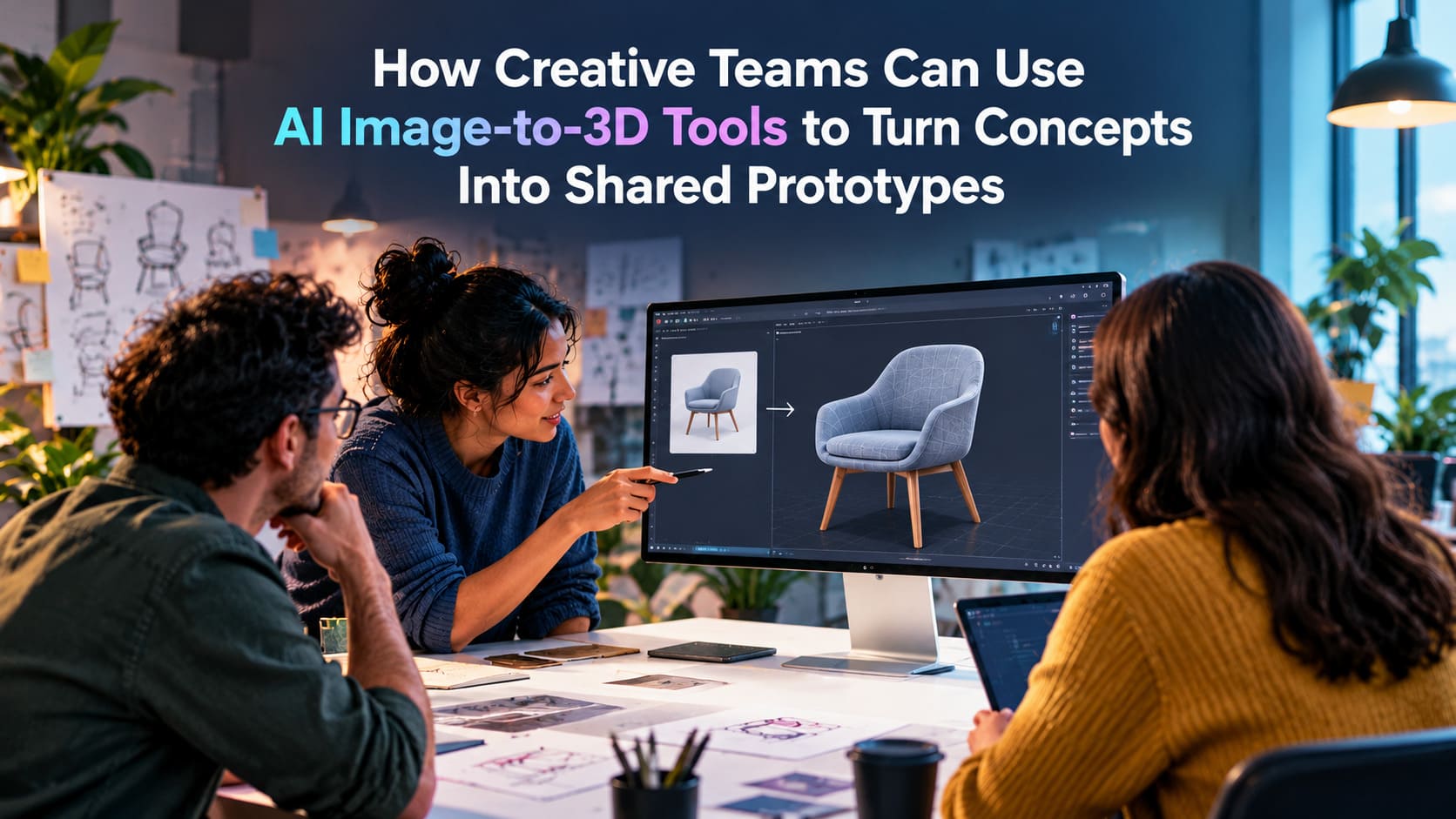
How Creative Teams Can Use AI Image-to-3D Tools to Turn Concepts Into Shared Prototypes
Creative teams can use AI image-to-3D tools to turn flat sketches and concept art into interactive 3D models in minutes. These models work best as shared tools for making decisions, rather than as final assets for production.
By sending early illustrations or orthographic character sheets into platforms such as Meshy, Tripo, or Virtuall, teams made up of concept artists, technical directors, industrial designers, and marketing staff can review volume, silhouette, and hidden surfaces early in the process.
Instead of waiting days or weeks for a manual blockout in Blender or Maya, teams can use rough AI-generated drafts to agree on the creative direction, reveal hidden assumptions, and solve design conflicts before starting time-consuming production work.
The main change is to treat the generated model as a starting point for discussion, not as an automatic replacement for a 3D artist. Instead of reviewing flat images in separate presentation decks, teams can place lightweight meshes in shared web viewers, game engines, or virtual workspaces.
Using new solutions, like the Meshy image-to-3D tool, collaborators can rotate the object, mark unclear areas, and test lighting and scale. This helps creative departments connect early visual ideas with later engineering work. A rough 2D idea becomes an interactive prototype that the team can test and discuss at a much lower cost than traditional repeated modeling.
What Are AI Image-to-3D Tools?
AI image-to-3D tools are changing how teams create digital objects and work with 3D space. In the past, turning an illustration into a 3D mesh required a long process. An artist had to draw sketches, create a rough polygon blockout, sculpt the form, rebuild the topology, unwrap the UVs, and paint the materials. Generative 3D tools shorten the blank-page stage by using machine learning to estimate depth, volume, and material details from a flat image. They can produce point clouds, signed distance fields, neural radiance fields (NeRFs), or polygon meshes within minutes.
These systems have moved well beyond early research projects such as OpenAI’s Point-E and Google’s Dream Fields and Dream Fusion. Current tools use diffusion models and multi-view generation to estimate realistic 3D forms from a small amount of visual information. They do not remove the need for a 3D specialist. Instead, image-to-3D platforms help people explore ideas quickly, allowing anyone with a concept sketch or visual prompt to create a rough spatial asset for review, discussion, and later editing.
How AI Converts 2D Concept Art Into 3D Assets
Modern image-to-3D systems rely on multi-view diffusion and shape reconstruction. When an artist uploads a 2D concept image, the model studies visual details such as lighting, cast shadows, perspective, and outline shapes. A single image does not show the depth or hidden sides of an object. Because of this, tools such as Meshy and other advanced diffusion systems first estimate likely alternate views. They may create synthetic side, rear, and top views of the subject. These extra views provide a more consistent visual guide around the object.
After the system creates views that agree with one another, it builds a continuous 3D shape. It may use methods such as marching cubes over a density field or direct mesh generation. Tools such as MeshGen divide the task into clear steps. They create the basic form first and then produce physically based rendering (PBR) texture maps, including roughness, metallic, normal, and albedo channels, through UV-space inpainting. The final model can be exported in common formats such as GLB or OBJ, with surface coordinates that keep much of the look of the original artwork.

What AI-Generated 3D Prototypes Can and Cannot Represent
Teams need to know what a generative 3D model can show and where it falls short. AI prototypes are good at showing the silhouette, broad proportions, artistic style, and overall mass of an object. They can show how a costume wraps around a character’s body, how a product grip fits against its main housing, or how an environment prop occupies an area of open space. For quick style reviews and comparisons, they give the team much more context than a flat image or a spoken description.
These early meshes cannot replace production-ready mechanical designs or digital assets made for deformation. They usually lack the clean, quad-based edge loops needed for character rigs and skeletal animation. They may also fail to meet the watertight manifold requirements used for precise CNC milling. Their material maps often include painted lighting highlights, which can hide the real way a surface would respond to light. A generated prototype shows the intended look and physical presence. It is not an engineered or tested blueprint.
Why Creative Teams Turn Concepts Into Shared Prototypes
The difference between a concept artist’s vision and a technical director’s practical requirements has caused creative problems for many years. A 2D image can hide impossible relationships through artistic license, carefully placed shadows, or a dramatic camera angle. Once the image reaches a 3D modeler or industrial fabricator, the team may find that the back of the object does not make sense, parts overlap in the wrong way, or important mechanical pieces have no room to move.
Creating an interactive prototype early clears up these issues before the team spends a large production budget. A shared 3D object gives every department the same reference point. Instead of guessing what the design means, stakeholders can interact with the proposed shape and discuss its real form in three dimensions.
How 3D Prototypes Align Designers, Artists, Product Teams, and Clients
A shared 3D prototype acts as a common language for different creative roles. Concept artists can see their ideas tested in physical space. 3D modelers can understand the intended silhouette and overall balance without having to interpret several separate sketch pages. Product managers can use the model to discuss ergonomics and assembly space. Client-facing directors can show an interactive object that gives stakeholders a clear view of the proposed design.
Early agreement also cuts down on expensive late changes. When a client or executive reviews a 2D rendering, they often imagine the hidden sides based on personal assumptions. When the finished 3D asset appears weeks later, the result may not match those expectations. Showing a movable AI-generated draft early brings these differences to light. The team can adjust the design in minutes instead of finding the problem after hours of sculpting and detail work.
How Shared 3D Context Improves Feedback and Decision-Making
Feedback on a 2D image can be unclear. Comments such as “make the silhouette more aggressive” or “the back feels too empty” often send artists through several rounds of trial and error. An interactive 3D model gives reviewers a way to move around the object, inspect surface changes, and point to exact areas. Feedback becomes easier to act on because it is tied to a specific part of the shape.
A real-time 3D review also reveals flaws that may be hidden in presentation slides. A vehicle that looks sleek in a dramatic three-quarter image may seem too compressed from the front or top. Viewing the object from several angles makes the team face these spatial issues early. This speeds up decisions and connects creative approval with practical use.
How Should Teams Choose and Evaluate an Image-to-3D Tool?
Choosing an image-to-3D engine requires more than watching impressive demo videos. Teams need to check how well a tool fits their studio, files, and daily work. The current market includes consumer tools, one-click generators, and specialized multi-model workspaces such as Virtuall. No single model works best for every style, so teams should compare platforms based on their production needs, flexibility, and ability to work with other software.
Creative directors and pipeline leads should test possible tools with difficult studio material. Clean marketing artwork may make almost any system look good. A better test uses rough sketches, detailed hard-surface props, and different visual styles. These tests show how well the models handle the unclear and imperfect references that teams use in real projects.
Check Image Support, Output Formats, and Export Options
The first technical check is the tool’s support for different inputs and outputs. Strong tools should accept a clean single image as well as multi-angle orthographic views, including front, side, and rear images. Multiple views reduce mistakes on the unseen sides of the object. The input system should support different image sizes and, ideally, references above 1024 pixels with clear alpha channels or built-in background removal.
Export choices matter just as much. A prototype that can only be viewed inside a private cloud viewer has limited use for a production team. The tool should offer common 3D file formats such as:
- GLB/glTF: Small, self-contained scene files made for browser review, web-based AR, and mobile collaboration tools.
- USD/USDZ: Universal Scene Description formats used in complex VFX work, Omniverse projects, and spatial viewing on Apple devices.
- FBX & OBJ: Common exchange formats for further work in Blender, Maya, and ZBrush, as well as rigging tasks.
- STL & 3MF: Watertight mesh formats used for additive manufacturing, scale tests, and desktop 3D printing.
Compare Detail Quality, Generation Speed, and Iteration Cost
The balance between model quality and generation time affects how easily a tool fits into a design session. Fast systems may create draft geometry in 60 to 120 seconds. This lets a team test several ideas during a live design sprint. Slower systems that produce more detailed neural reconstructions may need ten minutes or longer for each result. That delay can interrupt a group discussion.
The cost of making changes includes more than the subscription or generation fee. It also includes the time and mental effort needed to rebuild a model. If an artist must regenerate the entire mesh just to change its color or test another material, the process becomes frustrating. Tools that keep geometry generation separate from PBR texturing are more useful for fast design work. MeshGen-based systems and Meshy’s separate geometry and retexturing controls let artists keep the shape while testing new surface finishes.

Assess Compatibility With Blender, CAD, Game Engines, and Collaboration Platforms
The value of an AI prototype depends on how easily it moves through the studio’s other tools. If a generated mesh needs hours of file conversion and cleanup before it can enter Unreal Engine, Unity, or Blender, much of the time saved by AI is lost. Pipeline leads should check how well the tool’s UV layouts and PBR textures work with outside shaders and digital content creation (DCC) software.
Teams should also review cloud collaboration features. Platforms with shared workspaces, comments, version history, and support for several engines let producers and clients review 3D assets in a browser. They do not need to install specialist software. Good connections between CAD tools, DCC programs, and simple review portals help the prototype move from early ideas to production handoff with fewer delays.
How Creative Teams Can Build an AI Image-to-3D Workflow
Adding generative 3D tools to a production setting requires a clear process. Without written steps, artists may spend too much time changing prompts or create hundreds of unrelated models that fill project folders. A planned workflow lets AI speed up design choices without creating file and pipeline problems.
A reliable process uses separate, repeatable stages. By moving from the 2D concept to the interactive review in a controlled way, studios keep creative oversight while gaining the speed of generative tools.
1. Define the Concept, Use Case, and Prototype Fidelity
Every workflow should start with a clear brief and a clear technical goal. The team needs to state the main question the prototype should answer. Is it checking the broad shape of an environment prop, exploring costume options for a character, or testing the space needed inside a consumer product enclosure?
The required level of detail depends on the question. An internal proportion check may need only a plain gray blockout created in two minutes. A model for an executive or client review may need separate material channels, accurate PBR reflections, and carefully chosen lighting. Setting these expectations early gives the team a clear way to judge the generated model.
2. Generate or Select Clear 2D Reference Images
The rule “garbage in, garbage out” applies directly to generative 3D. The source image should show a clear outline, even lighting, and as few visual distractions as possible. A highly stylized sketch with heavy cross-hatching, extreme perspective, or a busy background can confuse the model. The result may contain melted shapes and broken surface details.
Teams can use 2D generation tools such as Krea AI or Midjourney to explore options quickly. The selected image still needs preparation before it is sent to a 3D system. The team should place the subject on a plain background, use an orthographic or mild three-quarter view, and set the contrast so that edges, hinges, and seams are easy for the model to read.
3. Convert Concept Art Into a Rough 3D Model
After preparing the reference, the artist sends it to the chosen image-to-3D generator. Depending on the tool, the artist may use one front view or add several views to guide the hidden sides. At this stage, the team should focus on shape generation rather than color. A plain, untextured blockout makes the basic form easier to judge.
Creating several versions at once can be very useful. The team might produce three to five variations by changing the model seed or testing different engines, such as Tripo, Meshy, and internal tools. Each result may solve the hidden geometry in a different way. These versions give the team several structural options to compare.
4. Review Geometry, Scale, Materials, and Missing Details
After the first meshes are created, the team should inspect them in a 3D viewer. Rotate each model through a full 360 degrees and look for broken or strange geometry. Pay close attention to the rear, underside, and inside spaces, since the AI had to guess these areas from limited information.
The review should ask practical questions. Are limbs and extensions placed in a sensible way? Did the model mirror a feature by mistake or create a “Janus” problem, such as two faces on one character head? Do the proportions match real-world measurements? Finding these problems early stops the team from spending time on a model with a weak base.
5. Refine the Asset in a 3D or Creative Application
Raw AI output should not go straight into production. A 3D artist should bring the selected mesh into Blender, ZBrush, or Autodesk Maya for basic cleanup. This does not require a full manual retopology pass. The artist can remove loose vertices, close holes with automatic remesh tools, flatten an uneven base, and set the model to real-world units.
If the materials need work, the artist can bake new textures, paint details in Adobe Substance 3D Sampler or Painter, or create several PBR material options. This combined method pairs the speed of AI with human artistic judgment and brings the rough model closer to a presentable state.
6. Publish a Shareable Prototype for Team Review
Export the cleaned model to a web collaboration tool, spatial review portal, or game engine test scene. The review package should contain real-time lighting settings, a scale reference such as a human figure or measurement grid, and saved camera views that show the main design features.
A web link makes the model easier for everyone to access. Stakeholders, producers, and clients can inspect it from a desktop or mobile browser without downloading large software packages or managing linked files. This creates a simple starting point for focused feedback.
What Makes an AI-Generated 3D Prototype Useful for Collaboration?
A 3D model becomes a useful prototype only when it supports real discussion. A mesh stored alone in a folder is just a visual experiment. Its value depends on the tools around it, including the ability to add notes, measure parts, change lighting, and question the design inside a shared space.
The aim is to move past passive viewing. When teams add reference information and review tools to the AI model, the rough geometry becomes an active workshop where people can test and improve the idea.
Add Comments, Annotations, and Review Questions
Pin-based annotations turn a 3D model into a live design record. Instead of sending long emails with screenshots and time references, collaborators can place markers directly on parts of the mesh. A concept artist might mark a shoulder seam and write, “The generated model smoothed this joint. We need a sharper mechanical recess here.”
These notes keep feedback connected to the actual form. Product engineers can ask about wall thickness, art directors can request changes to a curve in the silhouette, and narrative designers can mark areas for logos or decals. Everyone can read and answer the discussion in the same spatial location.

Share Materials, Lighting, Camera Views, and Scale References
Teams cannot judge form and silhouette well without a controlled viewing setup. The apparent weight and size of an object can change with the lens, camera height, and lighting. A shared review space should let leads save camera positions and lighting setups, such as strong studio rim lighting or soft daylight. This gives every reviewer the same viewing conditions.
Standard scale references are also important. Placing the model beside a unit cube, a standard human figure, or a familiar object gives everyone an immediate sense of size. This prevents common misunderstandings and lets industrial and game designers review ergonomics and environmental scale more accurately.
Create a Shared Feedback Loop With Two or More Iterations
One generation rarely solves every design issue. The real benefit appears when the team reviews the first version and uses that feedback to guide a second version. Since a new model can often be created in minutes, the artist may be able to present an updated mesh during the same work session.
This fast review cycle helps teams avoid settling for weak compromises. If someone says that a mechanical housing is too bulky, the artist can change the reference, run the generator again, add quick boolean cuts, and share a slimmer version before the meeting ends. Seeing changes happen quickly builds trust and keeps the group moving.
Separate Concept Decisions From Production-Ready Modeling
One major benefit of shared AI prototypes is the clear separation between creative choices and final technical work. In a traditional workflow, changing a design after a modeler has spent three days refining polygon flow, UV seams, and edge weights can cause major delays. Teams may keep a weak concept simply because they do not want to throw away that technical work.
AI prototypes reduce this sunk-cost problem. The first mesh takes minutes to create, so replacing it costs little. Teams can test extreme silhouettes, reject weak options, and make creative decisions using temporary geometry. After the direction is approved, technical modelers can build the final asset with greater confidence and fewer mid-production changes.
What Are the Limitations and Risks of AI-Generated 3D Prototypes?
Generative 3D tools are fast, but using them without knowing their limits can create serious production delays. Neural networks build shapes from patterns and probabilities. They do not reason like a mechanical engineer or follow clean animation rules. Sending an AI model into production without expert review can cause problems throughout the pipeline.
Creative leaders need to know where automatic generation ends and technical 3D work begins. By identifying the weak points of generated meshes, studios can use AI for early ideas while protecting later work from broken data, non-manifold shapes, and copyright concerns.
Inconsistent Topology, Scale, and Geometry
The main technical problem with AI-generated meshes is often the polygon structure. These systems commonly produce disorganized triangles or uneven voxel-based forms instead of clean, quad-based topology. Edge loops may move unpredictably across the surface. Flat areas can contain too many polygons, while important curved edges may not have enough.
This uneven structure creates several risks for later production:
Geometric Issue | Technical Manifestation | Downstream Production Consequence |
Non-Manifold Geometry | Polygons that cross each other, internal faces, and edges with no thickness | Can break CAD operations and boolean modifiers, and may fail when sliced for 3D printing |
Disorganized Triangulation | Uneven vertex spacing and clusters of very small triangles | Makes subdivision smoothing difficult and harms character rigging and deformation |
Arbitrary Scale & Orientation | Uncalibrated origins and inconsistent bounding boxes | Can cause clipping and transform errors after import into game engines |
Degenerate UV Mapping | Texture islands that overlap, stretch, or break into many small pieces | Makes hand painting, shader changes, and texture resizing difficult or impossible |

Unreliable Textures, Materials, and Hidden Surfaces
A 2D concept image shows lighting from one view. When an AI system creates a full texture around a 3D object, it may place the original highlights, lens flares, and shadows directly into the base color, or albedo, channel. If the model later enters an engine with moving lights, those painted shadows fight against the virtual sun and make the object look wrong.
These systems also have trouble with material properties such as transparent glass, reflective chrome, sub-surface skin, and brushed surfaces with directional reflections. Hidden areas are another common problem. When the system creates the back or underside of an object, it may produce blurry textures, strange dents, or flat shapes that need major cleanup or replacement.
When Teams Should Use Manual Modeling or a Hybrid Workflow
AI image-to-3D is not suitable for every project. Work that needs exact measurements, detailed moving mechanisms, or efficient hard-surface CAD should often begin with standard modeling methods. A mechanical engineer may spend more time removing and rebuilding broken AI geometry than creating the part from parametric forms.
Hero characters made for facial capture and skeletal deformation also need careful manual modeling or a controlled hybrid process. In a hybrid workflow, the AI model acts only as a temporary blockout. An experienced modeler uses it as a spatial guide and then creates clean topology by hand. Knowing when human technical skill is the better option keeps the team from wasting time on difficult automated geometry.
What Changes When AI Prototypes Become Team Assets?
When AI-generated prototypes move from personal experiments into official team files, the studio needs clear rules. Without them, shared folders can fill with unnamed meshes, missing prompts, unknown source images, and unclear legal status. A process that began as a way to save time can become a messy digital archive that nobody can search or trust.
Team-wide use of generative tools calls for clear digital asset management. Studios should define ownership, record where each asset came from, and use formal review standards throughout the model’s life.
Assign Ownership for Prompts, Models, Revisions, and Approvals
Every generated asset should have a named human owner. Each prototype in a shared workspace should be linked to someone responsible for its organization, updates, and technical checks. That person keeps the asset aligned with the project direction and acts as the main contact during later handoffs.
This responsibility should cover each stage of the process. The prompt engineer or concept artist owns the source image and generation settings. The 3D specialist checks the shape and performs the first cleanup. The art director or product lead gives final approval. Clear roles stop assets from sitting without a decision and show who is responsible at each point.
Record the Source Image, AI Tool, Prompt, and Generation Date
A shared prototype should keep a complete record of how it was made. Studios can treat generated models like software builds by storing useful metadata with the raw mesh. This history helps the team recreate the result, manage the asset, and answer legal questions.
A complete prototype record should include:
- Lineage & Reference: The exact 2D source image, links to mood boards, and the name of the original concept artist.
- Engine & Model Version: The generative platform used, such as Meshy, Tripo, or Virtuall, along with the model build and version number.
- Parameter Manifest: The generation seed, prompt changes, negative prompts, and slider settings, including geometry resolution and symmetry options.
- Timestamp & User Account: The exact generation date and the team member or service account that ran the process.
- Legal Clearance & IP Status: Records showing whether the source used internal concept art, licensed commercial data, or third-party material, along with confirmation that company copyright rules were followed.
Set Review Criteria for Shape, Function, Style, and Feasibility
Teams should use a clear review scorecard instead of relying only on general opinions. Generative tools can add a lot of surface detail very quickly, which may distract people from basic problems with proportion or structure. Reviewing separate areas one by one gives the team a stronger design check.
A useful scorecard covers four main areas:
- Shape & Silhouette: Does the main form match the presence, movement, and proportions of the original concept from every angle?
- Functional Logic: Are joints, seams, handles, and clearances workable in real space, or has the AI created merged anatomy or impossible parts?
- Stylistic Consistency: Does the prototype fit the project’s visual style, color choices, and surface language alongside existing assets?
- Downstream Feasibility: Can the model be cleaned, retopologized, UV-unwrapped, rigged, or manufactured within the available time and budget?
Broadening the Horizon: The Next Frontier of Generative Prototyping
AI image-to-3D workflows are changing how creative teams work together. They move studios from static 2D presentations to active problem-solving in 3D space. When teams treat generated meshes as interactive prototypes instead of final assets, they can expose hidden assumptions, solve unclear spatial relationships, and agree on design choices much faster. Technical artists spend less time building temporary blockouts and more time on valuable tasks such as refinement, rigging, and visual storytelling.
Future tools will connect 2D ideas and 3D production even more closely through multi-modal agents and live spatial generation. New systems are beginning to combine image-to-3D networks with physics tests, parametric CAD rules, and automatic assembly logic. A first sketch may soon produce more than a rough visual mesh. It could create an articulated digital twin with early mass estimates, collision shapes for movement, and materials that respond to changes in the scene. Studios that build strong review, record-keeping, and collaboration practices around generative 3D today will be well placed to lead future spatial design work.
Frequently Asked Questions
1. What Are AI Image-to-3D Tools?
AI image-to-3D tools are software platforms that convert 2D images, sketches, and concept art into three-dimensional models using machine learning. They estimate depth, volume, shape, and surface details to generate a 3D representation within minutes. Tools such as Meshy and Tripo help creative teams visualize ideas without building every model manually from scratch. These tools are particularly useful for early-stage prototyping, concept reviews, and design exploration. However, the generated models often require additional refinement before they can be used in professional production workflows.
2. How Can Creative Teams Use AI Image-to-3D Tools for Collaboration?
Creative teams can use AI image-to-3D tools to transform concept sketches into interactive prototypes that different departments can review together. Artists, designers, technical directors, product managers, and clients can examine the same model from multiple angles, discuss proportions, and identify design problems early. Sharing models through web-based viewers or virtual workspaces makes feedback more specific and actionable. Teams can annotate particular areas, compare design variations, and make informed decisions before investing significant time in detailed modeling. This collaborative approach reduces misunderstandings and helps align creative ideas with technical requirements.
3. Are AI-Generated 3D Models Ready for Professional Production?
AI-generated 3D models are generally best suited for concept visualization, design exploration, and early-stage prototyping rather than immediate production use. They can communicate silhouettes, proportions, artistic styles, and overall object shapes effectively. However, generated meshes may contain inconsistent topology, distorted geometry, inaccurate scale, and unreliable textures. These issues can create difficulties in animation, game development, CAD workflows, and manufacturing. Professional 3D artists may need to clean the geometry, improve topology, adjust materials, and verify dimensions before using the assets in production. A hybrid workflow combines AI generation with expert modeling and technical validation.
4. How Should Teams Choose the Right AI Image-to-3D Tool?
Teams should evaluate AI image-to-3D tools based on input support, model quality, generation speed, export formats, and compatibility with existing software. Platforms such as Meshy and Tripo can be tested using different concept images to assess how accurately they reproduce shapes and handle hidden surfaces. Teams should also check whether the generated models can be exported into formats such as GLB, OBJ, or FBX for further editing. Collaboration features, iteration costs, and material customization options are equally important. Testing tools with real project assets helps teams identify the most practical solution for their creative workflow
5. What Is the Best Workflow for Turning Concept Art Into Shared 3D Prototypes?
A practical workflow begins with a clearly defined concept and a suitable reference image. The team then uploads the image to an AI image-to-3D tool and generates one or more preliminary models. Next, collaborators inspect the geometry, proportions, materials, and hidden surfaces using a 3D viewer. A 3D artist refines the selected model in software such as Blender or Maya before sharing it through a collaborative workspace. Team members provide feedback, request adjustments, and review updated versions. Once the creative direction is approved, specialists can develop the final production-ready asset using appropriate modeling and technical processes.