Connect with us
How a VPN Protects Sensitive Business Information
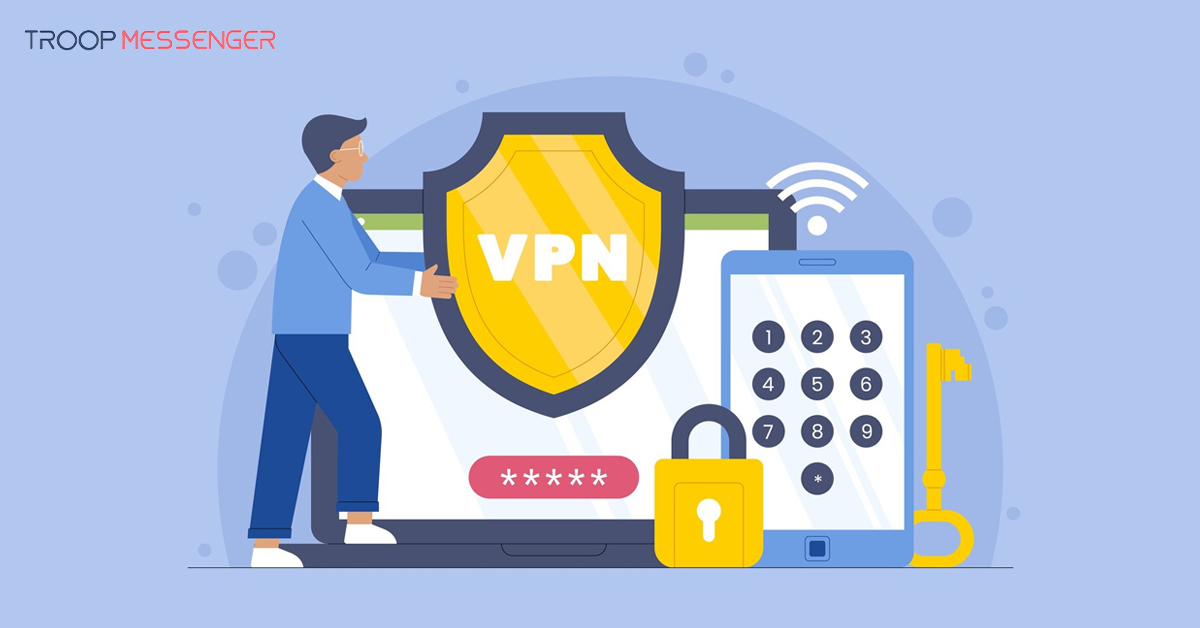
A virtual private network (VPN) is a technology that creates an encrypted connection between a device and a VPN endpoint, helping protect data in transit from interception. For businesses, VPNs can provide an additional layer of protection when employees access company systems over public Wi-Fi or connect to internal resources remotely. However, a VPN is only one part of a broader cybersecurity strategy.
This guide explains how VPNs protect sensitive business information, how encryption and secure remote access work, and what benefits and limitations businesses should understand. It also covers the factors to consider when choosing a business VPN and the additional security measures organizations can use to protect company data, employees, and digital resources.
How a VPN Works
A virtual private network establishes an encrypted connection between a device and a VPN server or another configured endpoint. This connection helps protect data as it travels across networks that may not be fully trusted. The level of protection depends on the VPN protocol, configuration, and the systems involved.
Encryption
Encryption converts readable data into a form that cannot easily be understood without the appropriate decryption key. When a VPN encrypts traffic, it helps prevent people on the same network from reading the protected data in transit. Common VPN technologies use encryption algorithms such as AES, while protocols and implementations such as OpenVPN, WireGuard, and IKEv2 help establish and manage secure connections. Security depends on using current, properly configured implementations.
Tunneling
VPN tunneling encapsulates network traffic so it can travel through a connection between a device and a VPN endpoint. Depending on the configuration, traffic may be routed through the VPN or only selected traffic may use it. This can help employees access company resources remotely and protect data on untrusted networks.
A VPN does not automatically secure every device, application, or destination. Businesses should combine it with appropriate endpoint protection, access controls, and security policies.
How VPNs Protect Sensitive Business Information
A business VPN can help protect information transmitted over networks and support secure access to company resources. Its protection depends on the VPN configuration, the applications being used, and the organization's wider security controls.
Protecting Data Confidentiality
Encryption helps prevent unauthorized parties from reading data while it travels through the protected VPN connection. This is particularly useful when employees access business systems from locations outside the office. However, a VPN does not prevent every type of data exposure, such as information disclosed through compromised devices, unsafe applications, or phishing attacks.
Supporting Data Integrity
Secure VPN protocols commonly include mechanisms that help detect unauthorized changes to transmitted data. These protections can reduce the risk of traffic being modified in transit. Businesses should still use secure applications, appropriate authentication, and other safeguards because VPN protection does not guarantee the integrity of every file or transaction throughout its entire lifecycle.
Improving Security on Public Wi-Fi
Public Wi-Fi can expose users to risks when network traffic or connections are poorly secured. A properly configured VPN encrypts traffic between the device and the VPN endpoint, helping reduce the risk of local network snooping. Employees should still verify that websites and applications use secure connections and avoid suspicious links or downloads.
Masking the Public IP Address
When traffic is routed through a VPN server, destination services generally see the VPN server's public IP address rather than the user's original public IP address. This can reduce direct exposure of the user's network address to those services. However, IP masking does not provide complete anonymity or prevent tracking through account activity, browser data, cookies, or other identifying information.
Why Is Safeguarding Business Information Critical?
Businesses handle sensitive information such as customer records, financial documents, employee details, intellectual property, and internal communications. If this information is exposed, stolen, or misused, the consequences can include financial losses, operational disruption, legal complications, and damage to customer trust.
Protecting business information is therefore an important part of maintaining business continuity and reputation. Organizations should identify the information they need to protect, understand where it is stored and accessed, and apply security controls appropriate to the risks.
A VPN can help protect data in transit and provide a more secure way to access certain company resources remotely. However, it should be used alongside measures such as multi-factor authentication, strong access controls, secure backups, endpoint protection, employee security training, and an incident response plan. A layered approach helps address risks that a VPN alone cannot prevent.
What Are The Additional Business Benefits Of Using VPNs?
Beyond encrypting supported network traffic, business VPNs can help organizations manage remote access and apply consistent connection policies. Their practical benefits depend on the VPN solution and how it is configured.
Access Control
Some business VPN solutions can restrict connections to authenticated users or approved devices. When combined with multi-factor authentication and least-privilege permissions, this can help limit access to internal systems. A VPN connection alone should not be treated as proof that a user or device is trustworthy.
Centralized Management
Business VPN platforms may offer centralized tools for configuring connections, managing users, and reviewing connection logs. These features can help IT teams apply consistent policies across an organization. Administrators should also review access regularly, protect logs, and remove permissions when employees no longer need them.
How Do VPNs Support Remote Work and Business Mobility?
Remote and hybrid employees may need to access internal applications, company networks, and business files while working outside the office. A properly configured business VPN can provide a protected connection for accessing supported internal resources from approved devices.
Secure Remote Access
VPNs can allow authorized employees to connect to internal networks and resources from different locations. Organizations should configure authentication, access permissions, and device requirements carefully so employees can access only the systems they need.
Supporting Cloud Access
A VPN may protect traffic between a device and the VPN endpoint, but it does not automatically secure every connection to a cloud service. Businesses should also use the cloud provider's security controls, encrypted connections, multi-factor authentication, and appropriate identity and access management settings.
The goal is to give employees reliable access to the resources they need while applying security controls that match the sensitivity of the information involved.
Factors to Consider When Choosing a VPN for Your Business
Choosing a business VPN involves more than comparing connection speeds. Organizations should evaluate security, management requirements, employee needs, and compatibility with their existing systems.
Security Features and Protocols
Look for modern, well-supported VPN protocols, strong encryption, secure authentication, and regular software updates. Review the provider's security practices and how vulnerabilities are addressed. Avoid relying on broad marketing claims such as “unbreakable security.”
Server Network and Performance
Consider whether the provider has suitable server locations, sufficient capacity, and reliable performance for your employees' needs. Test the service with typical business applications before rolling it out widely, as VPN routing can affect latency and connection speed.
Logging and Data Handling
Understand what connection information the provider collects, how long it retains that information, and who can access it. Review the privacy policy and contractual terms rather than relying solely on a “no-logs” claim.
Access Management and Integration
Check whether the VPN supports your identity provider, multi-factor authentication, approved-device policies, and the systems employees need to access. Centralized administration can make it easier to manage permissions and respond when staff roles change.
Scalability, Support, and Cost
Compare pricing, user limits, administration features, technical support, and the ability to accommodate new employees or locations. Consider the total cost of ownership, including deployment, training, maintenance, and any additional security tools required.
The right VPN is one that fits the organization's security requirements and working practices while remaining manageable as the business grows.
Additional Security Measures to Use Alongside a VPN
A VPN can protect certain data in transit, but it cannot prevent every cybersecurity threat. Businesses should combine VPN access with other safeguards that protect user accounts, devices, applications, and stored information.
- Multi-factor authentication: Require an additional verification step for access to important business systems.
- Endpoint protection: Use supported security software and keep operating systems and applications updated.
- Least-privilege access: Give employees access only to the systems and data needed for their responsibilities.
- Security awareness training: Teach employees to recognize phishing messages, suspicious downloads, and social engineering attempts.
- Data backups: Maintain protected backups and test recovery procedures regularly.
- Monitoring and incident response: Review relevant security alerts and establish clear procedures for responding to potential incidents.
These measures work together to reduce risk more effectively than relying on a VPN alone.
Are There Any Limitations to Using VPNs?
VPNs are useful security tools, but they have limitations that businesses should understand before relying on them.
Potential Performance Impact
Encrypting and routing traffic through a VPN can increase latency or reduce connection speeds, depending on the service, server location, network conditions, and device performance. Businesses should test performance with their usual applications and select a solution that meets their operational needs.
Limited Protection Against Malware and Phishing
A VPN does not automatically detect or remove malware, block every phishing attempt, or make malicious downloads safe. Businesses still need endpoint protection, secure browsing practices, software updates, and employee security training.
Incorrect Configuration and Excessive Access
Poorly configured VPNs can expose services or grant users more access than they need. Organizations should review configuration settings, apply appropriate authentication, restrict permissions, and update VPN software regularly.
Privacy and Provider Considerations
A VPN changes how traffic is routed, but it does not make all online activity anonymous. Businesses should understand what their VPN provider can observe, what information is logged, and how that information is handled.
A VPN is most effective when it forms part of a broader security strategy that includes identity protection, endpoint security, access management, and ongoing risk assessment.
Best Practices for Using a VPN in a Business Environment
To get the most value from a business VPN, organizations should establish clear policies and review how the service is used.
- Define access requirements: Identify which employees, devices, and business resources need VPN access.
- Use strong authentication: Enable multi-factor authentication where supported and follow secure account-management practices.
- Keep software updated: Apply vendor updates and security fixes promptly.
- Review permissions regularly: Remove unnecessary access when employees change roles or leave the organization.
- Educate employees: Explain when to use the VPN, how to recognize suspicious activity, and how to report security concerns.
- Test the configuration: Check connection reliability, access restrictions, and recovery procedures periodically.
- Review provider practices: Understand the provider's data handling, logging, support, and security commitments.
Regular reviews help businesses keep VPN access aligned with changing security needs and working arrangements.
Conclusion
A VPN can help protect sensitive business information by encrypting supported network traffic and providing a more secure way for authorized employees to access company resources remotely. It can be especially useful for organizations with remote or hybrid teams, but its effectiveness depends on proper configuration, suitable access controls, and the security practices surrounding it.
Businesses should choose a VPN that fits their operational and security requirements while combining it with multi-factor authentication, endpoint protection, employee training, regular updates, and appropriate data access policies. By treating a VPN as one layer of a broader cybersecurity strategy, organizations can reduce certain security risks and better protect their business information.
Frequently Asked Questions
1. How Does a VPN Protect Sensitive Business Information?
A VPN helps protect sensitive business information by encrypting supported network traffic between a device and a VPN endpoint. This makes intercepted traffic harder for unauthorized parties to read while it travels across the network. VPNs can also support secure remote access to internal business resources. However, they do not prevent every cyberattack, so businesses should combine them with authentication, endpoint protection, and other security measures.
2. Is a VPN Enough to Protect a Business from Cyberattacks?
No, a VPN alone cannot protect a business from every cyberattack. It can help secure data in transit and support remote access, but it does not automatically prevent phishing, malware infections, compromised accounts, or unsafe downloads. Businesses should also use multi-factor authentication, endpoint protection, regular software updates, secure backups, access controls, and employee security training to build a more comprehensive cybersecurity strategy.
3. Why Should Businesses Use a VPN for Remote Work?
Businesses can use VPNs to provide authorized remote employees with a protected connection to internal networks and resources. This can be particularly useful when employees work from home, travel, or connect through untrusted networks. Organizations should configure authentication and access permissions carefully, require appropriate device security, and ensure employees can reach only the resources necessary for their roles.
4. Does a VPN Protect Business Data on Public Wi-Fi?
A properly configured VPN encrypts supported traffic between a device and the VPN endpoint, helping reduce the risk of data interception on public Wi-Fi networks. However, it does not eliminate every risk associated with public networks. Employees should still use secure websites and applications, avoid suspicious links, keep devices updated, and follow company security policies when accessing sensitive business information.
5. What Should Businesses Consider When Choosing a VPN?
Businesses should evaluate encryption and protocol support, authentication options, connection performance, server availability, logging practices, administrative controls, and compatibility with existing systems. Pricing, scalability, technical support, and provider security practices are also important. Organizations should test the service with their typical workloads and review its configuration before deployment. The right solution should meet business requirements without introducing unnecessary complexity or access risks.
6. What Other Security Measures Should Be Used Alongside a VPN?
Businesses should combine VPNs with multi-factor authentication, endpoint protection, regular software updates, least-privilege access controls, secure backups, and employee security awareness training. These measures address risks that a VPN cannot prevent on its own, including phishing, malware, and compromised accounts. Organizations should also review security alerts, maintain incident response procedures, and regularly assess whether their existing safeguards remain suitable for their business needs.