Connect with us
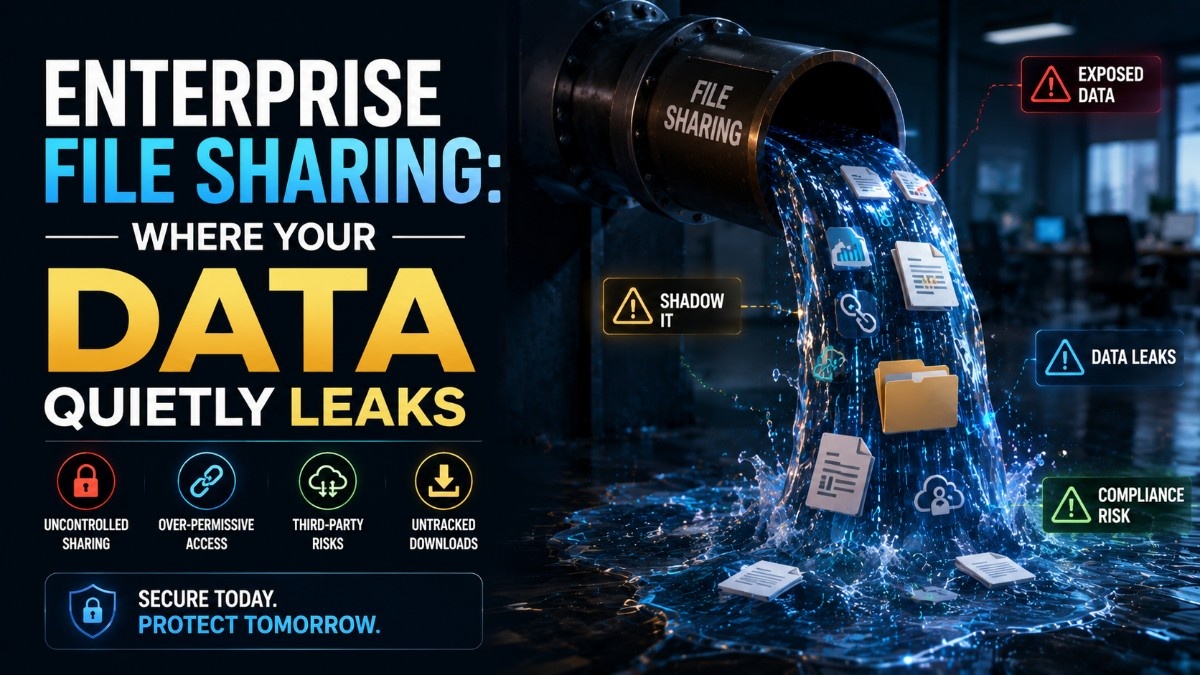
Enterprise File Sharing: Where Your Data Quietly Leaks
Enterprise file sharing security is the set of policies, technologies, and access controls that protect sensitive files as they are shared within an organization and with external users. It helps prevent unauthorized access, data leaks, and compliance risks while enabling secure collaboration.
This guide covers where enterprise file sharing actually leaks, what DLP catches and misses, and the controls that protect data without blocking the work teams need to do, organizations that require complete file control choose on-premise deployment to keep all shared files within their own infrastructure.
How Data Actually Leaves Your Organisation
Enterprise data exfiltration through file sharing is rarely dramatic. It is rarely a sophisticated attack or a malicious insider. It is almost always a series of small, convenient decisions made by employees who are trying to get work done, and a set of controls that were not configured to stop them. According to the Verizon Data Breach Report, insider and privilege misuse consistently ranks among the top patterns in enterprise data loss incidents.
Here is how data actually leaves through enterprise file sharing:
Overly permissive external sharing settings — most cloud file sharing platforms default to settings that are too permissive for enterprise use. When an employee shares a folder with an external collaborator and grants "anyone with the link can view" access, that link can be forwarded, indexed, or accessed by anyone, indefinitely.
Personal cloud storage bridging — employees working on large files frequently move them to personal Dropbox, Google Drive, or OneDrive accounts because corporate tools are slower, have storage limits, or are blocked on their home network. The file leaves the corporate environment silently, with no audit trail.
Email attachment forwarding — an employee forwards an internal document to a personal email account to work on it over the weekend. The document is now in a consumer email platform's servers with no enterprise DLP coverage.
Collaboration tool integrations — third-party apps integrated with your enterprise file sharing platform may have broad read access to your file repository. When those integrations are granted access during a rushed setup and never reviewed, they become persistent data access points outside your security perimeter.
Offboarding gaps — a departing employee downloads files to a personal device in the days before their last day. Without pre-offboarding access restrictions and file download monitoring, this is invisible until after they leave.
Shadow IT file sharing — Employees use tools that were never formally approved, WeTransfer, personal WhatsApp, Telegram, to share files with external parties because they are faster or more convenient than the corporate-approved platform. CISA recommends organizations maintain an approved tool registry and actively monitor for shadow IT file sharing activity.
External Sharing Links and Their Lifespan
Externally shared links are the single most common source of uncontrolled enterprise file exposure, and the problem is almost entirely a governance failure rather than a technical one.
When an employee creates a shared link for an external recipient, a client, a vendor, a job applicant, they are creating an access credential with an indefinite lifespan in most enterprise platforms. The external recipient receives the file. The project ends. The relationship changes. The employee who created the link leaves the organization. And the link continues to work months or years later, for anyone who has it.
The lifespan problem compounds across three dimensions:
No expiry by default — most enterprise file sharing platforms do not set link expiry by default. IT must configure expiry policies, enforce them at the platform level, and monitor compliance. In most organizations, this configuration is not in place, or not enforced consistently across all file sharing tools in use.
No visibility into who accesses links — standard shared links provide no notification when accessed. The organization has no way of knowing whether a link created eighteen months ago is still being accessed regularly by an unknown party.
Link forwarding is invisible — a shared link sent to one trusted external recipient can be forwarded to anyone. The platform sees the same link token regardless of who uses it, there is no record that the access came from someone other than the original recipient.
Controls that address link lifespan:
- Enforce maximum link expiry at the platform level — 7, 14, or 30 days depending on sensitivity
- Require password protection for all external links containing sensitive content
- Implement link access logging with notification for unexpected access patterns
- Conduct quarterly audits of all active external sharing links and revoke stale ones
- Require re-authorization of any link older than 30 days before it continues to function
DLP — What It Catches and What It Misses
Data loss prevention tools are the primary technical control most organizations rely on for file sharing security — and they are significantly more limited than most security teams believe.
What DLP catches well:
- Sensitive data patterns in structured formats, credit card numbers, social security numbers, and other regular-expression-detectable content
- Known sensitive document types being uploaded to unsanctioned destinations
- Large volume transfers that exceed defined thresholds
- Transfers to known high-risk destinations on blocklists
What DLP consistently misses:
Screenshots and photographs — an employee photographing their screen with a personal phone captures the content of any document without triggering any DLP rule. No network traffic is generated. No file is transferred. The data leaves with no technical trace.
Renamed or reformatted files — DLP tools that identify sensitive files by name or format can be bypassed by renaming a file or converting it to a different format before transferring.
Sanctioned tool transfers — DLP tools typically allow traffic to approved destinations without deep inspection. An employee uploading a sensitive file to their personal OneDrive account may not trigger a DLP rule if OneDrive is also used for corporate storage and is on the approved destination list.
Encrypted channels — DLP tools that operate at the network level cannot inspect traffic in end-to-end encrypted channels. Files transferred through encrypted messaging apps move outside DLP visibility entirely.
Slow, incremental exfiltration — a threshold-based DLP rule that triggers on large single transfers will not detect an employee who consistently downloads a few files per day over several weeks. The cumulative volume may be significant but each individual transfer is below the alert threshold.
The practical implication for enterprise security teams is that DLP is a necessary but insufficient control. It must be combined with access controls, audit logging, user behavior analytics, and governance policies to provide meaningful file sharing security.
Controls That Work Without Blocking Work
The reason enterprise file sharing controls fail is not technical, it is adoption. Controls that make work significantly harder get bypassed. Employees route around friction. Shadow IT expands. The data leaks through the workaround rather than the controlled tool.
Effective file sharing controls balance security with usability:
Role-based access at provisioning — configure access permissions at the time accounts are provisioned, aligned with job function. Do not default to broad access and rely on employees to restrict it. Most employees will share what they have access to rather than evaluating whether they should.
Classification-based sharing rules — Implement document classification labels (Public, Internal, Confidential, Restricted) aligned with the NIST cybersecurity framework and configure sharing rules that automatically apply appropriate controls based on label. A Restricted document cannot be shared externally without an approval workflow, without requiring the employee to make a manual security judgment each time.
Time-limited external collaboration — instead of permanent external access grants, provision temporary guest access that expires automatically at the end of a defined collaboration period. This eliminates the stale access problem without requiring active revocation.
Managed file transfer for sensitive content —For large or highly sensitive file transfers, implement secure file sharing tools with encryption, audit logging, and recipient verification, separate from general-purpose cloud file sharing.
Troop Messenger FileDeck — for enterprise teams using Troop Messenger as their internal communication platform, FileDeck provides a centralized file management module that acts as a complete repository for all files shared across 1:1 and group chats. Every file shared within Troop Messenger, images, documents, videos, is automatically available in FileDeck with complete metadata: who shared it, when, and with whom. Teams can filter files by member, group, or type; preview files directly in the UI; and search across the entire file history by type, date, or tags. For on-premise deployments, all FileDeck data stays within the organization's own infrastructure, no external cloud storage involved.
FileDeck also includes My Files — a personal file storage area where employees can upload files from their local PC directly into Troop Messenger's secure environment, accessible from any device without using personal cloud storage accounts. This eliminates the personal cloud bridging risk by giving employees a secure, auditable alternative that is as convenient as the personal tools they would otherwise use.
Auditing File Movement Across Your Stack
You cannot control what you cannot see. File movement auditing gives security and compliance teams the visibility to detect data leakage, investigate incidents, and demonstrate compliance but only if the audit infrastructure covers every tool in the file sharing stack.
Build a complete file movement inventory:
Start by mapping every tool in your organization that can store or transfer files, cloud storage platforms, email systems, collaboration tools, messaging platforms, project management systems, and any third-party integrations. This inventory is the audit surface. Any tool not on the map is a blind spot.
Centralize audit logs:
Each platform generates its own access and sharing logs. Without centralization into a SIEM or dedicated log management system, these logs are distributed, inconsistent, and impractical to analyze for cross-platform patterns. Centralized logging enables correlation, identifying that the same employee downloaded a sensitive file from SharePoint, emailed it externally, and uploaded it to an external destination in the same session.
Define audit triggers and review cadence:
Audit logging is only valuable if it is reviewed. Define specific events that trigger immediate review, large file downloads, external sharing of classified documents, access outside business hours, access from new geographic locations. For routine compliance, particularly for organizations subject to GDPR — establish a weekly or monthly review cadence covering external sharing activity, stale link identification, and offboarding verification.
Include messaging platform file transfers:
Files shared through messaging platforms are frequently excluded from enterprise file auditing because messaging platforms are managed separately from file storage systems. This creates a significant audit gap, particularly as messaging becomes the primary channel for day-to-day file sharing in most organizations. Troop Messenger's on-premise deployment with FileDeck ensures that all files shared through the messaging platform are logged, auditable, and accessible to security teams within the organization's own infrastructure, closing the messaging file audit gap entirely.
Conclusion
Enterprise file sharing leaks are not a technology problem, they are a governance problem that technology enables or controls depending on how it is configured. The data leaves through sanctioned tools with misconfigured permissions, through sharing links that outlive their purpose, through personal cloud accounts used for convenience, and through messaging platforms that were never included in the file audit scope. Closing these gaps requires classification-based controls that apply automatically, link expiry policies enforced at the platform level, DLP understood for what it catches and what it misses, and audit logging that covers every tool in the file sharing stack. For teams using Troop Messenger, FileDeck provides the centralized file repository that keeps all shared files within the organization's controlled environment, auditable, searchable, and accessible without personal cloud workarounds.
Frequently Asked Questions
1. How does data leave an organisation through enterprise file sharing?
Data most commonly leaves through overly permissive external sharing links that never expire, employees bridging files to personal cloud storage for convenience, email forwarding to personal accounts, third-party integrations with broad file access, and offboarding gaps where departing employees download files before access is revoked.
2. What does DLP miss in enterprise file sharing?
DLP consistently misses screen photographs taken with personal devices, renamed or reformatted files that bypass content detection, transfers through sanctioned tools that are on approved destination lists, files moved through end-to-end encrypted channels outside DLP visibility, and slow incremental exfiltration that stays below volume-based alert thresholds.
3. What are external sharing link risks in enterprise environments?
External sharing links created without expiry settings remain active indefinitely, can be forwarded to unintended recipients, and provide no visibility into who accesses them after the initial share. Most enterprise platforms do not enforce expiry by default, making stale link accumulation a persistent and invisible data exposure risk.
4. What is FileDeck in Troop Messenger?
FileDeck is Troop Messenger's centralized file management module that automatically collects and organizes all files shared across 1:1 and group chats. It allows teams to filter, search, preview, share, download, rename, and annotate files from a single repository, with complete metadata on who shared what, when, and with whom. My Files within FileDeck allows employees to upload personal PC files directly into Troop Messenger's secure environment.
5. How should enterprises audit file movement across their tools?
Start by mapping every tool that can store or transfer files. Centralize audit logs from all platforms into a SIEM for cross-platform correlation. Define specific events that trigger immediate review, large downloads, external sharing of sensitive documents, off-hours access. Include messaging platform file transfers in the audit scope, as these are frequently excluded despite being a primary file sharing channel in most organizations.