Connect with us
Discord vs WhatsApp: Features, Security, Pricing, and Key Differences
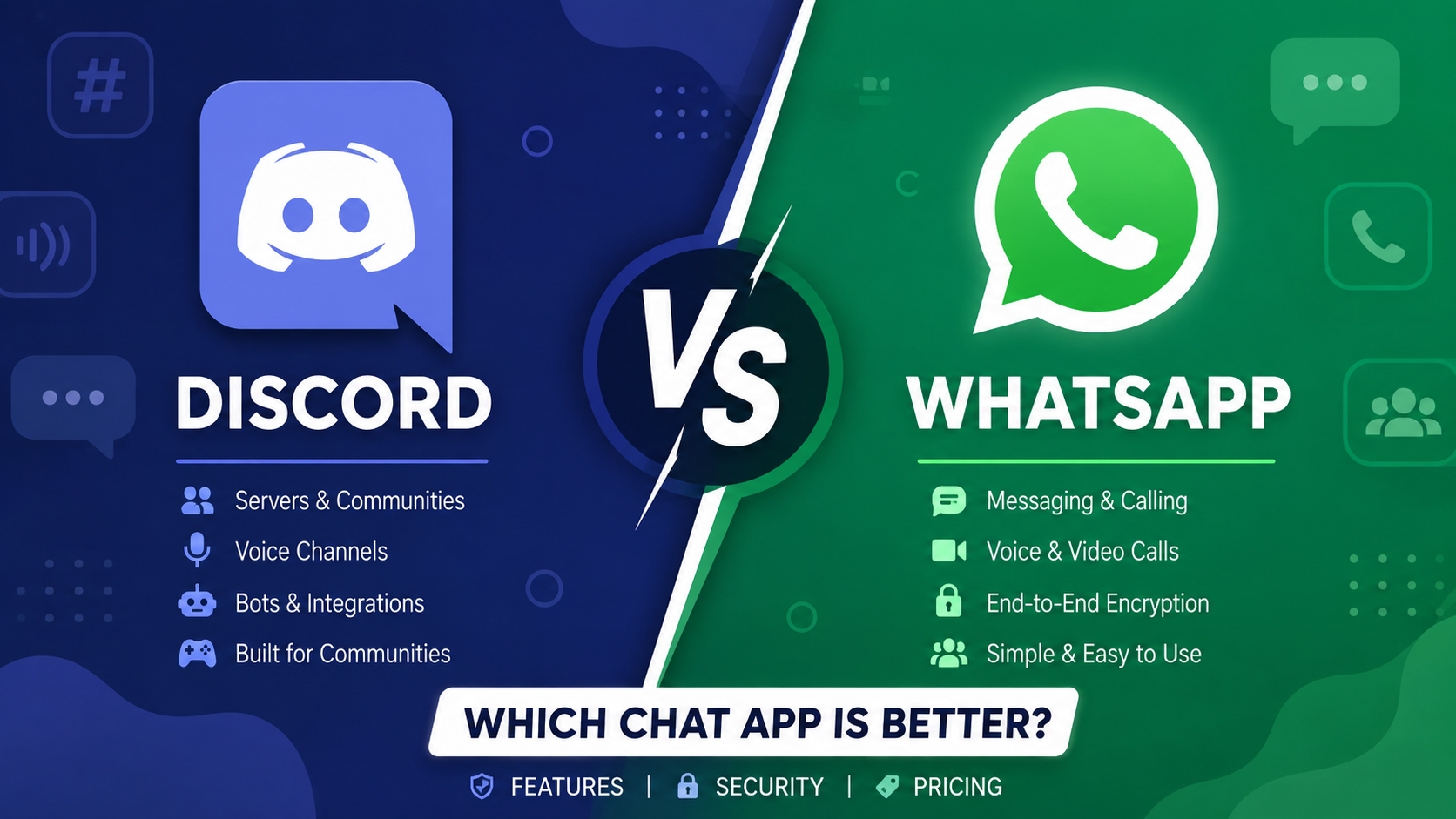
Discord and WhatsApp are both popular communication platforms, but they are designed around different communication experiences. Discord focuses heavily on communities, servers, voice channels, and real-time group interaction, while WhatsApp centers on messaging, voice and video calls, media sharing, and personal or business communication. For businesses looking beyond these platforms, team communication tools can provide features designed specifically for workplace collaboration and communication.
This guide compares Discord vs WhatsApp across features, integrations, communities, file sharing, security, and pricing to help you determine which platform better fits your needs.
Let's determine which chat application is the best.
What is Discord?
Discord is a communication platform built around servers, channels, direct messages, voice communication, video calls, and communities. Users can create or join servers organized around specific interests, teams, groups, or communities. Discord supports text, voice, video, file sharing, and community-management features across desktop, mobile, and web platforms.
What is WhatsApp?
WhatsApp is a messaging and calling platform owned by Meta. It supports text messaging, voice and video calls, group conversations, media sharing, document sharing, location sharing, and other communication features. WhatsApp is widely used for personal communication and also provides business-focused features through WhatsApp Business.
Since its initial launch in 2009, WhatsApp Messenger has established its dominance in the market. It was famous for possessing a user-friendly interface and for being intuitive.
In February 2014, Facebook acquired WhatsApp for a whopping US $ 19 billion, which was enormous compared to its prior acquisitions and is also regarded as a significant acquisition globally. Additionally, it promoted Facebook's expansion.
WhatsApp and Open Whisper Systems teamed together in November 2014 to implement the encryption protocol and offer end-to-end encryption.
Facebook created the parent firm Meta in 2021, and it renamed programs like WhatsApp, Instagram, Facebook, and other apps with the 'from Meta' logo visible on Android and iOS devices.
Comparison between Discord and WhatsApp
Discord vs WhatsApp: Feature Comparison
Discord is particularly strong for community-based communication. Its servers can contain multiple text and voice channels, while roles, permissions, bots, and moderation features give administrators more control over large communities. WhatsApp focuses more heavily on direct messaging, group conversations, voice and video calls, media sharing, and simple communication.
You may send texts, audio and video messages, documents, GIFs, stickers, and various other media using WhatsApp on your side. Furthermore, WhatsApp APIs compete vigorously with free live chat apps.
The primary features of Discord and WhatsApp are the same.
Discord vs WhatsApp: Integrations
There is a significant difference between Discord and WhatsApp in terms of integration.
Despite the fact that Discord only provides a modest number of direct integrations, you can expand this by embracing a third-party integration platform like Zapier. Using Zapier, you can automate your tasks and free up more time by connecting to thousands of well-known apps, such as Trello and Google Sheets, without writing any code. Discord's competitors comprise team chat apps like Troop Messenger.
Although WhatsApp does not support integrations, medium- to large-sized enterprises can connect with their customers using WhatsApp's API.
Discord vs WhatsApp: Communities
Community, a public Discord server on a particular subject, is also known as a guild. Many communities have been created based on gaming chat apps, businesses, subreddits, and other communities to allow for discussion on the subject. You may make your community even more alluring by utilizing Discord's features and recommended practices to keep users engaged and entertained.
Using WhatsApp communities, users can form and unite related groups under a single roof. Community members can always stay connected by exploring and interacting in influential groups, and community administrators can reach members with important developments by making announcements. Members can easily set up smaller discussion groups to debate topics that are important to them and receive updates from the broader community. Phone numbers now have more privacy thanks to community announcement organizations.
Discord vs WhatsApp: File Sharing and Storage
Discord saves your chat history for later reference but only allows file sizes of up to 8 MB. Regarding Discord pricing, Nitro Basic and Nitro subscription plans offer file sizes of up to 50 MB and 500 MB, respectively. But you can send the members a compressed version of the 100 MB file in the form of Zip files.
Your photographs will automatically download WhatsApp media by default. Media sent in the conversation will disappear if disappearing messages are enabled; however, the media shall be saved on the phone if auto-download is enabled.
Users of WhatsApp can send files up to 100MB in size. The 16MB limitation applies to videos captured using WhatsApp. An error notice will be displayed if a user tries sending a file larger than this limit. However, users can use Google Drive to send the receiver a link to the file.
The type of messages and data users submit to the backup are entirely up to them. Under the 15GB free storage cap, Android users can back up their data in Google Drive, and iOS users can do so in iCloud.
Discord vs WhatsApp: Security and Privacy
Users can manage who can send them direct messages and add them as friends using Discord's privacy and safety settings. With the use of its "Safe Direct Messaging" feature, direct messages with sexual content can be instantly scanned and deleted. Using Discord safely with the proper privacy settings and oversight is simple. It provides customized security settings, two-factor authentication, and data encryption.
Every type of communication, including chat, audio/video messages & calls, photos, status updates, etc., is said to be end-to-end encrypted by WhatsApp. It is created as a messaging and calling experience with cutting-edge capabilities that put you in charge and are constructed with top-notch security.
Transfers between accounts at financial institutions are possible through WhatsApp payments, which are only available in a few countries. Credit card and bank account numbers are encrypted and stored on a secure network.
WhatsApp is a secure chat app, given that it has employed higher security protocols than Discord, and none of the WhatsApp alternatives is embedded with such security levels.
Discord vs WhatsApp: Pricing
As per Discord pricing, it offers two types of monthly subscription services: Nitro Basic and Nitro, despite using it free. The 50MB upload limit, personalized emojis, and distinctive Nitro badge on your profile are all included with the $2.99 monthly Basic subscription. Nitro, on the other side, is a bit more expensive ($9.99) but provides more significant features, such as 500MB uploads, HD video streaming, access to activities, custom profiles, etc.
All business phone lines associated with a WhatsApp Business Account are eligible for 1,000 free service talks per month. Based on the time zone associated with a WhatsApp Business Account, this number is updated at the beginning of the month.
You pay per discussion on this platform compared to Discord's similar apps. You don't have to pay for the first 1,000 conversations monthly. WhatsApp says a conversation consists of all messages sent throughout 24 hours. When your account crosses 1,000 conversations, the costs change depending on your location. However, small business owners use standard WhatsApp accounts for their business conversations, and no competitors of WhatsApp can stand this privilege.
Putting the conflict between Discord vs. WhatsApp to rest, if you seek a communication app that transcends WhatsApp and Discord alternatives, your search ends with a messaging-focused super app called Clap Messenger, which can likely fulfill all your communication needs while satisfying every millennial requirement.
Clap Messenger
Unlike other super apps, a user without technical understanding can efficiently utilize it thanks to its user-friendly interface. It was developed by a group of highly skilled programmers considering the requirements of new-age users, which prompted it to become one of the top super apps. Advanced safety features were considered when developing its features and functionalities, including chat, audio/video calls, videos, pictures, polls, etc.
You can organize your everyday tasks, such as effectively planning events, scanning papers, interacting with communities, collecting money from debtors with a calculated strategy without hurting relationships, sharing albums, etc. It will soon have features for purchasing flight tickets, shopping, securing payments, etc.
Conclusion
Discord and WhatsApp are both effective communication platforms, but they serve different purposes. Discord stands out for communities, servers, channels, voice rooms, roles, and moderation, while WhatsApp focuses on simple messaging, calling, group communication, and everyday connectivity. The right choice depends on whether your priority is community management or straightforward messaging and communication. Before choosing a platform for business or community use, compare its features, security controls, integrations, file-sharing capabilities, administration options, and current pricing against your specific requirements.
FAQs
1. Is Discord better than WhatsApp for group communication?
It depends on the type of group. Discord is better suited to large communities that need separate channels, voice rooms, roles, permissions, and moderation. WhatsApp is simpler for everyday group messaging and communication among smaller groups.
2. Is WhatsApp better than Discord for business communication?
WhatsApp can be useful for customer communication and small-business conversations, particularly through WhatsApp Business. However, businesses that need structured channels, administration controls, workplace collaboration, and team-focused features may prefer a dedicated business communication platform.
3. Which platform is better for online communities?
Discord generally provides more specialized community-management features, including servers, channels, roles, permissions, bots, and moderation tools. WhatsApp Communities are useful for organizing related groups but provide a different style of community interaction.
4. Can Discord and WhatsApp be used for remote teams?
Yes. Both can support remote communication through messaging, calls, media sharing, and group conversations. However, teams should evaluate whether they need additional workplace features such as project collaboration, administration, business integrations, and centralized communication.
5. Which is more suitable for personal communication, Discord or WhatsApp?
WhatsApp is generally more focused on everyday personal messaging, calls, and group communication. Discord is more community-oriented and can be a better fit for interest-based groups, gaming communities, and online communities that need structured channels.