Connect with us
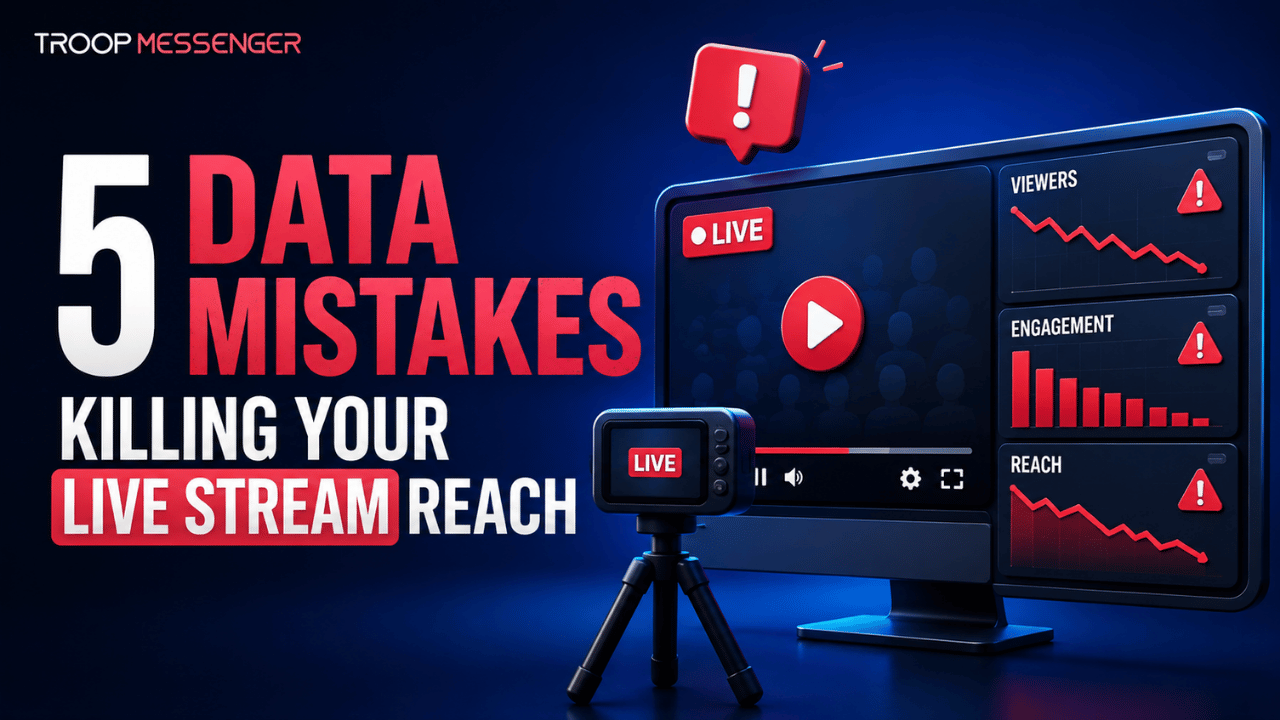
5 Data Mistakes Killing Your Live Stream Reach (and How to Fix Them Fast)
Data mistakes in live streaming are errors in collecting, interpreting, or using audience and performance data that can reduce reach, engagement, and viewer retention. Even strong live content can underperform when streaming decisions are based on incomplete, outdated, or incorrectly interpreted data.
From choosing the wrong time to go live to focusing on surface-level metrics instead of viewer behavior, small data errors can affect discoverability and audience growth. For teams coordinating live-streaming activities, effective internal communication can also help keep content, scheduling, and performance decisions aligned. This guide covers five common data mistakes that can limit live stream performance and explains practical ways to identify and fix them across platforms such as YouTube, Twitch, and LinkedIn Live.
Failing to Use Clean, Stream-Ready Data Inputs
Why Bad Data Sabotages Great Content
Streaming success is often thought to rely solely on production quality or content relevance. However, many creators overlook the foundational role that data plays before a single frame is broadcasted.
Poor-quality input—whether it's inaccurate audience segmentation, outdated engagement trends, or disconnected analytics—can lead to misleading assumptions that limit your stream’s reach and resonance.
For example, using last quarter’s peak time reports without accounting for algorithm changes or shifts in audience behavior can result in streaming at the wrong time entirely. Similarly, pulling incomplete data from a single platform can create blind spots in performance analysis, leading to under-optimized strategies that cap viewer growth.
The Importance of Proper Data Ingestion
Before you can act on data, you need to ensure it is collected and integrated correctly. Data ingestion is the process of gathering, importing, and preparing data from sources such as social media platforms, CRMs, and analytics tools so it can be accurately analyzed and used for better streaming decisions. Understanding data ingestion can help streaming teams identify inconsistencies before they affect targeting, scheduling, and performance decisions.
Streaming teams using robust ingestion tools can automate the consolidation of performance data across YouTube, Twitch, social ads, and community platforms. This empowers them to spot patterns early—like identifying which content type drives longer session durations, or which thumbnail variations correlate with higher click-through rates. Without clean ingestion pipelines, even the most skilled content teams are flying blind.
Practical Fixes
- Use automation platforms that integrate live stream analytics with your broader marketing stack (e.g., connect Google Analytics, YouTube Studio, and HubSpot).
Establish a standardized data audit before launching every major stream to ensure inputs are current and actionable.
- Train your team on how to distinguish between vanity metrics (like impressions) and real performance indicators (like session time and retention).
Key takeaway: Every decision made during stream setup—when to go live, who to target, what to feature—is only as good as the data behind it. Cleaning up your data inputs through proper ingestion isn’t just a technical upgrade; it’s a strategic advantage.
Misinterpreting Live Engagement Metrics in Real-Time
Why Surface-Level Metrics Lead to Flawed Decisions
Live streamers and brand teams often overemphasize numbers that look impressive but reveal very little about actual audience behavior. Peak concurrent viewers, click counts, and impressions can feel encouraging in the moment—but without proper interpretation, they’re dangerously misleading.
For instance, a stream may reach a high peak viewer count but still perform poorly if a large portion of viewers leave within the opening minutes.
Relying on vanity metrics leads to the false belief that a strategy is working when, in reality, it’s leaking attention faster than it can acquire it. This misalignment between perceived performance and real engagement results in repeated mistakes: poor content sequencing, misjudged viewer interest, and ineffective promotional timing.
The Metrics That Actually Matter
To understand the health and impact of a live stream, professionals should prioritize deeper metrics that reveal true engagement and retention patterns:
- Average watch duration: Indicates how long viewers actually stay, not just who clicks in.
- Engagement per viewer: Total reactions, comments, and shares per viewer session.
- Drop-off points: Specific timestamps where most users exit—often highlighting content friction.
- Chat activity heatmaps: Reflects when viewers are most involved in the discussion.
By focusing on these data points during the live session, streamers can adapt in real-time adjusting topics, formats, or calls to action on the fly to reduce bounce and boost interaction.
Fixing the Interpretation Gap
Understanding live metrics is not just about having access to analytics—it’s about interpreting them through the lens of user intent.
A spike in viewership without corresponding chat activity might signal passive interest or poor engagement triggers. Conversely, a small but highly active group could suggest niche content resonance worth expanding in future sessions.
To fix misinterpretation issues:
- Use multi-metric dashboards that combine engagement, duration, and behavior signals in one view.
- Assign a team member to monitor in-stream analytics and feed insights to the host in real time.
- Conduct post-stream audits using time-stamped data to identify what moments worked and what didn’t.
Key takeaway: Metrics are only valuable if they’re correctly interpreted. Focusing on retention, interaction, and content-specific performance gives you the leverage to refine your live strategy, maximize ROI, and build a consistently engaged audience.
Relying on Outdated Audience and Performance Data
Why Outdated Data Can Hurt Your Reach
Audience behavior changes over time, so relying on old reports to decide when to stream, which topics to cover, or which viewers to target can lead to weaker results. A schedule that previously generated strong engagement may no longer match current audience activity.
Changes in viewer preferences, location, viewing habits, and platform behavior can all affect when and how people engage with live content. Using recent performance data gives streamers a better basis for scheduling broadcasts and planning content.
Practical Fixes
- Review recent audience activity before scheduling important streams.
- Compare current performance with previous broadcasts.
- Reassess audience segments as your viewers and content change.
- Test different streaming times and compare retention and engagement.
- Avoid relying exclusively on old performance reports.
Key takeaway: Audience behavior changes over time, so streaming schedules and content decisions should be based on recent and regularly reviewed data.
Using Weak or Irrelevant Stream Metadata
Why Metadata Matters
Titles, descriptions, categories, tags, and other metadata help platforms and viewers understand what a live stream is about. Using vague, outdated, or irrelevant metadata can create a mismatch between the content and the audience searching for it.
For example, a stream may provide useful information about a specific topic but use a generic title that does not clearly communicate its subject. Accurate metadata gives viewers a clearer idea of what to expect and helps keep the stream aligned with its intended topic.
Practical Fixes
- Write titles that clearly describe the stream topic.
- Keep descriptions relevant to the actual broadcast.
- Use appropriate categories and tags where available.
- Avoid misleading or unrelated keywords.
- Review metadata before every important broadcast.
Key takeaway: Accurate and relevant metadata creates better alignment between your stream, its topic, and the audience you want to reach.
Choosing the Right Streaming Platform
Choosing the right platform can improve your overall streaming experience. If you're exploring different services, streameast alternatives can help you compare options based on reliability, features, and audience reach.
Failing to Analyze Performance After the Stream
Why Post-Stream Analysis Matters
Live stream analysis should not stop when the broadcast ends. Post-stream data can reveal important information about viewer retention, engagement, traffic sources, and audience drop-off that may not be obvious while the stream is live.
A stream may generate a strong peak viewer count but still have weak average watch duration or significant drop-off at particular points. Reviewing the complete performance helps identify what worked and what should be improved in future broadcasts.
Practical Fixes
- Review retention and average watch duration after each important stream.
- Identify major viewer drop-off points.
- Compare traffic sources and engagement levels.
- Record successful topics, formats, and streaming times.
- Apply the findings to future broadcasts.
Key takeaway: Post-stream analysis turns each broadcast into a source of actionable insights for improving future streams.
Live Streaming Data Mistakes at a Glance
| Data Mistake | Potential Impact | Quick Fix |
| Unclean or incomplete data | Inaccurate decisions | Verify and clean data |
| Misread engagement metrics | Wrong optimization | Focus on retention and engagement |
| Outdated audience data | Poor timing and targeting | Review recent audience behavior |
| Weak or irrelevant metadata | Lower discoverability | Use relevant metadata |
| No post-stream analysis | Repeated mistakes | Review performance after each stream |
Conclusion: Let Data Guide—Not Undermine—Your Live Streaming Strategy
Data plays an important role in determining how effectively a live stream reaches, engages, and retains its audience. Poor data inputs, misinterpreted metrics, incorrect timing decisions, weak metadata, and failure to analyze post-stream performance can all lead to missed opportunities.
The solution is not to collect more data simply for the sake of having more analytics. Instead, focus on accurate inputs, meaningful performance indicators, audience behavior, and actionable insights. By reviewing data before, during, and after each broadcast, creators and brands can make better decisions, improve future streams, and build a more consistent audience over time.
FAQs
1. What are the most common data mistakes in live streaming?
Common data mistakes include using inaccurate or outdated audience information, focusing on vanity metrics, ignoring audience timing patterns, using irrelevant metadata, and failing to review post-stream analytics. These mistakes can lead to poor scheduling, weak discoverability, ineffective content decisions, and lower viewer retention. Identifying these problems early allows streamers to make decisions based on actual audience behavior rather than assumptions, making analytics more useful for improving future live broadcasts.
2. What are the five data mistakes that can hurt live stream performance?
The five common data mistakes are using poor-quality or incomplete data, misinterpreting engagement metrics, relying on outdated audience and timing data, using weak or irrelevant stream metadata, and failing to analyze post-stream performance. Each mistake can affect decisions related to scheduling, targeting, discoverability, content planning, or viewer retention. Identifying these problems and creating a consistent process for reviewing data can help creators and brands make more informed streaming decisions.
3. Which live streaming metrics should I track?
Important live streaming metrics include average watch duration, viewer retention, peak concurrent viewers, engagement, chat activity, traffic sources, and conversion-related actions when applicable. The most useful metrics depend on the stream's objective. For example, a brand focused on awareness may prioritize reach and engagement, while a creator focused on audience growth may pay closer attention to retention and returning viewers. Looking at several related metrics provides a more complete picture of performance.
4. How does audience data improve live stream performance?
Audience data helps streamers understand who watches their content, when viewers are most active, which topics generate engagement, and where audiences stop watching. These insights can influence scheduling, content planning, titles, promotional strategies, and stream structure. Instead of relying on general assumptions, creators can use historical performance and behavioral patterns to make more informed decisions. Regularly reviewing audience data also helps identify changes in viewing behavior over time.
5. Why is post-stream analysis important?
Post-stream analysis helps identify patterns that may not be obvious during a live broadcast. Reviewing watch duration, retention, engagement, traffic sources, and viewer drop-off points can reveal which parts of a stream performed well and which need improvement. These insights can then be applied to future broadcasts. Without post-stream analysis, teams may repeat the same scheduling, content, or engagement mistakes instead of using previous performance to improve their strategy.
6. Does poor metadata affect live stream discoverability?
Poor or irrelevant metadata can make it more difficult for platforms and audiences to understand what a live stream is about. Titles, descriptions, categories, tags, and other information should accurately reflect the content and use language relevant to the intended audience. Metadata should not be treated as a substitute for quality content, but accurate information can help create better alignment between the stream, its topic, and potential viewers.
7. How can I avoid making data mistakes in live streaming?
Start by establishing a consistent process for collecting, reviewing, and applying streaming data. Before a broadcast, check audience and scheduling information and verify the stream's metadata. During the broadcast, monitor meaningful engagement and retention signals rather than relying only on viewer counts. Afterward, review performance and document important findings. Repeating this process across streams creates a reliable feedback loop for improving content, timing, engagement, and audience growth.