Connect with us
4 challenges of ERP migration and how to avoid them
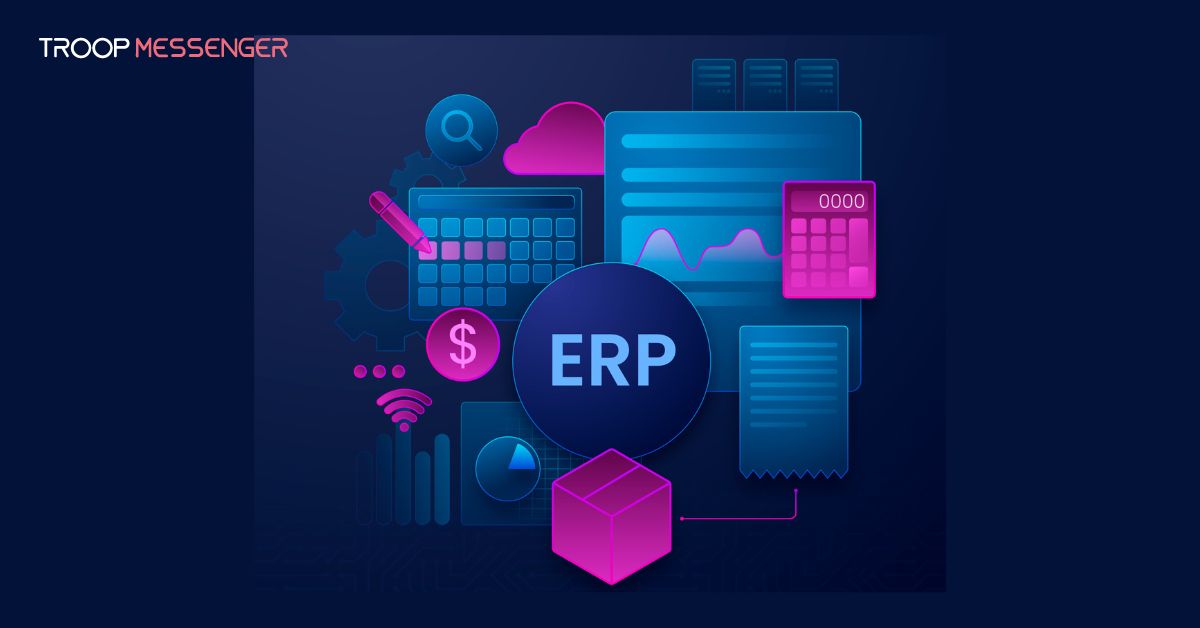
ERP migration is the process of moving business data, workflows, customizations, and applications from a legacy ERP system to a modern platform. Organizations typically pursue ERP migration to improve operational efficiency, strengthen security, support scalability, reduce maintenance costs, and take advantage of cloud-based capabilities. While the benefits of ERP modernization are significant, the migration process itself can be complex and resource-intensive.
Many ERP migration projects encounter challenges such as inaccurate cost estimation, extended implementation timelines, data security risks, software compatibility issues, and user adoption difficulties. Without a well-defined ERP migration strategy, these obstacles can result in project delays, budget overruns, operational disruptions, and reduced return on investment.
This guide explores the most common ERP migration challenges, practical solutions to overcome them, and proven ERP migration best practices that help organizations plan, execute, and optimize a successful transition to a modern ERP environment.
What Is ERP Migration?
ERP migration refers to the process of transferring business data, applications, configurations, integrations, and workflows from an existing ERP environment to a newer system. Organizations may migrate from legacy ERP software to cloud ERP platforms, upgrade existing ERP versions, or consolidate multiple systems into a unified solution.
A successful ERP migration involves more than simply moving data. It requires detailed planning, system auditing, process mapping, security validation, integration management, user training, and extensive testing. The goal is to ensure business continuity while improving operational efficiency and enabling future growth.
Why ERP Migration Is Important for Modern Businesses
As business requirements evolve, legacy ERP systems often struggle to support modern operational demands. Older ERP platforms may lack scalability, cloud integration capabilities, advanced analytics, automation features, and security enhancements required by today's organizations.
ERP migration enables businesses to modernize their technology infrastructure, improve data accessibility, streamline workflows, and support digital transformation initiatives. Modern ERP systems also provide better integration with CRM platforms, HR software, supply chain applications, and business intelligence tools, helping organizations create a more connected and efficient ecosystem.
For companies seeking long-term growth, ERP migration is not simply a technology upgrade. It is a strategic initiative that can improve productivity, reduce operational costs, and enhance decision-making across the organization.
What Are the Most Common ERP Migration Challenges?
The most common ERP migration challenges include:
- Inaccurate cost estimation
- Long migration timelines
- Data loss or security risks
- Software compatibility issues
- Employee adoption challenges
- Inadequate testing and planning
Organizations can reduce these risks through proper planning, automation, security controls, and expert guidance.
Inaccurate ERP Migration Cost Estimation
Inaccurate migration cost estimates can lead to significant overruns of the project budget, which in turn can negatively affect a company’s bottom line. Unfortunately, it is not easy for a company to calculate all migration costs accurately, including hidden ones, especially if this is the first ERP migration project within an organization.
Solution
The total cost of ERP migration depends on many factors, such as business process complexity, the volume of the migrated data, the chosen technology stack\ platform, and project team composition, to name a few. Therefore, to identify all the cost factors associated with its unique project, a company must first determine the scope of the ERP migration.
This, in turn, requires a thorough inventory of all the company’s assets that need to be migrated, including software configurations, customizations, and data, together with their dependencies. A company’s employees can either conduct the inventory manually, which is typically too slow and inefficient, or use automation tools. For example, solutions such as Flexera, Azure Migrate, or Google Cloud Migration Tools can be used to map various IT assets and visualize their dependencies before cloud migration.
After defining the migration scope, the company then needs to determine an appropriate migration strategy based on its unique business needs. It should also estimate the cost of implementing that strategy, along with the use of migration tools and allocation of IT labor. It is also critical to consider expenses arising after the migration, such as costs related to employee training or maintenance of modernized ERP. Companies can also get ahead of post-migration overspending by putting spend management software in place before go-live, so that budgets, approvals, and departmental spending limits are already enforced the moment the new ERP system is operational.
To assess the migration costs more accurately, it is also recommended that companies consult with third-party ERP experts before the project launch. Consultants can comprehensively analyze a company’s business and audit its legacy ERP thoroughly to help a company identify hidden migration expenses and calculate its total budget more efficiently. They can also guide a company’s migration team throughout the migration process to ensure a project stays within the estimated budget.
Lengthy ERP Migration Timelines
A company can incur extra financial losses when the migration process takes longer than expected. Suppose a company has three ERP migration specialists working on its project. It pays each $59 per hour – an average wage for a data migration specialist, according to Salary.com. In this context, even a one-month delay in migration delivery may cost a company extra several thousand dollars.
Solution
Although the migration timespan depends on multiple variables, including project complexity, planning efficiency, and the proficiency of a migration team, companies can always take some measures to shorten it. One of them is to streamline manual and routine migration activities by using automated migration tools, including those complemented with generative AI.
With their help, migration teams can automate and speed up numerous processes, and legacy infrastructure analysis is one of them: automated tools can scan a company’s on-premise ERP environment and catalog corporate apps or databases. Additionally, teams can optimize the code transformation process by using automated migration solutions to refactor outdated codebases into cloud programming languages automatically.
Data Breaches and Data Loss During ERP Migration
If an ERP migration project implies transferring data between different platforms or environments, a migration team must guarantee the safety of this information. Otherwise, a company can lose corporate or customer information, which can not only disrupt its business operations but also cause significant reputational damage.
Solution
Migration teams must back up all the data before migrating it by running full, incremental, or differential backups. ERP migration experts can do it manually or use automated backup systems, such as those enabling scheduling and running recurring data backups. If corporate data is backed up properly, migration teams can quickly restore it in case of a data breach or corruption, thus mitigating adverse outcomes of data loss.
Software Incompatibility
Along with ERP, a company traditionally uses many other software, be it DMS, EAM, or CRM, some of which can be somewhat outdated. If a migration team cannot maintain compatibility between these solutions and a new ERP system, a company’s everyday functioning can be disrupted, which can cause significant financial losses.
Solution
One of the ways to avoid compatibility issues between legacy corporate systems and a new ERP platform is to implement software adapters, custom APIs, or middleware, such as iPaaS. Migration teams can use these solutions to integrate new ERP with legacy software tools and thus ensure their interoperability.
Employee Adoption and Change Management Challenges
One of the most overlooked ERP migration challenges is employee resistance to change. Even when a new ERP system offers better functionality, users may struggle to adapt to new workflows, interfaces, and business processes.
Low user adoption can reduce productivity, increase support requests, and delay the realization of migration benefits.
Solution
Organizations should involve key stakeholders early in the migration process and develop a structured change management strategy. Providing hands-on training, role-specific learning resources, and ongoing support helps employees become comfortable with the new system more quickly.
Businesses should also communicate the benefits of ERP migration clearly and gather employee feedback throughout the implementation process to improve adoption rates.
ERP Migration Checklist
A successful ERP migration project typically includes the following steps:
- Audit the existing ERP environment
- Identify business requirements and migration goals
- Define the migration scope
- Clean and validate existing data
- Select the appropriate ERP migration strategy
- Perform data backups
- Test integrations and workflows
- Conduct user acceptance testing
- Train employees and stakeholders
- Deploy the new ERP environment
- Monitor post-migration performance
Following a structured ERP migration checklist helps reduce implementation risks and improves project outcomes.
ERP Migration Best Practices for Success
Successful ERP migration requires more than simply transferring data and configurations. Organizations should establish clear migration objectives, perform detailed system audits, involve stakeholders early, and conduct extensive testing before deployment. Businesses should also prioritize employee training, maintain a rollback strategy, and continuously monitor system performance after go-live. By combining proper planning, automation tools, and expert guidance, companies can significantly reduce migration risks and accelerate adoption of the new ERP environment.
How to Choose the Right ERP Migration Strategy
Selecting the right ERP migration strategy depends on business objectives, technical requirements, and available resources.
Common ERP migration approaches include:
Rehosting (Lift and Shift):
Moves the existing ERP environment with minimal modifications.
Replatforming:
Introduces limited optimizations while maintaining core functionality.
Refactoring:
Redesigns applications and workflows to maximize cloud-native capabilities.
Hybrid Migration:
Combines on-premises and cloud ERP environments to support gradual modernization.
Organizations should evaluate cost, complexity, scalability requirements, compliance needs, and long-term business goals before selecting an ERP migration strategy.
Final thoughts
ERP migration is a critical step for organizations seeking to modernize operations, improve scalability, strengthen security, and support long-term business growth. While challenges such as inaccurate cost estimation, lengthy implementation timelines, data security risks, software compatibility issues, and user adoption concerns can complicate the process, these obstacles can be effectively managed through careful planning and execution.
By following proven ERP migration best practices, leveraging automation tools, conducting thorough testing, and involving experienced ERP consultants when necessary, businesses can reduce migration risks and achieve a smoother transition. A well-executed ERP migration not only modernizes technology infrastructure but also creates a stronger foundation for future innovation and operational excellence.
FAQs
1. What are the biggest ERP migration challenges?
ERP migration projects commonly face challenges such as inaccurate cost estimation, lengthy implementation timelines, data security risks, software compatibility issues, and inadequate planning. These challenges can lead to budget overruns, operational disruptions, and delayed project delivery if not addressed properly. Organizations can reduce these risks by conducting thorough system assessments, defining clear migration objectives, using automation tools, and involving experienced ERP consultants. A structured migration strategy helps ensure a smoother transition and improves the chances of long-term ERP success.
2. How long does an ERP migration typically take?
The duration of an ERP migration depends on factors such as business size, data volume, system complexity, customization requirements, and migration strategy. Small and mid-sized organizations may complete migration within a few months, while large enterprises often require six months to a year or longer. Proper planning, automated migration tools, and experienced project teams can significantly reduce implementation time. Organizations should also allocate sufficient time for testing, employee training, and post-migration support to ensure successful adoption of the new ERP system.
3. How can companies reduce ERP migration costs?
Companies can reduce ERP migration costs by clearly defining project scope, auditing existing systems, cleaning unnecessary data, and choosing the right migration strategy before implementation begins. Using automation tools can help minimize manual effort and reduce labor expenses. Organizations should also account for hidden costs such as employee training, system integrations, maintenance, and change management. Consulting experienced ERP specialists during the planning phase can help identify potential risks and prevent costly mistakes that may lead to budget overruns later.
4. Why is ERP data migration important?
ERP data migration ensures that critical business information such as customer records, financial data, inventory details, and operational processes are transferred accurately to the new system. Poor data migration can lead to data loss, reporting inaccuracies, compliance issues, and operational disruptions. By validating, cleansing, and backing up data before migration, organizations can improve data quality and maintain business continuity. Successful data migration enables businesses to maximize the value of their new ERP platform and support informed decision-making across departments.
5. What are ERP migration best practices?
Successful ERP migration requires careful planning, stakeholder involvement, detailed system assessments, and comprehensive testing. Organizations should establish clear objectives, create a realistic migration roadmap, back up all critical data, and identify potential risks before implementation. Employee training and change management are also essential for smooth adoption of the new system. Additionally, businesses should continuously monitor performance after deployment and maintain a rollback plan in case unexpected issues arise during the migration process.
6. What causes ERP migration projects to fail?
ERP migration projects often fail because of poor planning, unrealistic timelines, insufficient budget allocation, lack of stakeholder involvement, inadequate testing, or resistance to change among employees. Data quality issues and software compatibility problems can also create significant challenges during implementation. Organizations that rush migration without conducting proper assessments are more likely to experience delays and disruptions. A well-defined migration strategy, strong leadership support, and continuous communication can help prevent common causes of ERP migration failure and improve project outcomes.
7. Should businesses hire ERP migration consultants?
Hiring ERP migration consultants can be highly beneficial, especially for organizations with limited in-house expertise. Experienced consultants help assess existing systems, identify migration risks, select suitable technologies, and create effective implementation strategies. They can also assist with data migration, system integration, testing, and user training. By leveraging expert guidance, businesses can reduce project risks, avoid costly mistakes, accelerate migration timelines, and ensure a smoother transition to a modern ERP environment while maintaining operational continuity.