Connect with us
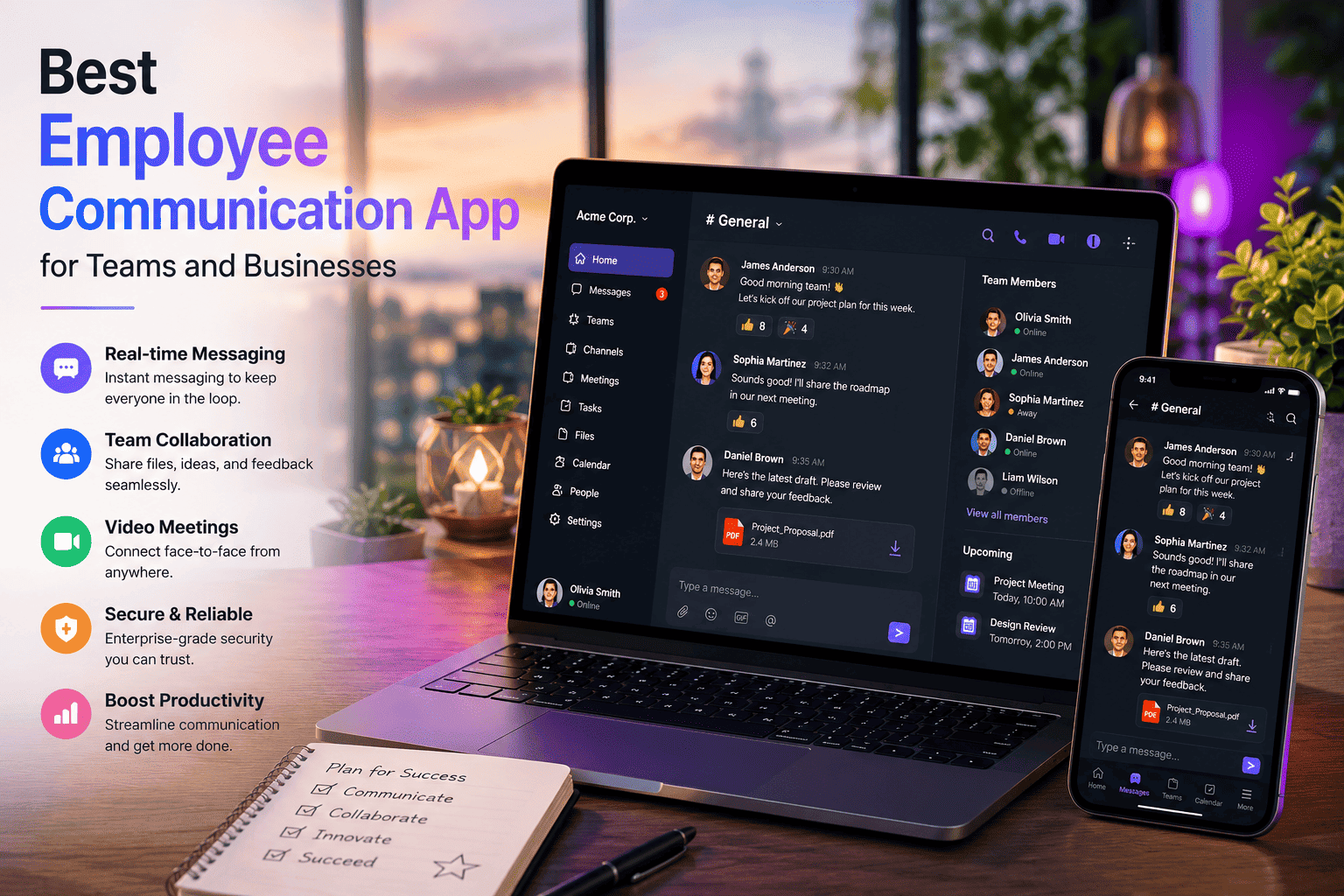
Best Employee Communication App for Teams and Businesses in 2026
The best employee communication app in 2026 is the one that reaches every member of your workforce — desk-based and frontline alike — through a single secure platform that works on any device.
Poor internal communication costs businesses time, money, and people. When updates get buried in email, decisions happen in personal WhatsApp groups, and frontline workers are the last to know about anything important — productivity suffers and trust erodes.
This guide covers:
- What an employee communication app is and why your business needs one
- Best apps for internal employee communication compared honestly
- Free employee communication apps worth considering
- Frontline and mobile communication apps for deskless workers
- How to choose the right solution for your team size and industry
What Is an Employee Communication App
An employee communication app is workplace software that connects every member of your organization — regardless of location, role, or device — through a centralized platform for messaging, announcements, file sharing, and collaboration.
Unlike consumer apps like WhatsApp or Telegram, employee communication apps are built for professional use — with admin controls, security compliance, message archiving, and audit trails that personal messaging platforms simply do not offer.
In 2026 the best platforms combine real-time messaging, task management, knowledge sharing, and AI-driven automation in one unified hub. The goal is simple: make sure every employee — whether they sit at a desk or work on a factory floor — receives the right information at the right time.
Employee App for Internal Communication — What to Look For
Before evaluating any employee app for internal communication, define what your team actually needs. The right app for a 10-person startup looks very different from the right app for a 5,000-person enterprise with frontline workers across multiple locations.
Key features to evaluate:
- End-to-end encryption — sensitive business conversations must be protected at every point
- Admin controls and user management — IT teams need to manage access, roles, and permissions centrally
- Mobile-first design — especially critical for frontline and deskless workers who never sit at a computer
- No corporate email required — onboarding frontline workers without email accounts is a must-have for field teams
- Message archiving and audit logs — compliance teams need searchable records of business communication
- Integration with existing tools — HR systems, project management tools, and calendars should connect seamlessly
- Offline functionality — communication apps for field teams must work in low or no connectivity environments
Best App for Employee Communication in 2026
1.Slack — Best for Channel-Based Team Messaging
Slack delivers a cleaner faster messaging experience than email — with a lower learning curve and a well-organized channel structure that makes it the preferred daily communication tool for product teams startups and agencies. Its real strength is integration depth — over 2,500 apps connect directly into Slack meaning team notifications project updates and calendar reminders all flow into dedicated channels without switching apps.
Key Features:
- Channel-based messaging organized by project topic or team
- 2,500+ app integrations including Google Workspace and Microsoft 365
- Huddles for quick audio and video conversations
- Workflow automation for routine team processes
- Slack Connect for external collaboration
Best for: Startups product teams and organizations that prioritize clean team messaging with deep tool integration.
Pricing: Free plan with 90-day message history. Pro from Slack pricing at $7.25 per user per month.
2. Microsoft Teams — Best for Microsoft 365 Organizations
Microsoft Teams integrates natively with Outlook Word Excel SharePoint and OneDrive — making it the most natural internal communication choice for organizations already running on Microsoft 365. It goes beyond messaging to cover meetings file collaboration and project coordination in one workspace.
Key Features:
Channel messaging alongside video meetings
- Deep integration with the entire Microsoft 365 suite
- AI-powered meeting summaries and transcription
- Support for large meetings up to 1,000 participants
- Enterprise compliance including eDiscovery and legal hold
Best for: Organizations already using Microsoft 365 who want a single platform for messages meetings and files.
Pricing: From Microsoft Teams pricing at $4 per user per month. Included in Microsoft 365 subscriptions.
3. Troop Messenger — Best Secure Employee Communication App
For organizations that need professional-grade security alongside everyday communication capability Troop Messenger is a genuinely strong dedicated employee communication app. Unlike tools that started as consumer products and added business features later Troop Messenger was built from day one with professional teams in mind — which shows in how its security and admin features work.
What makes it stand out is deployment flexibility. Available as a cloud-based SaaS platform for teams that want quick setup or as a fully on-premise and self-hosted solution for organizations that need complete data sovereignty — it gives businesses infrastructure control that most other platforms simply cannot offer.
For regulated industries — healthcare finance government and defence — keeping all employee communication within your own infrastructure is often a compliance requirement not a preference. Troop Messenger is one of very few platforms that delivers this without sacrificing the modern messaging experience employees expect.
Key Features:
One-on-one and group messaging with unlimited searchable history
- Respond Later — flag messages during focused work without losing them
- Forkout — send one message to multiple users without creating a group
- Burnout Messaging — self-destructing messages for sensitive communications
- Audio and video calling with screen sharing built into the platform
- End-to-end encryption across all channels
- Available as SaaS or on-premise and air-gapped deployment
- Role-based access controls and comprehensive admin oversight
- Works on Windows Mac Linux iOS Android and browser
Best for: Business teams enterprises and regulated industries that need secure internal communication with full infrastructure control.
4. Google Chat — Best Free Option for Google Workspace Teams
Google Chat is included in every Google Workspace subscription at no additional cost — making it the most accessible free internal communication option for teams already using Gmail Calendar and Drive. Spaces organize team conversations by project and Google Meet integration means video calls start in one click.
Key Features:
- Spaces for organized project and team conversations
- Native integration with Gmail Drive Docs and Calendar
- Google Meet video calls from any conversation
- Smart replies powered by Google AI
- Included in all Google Workspace plans
Best for: Teams already on Google Workspace who want integrated internal messaging without adding a separate subscription.
5. Staffbase — Best for Large Enterprise Internal Communication
Staffbase is built around reaching employees who are not always at a desk — with a branded mobile app targeted messaging and content channels designed for organization-wide communication at scale. It focuses on internal communication strategy rather than day-to-day team chat.
Key Features:
- Branded mobile app for company-wide employee communication
- Targeted content channels by department location or role
- Employee surveys and feedback tools
- Analytics showing who received and read each communication
- Integration with HRIS systems including Workday and SAP
Best for: Large enterprises with complex internal communication needs across multiple locations and departments.
Free Employee Communication App — Best No-Cost Options
Several strong free employee communication apps exist for teams on limited budgets:
- Google Chat — free with any Google account, included in Workspace subscriptions
- Slack free plan — unlimited messages searchable for 90 days, 10 app integrations
- Microsoft Teams free — unlimited chat, 60-minute group meetings, 5GB cloud storage
- Troop Messenger — free trial covering core messaging and collaboration features
- Discord — free for unlimited voice, video, and text — used by some informal teams
For small teams under 20 people, Google Chat or Slack's free plan covers most daily communication needs without cost. As teams grow and compliance requirements emerge, the limitations of free plans — message history limits, no admin controls, no audit logs — make upgrading to a paid plan or dedicated platform necessary.
Frontline Employee Communication App — Tools for Deskless Workers
Frontline workers represent up to 80% of the global workforce but are consistently underserved by platforms designed for desk-based employees. The best frontline employee communication apps combine mobile-first access, no-email onboarding, two-way messaging, and offline functionality.
Key requirements for frontline communication apps:
- No corporate email required — workers onboard with a phone number or employee ID
- Works offline — critical for teams in warehouses, construction sites, or remote locations
- Push notifications — instant alerts for shift changes, safety updates, and urgent announcements
- Simple interface — high adoption depends on the app being intuitive for non-technical users
- Multi-language support — global frontline teams need content in their preferred language
Platforms like Staffbase, Beekeeper, and Connecteam lead specifically for frontline use cases. Troop Messenger's mobile app with offline capability and simple interface also works well for field teams that need secure communication without complex setup.
Mobile Employee Communication App — Best for On-the-Go Teams
For distributed teams that work primarily from smartphones rather than desktops, mobile app quality matters as much as feature depth. The best mobile employee
communication apps offer:
- Native iOS and Android apps — not just a responsive website
- Push notifications with granular control over what triggers an alert
- In-app voice and video calling — no need to switch to a separate calling app
- File preview and sharing — documents, images, and videos accessible without downloading
- Low data usage mode — important for teams in areas with limited connectivity
Troop Messenger, Slack, and Microsoft Teams all deliver strong native mobile experiences. For frontline-specific mobile use Beekeeper and Connecteam offer the most purpose-built mobile interfaces — designed for workers who spend zero time at a desktop.
Employee Safety Communication App
Safety-critical industries — construction, manufacturing, logistics, and healthcare — have specific requirements that go beyond standard internal messaging. An employee safety
communication app needs:
- Emergency broadcast capability — send urgent alerts to all employees instantly
- Read receipts and delivery confirmation — verify that safety messages were received
- Two-way communication — employees must be able to acknowledge and respond to safety alerts
- Offline functionality — safety messages must reach workers even in low connectivity
- Compliance documentation — maintain records of all safety communications for regulatory purposes
For teams where a missed safety communication could have serious consequences, choosing a platform with audit logs and confirmed delivery tracking is not optional — it is the baseline requirement.
How to Choose the Right Employee Communication Solutions App
The right employee communication solutions app depends on four key factors:
Team size:
Small teams under 50 people benefit from simple, fast tools with low setup overhead — Slack, Google Chat, or Troop Messenger's SaaS plan. Larger organizations need enterprise features like SSO, HRIS integration, and granular admin controls.
Industry and compliance:
Regulated industries — healthcare, finance, government — need platforms with documented compliance certifications, message archiving, and ideally on-premise deployment. Troop Messenger's on-premise option is one of the only platforms that addresses this fully.
Workforce type:
Desk-based teams and frontline teams have very different needs. Office workers need deep integration with productivity tools. Frontline workers need mobile-first design, offline access, and no-email onboarding.
Budget
Free plans work for small teams starting out. Paid plans become necessary when message archiving, admin controls, compliance features, and larger storage become business requirements. For regulated industries, the cost of a compliant platform is always lower than the cost of a compliance failure.
For a deeper look at how communication tools fit into a broader team productivity stack, the guide on team collaboration tools covers the full picture. And for teams evaluating messaging alternatives, the guide on best Slack alternatives covers the complete competitive landscape.
Why Your Business Needs a Dedicated Employee Communication App
Using consumer apps like WhatsApp, Telegram, or personal email for business communication creates real risks that organizations underestimate until something goes wrong.
The problems with consumer apps for business:
- No admin controls — anyone can add or remove members without authorization
- No message archiving — business decisions made in chat cannot be retrieved for compliance
- Data stored on commercial servers — your business conversations belong to a third party
- Mixed personal and professional — employees share work information on personal accounts with no separation
- No audit trail — you cannot prove what was communicated, when, or to whom
A dedicated employee communication app eliminates all of these problems. It gives your organization ownership of its communication infrastructure — with the security, compliance, and administrative controls that professional use demands.
Conclusion
The right employee communication app removes friction, connects every member of your team, and gives your organization the security and control that consumer apps cannot provide.
Quick summary by need:
- Secure enterprise communication — Troop Messenger with on-premise deployment
- Channel-based team messaging — Slack for startups and product teams
- Microsoft 365 integration — Microsoft Teams included in your subscription
- Free Google Workspace option — Google Chat at no additional cost
- Large enterprise internal comms — Staffbase for branded multi-location communication
- Frontline and deskless workers — mobile-first platforms with offline access
Start by identifying your biggest current communication gap — whether that is security, reach, compliance, or mobile access. Choose the tool that solves that specific problem first. Build from there.
Frequently Asked Questions (FAQs)
Q1. What is the best employee communication app?
The best app depends on your team size, industry, and security requirements. Troop Messenger leads for secure enterprise and regulated industry use with on-premise deployment. Slack leads for channel-based team messaging. Microsoft Teams leads for Microsoft 365 organizations. Google Chat is the best free option for Google Workspace teams.
Q2. Is there a free employee communication app worth using?
Yes — Google Chat is free with any Google account and works well for small teams. Slack's free plan covers unlimited messaging with 90-day history. Microsoft Teams offers a free plan with unlimited chat and group video calls. For regulated industries, free plans typically lack the compliance features required — a paid or dedicated platform becomes necessary.
Q3. What is the best app for frontline employee communication?
Frontline teams need mobile-first apps that work without a corporate email address and function offline. Staffbase, Beekeeper, and Connecteam are built specifically for frontline use. Troop Messenger's mobile app with offline capability also works well for field teams that need secure communication without complex onboarding requirements.
Q4. What should I look for in an employee communication app?
Prioritize end-to-end encryption, admin controls, message archiving, mobile-first design, and integration with your existing tools. For regulated industries add compliance certifications and on-premise deployment to that list. For frontline teams add no-email onboarding and offline functionality. Avoid consumer apps — they lack the security and admin controls professional communication requires.
Q5. Can I use WhatsApp for employee communication?
Technically yes — but it creates real business risks. WhatsApp has no admin controls, no message archiving, no audit trail, and stores your business conversations on Meta's servers. For small informal teams it may feel convenient. For any business that handles sensitive information, client data, or operates in a regulated industry, WhatsApp creates compliance gaps that a dedicated employee communication app eliminates entirely.