Connect with us
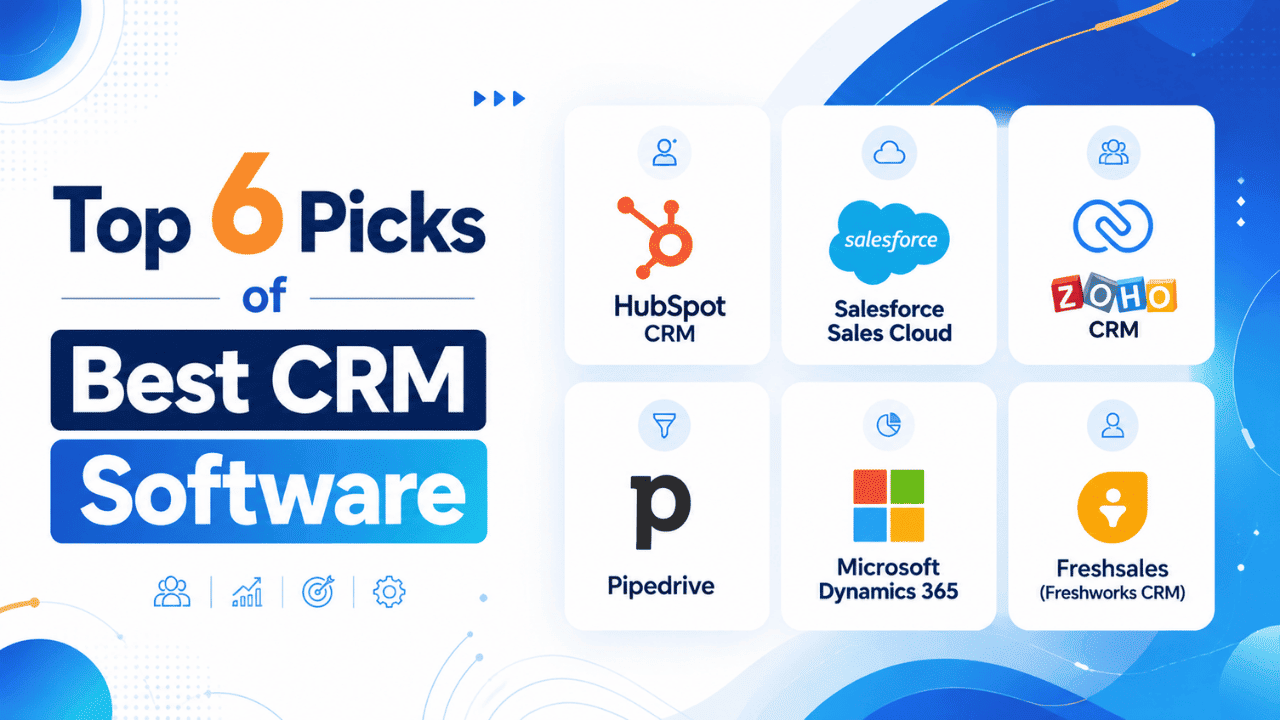
Best CRM Software: 6 Top Picks Reviewed and Compared
CRM (Customer Relationship Management) software is a tool that helps businesses store customer information, track sales opportunities, manage interactions, and organize the entire customer journey from one central platform. It enables teams to build stronger customer relationships, improve follow-ups, and streamline sales and support processes as the business grows.
Buying CRM software is rarely the first move a business makes. It's usually the fourth or fifth, after a spreadsheet gets too messy, a lead falls through the cracks in front of a client, and someone finally says, "We need an actual system for this." If you're now searching for the best CRM software for your team, you've probably already lived through that spreadsheet phase. This guide compares six well-known CRM platforms in detail, covering what each does well, where each one struggles, and which type of team each is realistically built for, so you can choose the solution that best fits your business.
What Is CRM Software and Why It Matters
CRM stands for customer relationship management. Stripped down to basics, it's a system that stores every interaction a business has with a lead or customer in one place, instead of scattering that history across inboxes, notebooks, and whoever happened to take the call. When it works well, anyone on the team can open a contact record and immediately understand where things stand, without having to track down whoever originally spoke to that customer.
The clearest value shows up in sales, but CRM data rarely stays confined to one department for long. Marketing teams pull from it to build targeted email marketing campaigns. Support teams reference it to understand a customer's purchase history before responding to a ticket. Even project management timelines increasingly connect back to CRM records once a deal closes and work begins.
That cross-department pull is also why CRM software performs best alongside other coordination tools, not in isolation. A CRM can log every deal update in the world, but if the people closing those deals aren't communicating in real time, updates sit unread. Pairing a CRM with a proper team chat app keeps that context moving between the people actually talking to customers, rather than trapping it inside notes fields nobody opens twice.
How We Evaluated These 6 CRM Platforms
Marketing pages tend to make every CRM sound identical: powerful, flexible, easy to use. To cut through that, this list weighs five practical factors instead. Pricing transparency matters, since hidden per-feature charges add up fast. Time-to-productivity matters, because a CRM a new hire can't figure out in a day quietly costs more than its subscription fee. Integration depth, automation capability, and how each platform holds up once a team doubles in size rounded out the evaluation. A tool that feels effortless with four users can become a bottleneck at forty, and that gap rarely shows up in a demo.
6 Best CRM Software Platforms
1. HubSpot CRM
HubSpot didn't start as a CRM company. It began in inbound marketing, and the CRM was built later as the connective layer between marketing, sales, and support data. That history still shapes the product today: contact records pull in email opens, form submissions, and website visits automatically, so sales reps aren't working from a blank contact card.
Key features: Contact and deal tracking, email templates and scheduling, meeting booking links, a permanently free base plan.
Pros: Very fast onboarding, a free tier that's actually usable long-term, an interface that doesn't require a manual to understand.
Cons: Pricing climbs sharply once a team needs advanced automation, custom reporting, or more than a basic number of marketing contacts.
Pricing: Free plan available indefinitely; paid tiers scale by feature depth and contact volume.
The core CRM product is worth testing first precisely because there's no cost barrier to trying it, which matters most for teams still deciding whether a CRM is worth adopting at all.
Why Businesses Choose HubSpot CRM
HubSpot CRM is one of the easiest CRM platforms to adopt because it combines simplicity with powerful functionality. Businesses can start with the free CRM and later expand into marketing automation, customer service, content management, and sales tools without switching platforms. This flexibility makes it a long-term solution for companies expecting steady growth.
The platform also offers a clean interface, extensive learning resources through HubSpot Academy, and hundreds of integrations with popular business applications. Because of its minimal learning curve, new users can usually become productive within a few hours instead of days.
Who Should Use HubSpot CRM?
- Startups
- Small businesses
- Marketing agencies
- Growing sales teams
- SaaS companies
Who Should Avoid HubSpot CRM?
- Large enterprises needing extensive customization
- Businesses with very complex sales workflows
- Organizations looking for the lowest long-term subscription costs

2. Salesforce Sales Cloud
Salesforce has a reputation for being complicated, and that reputation isn't undeserved. But the complexity exists because the platform can be reshaped into almost anything a sales organization needs, given enough setup time and, often, a dedicated administrator to manage it.
Key features: Fully customizable dashboards, deep pipeline and forecasting reports, access to thousands of third-party apps through its marketplace.
Pros: Scales further than any other tool on this list, near-limitless customization potential for complex sales processes.
Cons: Longer setup time, steeper learning curve, and pricing that sits noticeably above the rest of this list.
Pricing: No permanent free tier; billed per user, per month, with cost rising by feature tier.
Reading through Salesforce's CRM overview before signing up helps set expectations, since "customizable" here often means "buildable," which is a different commitment than picking options from a settings menu.
Why Businesses Choose Salesforce Sales Cloud
Salesforce Sales Cloud is one of the most widely adopted CRM platforms because it offers unmatched flexibility and scalability. Businesses can customize dashboards, workflows, reports, and sales processes to match their exact requirements, making it suitable for everything from growing startups to multinational enterprises. As a company expands, Salesforce can scale alongside it without requiring a migration to another CRM.
Another major advantage is its extensive integration ecosystem through AppExchange, where businesses can connect thousands of third-party applications. Combined with Salesforce Einstein AI, users can automate repetitive tasks, improve sales forecasting, and gain deeper insights into customer behavior. Although implementation requires more planning than most competitors, organizations looking for a long-term CRM often consider Salesforce a worthwhile investment.
Who Should Use Salesforce Sales Cloud?
- Growing businesses planning long-term expansion
- Medium and large enterprises
- Sales organizations with complex workflows
- Companies needing advanced reporting and forecasting
- Businesses requiring extensive third-party integrations
Who Should Avoid Salesforce Sales Cloud?
- Small businesses with limited budgets
- Teams looking for a quick, plug-and-play CRM
- Organizations without dedicated CRM administrators or IT support

3. Zoho CRM
Zoho CRM is one piece of a much larger business software suite that also covers accounting, HR, help desk, and more. For teams already using other Zoho products, adding the CRM barely registers as adopting new software, since customer data already flows between tools without extra setup.
Key features: Sales process automation, multichannel contact tracking across email, phone, and social, customizable workflow rules.
Pros: Pricing stays consistently lower than comparable competitors, and the broader Zoho ecosystem rewards teams who standardize on it.
Cons: The interface can feel cluttered once several modules are switched on at once, and new users sometimes need a short adjustment period.
Pricing: Free tier available for very small teams; paid plans remain among the more affordable options in this category.
Why Businesses Choose Zoho CRM
Zoho CRM delivers a strong balance between affordability and functionality, making it a favorite among small and medium-sized businesses. It offers sales automation, workflow customization, multichannel communication, and AI-powered insights through Zia, all at a competitive price point. Businesses already using other Zoho applications benefit from seamless integration across accounting, customer support, project management, and marketing tools.
Another reason businesses choose Zoho CRM is its flexibility. Users can customize modules, automate repetitive tasks, and generate detailed reports without investing in expensive enterprise software. As business requirements grow, additional Zoho products can be integrated without disrupting existing workflows.
Who Should Use Zoho CRM?
- Small and medium-sized businesses
- Budget-conscious organizations
- Existing Zoho ecosystem users
- Businesses looking for affordable automation
- Teams wanting customizable workflows
Who Should Avoid Zoho CRM?
- Businesses wanting an extremely simple interface
- Organizations requiring enterprise-grade customization comparable to Salesforce

4. Pipedrive
Pipedrive was built around one specific belief: salespeople think in pipelines, not databases. Every part of the interface reflects that starting point, from the visual deal board to how activities get scheduled against each stage.
Key features: Drag-and-drop visual pipeline, automated activity reminders, deal-stage-based reporting.
Pros: Genuinely intuitive for sales-focused teams, reasonable pricing, minimal onboarding time required.
Cons: Marketing automation and broader engagement features stay fairly limited compared to more full-featured platforms.
Pricing: No free tier, but accessible paid pricing aimed squarely at smaller sales teams.
Pipedrive deliberately avoids branching into marketing or service functionality, and that narrow focus is exactly why sales-only teams tend to prefer it over broader all-in-one platforms.
Why Businesses Choose Pipedrive
Pipedrive is built specifically for sales teams that want a simple and visual way to manage opportunities. Its drag-and-drop sales pipeline makes it easy to track deals, schedule follow-ups, and monitor progress without navigating through complicated menus. The platform focuses on helping sales representatives spend more time selling and less time managing administrative tasks.
Pipedrive also includes workflow automation, customizable pipelines, activity reminders, and detailed reporting features that improve productivity without overwhelming users. Because it focuses almost entirely on sales management instead of trying to become an all-in-one business platform, many organizations appreciate its clean and straightforward approach.
Who Should Use Pipedrive?
- Sales-driven businesses
- B2B companies
- Agencies and consultants
- Small and medium-sized sales teams
- Organizations prioritizing pipeline management
Who Should Avoid Pipedrive?
- Businesses needing advanced marketing automation
- Customer service-focused organizations
- Companies looking for a complete business management platform

5. Microsoft Dynamics 365
Dynamics 365 makes the most sense for organizations already deep inside the Microsoft ecosystem. Its native connection to Outlook, Teams, and Excel is difficult for outside CRM tools to replicate, even with third-party integrations layered on top.
Key features: Native Microsoft 365 integration, Power BI-driven reporting, AI-assisted lead and opportunity scoring.
Pros: Strong reporting depth, minimal friction for teams already working inside Microsoft's tools daily.
Cons: Less intuitive for teams unfamiliar with the wider Microsoft product family, and setup often benefits from dedicated IT support.
Pricing: Modular pricing structure based on which Dynamics 365 applications a business adds.
Why Businesses Choose Microsoft Dynamics 365
Microsoft Dynamics365 is designed for organizations that want a CRM tightly integrated with the Microsoft ecosystem. Native connections with Outlook, Teams, Excel, Power BI, SharePoint, and Azure allow employees to access customer information without switching between multiple applications. This integration improves collaboration and creates a unified workflow across departments.
The platform also offers advanced analytics, AI-powered recommendations, and automation capabilities that help businesses improve customer engagement and sales performance.
For enterprises managing complex operations across multiple departments, Dynamics 365 combines CRM and ERP capabilities into a single solution, reducing the need for multiple disconnected systems. For enterprises managing complex operations across multiple departments, working with Dynamics CRM Consultants From Aegis Softtech can help configure Dynamics 365 to align CRM and ERP capabilities within a single solution, reducing the need for multiple disconnected systems.
Who Should Use Microsoft Dynamics 365?
- Medium and large enterprises
- Organizations using Microsoft 365
- Businesses requiring CRM and ERP integration
- Companies with dedicated IT teams
- Enterprises needing advanced analytics
Who Should Avoid Microsoft Dynamics 365?
- Small businesses with limited budgets
- Startups seeking quick implementation
- Teams without technical support resources
- Businesses preferring a simpler CRM experience

6. Freshsales (Freshworks CRM)
Freshsales leans on built-in AI lead scoring to help sales reps figure out which contacts deserve attention first, aiming to remove the manual sorting that eats into actual selling time.
Key features: AI-based lead scoring, built-in phone and email tools, visual deal pipeline tracking.
Pros: Clean interface, strong customer support reputation among users, competitive mid-market pricing.
Cons: Some higher-value features sit behind pricing tiers that cost more than comparable features on rival platforms.
Pricing: Limited free tier for very small teams; paid plans scale by feature depth and AI capability.
Why Businesses Choose Freshsales
Freshsales is designed for businesses that want powerful sales automation without the complexity of traditional enterprise CRM platforms. Its AI-powered assistant, Freddy AI, helps sales teams prioritize leads, identify promising opportunities, and recommend follow-up actions, allowing representatives to focus on high-value prospects instead of manually sorting contacts.
The platform also includes built-in communication tools such as phone, email, and chat, eliminating the need for multiple third-party applications. Combined with workflow automation, visual sales pipelines, and customizable reports, Freshsales provides growing businesses with a modern CRM solution that balances functionality with ease of use.
Who Should Use Freshsales?
- Growing businesses
- SaaS companies
- Sales-focused organizations
- Customer success teams
- Businesses adopting AI-assisted sales processes
Who Should Avoid Freshsales?
- Enterprises requiring highly customized workflows
- Organizations needing extensive third-party ecosystem integrations
- Businesses with very complex enterprise sales processes

Best CRM Software for Small Business
Among the six platforms above, HubSpot, Zoho CRM, and Pipedrive consistently fit small businesses best, largely because of lower entry costs and shorter setup timelines. None of the three require a dedicated administrator just to get running, which matters when a five-person team doesn't have one to spare. For a deeper breakdown, including five additional lesser-known CRMs built specifically with small teams in mind, our dedicated small business CRM guide covers that ground in more detail than fits here.
Best Free CRM Software
Two of the six platforms here, HubSpot and Zoho CRM, offer free tiers that go beyond a token trial period. HubSpot's free plan covers ongoing contact management and deal tracking without an expiration date, while Zoho's free tier suits very small teams with lighter usage needs. Freshsales also offers a free tier, though its usage caps arrive sooner than the other two, making it better suited to a short evaluation period than long-term free use.
Best CRM Software by Use Case
Best real estate CRM software: Real estate teams generally need property-linked contact records and transaction-stage tracking rather than a generic sales pipeline. Dedicated real estate CRM tools tend to outperform general platforms here, though smaller agencies sometimes adapt Zoho CRM successfully using custom fields.
Best CRM software for sales teams: Pipedrive and Freshsales both lean firmly toward sales-first workflows. Pipedrive suits reps who think in visual deal stages, while Freshsales adds AI lead scoring on top of a similar pipeline structure.
Best CRM software for managing leads: Freshsales' AI-driven scoring and HubSpot's engagement-based lead tracking both stand out here, giving sales teams a clearer sense of where to focus without manually reviewing every contact one by one.
CRM Software Pricing Comparison
| CRM | Free Tier | Starting Price | Best For |
| HubSpot CRM | Yes | Free to mid-range | All-around growth |
| Salesforce Sales Cloud | No | Higher, per-user | Scaling sales organizations |
| Zoho CRM | Yes | Budget-friendly | Zoho ecosystem users |
| Pipedrive | No | Accessible | Sales-first teams |
| Dynamics 365 | No | Modular | Microsoft-heavy teams |
| Freshsales | Limited | Mid-range | AI-driven lead scoring |
Getting CRM data organized solves one problem, but it creates another: someone still has to act on what the CRM flags. A hot lead sitting untouched because the reminder lived only inside the CRM defeats the purpose of tracking it in the first place. Pairing CRM software with a dedicated task manager closes that gap, turning a CRM alert into an actual assigned, trackable action rather than a notification someone might eventually notice.
CRM Software Affiliate Programs Worth Knowing About
Several CRM vendors run referral or affiliate programs worth flagging, particularly for agencies or consultants who already recommend tools to clients regularly. HubSpot's partner program pays commissions on referred signups and includes tiered benefits as referral volume grows. Zoho runs a comparable affiliate structure across its wider suite, not just the CRM. Pipedrive offers a partner program specifically aimed at agencies and freelance consultants who implement CRMs for other businesses. None of these should be the deciding factor in choosing a platform, but they're a reasonable bonus for anyone already in the recommending business.
Final Thoughts
For businesses evaluating CRM software broadly rather than for a specific niche, HubSpot CRM remains the most balanced starting point: an accessible free tier, reasonable room to grow, and enough flexibility to serve more than just a sales team. Organizations already committed to significant scale, or deeply embedded in a specific ecosystem like Microsoft, will likely find Salesforce or Dynamics 365 worth their steeper learning curve despite the added setup effort. Ultimately, the right pick comes down to testing your own shortlist directly, since no comparison article, including this one, can account for how your specific team actually works day to day.
Frequently Asked Questions
Q1. What is the best CRM software?
No single platform wins outright, since the right choice depends on team size, budget, and existing tools already in use. HubSpot suits teams wanting an easy start with room to expand later. Salesforce fits businesses planning significant future scale. Zoho CRM works well for cost-conscious teams already using its broader suite. Testing two or three shortlisted platforms directly tends to reveal more than any ranking list can.
Q2. What is the best CRM software for real estate?
General-purpose CRMs can work for smaller agencies once custom fields are added, but dedicated real estate platforms typically handle property records and transaction stages more naturally. Teams managing more than a handful of active listings at once usually find a real estate-specific CRM saves more setup time than retrofitting a general tool after the fact.
Q3. Which CRM software is best for sales teams?
Pipedrive and Freshsales both prioritize sales-first workflows over broader marketing functionality. Pipedrive's visual pipeline suits reps who think in deal stages, while Freshsales layers AI-based lead scoring on top of a similar structure. Teams anticipating major growth often move toward Salesforce eventually, despite its steeper setup process and higher ongoing cost.
Q4. What CRM software is best for managing leads?
Freshsales stands out through its built-in AI lead scoring, which ranks contacts by likely conversion rather than leaving reps to guess who's worth chasing. HubSpot's engagement-based lead tracking serves a similar function through a simpler, more approachable interface. Both approaches reduce the manual sorting that quietly eats into a sales rep's actual selling time.
Q5. How is CRM software different from a spreadsheet?
A spreadsheet stores data; a CRM acts on it. Beyond basic contact storage, CRM software automates follow-up reminders, tracks communication history automatically, and gives an entire team shared visibility into every deal's status. Spreadsheets also break down fast once multiple people edit them simultaneously, while CRMs are built specifically to handle that kind of shared, real-time use without version conflicts.