Connect with us
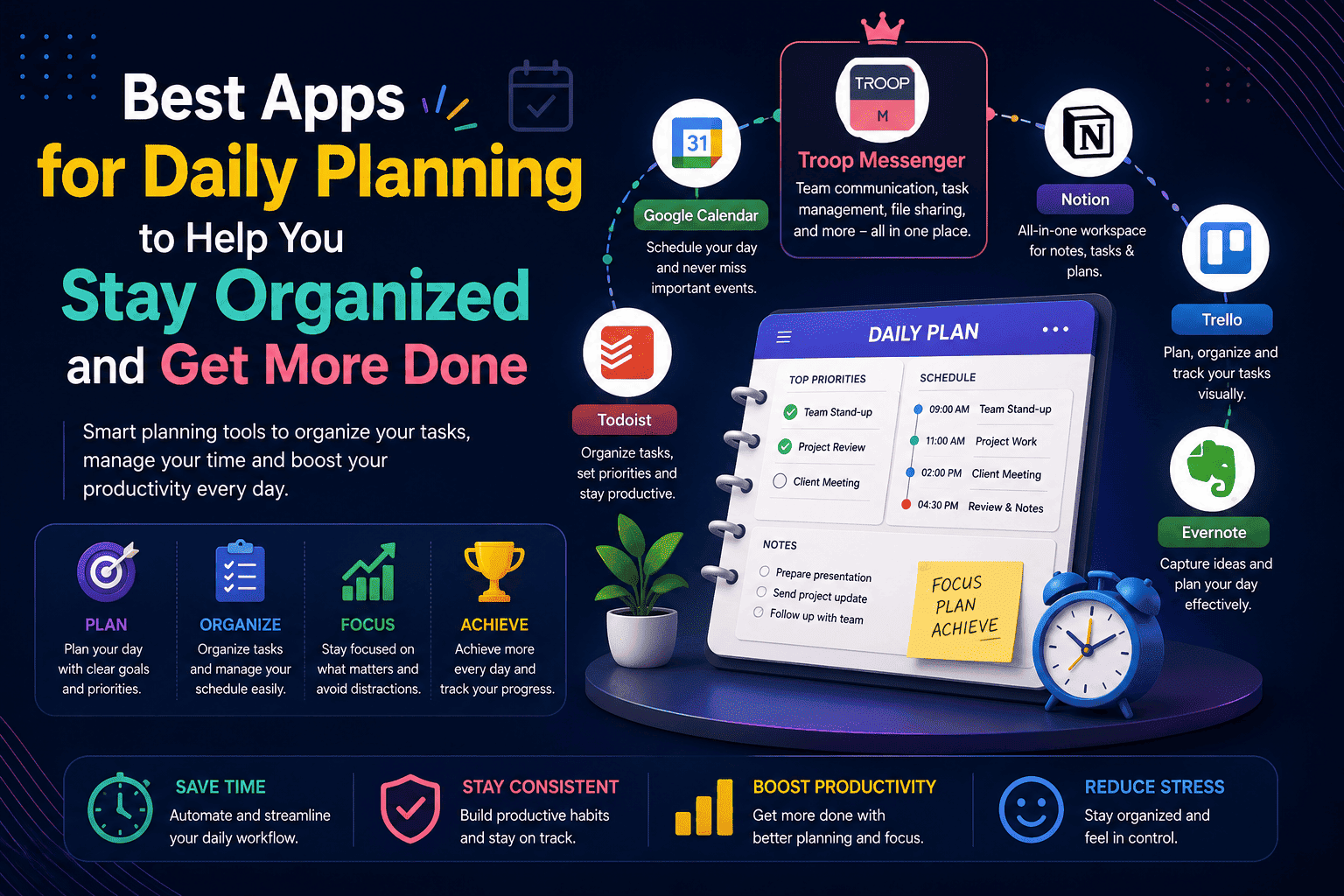
Best Apps for Daily Planning to Help You Stay Organized and Get More Done
The best apps for daily planning in 2026 are Todoist, Notion, Google Calendar, TickTick, Any.do, Microsoft To Do, Troop Messenger, and Structured each built for a different planning style, budget, and type of user.
Daily planning is one of the simplest habits with one of the highest returns. The right app removes friction from your day helping you capture tasks, schedule your time, build consistent routines, and stay focused on what actually matters instead of reacting to whatever arrives first.
This guide covers exactly what you need to make the right choice:
- Best daily planning apps for individuals — clean simple tools for personal productivity
- Best free daily planner apps — strong options that cost nothing to start
- Best apps for daily routine planning — habit-building tools for consistent daily structure
- Best daily planning apps for teams — coordination tools that keep everyone aligned
Most asked questions honest answers to what people search most
Every app has been evaluated on real-world usability, ease of setup, pricing, and who it genuinely serves best no fluff, no promotional rankings.
What Makes a Great Daily Planning App
Before jumping into the list it helps to understand what separates a genuinely useful daily planner app from one that adds complexity instead of removing it.
The best daily planning apps share these qualities:
- Fast to use — planning your day should take under 5 minutes, not 30
- Works across all devices — your plan needs to be accessible whether you are on phone, laptop, or tablet
- Sends useful reminders — the app should bring tasks to your attention at the right moment, not just when you remember to open it
- Connects with your calendar — a planning app that does not know about your meetings is creating a parallel system, not integrating with your actual day
- Has a usable free plan — the best tools offer genuine value before asking for payment
- Low setup friction — if it takes a week to configure before delivering value, it is already working against you
With those criteria in mind here are the best productivity apps for daily planning available right now.
Best Apps for Daily Planning in 2026
1. Todoist — Best for Personal Daily Task Planning
Todoist is the best planner app for people who want clean fast task management without complexity. You type a task in natural language "Submit report every Friday at 3pm" and Todoist parses the date, time, and recurrence automatically. The interface stays minimal even as your task list grows. Projects, labels, filters, and priority levels give you enough structure to manage both simple daily checklists and multi-step projects.
For individuals who find most planning apps either too simple or too overwhelming, Todoist hits the right balance. Its Today view shows exactly what needs to happen in the next 24 hours not your entire backlog, just today. The Upcoming view shows the week ahead. Nothing more complicated than that until you need it.
Key Features:
- Natural language task entry — type the way you think, deadlines parse automaticallyToday and Upcoming views for focused daily and weekly planning
- Priority levels 1 through 4 — visually clear and easy to assign
- Recurring tasks with flexible schedule options
- Karma system — gamified productivity tracking that builds daily planning habits
- Shared projects and task delegation for small team use
- Integrations with Google Calendar, Outlook, Slack, and 60+ other tools
- Available on all platforms — mobile, desktop, and browser
Best for: Individuals, freelancers, and small teams that want fast clean daily task management with minimal setup and maximum usability from day on
Pricing: Free plan with 5 active projects. Todoist pricing from $4 per user per month for Pro.
2. Notion — Best for Building a Complete Daily Planning System
Where Todoist is focused and minimal, Notion is flexible and comprehensive. For users who want to build a daily planning system that connects their tasks, notes, goals, and calendar in one linked workspace Notion is unmatched in what it allows you to create.
The key is starting with a template rather than a blank page. Notion's template library includes daily planner setups, weekly review templates, habit trackers, and project management boards all pre-built and ready to customize. You can create simple daily checklists, complex databases to track projects, or entire planning wikis for your team all within the same interconnected workspace.
Key Features:
- Flexible daily planner templates — start planning immediately without building from scratch
- Database views — table, board, calendar, timeline, and gallery for different planning styles
- Linked databases — connect your daily tasks to your projects, goals, and notes
- AI writing assistant for drafting, summarizing, and organizing your plans
- Real-time collaboration — share your planning workspace with teammates or family
- Available on all platforms with offline mode
Best for:Knowledge workers, content creators, and anyone who wants a fully customizable daily planning system that connects their tasks, notes, and projects in one place.
Pricing: Free plan for individuals. Notion pricing from $10 per user per month for paid plans.
3. Google Calendar — Best Free Daily Schedule Planner
Google Calendar is the best free planner for anyone who already uses Gmail or Google Workspace. It is the default planning tool for millions of people not because it is the most feature-rich planner, but because it is already where your meetings, appointments, and events live.
For daily scheduling specifically blocking time for focused work, coordinating meetings, and seeing the shape of your day visually Google Calendar is unmatched in its simplicity and integration depth. The fact that it connects natively with Gmail means meeting invites, event details, and reminders flow in automatically without manual entry.
Key Features:
- Visual daily and weekly schedule view see exactly how your day is shaped
- Automatic meeting import from Gmail invitesTime blocking — create focus blocks directly on your calendar
- Shared calendars — coordinate schedules with team members or familyReminders and notifications — mobile push, email, and desktop alerts
- Google Meet integration — join video calls directly from calendar events
- Works on all platforms and syncs across every device instantly
Best for: Anyone who needs a free reliable daily schedule planner especially those already using Google Workspace or Gmail where the integration is seamless
Pricing: Free with a Google account. Included in all Google Workspace plans from $6 per user per month.
4. TickTick — Best All-in-One Daily Planner With Habit Tracking
TickTick is the daily planning app that does the most without feeling overwhelming. The built-in Pomodoro timer lets you work in structured focus sessions directly from your task list no need for a separate focus app. The habit tracker builds consistency around your daily routines. And the calendar view gives you a visual map of how your tasks fit into your actual day.
TickTick strikes a balance between simplicity and power features. Beyond basic task management it includes a Pomodoro timer, habit tracker, and calendar view all in one place combining everything most users split across three separate apps.
Key Features:
- Built-in Pomodoro timer — work in focused sessions directly from your task list
- Habit tracker — track daily routines and streaks alongside your task list
- Calendar view — see tasks plotted against your schedule
- Natural language task entry with smart date recognitionEisenhower Matrix view prioritize tasks by urgency and importance
- White noise and focus sounds during Pomodoro sessions
- Available on all platforms — iOS, Android, Mac, Windows, and web
Best for: Individuals who want task management, focus tools, and habit tracking combined in one app without subscribing to three separate products.
Pricing: Free plan available with core features. Premium from $27.99 per year one of the most affordable paid plans on this list.
5. Any.do — Best for Simple Daily Routine Planning
Any.do is designed to bring calm and clarity to your day. It combines your to-do list, calendar, and reminders into a single elegant interface with a unique daily planning feature that encourages you to be intentional with your time.
Any.do's Plan My Day feature is genuinely different from anything else on this list. Each morning it walks you through your tasks one by one asking you to schedule, defer, or delete each item before your day begins. The result is a daily plan that reflects deliberate choices rather than a default dump of everything in your backlog.
For users who struggle with starting their day because their task list feels overwhelming, Any.do's guided morning planning ritual removes that friction entirely.
Key Features:
- Plan My Day — guided morning review that helps you create an intentional daily plan
- Unified view combining to-do list, calendar, and reminders in one interface
- Smart reminders based on location, time, and context
- Recurring tasks and daily routine templates
- Collaboration features for shared lists and family planning
- Clean minimal interface with very low learning curve
- Available on iOS, Android, Mac, Windows, and browser
Best for: Users who want guided daily routine planning with a simple intentional interface — particularly strong for personal life organization and family coordination alongside work tasks.
Pricing: Free plan available. Any.do Premium from $2.99 per month.
6. Microsoft To Do — Best Free Daily To-Do List App
Microsoft To Do is the most underrated free daily planning tool available particularly for anyone already using Microsoft 365. Its My Day feature is a brilliant daily planning mechanism it starts fresh every morning with a blank slate, and you consciously choose which tasks to bring into today from your full task list. Nothing carries over automatically. Every morning is a deliberate act of planning.
The integration with Outlook is seamless tasks flagged in your email appear automatically in Microsoft To Do, and meeting tasks from Teams sync across without manual entry.
Key Features:
- My Day — a fresh daily planning view that resets each morning
- Smart suggestions — AI recommends tasks to add to My Day based on due dates and patterns
- Full integration with Outlook flagged emails and Microsoft Teams tasks
- Shared lists for family and team coordination
- Step-by-step subtasks for breaking complex items into manageable actions
- Included completely free with any Microsoft account
- Available on iOS, Android, Mac, Windows, and web
Best for: Microsoft 365 users who want a free daily to-do list app that connects seamlessly with Outlook, Teams, and the rest of the Microsoft ecosystem.
Pricing: Completely free with any Microsoft account.
7. Troop Messenger — Best for Teams That Plan and Communicate Together
Most daily planning tools focus entirely on individual task management and completely ignore the fact that for most professionals, a significant part of every day involves coordinating with other people. Decisions need to be made, updates need to be shared, and blockers need to be resolved and if your planning app lives in a completely separate world from where your team communicates, you end up managing two systems instead of one.
Troop Messenger bridges this gap by combining team communication directly with the coordination features that keep daily plans on track. Available as a cloud-based SaaS platform for quick setup or as a fully on-premise and self-hosted solution for organizations that need complete data control it gives every team member a single place to plan, coordinate, and communicate throughout the day.
The Respond Later feature is one of the most practically useful daily planning tools available in any platform. When a message arrives during focused work time, team members can flag it for follow-up at a specific point in the day ensuring important items never get lost in the flow of communication. The Forkout feature saves significant daily planning time for managers who need to coordinate across multiple people simultaneously send one message to multiple individuals without creating a group or repeating yourself.
Key Features:
- One-on-one and group messaging with unlimited searchable history
- Respond Later — flag messages for follow-up at the right point in your day
- Forkout — send one message to multiple users without creating a group
- Audio and video calling with screen sharing built directly into the platform
- Burnout Messaging — self-destructing messages for confidential discussions
- Live location tracking for field and remote teams
- End-to-end encryption across all channels
- Available as SaaS or on-premise and air-gapped deployment
- Role-based access controls and comprehensive admin oversight
- Works on Windows, Mac, Linux, iOS, Android, and browser
Best for: Business teams and remote workers who need daily planning integrated with team communication rather than managing a separate planning tool alongside a separate messaging platform.
8. Structured — Best Visual Daily Planner App
Structured is a daily planner app designed to make time management easier with its visual timeline. Its unique approach brings your calendar, to-dos, routines, and habits together in one chronological view making the shape of your day immediately clear rather than buried in a list.
For users who think visually who find text-heavy task lists overwhelming but respond well to seeing their day laid out as a timeline Structured is a genuinely different approach to daily planning. Each task sits on a visual timeline showing exactly when things happen and how long each item takes.
Key Features:
- Visual timeline view — see your entire day mapped out chronologically
- Calendar integration — import events from Google Calendar and Apple Calendar
- Routines — build recurring daily structure directly into your timeline
- Smartwatch support — access your daily plan from your wrist
- Widgets for home screen quick access to your daily timeline
- Available on iOS, Android, and Mac
Best for: Visual thinkers, creatives, and anyone who finds traditional list-based planners uninspiring Structured makes the shape of your day immediately visible and satisfying to plan.
Pricing: Free plan available. Structured Pro from $3.99 per month.
Best Free Apps for Daily Planning
For users building a planning system on a budget, these are the strongest completely free options available right now:
- Google Calendar Free with any Google account. The most reliable free daily scheduling tool available particularly strong for time blocking and calendar-based planning
- Microsoft To Do Free with any Microsoft account. The My Day feature makes it genuinely excellent for daily planning not just a basic to-do list
- Todoist free plan 5 active projects, unlimited tasks within those projects, and natural language entry at no cost covers most individual daily planning needs
- Notion free plan — Unlimited pages for individuals, daily planner templates, and database views enough to build a complete personal planning system at zero cost
- Troop Messenger free trial — Access to core communication and daily coordination features for teams evaluating the platform
- TickTick free plan Core task management with calendar view and basic Pomodoro timer genuinely useful for daily planning without paying
For most individuals starting out, Google Calendar for scheduling and Todoist or Microsoft To Do for task management together provide a complete daily planning setup at no cost. Start there and upgrade only when you hit genuine limitations.
Best Apps for Daily Routine Planning
Routine planning is slightly different from daily task management. While task management focuses on what needs to get done today, routine planning focuses on building consistent daily habits and structures that repeat reliably morning routines, exercise habits, reading goals, and end-of-day review rituals.
The best apps for daily routine planning combine task management with habit tracking:
TickTick leads for routine planning its built-in habit tracker lets you set daily routines, track streaks, and see your consistency over time all within the same app you use for daily tasks. The combination of task management and habit tracking in one tool removes the need to manage two separate systems.
Any.do's Plan My Day feature builds a daily routine review directly into the app's morning workflow guiding you through your tasks before the day begins and helping you develop a consistent planning habit.
Notion allows you to build a complete daily routine tracker as a database tracking sleep, exercise, meals, focus time, and any other routine element you want to monitor. The flexibility to design exactly the routine tracking system you need is unmatched.
Structured's visual timeline makes routine planning particularly satisfying for visual thinkers seeing your morning routine, work blocks, and evening habits laid out as a timeline makes the structure of your day clear and motivating.
Practical tips for daily routine planning:
- Plan your next day the evening before — 5 minutes of evening review saves 30 minutes of morning confusion
- Build your routine around fixed anchor points — your wake time, first meeting, and finish time
- Start with 2 or 3 core daily habits rather than 10 — consistency with a small routine beats inconsistency with a large one
- Use time blocking in your calendar to protect routine time from meeting creep
- Review your routine weekly — what worked, what got skipped, and what needs adjusting
Best Apps for Daily Planning for Teams
Team daily planning requires different tools from individual planning. When multiple people need to stay aligned, understand priorities, and communicate about blockers throughout the day the combination of tools matters as much as any individual app.
The most common mistake teams make is trying to run daily coordination through personal planning apps. Tools like Todoist and Google Calendar are excellent for individual planning but they were not designed for team-wide visibility, coordinated task management, or communication about daily work in progress.
Effective team daily planning covers three things simultaneously:
Communication Team members need a reliable way to share updates, flag blockers, and coordinate decisions throughout the day without being pulled into unnecessary meetings. This is where a dedicated team communication platform becomes the foundation of daily planning. For teams that want communication with security, admin oversight, and the ability to coordinate across locations, Troop Messenger handles daily team coordination with features specifically designed for professional communication.
Shared task visibility Everyone on the team needs to see what is being worked on, what is blocked, and what has been completed without scheduling a status meeting to find out. Tools like Asana, ClickUp, and Notion provide shared project and task views that give every team member real-time visibility into daily progress.
Structured daily check-ins The most productive teams build brief async daily updates into their workflow a short written standup in a messaging channel replaces a 30-minute meeting and creates a searchable record of what was planned and what was delivered.Business process automation services can also help reduce repetitive coordination work by automating routine notifications, task updates, and other recurring workflows.
For teams building their daily coordination stack, understanding how communication tools support async daily workflows is one of the most impactful improvements available. The guide on team collaboration tools covers how the right platform changes how teams coordinate every day.
For teams looking to build on an existing productivity stack, the guide on best productivity apps covers the complete range of tools worth considering alongside a daily planning solution.
Conclusion
The best apps for daily planning is not the one with the most features it is the one that makes you plan more consistently and follow through more reliably.
Here is a quick summary by situation:
- Individuals who want simplicity — Todoist for tasks, Google Calendar for scheduling
- Visual thinkers — Structured's timeline view changes how daily planning feels
- All-in-one workspace users — Notion covers tasks, notes, and planning together
- Habit and routine builders — TickTick combines tasks, Pomodoro, and habit tracking
- Morning planning ritual seekers — Any.do's Plan My Day guides you through each morning deliberately
- Microsoft 365 users — Microsoft To Do integrates natively at zero extra cost
- Business teams — Troop Messenger for daily communication and coordination, paired with a shared project management tool
Start with your single biggest daily planning problem. Choose the tool built to solve it. Build a consistent 5-minute morning planning habit. The rest follows from there.
Frequently Asked Questions (FAQs)
Q1. What is the best app for daily planning?
The best app depends on your planning style. Todoist leads for clean personal task management. Notion leads for building a complete linked planning workspace. TickTick leads for combining tasks with habit tracking and Pomodoro focus sessions. Google Calendar leads for schedule-based planning. For teams coordinating daily work together, Troop Messenger handles communication and coordination in one secure platform.
Q2. Are there free daily planning apps worth using?
Yes several genuinely strong free options exist. Google Calendar and Microsoft To Do are both completely free and excellent for daily scheduling and task management respectively. Todoist's free plan covers 5 projects. Notion's free individual plan includes full daily planner templates. TickTick's free plan includes core task management with calendar view. Between these options most individual daily planning needs can be covered at no cost.
Q3. Which daily planning app is best for teams?
Personal planning apps are not designed for team coordination. For teams that need shared task visibility, async daily updates, and reliable communication throughout the day a combination of Troop Messenger for communication and coordination, and a shared project management tool like Asana or ClickUp for task visibility, provides the most complete team daily planning setup
Q4. What should I look for in a daily planning app?
Prioritize these four things: fast daily setup planning your day should take under 5 minutes; calendar integration your tasks need to connect with your actual schedule; cross-platform availability your plan needs to follow you across devices; and a genuinely useful free plan before you commit to paying. Avoid apps that require extensive configuration before delivering value.
Q5. Can daily planning apps improve productivity?
Yes consistently. A good planner reduces friction, protects your focus, and gives you a realistic view of what you can accomplish each day. With the right tool, daily planning stops being a chore and starts becoming a system you can rely on. The key is consistency a simple planning system used every day outperforms a sophisticated system used occasionally. Sinch