Connect with us
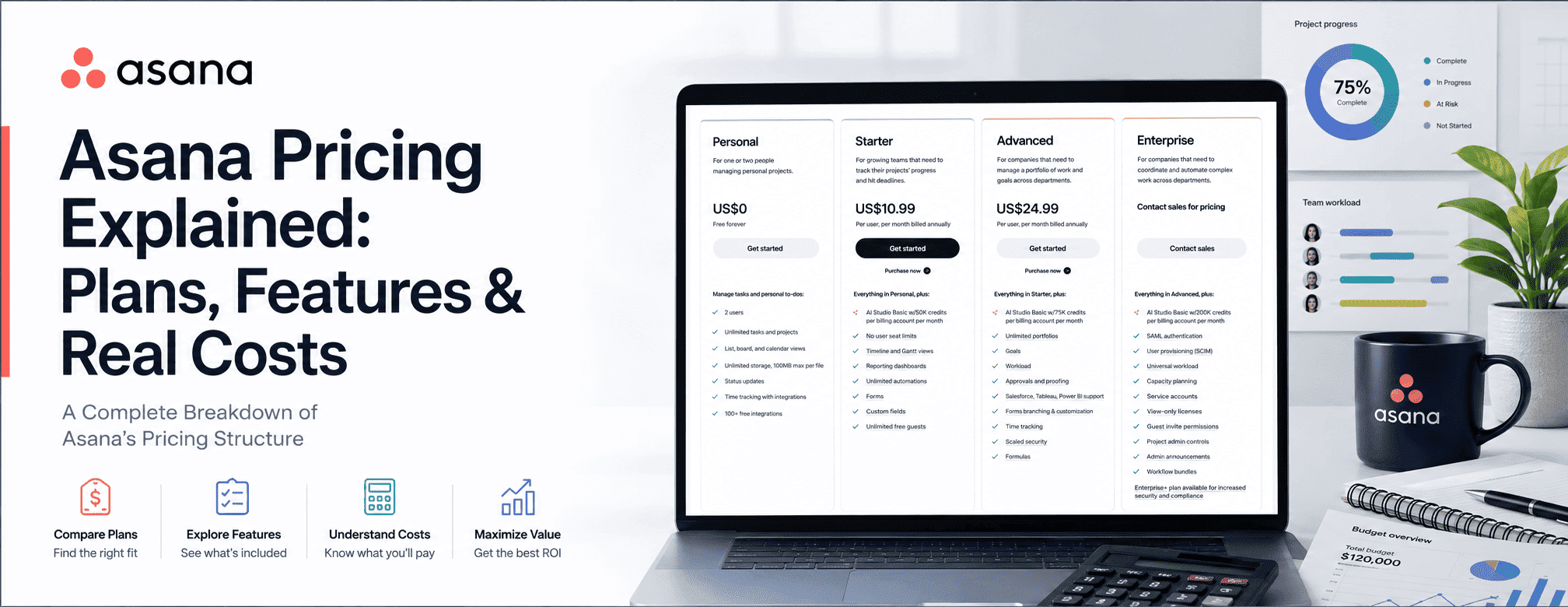
Asana Pricing: All Plans, Features & Real Costs Explained
Choosing the right Asana plan isn't just about comparing prices. The platform offers multiple pricing tiers, each with different limits, features, automation allowances, AI capabilities, and security controls that can significantly impact your team's workflow and overall cost.
This guide breaks down every Asana pricing plan, including Personal, Starter, Advanced, Enterprise, and Enterprise+. You'll learn how much each plan costs, what features are included, where hidden costs can appear, and which option makes the most sense for different team sizes and business needs. Whether you're evaluating Asana for the first time or considering an upgrade, this comparison will help you understand the real value behind each plan before you commit.
What Are the Asana Pricing Plans?
Asana sells five plans: Personal, Starter, Advanced, Enterprise, and Enterprise+. Each one is seat-based, meaning you pay per active user, not a flat fee for the whole org. Personal stays free no matter what. Starter and Advanced have published per-seat rates, and both get noticeably cheaper if you pay annually instead of month to month. Enterprise and Enterprise+ skip the public number entirely, because at that level you're negotiating around seat count, security requirements, and contract length, not picking a price off a shelf.
Asana Pricing Plans, Features & Costs Compared
| Plan | Monthly Price (per user/month) | Annual Price (per user/month) | Best For | Core Features |
| Personal | $0 | $0 | Individuals & very small teams | Basic task management |
| Starter | $13.49 | $10.99 | Growing teams | Timeline, custom fields, forms, automation |
| Advanced | $30.49 | $24.99 | Cross-functional teams | Goals, portfolios, workload, time tracking |
| Enterprise | Custom | Custom | Security-focused organizations | SSO, SCIM, audit logs |
| Enterprise+ | Custom | Custom | Regulated industries | Compliance and governance controls |
The table gives you the structure. What really matters is understanding why these pricing tiers exist, and who each one is actually built for.
Asana Free Plan: What Do You Actually Get?
Personal isn't a disguised trial. It's free indefinitely, capped at a small number of users, and built for people who just need to keep tasks from disappearing into a group chat. You get list, board, and calendar views, unlimited tasks and projects, and a handful of integrations. No cost, no credit card required.
What's missing shows up fast once your work gets even slightly complicated. There's no Timeline view, no custom fields, no automation, nothing resembling a reporting dashboard. I've seen small teams stretch Personal further than it was built for, mostly because nobody wanted to deal with a billing conversation. It works until someone asks "can we automate this," and the answer is no, not on this plan.
Asana Starter Plan Pricing: Features & Cost
Starter is where Asana starts behaving like real project management software instead of a glorified checklist. At $10.99 per user per month on annual billing, you get Timeline and Gantt views, custom fields, unlimited automation rules, forms, and a basic slice of AI Studio access built in.
Two details trip people up here. First, Starter requires a minimum of two paid seats, so a true solo user can't actually buy it without paying for a seat nobody's using. Second, "unlimited automation" doesn't mean what it sounds like. There's a monthly cap on automated actions across the entire workspace, not per project, and teams running several active rules can burn through that allowance faster than they'd expect. Starter is still the right starting point for most growing teams. Just don't assume the word "unlimited" means there's no ceiling.
Asana Advanced Plan: Is It Worth the Upgrade?
Advanced runs $24.99 per user per month annually, more than double Starter, and the jump isn't accidental. This tier shifts the product from task tracking to organizational visibility. You get Goals and OKR tracking, unlimited portfolios, Portfolio Workload views, native time tracking, approvals, proofing, and integrations with Salesforce, Tableau, and Power BI.
Whether that's worth paying for depends on what's actually broken in your workflow. If leadership can't see how individual projects connect to company-wide goals, or workload keeps piling unevenly onto two people while everyone else coasts, Advanced solves a real problem. If your team's actual complaint is "we keep forgetting deadlines," that's a Starter problem, not an Advanced one. Paying double the price for portfolio reporting you'll never open is just money walking out the door.
Asana Enterprise & Enterprise+ Pricing: What Companies Pay
Enterprise and Enterprise+ don't list a per-seat number, and that's deliberate. These plans exist for organizations where security and compliance teams sit in the room during the buying decision, so pricing gets negotiated rather than published. Independent benchmarking places Enterprise list pricing somewhere around $35 per user per month, with Enterprise+ landing higher, though actual contracts shift depending on volume and how hard you negotiate.
What you're actually buying here is SAML-based SSO, SCIM provisioning, advanced permission controls, and audit log access. None of that changes how a project manager schedules a launch. It matters enormously to a security team that has to prove access controls during a compliance review. If your organization needs SSO through an identity provider like Okta, you'll likely need Enterprise regardless of headcount, since that capability typically isn't available at lower tiers.
Asana AI Studio Pricing: The New AI Add-On Explained
AI Studio is a separate, metered layer sitting on top of your regular plan, and assuming it's just "included" is where people get caught off guard. Starter, Advanced, Enterprise, and Enterprise+ all come with some baseline AI Studio access, but the credit allowance is tied to the billing account as a whole, not divided per individual user.
That pooling detail matters more than it sounds. A five-person team and a fifty-person team on the same plan tier draw from the same monthly credit bucket. If your team plans to lean on AI Studio for anything beyond occasional use, like generating project structures automatically or summarizing standups across a dozen projects, it's worth checking your expected usage before assuming the included allowance will actually cover you.
Asana Nonprofit Pricing: Discounts & Eligibility
Eligible nonprofit organizations can get a discount on annual Starter or Advanced plans. It's not automatic. You apply through Asana's nonprofit program and need to show verified nonprofit status, and the discount only applies to annual billing, so paying monthly skips it entirely.
For organizations running on tight budgets, this is worth chasing down before signing up rather than after. The difference between full price and the nonprofit rate can be what decides whether a team gets proper project tracking or keeps limping along on shared spreadsheets for another year.
Asana Annual vs Monthly Billing: Which Saves More?
Annual billing wins on pure cost, and the gap isn't small. Starter drops from $13.49 to $10.99 per user per month. Advanced drops from $30.49 to $24.99. Both land around an 18 to 19 percent discount, which on a ten-person Advanced team adds up to over a thousand dollars a year.
The catch is cash flow, not value. Annual billing means paying the full year upfront, which is a bigger ask for a smaller team still deciding whether Asana is the long-term answer. If you're confident in the platform and have the budget room, annual is the better deal almost every time. If you're still testing things out, monthly costs more per seat but keeps your options open without locking in a year of spend.
How Does Asana Pricing Compare to ClickUp, Monday.com, Wrike & Troop Messenger?
Pricing doesn't exist in a vacuum. A plan that looks cheaper on paper may include fewer features, stricter limits, or additional costs for functionality that comes standard elsewhere. Here's how Asana's pricing compares with some of the most popular collaboration and productivity platforms.
| Tool | Entry Paid Plan | Mid Tier | Notes |
| Asana | $10.99/user/mo (Starter, annual) | $24.99/user/mo (Advanced) | Strong project management, goals, portfolios, and workload tracking |
| ClickUp | $7/user/mo (Unlimited) | $12/user/mo (Business) | Highly customizable with a broad feature set |
| Monday.com | $9/user/mo (Basic) | $12–19/user/mo (Standard/Pro) | User-friendly interface with a 3-seat minimum |
| Wrike | $10/user/mo (Team) | $25/user/mo (Business) | Designed for resource management and enterprise workflows |
| Troop Messenger | ₹199/user/mo (Premium) | ₹399/user/mo (Enterprise) | Secure team communication, audio/video calling, screen sharing, and file sharing |
The price differences are important, but they only tell part of the story. Asana stands out for project planning and workload management, while ClickUp focuses on customization, Monday.com on ease of use, Wrike on enterprise project controls, and Troop Messenger on secure team communication and collaboration. The best choice depends on your team's specific workflow and priorities.
Conclusion
Asana's pricing page makes the decision look simpler than it is. Personal is fine for individuals or tiny teams who just need tasks to stop falling through cracks. Starter is the realistic starting point for most growing teams that need real structure without enterprise weight attached. Advanced earns its higher price specifically for teams juggling goals and portfolios across departments, not for teams that just want better task lists. Enterprise and Enterprise+ exist for a completely different buyer, one where compliance and security drive the decision more than feature lists do.
The real cost isn't the number on the pricing page. It's the seat minimums, the metered AI credits, the automation caps nobody reads about until they hit one. Map your team's actual day-to-day against what each tier really limits, and picking the right plan stops being a guessing game.
FAQs
1. What is the cheapest Asana plan?
Personal is free and works fine for individuals or very small teams handling basic task tracking, though it skips Timeline views, custom fields, and automation entirely. Among paid options, Starter is the cheapest at $10.99 per user per month on annual billing. It does require a minimum of two paid seats, so a single solo user technically can't buy it without paying for an unused second seat.
2. Does Asana charge per user?
Yes, Asana bills per active seat rather than charging one flat fee for the whole organization. Every user counted on your account adds to the bill, whether they log in daily or barely touch the platform. That means inactive accounts quietly keep generating cost, so it's worth periodically reviewing your user list and removing anyone who's left the team or stopped using Asana.
3. Is Asana free for small teams?
Yes, within limits. The Personal plan stays free for a small number of users and covers unlimited tasks, projects, and the basic list, board, and calendar views. It's genuinely usable for solo work or simple team workflows. The moment a team needs Timeline views, custom fields, or any form of automation, the free tier stops being enough and an upgrade to Starter becomes the next logical step.
4. How much does Asana AI Studio cost?
Basic AI Studio access comes included with Starter, Advanced, Enterprise, and Enterprise+ plans, with a monthly credit allowance shared across the whole billing account rather than split per user. Teams needing heavier AI automation can move up to AI Studio Plus or Pro for bigger credit pools. Because the credits pool at the account level, usage scales unevenly depending on team size and how often automation actually fires.
5. Is annual billing actually cheaper than monthly on Asana?
Yes, the savings are real and not marginal, roughly 18 to 19 percent lower per user compared to monthly billing. Starter drops from $13.49 to $10.99, and Advanced drops from $30.49 to $24.99 per user per month. The tradeoff is that annual billing requires paying the full year upfront, which matters more to smaller teams still deciding whether Asana is worth committing to long-term.
6. Does Asana offer discounts for nonprofits?
Yes, eligible nonprofit organizations can receive a discount on annual Starter or Advanced plans. It isn't automatic. Organizations need to apply through Asana's nonprofit program and provide verified nonprofit status before the discount applies. It's also worth noting the discount only kicks in on annual billing, so a nonprofit paying monthly won't see any reduction on their invoice.
7. What's the difference between Asana Enterprise and Enterprise+?
Enterprise adds SAML-based SSO, SCIM provisioning, advanced permissions, and audit log access, built for organizations where IT and security teams are involved in the purchase decision. Enterprise+ sits above that, adding deeper compliance support relevant to regulated industries along with stricter data residency controls. Both plans are quote-based rather than publicly priced, since actual contracts depend heavily on seat count and specific compliance needs.