Connect with us
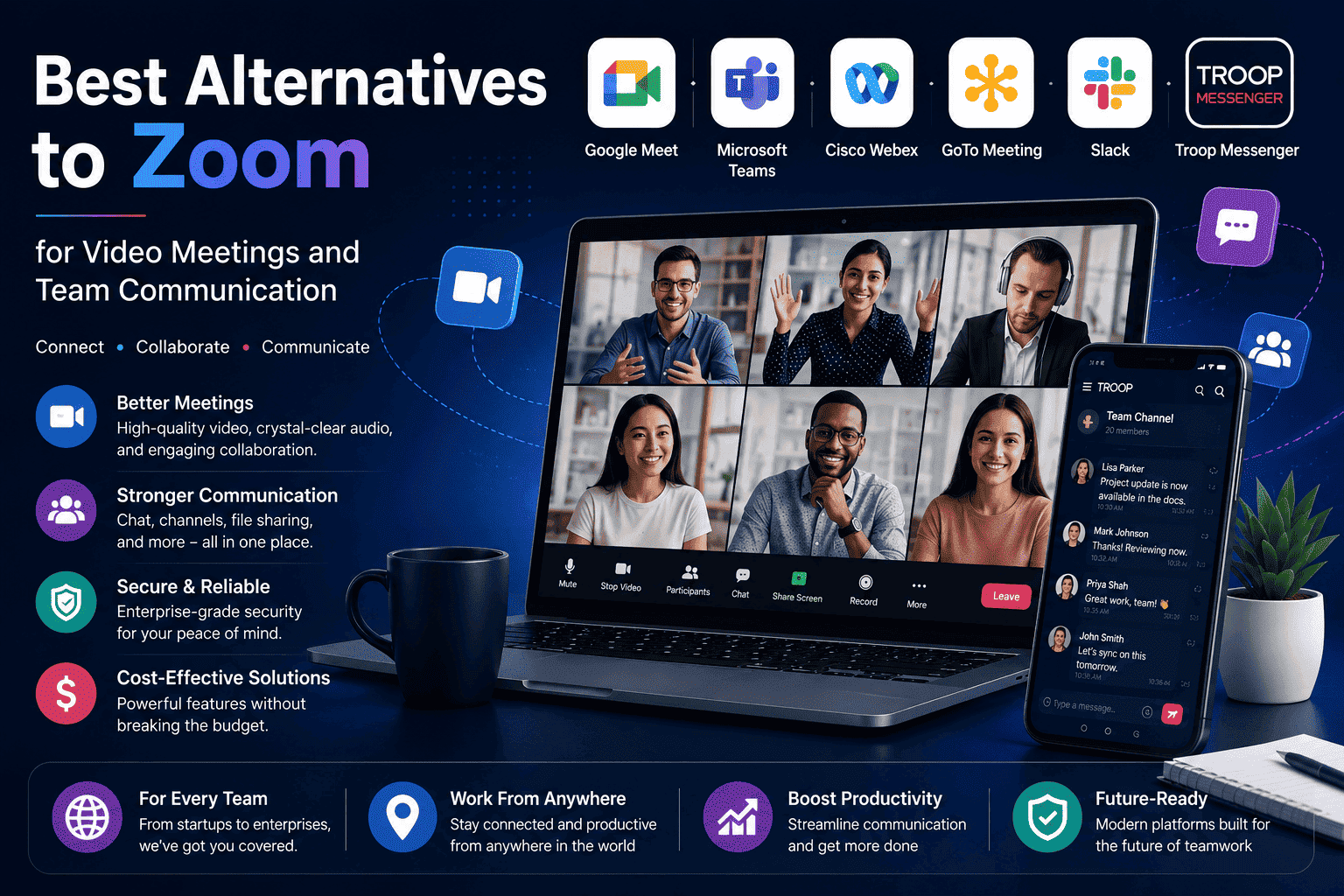
Best Alternatives to Zoom for Video Meetings and Team Communication
Zoom became the default name for video calls almost overnight. But in 2026 the video conferencing market has matured significantly, and millions of teams are actively searching for alternatives to Zoom that better fit their budget, security needs, or existing software stack.
This guide covers six of the best alternatives to Zoom available today, Microsoft Teams, Google Meet, Cisco Webex, Troop Messenger, Jitsi Meet, and Discord. Each tool is evaluated honestly on features, pricing, security, and real-world usability so you can find the right fit for your team without the guesswork.
Whether you have hit Zoom's 40-minute free meeting limit, your monthly bill has grown too large to justify, or you need a platform that goes beyond video calls into messaging and collaboration, every option covered here solves a different version of that problem. By the end of this guide you will know exactly which alternative is built for your team's situation.
You can also explore our existing guide on zoom alternatives for a broader look at the video conferencing landscape.
Why Teams Are Looking for Alternatives to Zoom
Zoom is not a bad product. For millions of teams it works reliably and consistently. But several specific pain points have pushed organizations of all sizes to start evaluating what else is available.
Here is what is actually driving the search for alternatives to zoom in 2026:
- The 40-minute meeting limit — Zoom's free plan cuts group meetings off at exactly 40 minutes. For training sessions, client calls, and collaborative working sessions this creates a constant interruption that kills momentum and makes a poor impression
- Zoom cost at scale — Zoom Workplace Pro starts at $13.33 per user per month. For a team of 30 people that is approximately $400 every single month just for video calls — before factoring in any other tools
- Feature overlap and waste — Most teams use Zoom only for video but pay for a platform that includes phone systems, event hosting, and AI features they never touch
- Security concerns — Zoom bombing incidents and data routing concerns have made security-conscious organizations wary of relying on it for sensitive internal discussions
- Cloud-only infrastructure — For regulated industries that need data sovereignty, Zoom's cloud-only model means sensitive meeting content lives on third-party servers with no option for on-premise control
- Interface complexity — As Zoom has added features the interface has become cluttered what started as a simple meeting tool now requires navigation through multiple menus to do basic tasks
Understanding which of these frustrations applies to your team directly is the most important step before choosing the right alternative.
What to Look for in a Zoom Alternative
Not every video conferencing technology platform serves every need. Before evaluating specific tools define what actually matters for your organization:
- Meeting duration — Does the free plan support meetings longer than 40 minutes?
- Participant limits — How many people attend your typical meeting or webinar?
- Security requirements — Does your industry need end-to-end encryption or on-premise deployment?
- Team messaging — Do you need daily chat alongside video or just standalone meetings?
- Webinar support — Do you host events with large external audiences?
- Integration requirements — What existing tools must your video platform connect with?
- Budget — What is your realistic monthly limit per user?
With those answers in mind here are the best alternatives to zoom available right now.
Best Alternatives to Zoom in 2026
1. Google Meet — Best Free Alternative for Google Workspace Teams
Google Meet is the strongest completely free alternative to zoom for teams already working within the Google ecosystem. If your organization uses Gmail, Google Calendar, Google Drive, and Google Docs Meet integrates natively with all of them, making it the most frictionless option available.
Google Meet shines as a Zoom alternative because of its simplicity and value. If your organization already pays for Google Workspace, it is essentially free making it a cost-effective choice if you want reliable video conferencing without adding another standalone tool.
The browser-based design removes the friction that frustrates Zoom users external participants join by clicking a link with no app download, no account creation, and no setup required on their end.
Key Features:
- Free meetings up to 60 minutes with up to 100 participants longer than Zoom's 40-minute free limit
- Fully browser-based no download required for any participant
- Native integration with Gmail, Google Calendar, Drive, and Docs
- Google Gemini AI for real-time translated captions and meeting summaries
- Screen sharing, breakout rooms, and recording on paid plans
- Works seamlessly on all platforms and devices
Best for: Teams already on Google Workspace who want free integrated video conferencing without adding a new vendor or subscription.
Pricing: Free for 60-minute meetings. Google Meet plans from $7 per user per month as part of Google Workspace.
2. Microsoft Teams — Best for Enterprise and Microsoft 365 Organizations
Microsoft Teams is the most natural alternative to zoom for organizations already running on Microsoft 365. It integrates natively with Outlook, Word, Excel, SharePoint, and OneDrive creating a single workspace where meetings, messaging, files, and projects all live together without switching apps.
Microsoft Teams is the better software solution for instant messaging and collaboration, as it features advanced tools Zoom lacks, including guest access. Conversations, meetings, file sharing, calendars, and task management all live inside one workspace making it easier for distributed teams to collaborate without constantly switching between separate apps.
For a deeper comparison of what Teams offers and where it falls short, the guide on Microsoft Teams alternatives covers the full picture.
Key Features:
- Channel-based messaging alongside video meetings in one platform
- Deep integration with the entire Microsoft 365 suite
- AI-powered meeting summaries, transcription, and action items
- Together Mode and breakout rooms for structured collaboration
- Support for large meetings up to 1,000 participants
- Enterprise compliance including eDiscovery and legal hold
Best for: Organizations already using Microsoft 365 who want meetings, messaging, and file collaboration in a single platform at no additional cost.
Pricing: From $4 per user per month for Teams Essentials. From $6 per user per month with Microsoft 365 Business Basic.
3. Troop Messenger — Best Secure Alternative With Built-in Video
For teams that need video calling as part of a complete secure communication platform rather than a standalone meeting tool that requires a separate messaging subscription Troop Messenger is the most compelling secure alternative to zoom on this list.
While Zoom focuses almost entirely on meetings, Troop Messenger was built to cover everything a business team communicates about every day. One-on-one messaging, group channels, audio calls, video calls, screen sharing, and file collaboration all live in a single secure platform available as a cloud-based SaaS solution for quick setup or as a fully on-premise and self-hosted deployment for organizations that need complete data sovereignty.
For government agencies, healthcare organizations, financial institutions, and defence teams this distinction is critical. Zoom's cloud-only model puts your meeting content on third-party servers. Troop Messenger's on-premise option means your video calls, messages, and shared files never leave your own infrastructure eliminating the compliance risk that Zoom fundamentally cannot address.
Key Features:
- Audio and video calling with screen sharing built directly into the platform
- One-on-one and group messaging with unlimited searchable history
- Burnout Messaging — self-destructing messages for sensitive conversations
- Forkout — send one message to multiple users without creating a group
- Respond Later — flag messages for follow-up so nothing important is missed
- End-to-end encryption across all communication channels
- Available as SaaS or on-premise and air-gapped deployment
- Role-based access controls and comprehensive admin oversight
- Works on Windows, Mac, Linux, iOS, Android, and browser
- LDAP and SSO integration for enterprise authentication
Best for: Business teams, enterprises, and regulated industries that want secure video calling as part of a complete communication platform with the option to deploy on their own infrastructure.
4. Cisco Webex — Best for Compliance and Enterprise Security
Cisco Webex holds compliance certifications that no other platform on this list can match aZwp;finance, government, and regulated industries where compliance is a legal requirement, Webex is the only platform that satisfies all of them simultaneously.
Webex is built for organizations that need strong security, compliance certifications, and support for large-scale meetings. Its end-to-end encryption, HIPAA compliance, and advanced admin controls are worth the premium for teams that span industries like finance, healthcare, or government. Beyond compliance, Webex has added genuinely useful AI features including real-time noise cancellation, meeting summaries, and live translation in over 100 languages.
Key Features:
- FedRAMP High, HIPAA, SOC 2/3, and ISO 27001 certifications
- End-to-end encryption across all meeting types
- AI assistant with real-time translation in 100+ languages
- Advanced noise removal and automatic video enhancements
- Support for large-scale webinars and virtual events
- Detailed audit controls and meeting analytics
Best for: Healthcare organizations, financial institutions, government agencies, and enterprises where compliance certifications are a hard requirement.
Pricing: Cisco Webex pricing Free plan available. Paid plans from $14.50 per user per month.
5. Whereby — Best for Simple Browser-Based Meetings
Whereby takes the opposite approach from feature-heavy platforms. It is deliberately simple every user gets a permanent meeting room URL that works in any browser with no downloads, no accounts for guests, and no scheduling required. Share your room link and the meeting is always there when you need it.
For small teams, freelancers, consultants, and client-facing professionals who need clean reliable video calls without configuration overhead, Whereby is one of the most refreshing options available.
Key Features:
- Permanent room URLs — same link every time, no scheduling needed
- Fully browser-based for all participants — zero downloads required
- Screen sharing and recording on paid plans
- Breakout groups for smaller discussions within larger meetings
- Custom branding options on paid plans
- Simple clean interface with minimal learning curve
Best for: Freelancers, small teams, consultants, and client-facing professionals who want a permanent meeting room without technical setup.
Pricing: Free for small meetings up to 4 participants. Pro from $8.99 per month.
6. Jitsi Meet — Best Free Open Source Alternative
Jitsi Meet is a fully open source video conferencing platform with no participant limits, no time caps, no account required to join, and no cost whatsoever. Use the hosted version instantly at meet.jit.si or self-host it on your own servers for complete data control.
For technically capable teams that want enterprise-level video infrastructure without enterprise-level cost, self-hosting Jitsi is genuinely powerful. Your meetings run on your own servers, your data never touches a third-party platform, and customization is limited only by your technical team's capability.
Key Features:
- Completely free with no participant limits and no time restrictions
- No account required for any participant — join by link
- Self-hosting option for complete data ownership and privacy
- End-to-end encryption available
- Screen sharing, recording, and live streaming support
- Works in browser — no download required
- Open source — fully auditable and customizable
Best for: Developer teams, technically capable organizations, startups on tight budgets, and any organization that wants completely free video with no limitations.
Pricing: Free for self-hosted. Managed Jitsi as a Service available at custom pricing.
7. GoTo Meeting — Best for Professional Webinars and Client Calls
GoTo Meeting has been one of the most reliable video conferencing tools for business for over a decade. GoTo Meeting has been around long enough to get meetings right offering HD video and audio, screen sharing, meeting recording, and mobile access in a clean predictable interface that with very little configuration required to start using it. However, GoToMeeting can be a good option for teams that do a lot of client-facing calls, and need reliability versus extra features.
If your organisation regularly hosts structured client meetings, external events and webinars, then GoToMeeting's well-designed interface and reliable performance are truly professional options.
Key Features:
- HD video and audio with consistent reliability
- Screen sharing and meeting recording on all plans
- Commuter mode optimized audio for mobile users on the move
- Drawing tools for visual presentations
- Personal meeting rooms for quick client calls
- Integration with Microsoft Office 365 and Slack
- GoTo Connect available for teams needing voice and video together
Best for: Small to medium businesses that prioritize reliability and professionalism in client-facing video calls over cutting-edge AI features.
Pricing: No free tier. Professional plans from $12 per organizer per month with a 14-day free trial.
Free Alternatives to Zoom
There are a few good costless choices to Zoom that are 100% free and have a lot of value. They include:
- Google Meet - Free for meetings up to 60 minutes and can host as many as 100 participants; does not require participants to download anything.
- Jitsi Meet - Free, no time limits, no participant limit, and no need for a participant to have an account set up before he or she can be invited.
- Microsoft Teams - Free plan includes unlimited one-to-one calls and 60-minute group calls with as many as 100 participants.
- Troop Messenger - Free trial accessing various features of messaging/video calling/collaborating.
- Whereby - Free and provides a permanent online location for holding meetings of up to 4 participants.
- Cisco Webex - Free plan includes 40-minute connection to meetings for up to 100 participants, including summary information on meetings using Artificial Intelligence (AI).
The majority of small teams will find that both Google Meet and Jitsi Meet provide all the functionality they will need for video connections every day without having to pay anything to use their services. However, as teams grow larger they may require use of recording, large participant limits, and/or compliance features; they will have no problem simply upgrading from one of the free plans to a paid plan.
For teams also evaluating messaging platforms alongside video tools, the guide on best Slack alternatives covers the full range of affordable communication options available.
Secure Alternatives to Zoom for Business Teams
Security is increasingly the primary filter when enterprise and regulated industry teams evaluate alternatives to zoom. Here is how the platforms on this list compare on security:
Strongest security architecture:
- Troop Messenger — On-premise and air-gapped deployment means your data never leaves your own infrastructure. End-to-end encryption across all channels. The only platform on this list that eliminates third-party cloud dependency entirely
- Cisco Webex — FedRAMP High, HIPAA, SOC 2 Type II, and ISO 27001 certified. The strongest compliance certification stack of any cloud-based video platform
- Jitsi Meet — Self-hosted deployment gives complete infrastructure control at no cost. End-to-end encryption available. Fully open source and independently auditable
- Signal — Not a video conferencing platform but the strongest end-to-end encrypted option for sensitive one-on-one and small group calls
What makes Zoom less secure for regulated industries:
- Cloud-only infrastructure — no self-hosting option
- Historical Zoom bombing incidents
- Data routing through third-party servers in multiple countries
- Limited compliance certifications compared to Webex
For organizations where a security breach in a video call could have regulatory consequences Troop Messenger's on-premise deployment or Cisco Webex's compliance certifications are the two strongest options available.
Alternatives to Zoom for Webinars
Zoom Webinar is expensive adding webinar capability to a Zoom Business plan costs significantly more than the base subscription. For organizations that host regular webinars with large external audiences, dedicated alternatives to zoom webinar deliver more value at lower cost.
Best webinar alternatives:
Cisco Webex Events — The strongest enterprise webinar platform with support for up to 100,000 attendees, advanced registration management, Q&A moderation, and polling tools. Includes real-time translation in 100+ languages unmatched for international webinar audiences.
GoTo Webinar — Purpose-built webinar platform from the same company as GoTo Meeting. Supports up to 3,000 attendees with analytics, registration pages, automated email reminders, and on-demand replay. Paid plans from $49 per month.
Google Meet — For smaller webinars up to 500 participants, Google Meet's live streaming capability on paid Workspace plans delivers a simple and cost-effective option for organizations already on Google Workspace.
Microsoft Teams Live Events — Supports up to 10,000 attendees for large-scale internal and external events. Best for organizations already running on Microsoft 365 who want to avoid a separate webinar subscription.
How to Choose the Right Zoom Alternative for Your Team
The right platform is the one that solves your specific frustration with Zoom — not the one with the most features.
If your main issue is the 40-minute free meeting limit — Google Meet gives you 60-minute free meetings with no download friction, and Jitsi Meet removes time limits entirely at zero cost.
If Zoom cost is the problem — Microsoft Teams from $4 per user per month or Google Meet included in your existing Workspace subscription both deliver comparable video quality at significantly lower cost.
If you need video as part of a broader communication platform — Troop Messenger combines messaging, video, and collaboration in one secure platform removing the need to pay for Zoom alongside a separate messaging tool. The guide on best apps for productivity covers how video tools fit into a complete business stack.
If compliance certifications are legally required — Cisco Webex is the only platform with FedRAMP High alongside HIPAA, SOC 2/3, and ISO 27001 the strongest compliance stack available.
If you want the simplest possible meeting experience — Whereby gives every team member a permanent room URL that works in any browser without setup.
If budget is the primary concern — Jitsi Meet is completely free with no participant limits, no time caps, and no features hidden behind a paywall.
If your organization runs on Microsoft 365 — Microsoft Teams replaces Zoom entirely while adding messaging, file collaboration, and project management within tools your team already uses and pays for.
Conclusion
The best alternative to zoom is not the one with the most features it is the one that genuinely fits your team's size, working style, security requirements, and budget.
Google Meet leads for teams on Google Workspace. Microsoft Teams leads for Microsoft 365 organizations. Cisco Webex leads for compliance-heavy regulated industries. Jitsi Meet leads for teams that need completely free video with no limitations. Whereby leads for simplicity and permanent meeting rooms. GoTo Meeting leads for professional client-facing calls and webinars.
And for business teams that need video calling as part of a complete secure communication platform with the option to deploy on their own infrastructure rather than relying on a third-party cloud Troop Messenger delivers a level of control and flexibility that Zoom and most of its competitors simply cannot match.
The most important step is to stop defaulting to Zoom out of habit and start evaluating what your team actually needs. Run a two-week trial with two or three options, involve the people who use it daily, and make the switch when the fit is right.
Frequently Asked Questions (FAQs)
Q1. What is the best free alternative to Zoom?
Google Meet is the strongest free alternative offering 60-minute meetings with up to 100 participants at no cost. Jitsi Meet removes all time and participant limits entirely for free with no account required for anyone joining.
Q2. Which Zoom alternative is most secure?
Troop Messenger offers the strongest security for business teams — with on-premise deployment meaning your data never leaves your own servers. For cloud-based compliance, Cisco Webex holds FedRAMP High, HIPAA, and SOC 2 certifications the most comprehensive compliance stack available.
Q3. What is the best alternative to Zoom for webinars?
Cisco Webex Events supports up to 100,000 attendees with advanced moderation and real-time translation. GoTo Webinar is the strongest dedicated webinar platform for audiences up to 3,000 with built-in analytics and registration tools.
Q4. Which Zoom alternative works without downloading an app?
Google Meet, Jitsi Meet, and Whereby all work entirely in the browser no download required for any participant. Jitsi Meet and Whereby also require no account creation for guests joining a call.
Q5. What should I consider before switching from Zoom?
Identify your primary frustration with Zoom first cost, the 40-minute limit, security concerns, or the need for a broader platform. Then check that your critical integrations are available on the new platform, plan a two to three week parallel running period, and involve the team members who use it daily in the evaluation before committing fully.