Connect with us
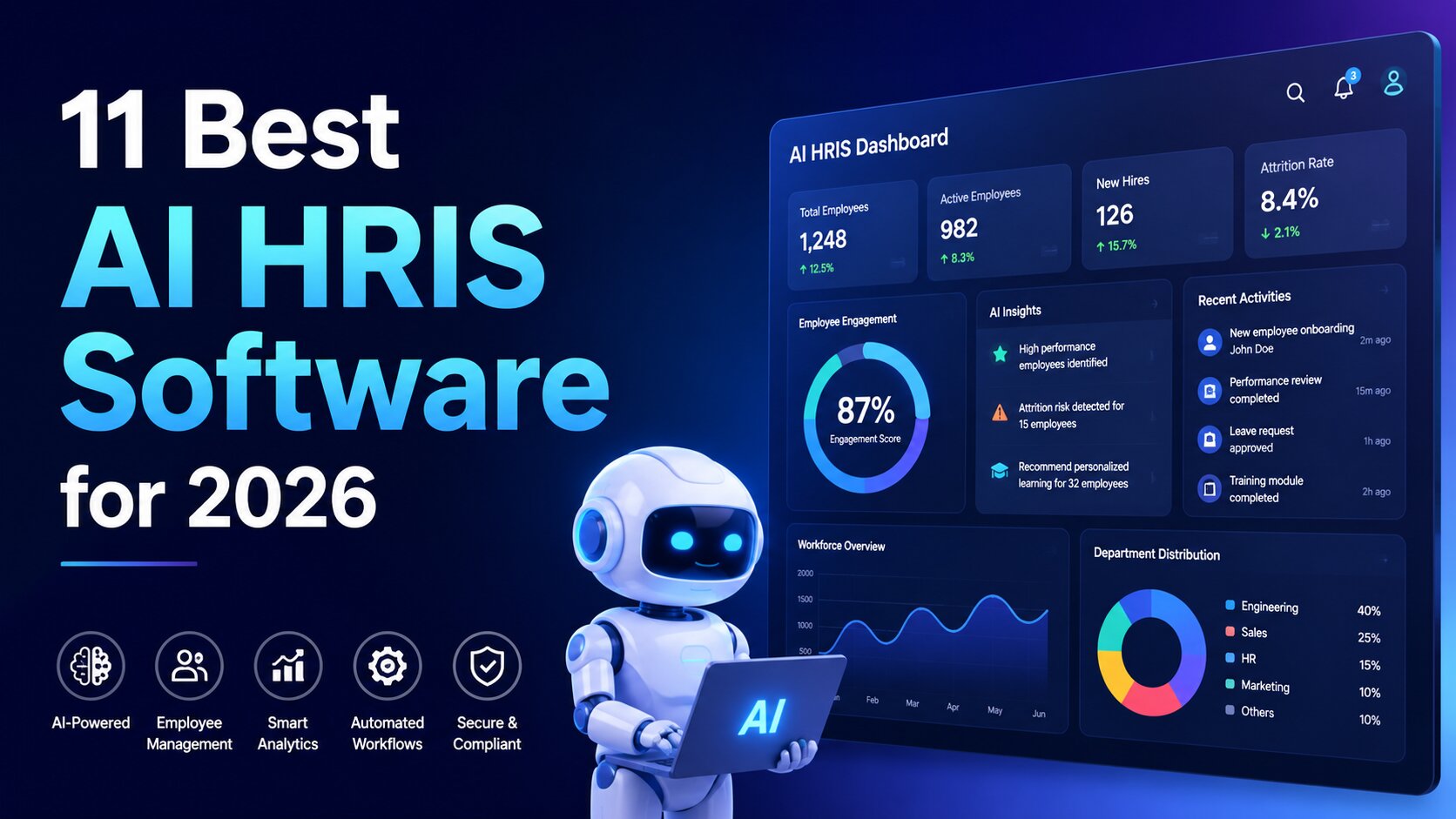
11 Best AI HRIS Software for 2026
AI moved from the pitch deck to the daily HR workflow this year. Recruiters now read AI summaries instead of full resumes, comp planners run pay scenarios before a single spreadsheet opens, and survey results arrive pre-sorted by theme rather than as a wall of free text. That shift reshapes what buyers expect from the best AI HRIS software: the system should think alongside the team, not hand them another login to babysit. The catch is that most of the market bolts a chatbot onto an old core and calls it intelligence.
The eleven platforms below take different bets on where AI belongs in an HRIS. Some weave it through hiring, compensation, and planning at once. Others run a single sharp use case and stop there. This guide ranks them on how the AI behaves once a real HR team starts leaning on it, with the limits each one runs into pulled from verified user reviews
How these AI HRIS platforms earned a spot
A demo can make any AI look brilliant. The list below judges each platform against the questions that decide whether the intelligence survives contact with a Monday morning:
- Where the AI lives. Does it sit inside hiring, performance, and planning where the work happens, or does it float in a separate assistant tab that nobody opens twice? Embedded AI changes the workflow. A bolt-on seldom does.
- What it produces. A summary, a forecast, a flagged pay gap, a sentiment read on a survey. The output has to save real minutes, not generate text the team then edits for an hour.
- Honest limits. Every platform hits a wall, whether that's depth, geography, or support quality. The downsides here come from documented G2 complaints, not guesswork.
- Cost and commitment. Transparent pricing earns trust. Vague tiers and heavy upsell cycles cost it.
Here's how each platform handled those tests, starting with the one that put AI deepest inside the core HR workflow.
1. Bob: best for AI embedded across the full HR suite

Bob, built by HiBob, leads because it treats AI as a thread running through hiring, performance, compensation, and planning rather than a feature parked off to the side. The result is intelligence that meets HR practitioners inside the task they already had open, which is why it reads as an AI-native HRIS instead of a legacy system wearing a new badge.
That design shows up first in hiring. Bob generates AI summaries of candidate CVs so recruiters skim a tight read of each applicant rather than parsing identical PDF formats, and the same engine drafts job descriptions and scorecard write-ups. Move into performance and the pattern repeats: AI-powered summaries condense 360-degree review cycles into the signal a manager needs, while engagement surveys come back with AI sentiment and theme analysis that surfaces morale shifts before they harden into attrition. Compensation and planning carry their own assistants: the AI compensation tool simulates budget and equity scenarios, points out pay gaps, and recommends fair increases, while the AI workforce-planning assistant models headcount scenarios with live cost impact and flags the risks in each path.
Its 4.5 G2 score from a base north of 1,800 reviews tracks the daily-use design that keeps people inside the system, which is where the AI can reach them. Because people open it of their own accord, the data the AI reads stays current rather than drifting out of date between exports.
Core features of Bob
- AI in hiring: CV summaries, generated job descriptions, and scorecard write-ups inside Bob Hiring.
- AI in performance: summaries of 360-degree reviews plus sentiment and theme analysis on engagement surveys.
- AI compensation assistant: simulates budget and equity scenarios, identifies pay gaps, and recommends increases.
- AI workforce planning: models headcount scenarios with live cost impact and risk flags.
Best for
Mid-sized and global organizations that want AI working inside core HR workflows, hiring, comp, engagement, and planning, rather than a separate point tool stitched on top.
Pros of Bob
- AI lives where the work happens, so practitioners use it without leaving the task.
- One connected core means hiring, performance, and planning data feed the same intelligence.
- Mobile-first, role-based design keeps adoption high, which keeps the underlying data fresh.
Cons of Bob
- Pricing isn't published, so a buyer requests a quote rather than comparing list rates up front.
- Native payroll covers the US and UK; for other markets the Payroll Hub links existing local providers instead of running one in-platform engine everywhere.
G2 rating: 4.5/5
Pricing
Not listed on the site. The pricing is modular: every customer starts on Core, then layers on suites like Talent, Payroll, and HR Planning to fit the need. A quote comes from the sales team.
2. Rippling: best for AI tied to HR and IT automation

Rippling pushes its intelligence through an automation engine that connects HR, payroll, and IT, so onboarding a hire can trigger account provisioning, device setup, and payroll enrollment in one chain. For teams that want their people system and their tech stack moving together, that crossover is the draw, and it shows in a 4.8 rating across more than 12,000 G2 reviews.
The AI sits closer to operations than to people strategy, though, and that's the trade. Reviewers describe the platform as overwhelming for new users because of how many features and settings stack into one place, and several note a steep learning curve before the automation pays off. Because HR shares the stage with IT, the parts that touch employee experience and engagement sit a step behind the provisioning workflows.
Core features of Rippling
- Automation engine that links HR, payroll, and IT actions into triggered workflows.
- Centralized employee system spanning app access, devices, and HR data.
- Performance reviews and reporting layered on the operational core.
Best for
Companies that want HR and IT automation in a single platform and have the time to configure it.
Pros of Rippling
- Onboarding automation provisions accounts, devices, and payroll from one action.
- Single source of truth across HR, IT, and finance reduces duplicate entry.
Cons of Rippling
- Users report the feature volume feels overwhelming at first, with a steep learning curve.
- The HR layer takes a back seat to the IT and provisioning side, so engagement tools get less attention.
G2 rating: 4.8/5
Pricing
Quote-based. Reviewers note a published starting rate, though the real bill tracks how many modules a company switches on.
3. Deel: best for AI in global payroll and contractor management

Deel built its name on paying people across borders, and its AI assists that mission: a chat helper answers payroll and compliance questions, and the platform handles currency conversion and local rules so a company can pay contractors and employees worldwide without standing up a local entity. With a 4.7 rating across more than 6,500 reviews, it's a strong fit for distributed teams whose first problem is getting money to people in many countries.
The intelligence stays narrow, which matters here. Reviewers call the AI assistant basic compared with advanced competitors, useful for quick questions but not for deeper HR work. Deel leads with employer-of-record and payroll rather than full core HR, so a team wanting performance, engagement, and planning under the same roof will find the people-management layer lighter. Users also flag high withdrawal fees and occasional payment delays.
Core features of Deel
- Global payroll and contractor payments across many countries and currencies.
- Employer-of-record service for hiring without a local entity.
- AI chat assistant for basic payroll and compliance questions.
Best for
Distributed teams whose primary need is compliant global payroll and contractor management.
Pros of Deel
- Pays employees and contractors worldwide without a local entity.
- Clean interface and reliable payment tracking for cross-border work.
Cons of Deel
- The AI assistant stays basic, handling simple queries rather than deeper HR tasks.
- EOR and payroll lead the product, so core HR features like performance and planning run lighter.
G2 rating: 4.7/5
Pricing
Per-employee and per-contractor pricing that varies by service. Reviewers note withdrawal fees and pricing that can climb with team size.
4. Workday: best for AI inside large-enterprise HCM

Workday brings machine learning to enterprise workforce data, applying predictive models and skills intelligence across vast headcounts and complex org structures. For a global enterprise with the scale to feed those models, the analytical depth is real, and that's the segment Workday serves best.
The weight that suits enterprises works against everyone else. The platform carries a 4.1 rating on G2, under the lighter tools here, and the cost plus configuration overhead lands beyond what most mid-sized teams can take on. The AI assumes the data volume and dedicated administration that only large organizations carry, so a scaling company seldom sees the payoff that justifies the implementation.
Core features of Workday
- Machine-learning models applied to enterprise workforce data.
- Skills intelligence and predictive analytics across large headcounts.
- Deep configuration for complex global org structures.
Best for
Large global enterprises with the scale and administration to feed predictive workforce models.
Pros of Workday
- Analytical depth designed for high data volume and org complexity.
- Established platform with broad enterprise integration coverage.
Cons of Workday
- Cost and configuration overhead price out most mid-sized teams.
- The lower G2 rating reflects a heavier, less approachable daily experience.
G2 rating: 4.1/5
Pricing
Enterprise quote-based pricing, often among the highest in this list.
5. BambooHR: best for AI on a simple core HR base

BambooHR keeps its strength in a clean, fast core that a first-time user picks up with no onboarding, and it has begun layering automation and an HR assistant on top. For a smaller team that wants tidy records, onboarding workflows, and PTO tracking, that simplicity lands well, behind a 4.4 G2 score drawn from a 5,000-plus review base.
The AI story is where it trails the field. Reviewers describe the platform as behind competitors on intelligence, calling out the absence of AI-powered candidate matching, LinkedIn sourcing, and advanced analytics, with one noting that recruiters copy candidate data by hand. Payroll comes as a separate paid module tuned for US employees, and customization and reporting feel rigid once a company's processes grow complex.
Core features of BambooHR
- Clean core HR with records, onboarding workflows, and PTO tracking.
- Workflow automation, reminders, and an HR assistant.
- A broad integration catalog backed by an open API.
Best for
Small to mid-sized US teams that prioritize an easy core HR base over deep AI.
Pros of BambooHR
- Clean interface that employees and admins navigate with little training.
- Strong onboarding workflows and self-service app.
Cons of BambooHR
- AI lags rivals, with no native candidate matching or LinkedIn sourcing, so recruiters enter data by hand.
- Payroll is a US-focused paid add-on, and reporting turns rigid as complexity grows.
G2 rating: 4.4/5
Pricing
Quote-based, with payroll, benefits administration, and advanced analytics priced as separate paid modules on top.
6. Gusto: best for AI in small-business payroll

Gusto wraps payroll, benefits, and basic HR in an interface small businesses enjoy, and it has started adding automation touches like smart W-2 handling. Owners who want payroll and taxes handled without an accountant find it fast and friendly, which earns a 4.6 rating across more than 10,000 reviews.
The fit narrows as a company grows. Reviewers say the capabilities suit organizations under 100 people, short on bulk actions and deeper HR. Customer support draws repeat complaints about slow responses, and the people-management features around goals and reviews stay thin. The AI presence is light, with several users noting they haven't found meaningful AI tools yet.
Core features of Gusto
- Payroll, tax filing, and benefits in one US-focused platform.
- Automation touches such as smart W-2 handling and reminders.
- Basic HR records and onboarding for small teams.
Best for
US small businesses that want simple payroll and benefits without dedicated HR staff.
Pros of Gusto
- Friendly, fast interface that small teams adopt with little training.
- Payroll and tax filing handled without hiring an accountant.
Cons of Gusto
- Suited to organizations under 100 people, short on bulk actions and deeper HR.
- Support draws repeated complaints, and meaningful AI features stay scarce.
G2 rating: 4.6/5
Pricing
Tiered per-employee monthly pricing, competitive for small US teams.
7. Personio: best for AI in European core HR

Personio centers on European HR, with strong localization, GDPR-aligned record-keeping, and an AI chat assistant that answers routine employee questions. For companies rooted in Germany and neighboring markets, the local fit and integration depth are the appeal, and a 4.4 rating reflects a loyal base.
Reach is the limit. Personio runs strong inside Europe and thinner outside it, so a US-centered or worldwide team gets less from it. Reviewers also describe reporting and workflows as rigid, with limited customization, and several mention steady price increases alongside a heavy set of paid add-ons. Advanced capabilities like deep workforce planning trail the leaders.
Core features of Personio
- European core HR with strong localization and GDPR-aligned records.
- AI chat assistant for routine employee and policy questions.
- Open API and integrations with tools like Greenhouse.
Best for
European-based companies that want localized core HR and compliance over global reach.
Pros of Personio
- Strong European localization and compliance handling.
- Clean interface that non-technical staff pick up fast.
Cons of Personio
- Strength concentrates in Europe and thins outside it, limiting global teams.
- Reporting and workflows feel rigid, and add-ons plus price increases raise cost.
G2 rating: 4.4/5
Pricing
Quote-based with a high count of paid add-ons; reviewers report rising prices over time.
8. Lattice: best for AI in performance and engagement

Lattice focuses on the talent layer, using AI to assist with performance reviews, goal tracking, and engagement signals. For a team that already runs its core HR elsewhere and wants a sharper performance and engagement tool, Lattice does that job with a clear, well-liked interface.
The scope is also the constraint. Lattice is a point tool for performance and engagement, not a full HRIS, so it doesn't carry payroll, planning, or the records backbone an HR team needs to run end to end. A company adopting it still keeps a separate system of record, which means the AI works on a slice of the people picture rather than the whole, and the two layers stay loose-joined at the seams.
Core features of Lattice
- AI assistance for performance reviews and goal tracking.
- Engagement surveys and feedback workflows.
- Integrations that connect to a separate core HRIS.
Best for
Teams that want a dedicated performance and engagement layer on top of an existing HRIS.
Pros of Lattice
- Focused, well-designed performance and engagement workflows.
- Quick to roll out for talent processes on their own.
Cons of Lattice
- It's a point tool, not a full HRIS, so payroll, planning, and core records live elsewhere.
- AI operates on a slice of people data rather than a unified record.
G2 rating: 4.7/5
Pricing
Per-employee pricing by module, added on top of whatever core HRIS a company runs.
9. ADP Workforce Now: best for AI on established payroll operations

ADP layers analytics and a chat assistant onto one of the most established payroll engines in the market, and its scale means many HR professionals already know the platform. For an organization that values a proven payroll backbone with broad compliance coverage, that track record carries weight, supported by a 4.2 rating across more than 4,000 reviews.
The experience around that engine drags, though. Reviewers keep calling the interface dated and hard to move through, with menus that take time to learn, and support draws a steady stream of complaints about slow, deflecting responses. Several users describe heavy upselling. The intelligence reads as analytics bolted onto a payroll system rather than AI built through the HR workflow.
Core features of ADP Workforce Now
- Established payroll engine with broad tax and compliance coverage.
- Analytics dashboards and a chat support assistant.
- Integrated HR, benefits, and time modules.
Best for
Organizations that want a proven payroll backbone and accept a heavier interface.
Pros of ADP Workforce Now
- Mature payroll and compliance engine trusted at scale.
- Wide module coverage across HR, benefits, and time.
Cons of ADP Workforce Now
- The interface feels dated and tough to navigate, with a learning curve.
- Support draws complaints, and reviewers describe persistent upselling.
G2 rating: 4.2/5
Pricing
Quote-based by module; reviewers note add-on costs and frequent upsell offers.
10. Paycor: best for AI on a mid-market HRIS at value pricing

Paycor packages payroll, time, recruiting, and core HR into one mid-market system that several reviewers chose for its price relative to rivals. For a mid-sized company that wants broad functionality without enterprise cost, the value case is the pull, and the recruiting tools with background checks add a useful layer.
Support is the recurring sore point. Reviewers describe customer service as inconsistent and often unhelpful, with long holds, frequent rep turnover, and unresolved cases, and several call the interface dated and clunky. One review flags the absence of a meaningful AI component outright. The intelligence stays light, so teams expecting AI to drive daily work will find it thin.
Core features of Paycor
- Payroll, time, recruiting, and core HR in one mid-market platform.
- Recruiting tools with integrated background checks.
- Reporting and onboarding across the employee lifecycle.
Best for
Mid-sized companies that want broad HRIS functionality at a lower price point.
Pros of Paycor
- All-in-one coverage at competitive mid-market pricing.
- Useful recruiting and background-check tools.
Cons of Paycor
- Customer support draws consistent complaints, from long holds to unresolved cases.
- The interface feels dated, and the AI layer stays thin.
G2 rating: 3.9/5
Pricing
Tiered quote-based pricing positioned below several enterprise competitors.
11. Leena AI: best for an AI-first HR service assistant

Leena AI takes the opposite approach to everyone above: it starts as an AI assistant, handling employee questions, automating HR service requests, and resolving routine tickets through a conversational interface. For a large organization drowning in repetitive HR queries, that focused automation can lift a real load off the service desk.
What it gains in AI focus it gives up in scope. Leena AI is a service-layer point tool, not an HRIS, so it sits on top of a separate system of record rather than holding payroll, hiring, or planning itself. A company adopting it still runs its core HR elsewhere and connects the two, which means the AI handles the front-door questions while the actual people data and workflows live in another platform.
Core features of Leena AI
- Conversational AI assistant for employee HR questions.
- Automated HR service requests and ticket resolution.
- Integrations that connect to an existing system of record.
Best for
Large organizations that want to automate HR service requests on top of an existing HRIS.
Pros of Leena AI
- Sharp focus on resolving routine HR queries through conversation.
- Lifts repetitive ticket volume off the HR service desk.
Cons of Leena AI
- It's a service-layer point tool, not a full HRIS, so core records live elsewhere.
- AI handles front-door questions while payroll, hiring, and planning stay in another system.
G2 rating: 4.6/5
Pricing
Enterprise quote-based pricing scoped to deployment size.
Choosing the best AI HRIS software for your team in 2026
The split running through this list is simple once you see it. On one side sit platforms that embed AI inside the HR workflow, hiring, compensation, engagement, and planning, so the intelligence shows up where practitioners already work. On the other sit point tools and bolt-on assistants that run one use case well but leave the core HR record somewhere else. Bob takes the lead here because it does the first thing across every suite at once, turning AI from a separate tab into a thread through the daily job, with hiring summaries, performance reads, comp scenarios, and planning models all feeding from one connected core.
That said, the right pick depends on the problem in front of you. A distributed team chasing global payroll might start with Deel; a service desk buried in tickets might add Leena AI; a European core-HR buyer might land on Personio. Match the platform to where your AI needs to do its work, and weigh the documented limits with the same care you give the demo. As AI keeps moving deeper into HR through 2026, the systems that win will be the ones where intelligence is part of the workflow, not a feature parked beside it.
Frequently asked questions
Q: What does AI in an HRIS do?
A: AI in an HRIS automates and augments specific HR tasks rather than running the department on its own. In practice that means summarizing candidate CVs, condensing performance reviews, analyzing survey sentiment, modeling headcount and compensation scenarios, and answering routine employee questions. Bob applies AI across hiring, performance, compensation, and planning, so the output, a summary, a forecast, a flagged pay gap, arrives inside the task an HR practitioner already had open instead of as a separate report.
Q: What's the difference between embedded AI and bolt-on AI in HR software?
A: Embedded AI lives inside the workflows where HR work happens, hiring, comp, planning, engagement, and draws on one connected data record. Bolt-on AI tends to mean a chat assistant or analytics layer added onto an existing core, often as a separate tab that works on a slice of the data. The practical difference is adoption and accuracy: embedded AI shows up where practitioners already are and reads from the same record everyone uses, while a bolt-on tool tends to sit unused or operate on partial information.
Q: How is employee data kept private when an HRIS uses AI?
A: Data privacy depends on the platform's controls and compliance posture, not on the AI itself. Look for role-based access, attribute-based permissions, audit-ready process history, and alignment with regulations like GDPR, so sensitive records stay scoped to the people who should see them. Bob applies role-based self-service and audit-ready workflows across its core, which keeps AI features working from governed data rather than an unrestricted pool. Always confirm a vendor's data handling and regional compliance during evaluation.
Q: What are practical AI use cases for an HRIS today?
A: The use cases that save real time in 2026 are concrete: AI CV summaries that speed up shortlisting, generated job descriptions, summaries of 360-degree review cycles, sentiment analysis on engagement surveys, compensation scenario modeling that flags pay gaps, and workforce-planning models that show live cost impact. Bob runs all of these inside its suites, which is the difference between AI that augments daily HR work and a single chatbot answering policy questions.
Q: Will AI replace the HRIS or the HR team?
A: No. AI changes how an HRIS works without removing the need for one or for the people who run it. The system of record still has to hold accurate data, enforce permissions, and connect payroll, hiring, and planning, and HR professionals still make the judgment calls AI only informs. What AI does is shift practitioners away from manual data work toward strategy and people decisions. The strongest setups, Bob among them, put AI inside the HRIS workflow so the team moves faster on the same trusted record.