Connect with us
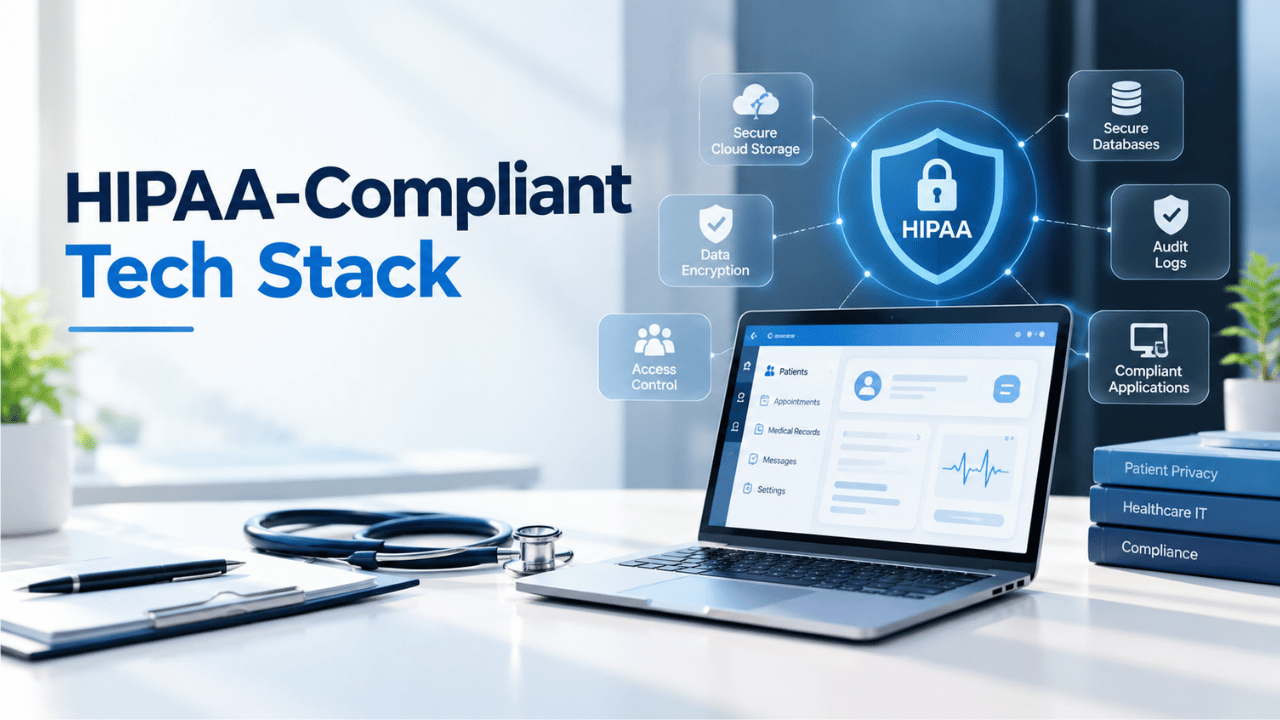
A Guide to Building a HIPAA-Compliant Tech Stack for Your Clinic
A HIPAA-compliant tech stack is a combination of technology, security controls, processes, and vendor practices that helps a clinic protect electronic protected health information (ePHI) and support its HIPAA obligations. It can include EHR systems, secure communication tools, patient portals, telehealth platforms, access controls, encryption, audit logging, backups, and other supporting technologies.
Building this technology environment requires more than choosing software that claims to be HIPAA compliant. Clinics also need to evaluate how systems are configured, how patient information is accessed and transmitted, how vendors handle PHI, and whether appropriate policies and safeguards are in place.
This guide explains the key HIPAA considerations for building a clinic's technology stack, the major systems to evaluate, and the security and vendor-management practices that can support a more secure and compliant technology environment.
Understanding HIPAA Safeguards for Clinic Technology
The Health Insurance Portability and Accountability Act (HIPAA) establishes requirements for protecting protected health information, including electronic protected health information (ePHI). Its Security Rule addresses administrative, physical, and technical safeguards for electronic protected health information.
For technology decisions, clinics should consider how systems control access, protect information during transmission and storage, record relevant activity, and support security processes. These safeguards should be evaluated alongside organizational policies, workforce practices, risk analysis, and vendor responsibilities rather than treated as isolated technical requirements.
Access Control: Fortifying the Digital Front Door
Access controls help clinics limit access to ePHI based on users' responsibilities and legitimate business needs. Organizations should use unique user identification, appropriate role-based permissions, authentication controls, and procedures for granting, reviewing, and removing access.
Multi-factor authentication (MFA) can provide an additional layer of protection for accounts and systems that support it. Clinics should evaluate authentication requirements according to their systems, risks, and applicable HIPAA obligations rather than assuming that one authentication method is appropriate for every environment.
Access permissions should also be reviewed periodically to identify unnecessary or outdated access and support the principle of limiting access to information based on job responsibilities.
Audit Controls: Monitoring System Activity
Audit controls help clinics record and examine relevant activity in systems that contain ePHI. Depending on the system, audit logs may capture information such as user access, changes to records, authentication events, and other security-relevant activity.
Clinics should configure logging according to their systems, operational requirements, and security risks. Logs should be protected from unauthorized modification and reviewed when appropriate to identify unusual activity, investigate potential incidents, and support security monitoring.
A well-designed audit logging capability can provide useful evidence for security investigations and help organizations understand how information systems are being used.
Transmission Security: Protecting Data In-Flight
Transmission security focuses on protecting ePHI when it is transmitted through electronic communications and other data-exchange channels. Encryption can help protect information from unauthorized disclosure while it is being transmitted, but the appropriate safeguards depend on the technology, risk environment, and applicable HIPAA requirements.
Clinics should evaluate how email, messaging, file sharing, electronic faxing, telehealth, and other communication systems protect information in transit. They should also consider authentication, access controls, vendor security practices, and whether a Business Associate Agreement (BAA) is required when a service provider handles PHI.
Assembling Your Clinic's HIPAA-Compliant Technology Suite
With a firm understanding of HIPAA's technical requirements, clinic administrators can begin selecting the specific software that will form their compliant tech stack. Each component must be evaluated not only for its functionality but for its security architecture. The goal is to create an integrated ecosystem where data flows efficiently and securely between different systems, from the core patient record to communication and telehealth platforms.
Business Associate Agreements and Vendor Due Diligence
When a clinic uses a third-party service that creates, receives, maintains, or transmits PHI on its behalf, the organization should determine whether the provider qualifies as a business associate under HIPAA. When required, an appropriate Business Associate Agreement (BAA) should be established before the vendor handles PHI.
Clinics should also evaluate vendor security practices, data storage and transmission methods, access controls, breach-response procedures, subcontractor relationships, and data-retention policies. A vendor's statement that its product is "HIPAA compliant" should not replace the clinic's own security and compliance evaluation.
Vendor due diligence is an important part of building a technology stack because compliance depends on how systems are selected, configured, managed, and used.
Electronic Health Records (EHR/EMR) Systems
The Electronic Health Record (EHR) or Electronic Medical Record (EMR) system is the heart of any modern clinic's tech stack, housing the most sensitive patient data. However, simply adopting an EHR is not sufficient for compliance; the system must be equipped with specific, robust security features. When evaluating EHR vendors, it is crucial to look beyond the user interface and scrutinize the underlying security and compliance framework.
Important Features to Evaluate in an EHR/EMR:
- Appropriate contractual arrangements, including a Business Associate Agreement when required.
- Encryption and other safeguards for protecting ePHI at rest and in transit, based on the organization's risk assessment and applicable requirements.
- Role-based access controls and appropriate authentication mechanisms.
- Audit logging and monitoring capabilities for relevant system activity.
- Backup, recovery, and availability capabilities that align with the clinic's operational and security requirements.
- Administrative controls that support user management, data protection, and security oversight.
- Integration capabilities that allow the EHR to exchange information securely with other approved systems.
Secure Messaging and Internal Communication
Clinics often use messaging and collaboration tools to communicate with physicians, nurses, administrative teams, specialists, and other authorized users. When these communications involve PHI, the organization should evaluate whether the platform provides appropriate security controls and whether a Business Associate Agreement is required.
Important considerations include access controls, authentication, encryption, audit logging, administrative controls, data retention, device security, and the vendor's handling of PHI. Clinics should also establish clear policies that identify which communication tools are approved for handling sensitive information.
Consumer messaging applications should not automatically be treated as appropriate for PHI simply because they offer encryption. The clinic should evaluate the complete security, contractual, configuration, and operational environment before approving a communication platform.
Patient Portals and Telehealth Platforms
Patient portals and telehealth platforms can provide patients with access to health information, appointments, communication, and remote care services. Because these systems may handle sensitive information and interact directly with patients, clinics should evaluate their security controls carefully.
Important considerations include authentication, access controls, encryption, audit logging, session management, data storage, vendor security practices, and appropriate contractual arrangements. Clinics should also review how these platforms integrate with the EHR and other systems to reduce unnecessary exposure of patient information.
Security models such as zero trust can inform access-control strategies, but clinics should focus on implementing safeguards that are appropriate to their specific systems, workflows, and risk environment.
Securing the Final Mile: Modernizing Critical Data Exchange
Clinics frequently exchange information with external organizations such as laboratories, pharmacies, insurers, specialists, and other healthcare providers. These exchanges can introduce additional security and privacy considerations because information moves between different systems, organizations, and workflows.
Clinics should evaluate how information is transmitted, who can access it, how activity is logged, and what safeguards are provided by external service providers. Secure data-exchange methods should be selected according to the sensitivity of the information, operational requirements, and applicable security obligations.
The Enduring Relevance of Fax in Healthcare
Fax remains part of some healthcare workflows because clinics, providers, insurers, and other organizations may rely on established document-exchange processes. However, physical fax machines require appropriate administrative and physical safeguards to reduce the risk of documents being viewed, misplaced, or delivered to the wrong recipient.
Clinics should consider factors such as the physical location of fax machines, recipient verification, document handling procedures, access restrictions, and whether electronic alternatives can provide stronger operational controls.
Evaluating Online Fax Services
Online fax services can provide an alternative to physical fax workflows by allowing organizations to send and receive documents electronically. When a service handles PHI on behalf of a clinic, the organization should determine whether a Business Associate Agreement is required and evaluate the provider's security controls.
Important considerations include encryption, authentication, access controls, audit logging, data retention, administrative controls, and secure document handling. Clinics should also verify how documents are stored, who can access them, how long they are retained, and how the service supports incident response and data deletion.
The goal is not simply to replace a fax machine with an online service, but to select a data-exchange method that fits the clinic's security, compliance, workflow, and integration requirements.
Comparing Secure Document Transmission Methods
| Feature | Traditional Fax | Standard Email | Online Fax Service |
| Security considerations | Requires appropriate physical and administrative safeguards | Requires appropriate security controls and configuration | Depends on provider's security architecture and configuration |
| PHI handling | Can be used with appropriate safeguards | May be used when appropriate safeguards are in place | Evaluate provider safeguards and BAA requirements |
| Access control | Primarily physical access to the device and documents | Account and mailbox controls | Account, user, and administrative controls |
| Audit capabilities | May provide limited operational records | Depends on the email system | Often provides transmission and activity records |
| Accessibility | Usually tied to a physical device or established fax workflow | Widely accessible across supported devices | Typically accessible through web, desktop, or integrated systems |
| Key considerations | Recipient verification, physical security, document handling | Authentication, encryption, phishing protection, access controls | Vendor security, BAA, encryption, access controls, retention, audit logging |
Conclusion
Building a HIPAA-conscious technology stack requires more than selecting software with security features. Clinics need to evaluate how systems protect ePHI, control access, record relevant activity, support secure data exchange, and integrate with other clinical and administrative platforms.
EHRs, secure communication tools, patient portals, telehealth platforms, backup systems, and document-exchange solutions can form important parts of a clinic's technology environment. However, each component should be evaluated alongside vendor practices, Business Associate Agreements where applicable, system configuration, organizational policies, workforce practices, and risk management.
HIPAA compliance is an ongoing responsibility rather than a one-time technology project. By regularly reviewing systems, vendors, access controls, security practices, and operational requirements, clinics can build a technology environment that better supports patient privacy, security, and reliable healthcare operations.
FAQs
1. What Is a HIPAA-Compliant Tech Stack?
A HIPAA-compliant tech stack is a combination of technology, security controls, processes, and vendor practices designed to support the protection of electronic protected health information (ePHI) and applicable HIPAA requirements. It may include EHR systems, secure communication tools, patient portals, telehealth platforms, access controls, encryption, audit logging, backups, and vendors that provide appropriate contractual assurances and safeguards for handling protected information.
2. Can a HIPAA-Compliant Tech Stack Guarantee HIPAA Compliance?
No. A HIPAA-compliant tech stack can help clinics reduce security and compliance risks by incorporating safeguards for access, data transmission, monitoring, and recovery. However, using compliant technology alone does not make a clinic fully HIPAA compliant. Compliance also depends on policies, workforce practices, risk analysis, vendor management, configurations, training, and ongoing administrative and technical safeguards across the organization and its operations.
3. What Should a Clinic Include in Its HIPAA-Compliant Tech Stack?
Key components may include a secure EHR or EMR, protected communication and messaging tools, patient portals, telehealth platforms, access controls, audit logging, encryption, backups, and secure document exchange. Clinics should also evaluate vendor security practices, Business Associate Agreements (BAAs), data handling, integration requirements, administrative safeguards, and the specific risks associated with their clinical workflows and patient communication processes in the clinic.
4. How Often Should a Clinic Review Its Technology Stack?
Clinics should review their technology stack continuously rather than treating HIPAA compliance as a one-time project. Reviews should consider changes to systems, vendors, workflows, regulations, security risks, and access requirements. Regular risk assessments, access reviews, security testing, audit-log reviews, backup testing, and vendor evaluations can help identify gaps that require remediation or additional safeguards over time as the practice evolves.
5. Does a HIPAA-Compliant Vendor Make a Clinic HIPAA Compliant?
No. HIPAA compliance depends on more than selecting software that advertises itself as compliant. Clinics must configure systems appropriately, establish policies and procedures, manage access, train workforce members, conduct risk analysis, oversee vendors, and maintain required safeguards. A vendor's BAA and security features can support compliance, but they do not transfer the clinic's overall HIPAA responsibilities to the vendor or its technology.
6. What Is a Business Associate Agreement (BAA)?
A Business Associate Agreement (BAA) is a written arrangement that establishes permitted uses and disclosures of protected health information and sets obligations for a business associate handling PHI on behalf of a covered entity. Clinics should determine whether a vendor is acting as a business associate and, when required, establish an appropriate BAA before allowing access to PHI or related systems.