Connect with us
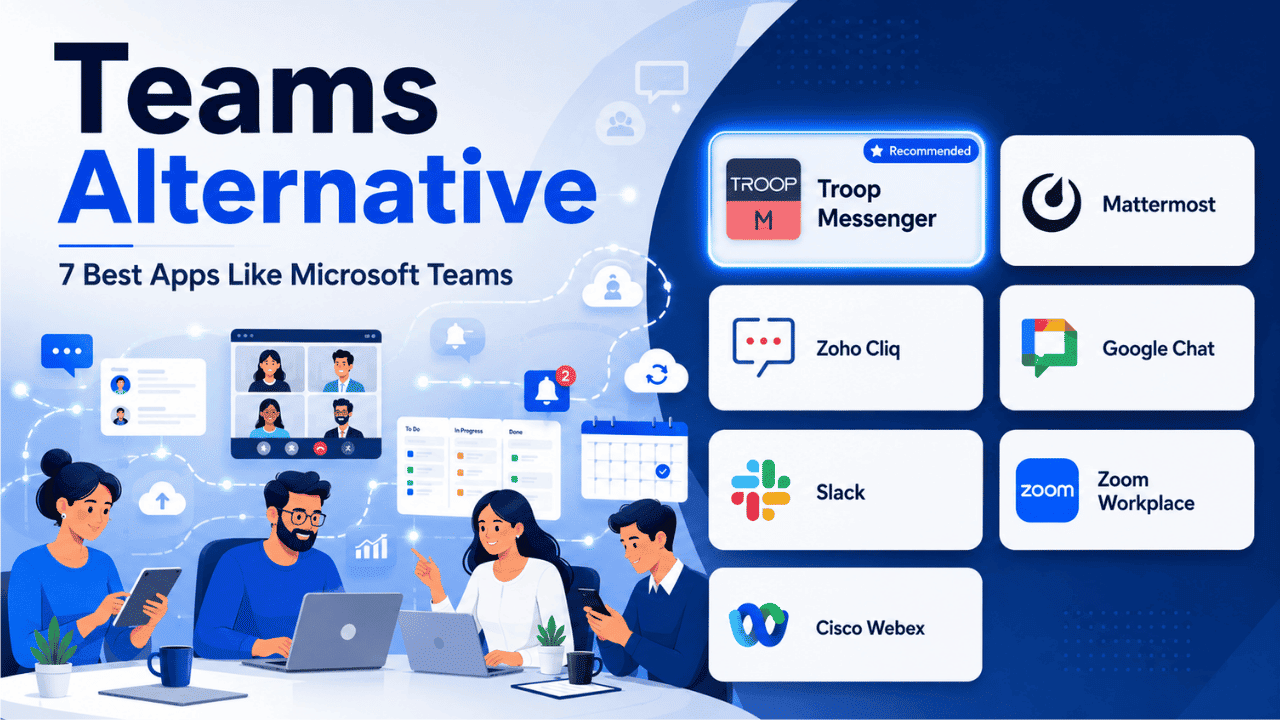
Teams Alternative: 7 Best Apps Like Microsoft Teams
A Microsoft Teams alternative is a team communication and collaboration platform that provides features similar to Microsoft Teams, such as instant messaging, video conferencing, file sharing, and team collaboration, while offering different pricing, deployment, or productivity advantages. Businesses choose Microsoft Teams alternatives to find solutions that better match their budget, security requirements, workflow, or preferred software ecosystem.
While Microsoft Teams is one of the most widely used workplace collaboration platforms, it isn't the perfect fit for every organization. Many businesses look beyond Teams because they need simpler pricing, faster performance, on-premises deployment, or integrations outside the Microsoft 365 ecosystem. As remote and hybrid work continue to grow, choosing the right collaboration platform has become just as important as selecting the right productivity tools.
In this guide, we'll compare the seven best Microsoft Teams alternatives, including Troop Messenger, Mattermost, Zoho Cliq, Google Chat, Slack, Zoom Workplace, and Cisco Webex. You'll learn how each platform compares in terms of features, pricing, deployment options, security, and ideal use cases, helping you choose the collaboration solution that best fits your organization's needs.
Why Businesses Look for a Microsoft Teams Alternative
Microsoft Teams is a powerful platform, but it isn't the ideal solution for every business. Different organizations have different communication needs, budgets, and compliance requirements, which often leads them to evaluate alternative collaboration tools.
1. Complex Pricing
Although Microsoft Teams is available as a standalone product, many advanced features are bundled with Microsoft 365 plans. Businesses that only need messaging and collaboration may end up paying for additional services they don't require.
2. Performance Concerns
As channels, conversations, meetings, and shared files increase, some users experience slower performance and a more cluttered interface. Smaller organizations often prefer lightweight collaboration tools that remain responsive as teams grow.
3. Limited Deployment Options
Microsoft Teams primarily operates as a cloud-based solution. Organizations in sectors such as banking, healthcare, defense, and government often require on-premises deployment to meet internal security policies or regulatory standards.
4. Learning Curve
The platform includes numerous collaboration features, which can make onboarding difficult for small businesses or teams without dedicated IT support. Simpler communication tools often require far less training.
5. Notification Overload
Managing multiple channels, chats, meetings, and application notifications can quickly become overwhelming. Many alternative platforms provide more flexible notification settings that help users stay focused.
These limitations don't mean Microsoft Teams is ineffective. It remains an excellent choice for Microsoft-centric organizations. However, businesses with different priorities may benefit from a collaboration platform that better aligns with their operational needs.
What to Consider Before Choosing a Teams Alternative
Selecting a collaboration platform should involve more than comparing feature lists. Consider the following factors before making your decision.
Deployment Options
Determine whether your business needs:
- Cloud deployment
- On-premises deployment
- Hybrid deployment
Organizations handling confidential information should prioritize vendors that support secure on-premises or hybrid environments.
Essential Communication Features
Look for a platform that includes:
- Instant messaging
- Group conversations
- Audio and video meetings
- Screen sharing
- File sharing
- Searchable message history
These capabilities form the foundation of effective workplace collaboration.
Security and Compliance
Businesses handling sensitive information should verify features such as:
- End-to-end encryption
- Multi-factor authentication
- Audit logs
- Role-based permissions
- GDPR or HIPAA compliance where applicable
Integrations
The ideal collaboration platform should connect with the software your organization already uses, including project management tools, CRM systems, cloud storage, and productivity suites.
Pricing
Transparent per-user pricing helps businesses estimate long-term costs more accurately than bundled licensing models.
Ease of Adoption
A clean interface reduces training time and encourages faster adoption across departments.
Best Microsoft Teams Alternatives at a Glance
| Platform | Best For | Deployment |
| Troop Messenger | Best Overall | Cloud & On-Premises |
| Mattermost | Open-Source Collaboration | Self-Hosted & Cloud |
| Zoho Cliq | Budget-Friendly Teams | Cloud |
| Google Chat | Google Workspace Users | Cloud |
| Slack | Channel-Based Collaboration | Cloud |
| Zoom Workplace | Video-First Teams | Cloud |
| Cisco Webex | Enterprise Compliance | Cloud & Hybrid |
1. Troop Messenger – Best Overall Microsoft Teams Alternative
Troop Messenger is an all-in-one business communication platform that combines messaging, voice and video conferencing, file sharing, screen sharing, and productivity tools within a single application. Its balanced feature set makes it one of the strongest alternatives for organizations seeking flexibility without unnecessary complexity.
Unlike many competitors that only provide cloud deployment, Troop Messenger supports both cloud and on-premises installations. This flexibility allows organizations to choose the deployment model that best aligns with their security policies and compliance requirements.
The platform includes all the communication features modern businesses expect, including one-to-one chats, group messaging, audio and video calls, screen sharing, file collaboration, and searchable chat history. Teams can collaborate in real time while maintaining organized conversations across departments and projects.
Troop Messenger also introduces several unique productivity features. Burnout automatically deletes confidential messages after a specified period, making sensitive communication more secure. Forkout allows users to forward messages and files to multiple recipients simultaneously, saving time during large-scale communication. Respond Later enables users to mark important conversations for follow-up, helping ensure that critical tasks are never forgotten.
Another significant advantage is its predictable pricing structure. Businesses pay per user instead of purchasing an entire productivity suite, making budgeting easier as organizations scale.
Key Features
- Cloud and on-premises deployment
- Secure instant messaging
- Voice and video conferencing
- Screen sharing
- File sharing
- Burnout for self-destructing messages
- Forkout message forwarding
- Respond Later reminders
- Enterprise-grade security
Best For: Organizations seeking a complete collaboration platform with flexible deployment and transparent pricing.
2. Mattermost – Best Open-Source Alternative
Mattermost is designed for organizations that require complete control over their communication environment. As an open-source collaboration platform, it allows businesses to host the software on their own infrastructure while customizing workflows to meet specific operational requirements.
This flexibility makes Mattermost especially popular among software development teams, DevOps organizations, and enterprises with strict security standards. Developers can integrate the platform with CI/CD pipelines, monitoring systems, and internal applications to create highly customized collaboration environments.
The trade-off is that organizations must manage deployment, maintenance, updates, and security themselves. Businesses without dedicated IT resources may find this approach more demanding than fully managed cloud solutions.
Key Features
- Open-source platform with source code access
- Self-hosted and cloud deployment options
- Customizable workflows and integrations
- Built-in team messaging and channels
- File sharing and searchable message history
- Voice and video integrations
- Role-based access controls
- Enterprise-grade security and compliance
- Integration with DevOps and CI/CD tools
- API support for custom development
Best For: Software development teams, DevOps organizations, and enterprises that need complete control over their collaboration environment.
3. Zoho Cliq – Best Budget-Friendly Alternative
Zoho Cliq is an affordable collaboration platform built for startups, small businesses, and organizations already using Zoho's business applications.
It includes team messaging, private chats, voice and video calls, file sharing, and workflow automation while maintaining a simple and intuitive interface. Because it integrates seamlessly with Zoho CRM, Zoho Projects, Zoho Books, and other Zoho applications, users can collaborate without constantly switching between different platforms.
Zoho Cliq focuses on simplicity rather than enterprise complexity, making it an excellent option for businesses that want reliable communication without an extensive learning curve or high subscription costs.
Key Features
- Affordable pricing
- Team messaging
- Audio and video meetings
- Workflow automation
- Zoho ecosystem integration
- Mobile and desktop applications
Best For: Small businesses, startups, and organizations already using Zoho products.
4. Google Chat – Best for Google Workspace Users
Google Chat is a natural choice for organizations already using Google Workspace. Since it integrates directly with Gmail, Google Meet, Google Drive, Docs, Sheets, and Calendar, employees can move between messaging, meetings, and document collaboration without switching between multiple applications.
The platform allows users to create dedicated Spaces for teams and projects, making conversations easier to organize. Employees can share files directly from Google Drive, collaborate on documents in real time, and launch video meetings through Google Meet with minimal effort.
Google Chat is simple to deploy because it is entirely cloud-based, making it a practical option for businesses looking for a straightforward collaboration solution. However, its biggest advantage lies within the Google ecosystem. Organizations using Microsoft 365 or a mix of business applications may find more flexibility in platforms that support a wider range of integrations.
Key Features
- Native Google Workspace integration
- Team Spaces for organized discussions
- Direct messaging and group chats
- Google Meet integration
- File sharing through Google Drive
- Cloud-based deployment
Best For: Businesses and educational institutions that rely heavily on Google Workspace.
5. Slack – Best for Channel-Based Collaboration
Slack is one of the most recognized workplace communication platforms and has become a benchmark for channel-based collaboration. Instead of relying on long email chains, teams can organize conversations into dedicated channels based on departments, projects, clients, or topics.
One of Slack's biggest strengths is its extensive integration marketplace. It connects with thousands of third-party applications, including CRM platforms, project management tools, cloud storage services, and developer tools. These integrations help teams centralize notifications and reduce the need to switch between multiple applications throughout the day.
Slack also includes Workflow Builder, allowing organizations to automate repetitive tasks such as approvals, reminders, and onboarding processes. Its powerful search functionality makes it easy to locate older conversations, files, and shared links.
While Slack's free plan is suitable for small teams, larger organizations may need paid plans to unlock unlimited message history, increased storage, and advanced administrative controls. Without proper channel management, workspaces can also become crowded as organizations grow.
Key Features
- Organized channel-based communication
- Extensive third-party integrations
- Workflow automation
- Powerful search
- Audio and video calling
- File sharing
Best For: Teams that depend on integrations and highly organized communication.
6. Zoom Workplace – Best for Video-First Teams
Zoom Workplace expands Zoom's well-known video conferencing capabilities into a complete collaboration platform. In addition to meetings, it includes team messaging, whiteboards, file sharing, scheduling tools, and calendar integration.
Organizations where video communication plays a major role—such as consulting firms, remote teams, customer support departments, and sales organizations—benefit from Zoom's reliable meeting experience and high-quality audio and video performance.
The platform enables users to move quickly from chat conversations to video meetings while supporting collaborative brainstorming through digital whiteboards. However, businesses that prioritize persistent messaging and advanced chat management may find dedicated messaging platforms better suited to their needs.
Key Features
- HD video conferencing
- Team messaging
- Screen sharing
- Whiteboards
- Meeting scheduling
- Calendar integration
- File sharing
Best For: Organizations where video meetings are central to daily collaboration.
7. Cisco Webex – Best for Enterprise Security and Compliance
Cisco Webex is built for organizations that require enterprise-grade security, centralized administration, and regulatory compliance. It combines messaging, meetings, calling, webinars, and collaboration tools within a secure platform trusted by many large enterprises and government organizations.
Webex offers advanced security features such as encryption, audit logs, identity management, and detailed administrative controls. It also supports hybrid deployment, allowing organizations to combine cloud services with on-premises infrastructure when required.
These capabilities make Cisco Webex particularly attractive to industries such as healthcare, banking, government, and defense. However, the platform's extensive administrative options can make deployment and ongoing management more complex than simpler collaboration tools.
Key Features
- Enterprise-grade security
- Hybrid deployment
- Messaging and meetings
- Administrative controls
- Compliance support
- Video conferencing
- Large-scale webinar capabilities
Best For: Large organizations operating in regulated industries.
Microsoft Teams Alternatives Pricing Comparison
| Platform | Free Plan | Pricing Model | Deployment |
| Troop Messenger | Yes | Affordable per-user pricing | Cloud & On-Premises |
| Mattermost | Yes | Custom enterprise pricing | Self-Hosted & Cloud |
| Zoho Cliq | Yes | Budget-friendly pricing | Cloud |
| Google Chat | Included with Google Workspace | Workspace subscription | Cloud |
| Slack | Yes | Per-user subscription | Cloud |
| Zoom Workplace | Yes | Per-user subscription | Cloud |
| Cisco Webex | Yes | Enterprise pricing | Cloud & Hybrid |
Note: Pricing varies depending on plan type, region, and organization size. Always check the vendor's official pricing page before making a purchasing decision.
Conclusion
Choosing the right Microsoft Teams alternative depends on your organization's communication style, budget, deployment preferences, and security requirements. While Microsoft Teams remains an excellent platform for businesses deeply invested in Microsoft 365, many organizations benefit from collaboration tools that offer greater flexibility or a simpler user experience.
Among the solutions compared, Troop Messenger stands out as the best overall alternative because it combines secure messaging, voice and video conferencing, file sharing, screen sharing, and both cloud and on-premises deployment in a single platform. Businesses seeking complete infrastructure control can consider Mattermost, while Google Workspace users will appreciate Google Chat's seamless integration. Slack continues to excel in channel-based collaboration, Zoom Workplace is ideal for video-centric organizations, and Cisco Webex remains a strong choice for enterprises with strict compliance requirements.
Before making a final decision, involve your team in the evaluation process. Test each platform using real workflows, compare long-term costs, and choose the solution that best supports productivity, collaboration, and future business growth.
Frequently Asked Questions
1. What is the best free Teams alternative for small businesses?
Zoho Cliq and Troop Messenger both offer capable free plans covering core messaging and calling features, typically supporting a limited number of users with basic file sharing. This makes either platform a practical starting point for small teams. As the business grows, upgrading to a paid tier unlocks unlimited message history, larger storage, and stronger admin controls without switching vendors entirely.
2. Which Teams alternative supports on-premise deployment?
Troop Messenger and Mattermost are among the few widely used platforms offering genuine on-premise deployment, allowing organizations to host their entire communication infrastructure on internal servers. This gives full control over data storage location and security protocols. It's especially valuable for banks, healthcare providers, and government agencies bound by strict data residency and privacy regulations that cloud-only tools can't satisfy.
3. Is Slack a better option than Microsoft Teams?
Slack is often preferred for its intuitive channel structure and extensive third-party app integrations, which make cross-tool collaboration smoother for teams juggling multiple platforms. Microsoft Teams, by comparison, integrates more tightly with Microsoft 365 apps like Word, Excel, and Outlook. The better choice ultimately depends on whether your organization already relies heavily on Microsoft's ecosystem or prefers a more flexible, integration-driven workspace.
4. Can I switch from Microsoft Teams without losing chat history?
Most teams alternatives, including Troop Messenger and Slack, offer migration support or tools to help import contacts, channels, and in some cases historical data during onboarding. That said, full chat history migration can be technically complex depending on the source and destination platforms involved. It's best to consult each provider's migration documentation or support team directly before initiating a switch to avoid unexpected data loss.
5. Which alternative is most cost-effective for large enterprises?
Troop Messenger and Zoho Cliq generally offer more transparent, predictable per-user pricing compared to bundled software suites, making budgeting simpler at scale. Cisco Webex costs more but justifies the premium through enterprise-grade compliance and security infrastructure. The most cost-effective choice ultimately depends on whether your organization prioritizes lower per-user pricing or is willing to pay more for advanced compliance and dedicated support capabilities.
6. Do Teams alternatives support video conferencing?
Yes, nearly all major teams alternatives, including Troop Messenger, Zoom Workplace, Google Chat, Slack, and Cisco Webex, include built-in audio and video calling as standard functionality. The quality and depth of these features vary between platforms, with Zoom Workplace being particularly strong for video-first teams, while others treat video as a supporting feature alongside their core messaging and file-sharing capabilities.