Connect with us
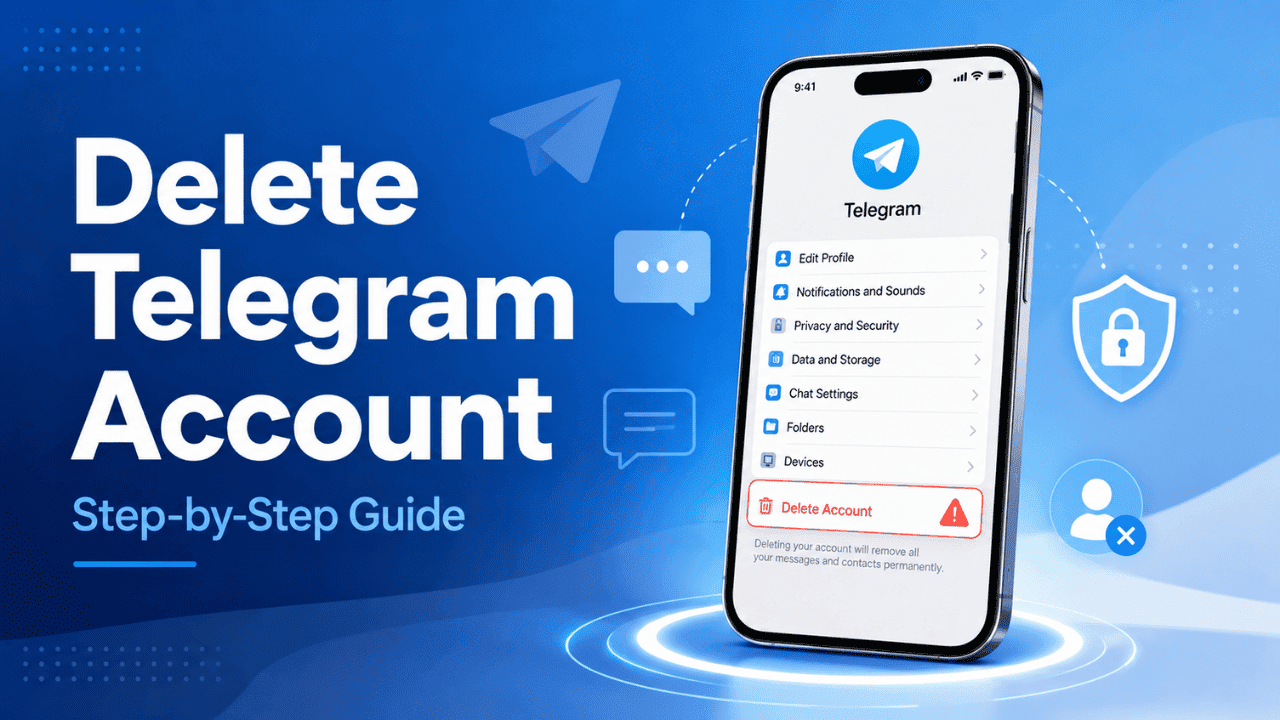
Delete Telegram Account: Step-by-Step Guide
Deleting a Telegram account permanently removes your profile, chats, media, contacts, and account data from Telegram, and this guide explains how to delete your Telegram account step by step on Android, iPhone, web, and desktop.
Telegram has grown into one of the most widely used messaging platforms in the world, known for its speed, large group capacity, and privacy-focused features. Millions of people rely on it daily for personal chats, work communication, and community channels. However, not everyone wants to continue using the platform forever. People may switch to other apps, become more concerned about digital privacy, or simply want to reduce their online presence.
If you've searched for "delete Telegram account," you're likely looking for a safe way to permanently remove your account without losing important information unexpectedly. This guide covers everything you need to know before making the decision, including what happens after deletion, how to delete Telegram on different devices, how to back up your data, alternatives to permanent deletion, and how to remove accounts from other messaging platforms.
We'll walk through every step so you understand exactly what happens before you tap the final "Delete Account" button.
What Happens When You Delete Your Telegram Account
Before you delete account in Telegram, you should understand exactly what gets erased and what doesn't. This isn't a small decision, and Telegram doesn't make it reversible, so clarity matters here more than almost any other step in this guide.
Once you go through with telegram account delete permanently, here's what happens:
- All your chats disappear. Every conversation, every shared file, every voice note, gone from Telegram's servers. There's no "archive" or recovery folder waiting for you later.
- You vanish from groups and channels. Any community you were part of will simply show you as removed. People won't get a notification explaining why, you'll just stop appearing in the member list.
- Your contacts lose visibility into your profile. Last seen status, profile picture, bio, all of it disappears from their view immediately.
- Channels you administered may become orphaned. If you were the sole admin of a channel, deleting your account can leave that channel without anyone managing it, depending on how ownership was structured.
- Your phone number becomes available again. Telegram ties accounts to phone numbers, so once you delete, that number can be used to register a fresh, completely separate account, by you or by someone else.
A lot of users searching for "how do I delete my telegram account" assume it works like deactivating Instagram or Facebook, where you can just log back in later and everything's still there. Telegram doesn't work that way. There's no soft pause button here. Once you commit to deletion, it's final, and that's exactly why the next section matters so much.
Before You Delete: Things to Know
There are a few things worth thinking through before you delete my telegram account permanently. This section exists because plenty of people regret rushing the process, only to realize afterward they lost something they actually needed.
Deactivation vs. Permanent Deletion
Telegram doesn't have a dedicated "deactivate" button the way some platforms do, where your profile goes dormant but everything stays intact for whenever you decide to return. Instead, Telegram offers something close to it: an auto-delete setting based on inactivity. We'll cover exactly how that works later in this guide, but the short version is that if you simply stop logging in, your account will eventually delete itself after a timeframe you choose in advance. Until that timeframe passes, your data sits untouched, as if you'd just stepped away for a while.
This distinction matters because a lot of people who search for "telegram delete account" don't actually want full, immediate, permanent erasure. They want a break. If that sounds like you, skip ahead to the alternatives section before committing to anything irreversible.
Can You Recover a Deleted Telegram Account?
No, and this needs to be said clearly: once you delete account telegram, there's no support ticket, no "oops I changed my mind" button, no customer service workaround that brings your data back. Telegram doesn't retain backups specifically so users can restore deleted accounts. The deletion is designed to be final, which aligns with the platform's broader privacy-first philosophy, but it also means there's zero room for second-guessing after the fact.
If there's any chance you'll want this data again, even a small chance, that uncertainty alone is reason enough to pause before finishing the my telegram delete account process.
Back Up Your Telegram Data First
This step gets skipped constantly, and it's the one people regret skipping the most. Telegram actually makes backing up your data fairly straightforward. Inside the app, go to Settings, then Advanced, then Export Telegram Data. From there, you can select exactly what you want saved, chats, media, contacts, stickers, almost everything tied to your account, and export it to your device before you proceed.
Telegram allows users to export their data through the desktop application.
Before permanently deleting your account, consider saving important media files such as photos, videos, and documents shared in your chats. If you have important video content stored in Telegram conversations, exporting your data can help you keep those files safely before removal. This works as a useful video download method for preserving personal or important Telegram media before closing your account.
Anyone who's searched for "telegram delete account link" expecting some external website to handle deletion should know there isn't one. Deletion happens entirely within the app or through Telegram's own web portal, and backing up beforehand is your only safety net.
How to Delete Telegram Account on Android
For Android users specifically searching how to delete telegram account permanently on android, the steps are straightforward and don't require any third-party tools.
- Open the Telegram app on your Android phone or tablet.
- Tap the three-line menu icon, then go to Settings.
- Select Privacy and Security from the settings list.
- Scroll down until you see Delete My Account.
- You'll be prompted to either set an automatic deletion timer or proceed immediately.
- If proceeding immediately, enter your registered phone number to confirm your identity.
- Tap Delete Account to finalize.
That's it. The process takes under two minutes if you've already decided you're going through with it. Android's version of Telegram doesn't bury this setting too deeply, though it's not exactly front and center either, which is intentional. Telegram doesn't want this to be an accidental tap.
How to Delete Telegram Account on iPhone (iOS)
iPhone users looking up how to delete telegram account on iphone will find a nearly identical path, with the menu just positioned slightly differently due to iOS design conventions.
- Open Telegram on your iPhone.
- Tap Settings, located in the bottom-right corner of the screen.
- Go to Privacy and Security.
- Scroll to the very bottom of that screen and tap Delete My Account.
- Confirm your phone number when prompted.
- Tap Delete Account to complete the process.
Some iOS users searching for how to delete your telegram account expect Apple's ecosystem to complicate things, perhaps requiring an App Store confirmation or Face ID step. It doesn't. Telegram keeps the deletion flow consistent regardless of platform, which honestly makes the whole guide easier to follow no matter what device you're holding.
How to Delete Telegram Account Using the Telegram Web Login
Not everyone wants to dig through their phone for this. If you'd rather handle it from a laptop or desktop browser, Telegram's web login makes that possible without installing anything extra.
Head to Telegram's official web client and log in using your phone number, then enter the verification code sent to your existing Telegram app (or via SMS, depending on your settings). Once logged in, the path is the same: Settings, then Privacy and Security, then Delete My Account, followed by confirmation.
This method works well for telegram web login users managing accounts from a work computer, a shared family device, or really any situation where installing the full app doesn't make sense. It's also a useful fallback if your mobile app is acting up or won't load properly for whatever reason.
How to Delete Telegram Account on Desktop (Windows/Mac)
If you've got the dedicated Telegram Desktop application installed rather than using a browser, the steps are nearly indistinguishable from mobile.
- Open Telegram Desktop on your Windows PC or Mac.
- Click the Settings icon, usually found in the bottom-left sidebar.
- Navigate to Privacy and Security.
- Scroll down and click Delete My Account.
- Confirm your phone number.
- Finalize by clicking Delete Account.
Desktop users sometimes assume the process will involve more friction since they're on a "bigger" platform, but Telegram deliberately mirrors the mobile experience here. There's no reason to switch to your phone if your desktop app is already open and logged in.
How to Delete a Telegram Account Without Phone Number Access
This is genuinely one of the harder situations Telegram users run into, and there's no clean shortcut around it. Telegram requires phone number verification to confirm any account deletion, which is a deliberate security measure to prevent someone else from deleting your account without your permission. The problem is, that same security measure becomes a roadblock if you've lost access to your old number, switched carriers, or had your SIM deactivated.
Your realistic options in this situation are limited:
- Try to recover your old phone number through your mobile carrier, even temporarily, just long enough to receive a verification code.
- Reach out to Telegram Support directly and explain the situation. They may not always be able to help, but it's worth documenting your attempt.
- Let the account sit inactive long enough to trigger Telegram's automatic deletion feature, which we'll explain in the next section. This route takes patience, sometimes several months, but it doesn't require phone access at all.
There genuinely isn't a faster workaround here, and honestly, that's by design. Loosening this requirement would make it far too easy for someone else to delete an account that isn't theirs.
How to Delete Telegram Bot Account
Developers and small business owners who built bots through Telegram's BotFather sometimes need to remove them once a project wraps up or a test bot is no longer useful. This process for delete account telegram bot is completely separate from deleting a personal user account, and it's handled through a conversation, not a settings menu.
- Open a chat with BotFather inside your Telegram app.
- Type and send the command /mybots.
- Select the specific bot you want removed from the list that appears.
- Choose Delete Bot from the options shown.
- Confirm the deletion when prompted.
This won't affect your personal Telegram account in any way. It only removes the bot itself, along with its associated token and configuration.
What to Do Instead of Deleting
Plenty of people land on this guide without being fully certain they want permanent deletion. If that's where you're at, there are gentler options worth considering first.
How to Deactivate Temporarily
Inside Settings, under Privacy and Security, you'll find an option labeled "If Away For" sitting right above Delete My Account. This setting lets you choose a timeframe, ranging from one month up to a full year, after which your account will automatically delete itself if you haven't logged back in. It functions almost like a built-in deactivation feature. As long as you log in again before that window closes, the countdown simply resets and nothing happens to your data.
This is probably the best middle ground for anyone who wants distance from the app without fully burning the bridge behind them.
How to Log Out Without Deleting
If your actual goal is just removing Telegram access from one specific device, maybe an old phone you sold, or a laptop you no longer use, logging out is far simpler than deletion and doesn't touch your account at all.
Go to Settings, then Devices, find the session tied to that specific device, and tap Terminate Session. Your account, contacts, and chat history all remain completely intact everywhere else you're logged in.
How to Delete Other Messaging and Social Media Accounts
Telegram rarely exists in isolation. Most people juggle several messaging and social apps, and once you're in the mindset of trimming down your digital footprint, it makes sense to look at the bigger picture.
WhatsApp follows a similar phone-number-based deletion model. Inside Settings, go to Account, then Delete My Account, enter your number, and confirm. Like Telegram, this wipes your message history and removes you from every group you were part of.
Instagram handles things differently since account deletion isn't available directly inside the app. You'll need to visit Instagram's deletion page through a mobile or desktop browser, select a reason from the dropdown, re-enter your password, and confirm.
Facebook buries deletion a bit deeper. Go to Settings & Privacy, then Settings, then Your Facebook Information, then Deactivation and Deletion, and choose the permanent delete option rather than deactivation.
Snapchat
Snapchat requires going through their official deletion page online rather than inside the app itself. After confirming, your account enters a 30-day grace period before everything becomes permanent, giving you a brief window to change your mind.
Each of these platforms retains certain data differently even after deletion, so if privacy is your main motivation for leaving Telegram, it's worth applying that same scrutiny across whatever other apps you're using too.
Final Thoughts
Deleting a Telegram account isn't complicated from a technical standpoint, the actual steps take just a couple of minutes, but the decision itself deserves a bit more thought than the process does. Back up anything you might want later, make peace with the fact that this can't be undone, and pick whichever method matches the device you're holding right now.
If you're not fully sure deletion is the right call yet, the temporary alternatives covered earlier give you breathing room without forcing a permanent decision today. And if Telegram is just one of several apps you're stepping away from, applying the same careful approach to each platform will save you from any surprises down the line.
Frequently Asked Questions (FAQs)
1. How long does Telegram account deletion take?
Deletion happens almost immediately once you confirm it through the app or web login. Your profile, chats, and group memberships disappear right away from everyone else's view. However, some cached data may briefly remain on Telegram's servers during backend cleanup. Functionally, though, your account access ends the moment you tap confirm. There's no waiting period like some other platforms require, so don't expect a grace window once you've gone through with the final step.
2. Does deleting Telegram delete messages for the other person too?
No, it doesn't. Any message you previously sent will still appear in the recipient's chat history exactly as it was before. The only visible change on their end is that your name and profile picture will now show as a deleted account. Group chats work the same way; your old messages remain visible to other members, but you'll no longer appear in the member list or be reachable through that conversation.
3. Can I create a new account using the same phone number after deleting?
Yes, absolutely. Once your account deletion finishes processing, that phone number becomes available again for registration. You can use it to create a fresh Telegram account whenever you're ready, and it will be treated as an entirely new account with no connection to your previous one. None of your old chats, contacts, or settings carry over, so you'd essentially be starting from scratch.
4. Is there a direct link to delete my Telegram account?
Not exactly. There isn't a standalone external website built specifically for deletion. The entire process happens inside the Telegram app itself, or through Telegram's official web login if you'd rather use a browser. From there, you'll navigate to Settings, then Privacy and Security, then Delete My Account. Be cautious of any third-party sites claiming to offer a shortcut, since Telegram doesn't operate that way.
5. What happens to channels I manage if I delete my account?
It depends on your admin setup. If you're the sole administrator of a channel, deleting your account can leave that channel orphaned or inaccessible, since no one else has the permissions to manage it. If you've added co-admins beforehand, they'll typically retain control and the channel continues running normally. It's worth checking your admin list and transferring ownership before deletion if the channel matters to you.
6. Can I recover my Telegram account after deleting it by mistake?
Unfortunately, no. Telegram doesn't keep backups specifically to support account recovery after deletion, and there's no customer support process that reverses it. Once confirmed, the deletion is permanent and immediate. This is intentional, aligning with Telegram's privacy-focused approach to user data. If there's any chance you might regret the decision, it's worth exporting your chat data beforehand rather than risking permanent loss.